Debt Payoff Tracker A clear order and a page to color
Make a free debt payoff tracker for your own repayment check-ins: enter up to eight debts, choose snowball or avalanche order, and print a coloring chart. Download PDF or PNG without signing up; the amounts stay in your browser.
Build your debt payoff tracker
The preview starts with fictional examples. Replace them or clear the list, choose a method, then save your sheet. Balances and ordering update as you type.
TemplateSelected template: Debt Payoff TrackerChoose one of 16 layouts. Switching templates keeps your entries and paper size.
Layout settings
Fictional examples are shown. Replace the figures or clear the list; sorting and progress update as you type.
Use a decimal point or comma, without thousands separators.
Up to 8 debts on one sheet.
Entries stay in this page and are not saved. Export before closing or refreshing.
Orders debts and tracks balances; no interest calculation, repayment schedule or payoff date.
My debt payoff plan
US Letter / PortraitBefore you print
- Keep required payments on all debts. This ranking does not replace due dates or repayment agreements.
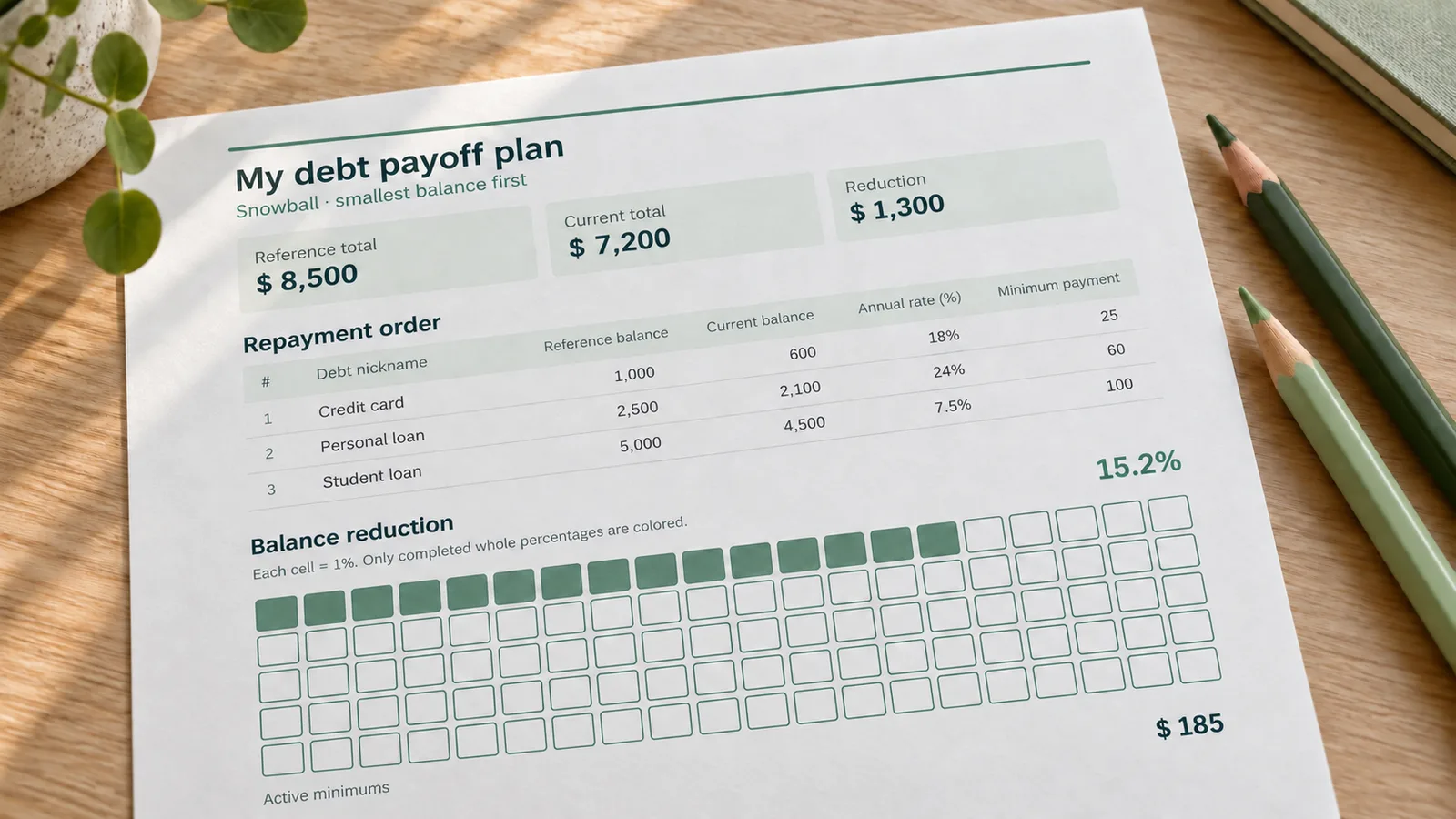
- Each cell = 1%. Only completed whole percentages are colored.
- Use a decimal point or comma, without thousands separators.
- Entries stay in this page and are not saved. Export before closing or refreshing.
Debt payoff tracker: facts and limits
A printable snapshot of what you enter, with the calculations kept visible and understandable.
- Price
- Free to use and export
- Account
- No account or registration
- Watermark
- No watermark on PDF, PNG or print
- Export formats
- One-page PDF, 300 dpi PNG and browser print
- Paper sizes
- Portrait A4 (210 × 297 mm) or US Letter (8.5 × 11 in)
- Supported sizes
- Up to 8 debts and a grid of 100 cells, each representing 1%
- Privacy
- Entries remain in the current browser page; no upload, bank connection or automatic saving
- Languages
- English, Spanish, Portuguese, French, German, Simplified Chinese, Japanese and Korean
- Calculation scope
- Orders debts and totals balances and active minimum payments; does not calculate interest, a payment schedule or a debt-free date
- Progress measure
- Reduction from total reference balances to total current balances, shown between 0% and 100%
- Currency
- One editable currency label for the entire sheet; no currency conversion
- Updated
- 20 October 2026
- Last updated
- October 20, 2026
Best for
- People who want a one-page record of up to eight balances, a visible priority list and space to mark progress between statement reviews.
- Households using a paper binder or a regular money check-in, with one consistent currency and a separate record of their actual bills.
Not the best fit for
- Forecasting future interest, comparing total repayment costs or finding a guaranteed payoff date. Those tasks need a repayment calculator with stated assumptions.
- Replacing a lender statement, managing overdue-payment arrangements, connecting bank accounts or retaining a searchable history across visits.
How it compares
- Vertex42
- Its Excel and Google Sheets debt calculator provides projected repayment schedules and strategy comparisons. That depth suits spreadsheet planning. This page focuses on current ordering and a simple printable progress record.
- Undebt.it
- Its free blank printables include different paper sizes and an ink-saver option; personalized worksheets are available through an account. Here you enter amounts and export your page directly, without creating an account.
Three ways to use your debt payoff tracker
Turn a short list of balances into something you can review at a glance.
See the order change immediately
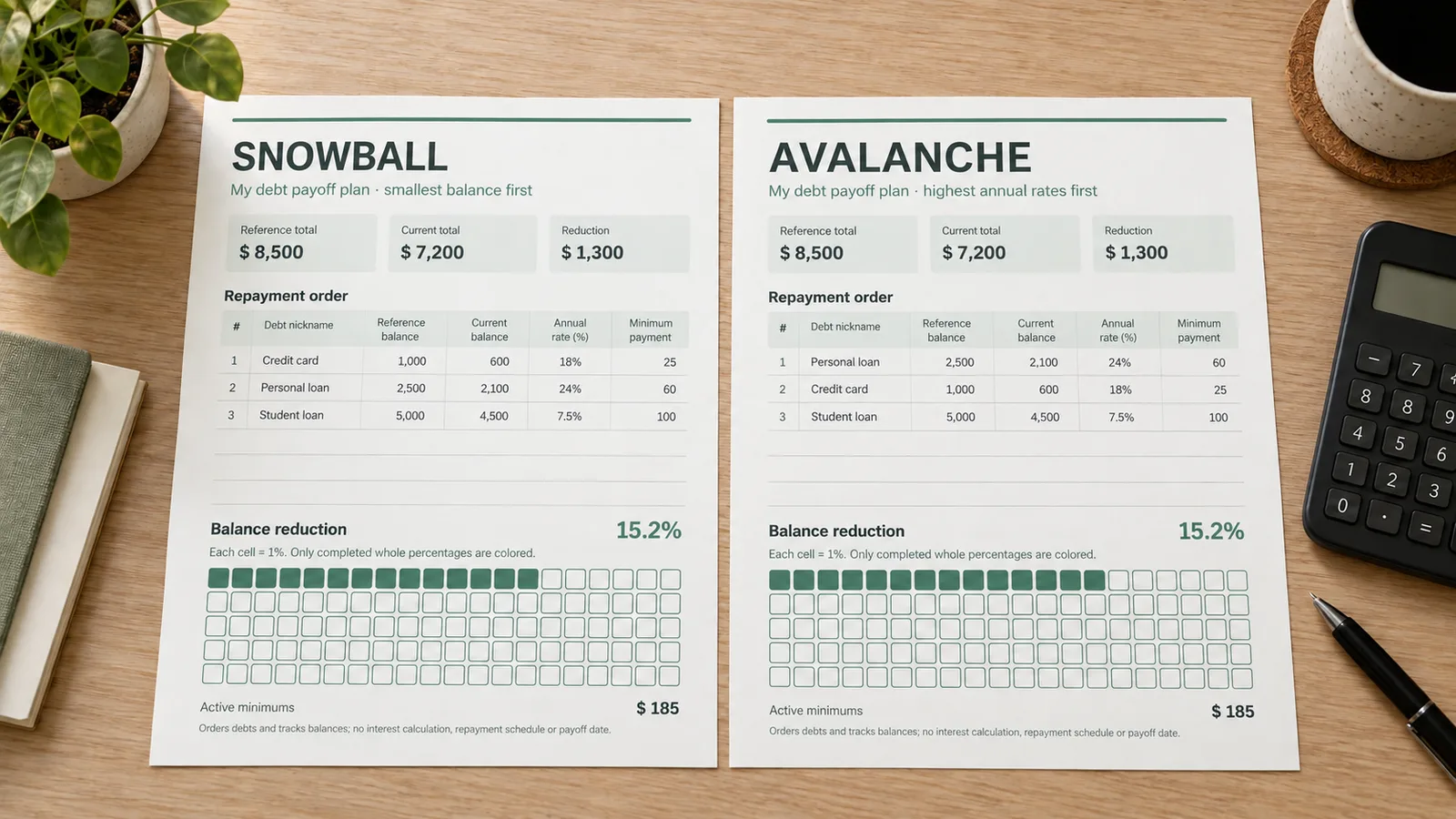
Enter a short nickname, reference balance, current balance, annual rate and minimum payment for each debt. Switch the method to see the priority list change without rearranging rows yourself. Debts with a zero current balance move to the bottom; equal balances or rates keep the order you entered. This is a useful comparison of priorities, even when you are not ready to choose a method. The ranking does not change your existing payment obligations.
Make balance reduction visible
The hundred-cell grid fills as your combined current balances fall below your reference total. Each completed cell represents one percentage point. Prefer pencil and paper? Select the blank-grid option: the printed balance figures and progress summary remain, while the cells are left empty for you to color. Keep the same starting amounts during a tracking period so that successive sheets measure progress against a consistent reference.
Keep a readable paper record
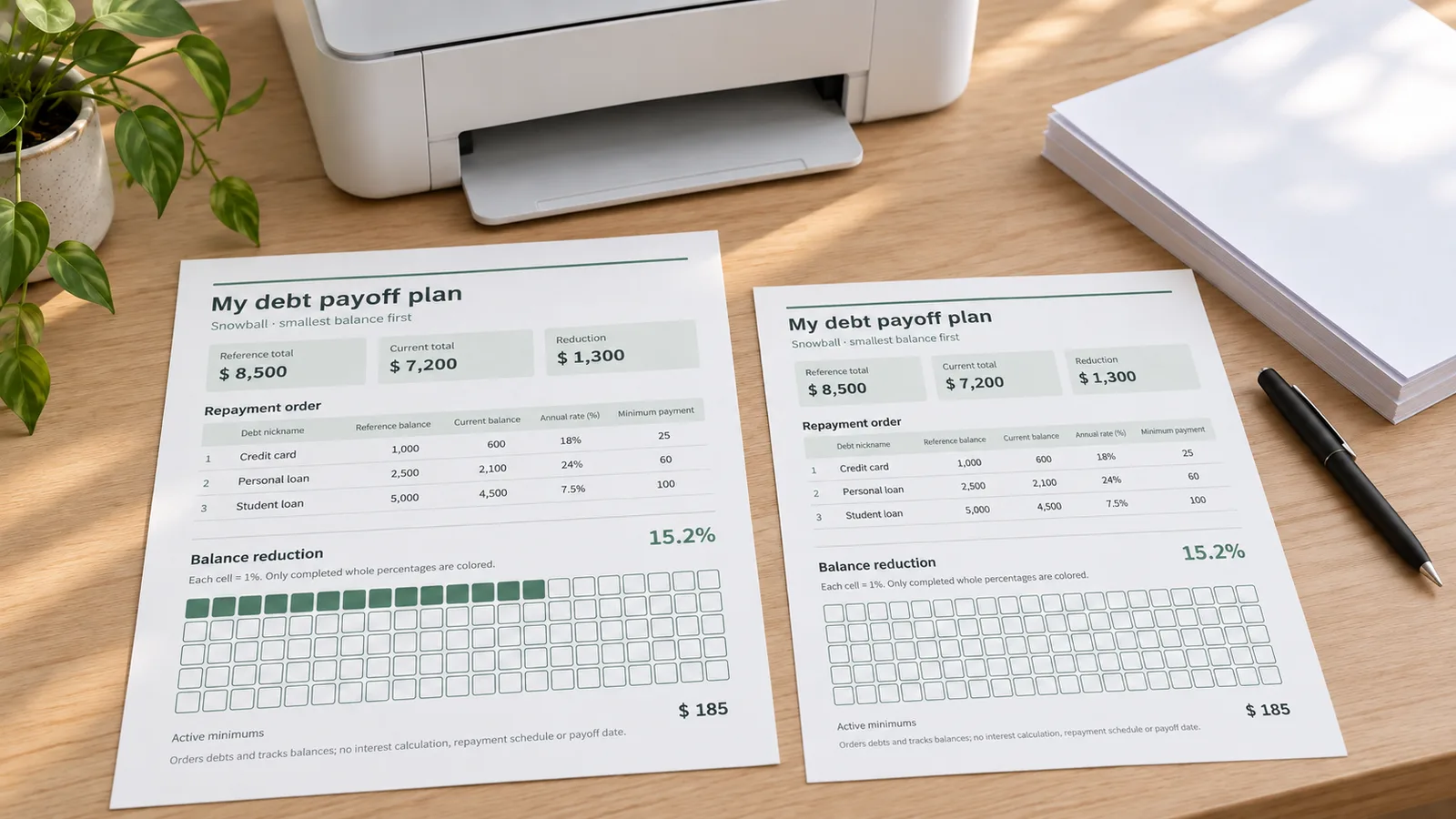
Choose the paper already in your printer and save a portrait sheet with the table, totals and grid together. Use the PDF for a straightforward printing workflow or the PNG when you want an image for a personal digital notebook. The page has no watermark, and there is no trimming or assembly. Save the finished file before you leave: entries in the editor are not retained after a refresh.
What your debt payoff tracker includes
Practical controls for a focused printable, with no bank account setup.
Eight editable entries
Use recognizable nicknames such as Card A or Personal loan instead of account numbers. Add and remove rows as needed, up to eight debts. A clear sample shows the layout before you enter anything.
Totals you can check
Review the reference total, current amount owed, balance reduction and minimum payments on active debts. The minimum total is a summary of your inputs, not a suggested budget or an allocation of extra money.
Your currency label
Use a symbol or short label that makes sense for your records. All values must already use the same currency. Changing the label changes the printed text; it does not convert exchange rates or alter amounts.
A dated snapshot
Set the month and a title you will recognize later. Save separate files for successive reviews if you want a history. The site does not reconcile statements, record individual transactions or maintain previous versions.
When you need a forecast
A spreadsheet can be more useful when you want to model interest and monthly payments over time. Vertex42 explains the assumptions behind its repayment schedule, including fixed rates and minimum payments.
View Vertex42’s calculatorWhen you prefer blank worksheets
Undebt.it offers free blank PDFs for paper planning, including Letter, A4 and ink-saver versions. Use a blank worksheet if you want to write everything by hand; use this editor when you want the ordering and totals filled in.
View Undebt.it’s worksheetHow to make and print a debt payoff tracker
Start with your current statements, choose the reference you want to measure against, and check the preview before exporting.
Collect comparable balance figures
Replace the fictional examples with your own entries. Use a reference balance from the start of your tracking period and a current balance from a more recent statement. Keep the same period and currency across the list. If you are also organizing income and everyday expenses, the Budget Planner Generator provides the broader monthly worksheet.
- Use short nicknames, not account numbers or login details.
- Check the minimum payment against your latest statement.
Choose a repayment order
Snowball lists the smallest current balance first; avalanche lists the highest annual rate first. The Consumer Financial Protection Bureau describes these approaches as ways to focus extra payments while continuing required payments elsewhere. Review the order alongside your essential expenses, due dates and any repayment agreements; a sort order does not settle those priorities for you.
- Equal sorting values keep the input order.
- Zero balances remain visible at the bottom.
Review the progress calculation
Check both totals before reading the percentage. For a reference total of 10,000 and a current total of 7,500, balance reduction is 2,500 and progress is 25%, so 25 cells fill. This measures a change in balances, not money sent to lenders. Turn on the blank grid if you want to add the color yourself.
- Keep a fully repaid row when comparing with the original total.
- Deleting a row changes the reference and progress totals.
Export at the matching paper size
Choose A4 or US Letter, save a PDF or PNG, then print in portrait at Actual size or 100%. As a practical starting point, ordinary 80–100 gsm printer paper works for a binder sheet; follow your printer’s paper guidance. Preview the margins and make a plain-paper test if needed. No cutting is required.
- Turn off browser headers and footers if the print dialog adds them.
- Save the file before closing or refreshing the editor.
Debt payoff tracker questions
How the sorting, coloring, exports and browser privacy work.
Yes. Editing, previewing, PDF downloads, PNG downloads and printing are free, with no registration or watermark. You can start with the fictional examples to understand the sheet, then replace the names and numbers or clear the list. A finished export contains the information you entered, so review the sample rows before printing a copy for your own records.
Snowball sorts positive current balances from smallest to largest. Avalanche sorts active debts by annual interest rate from highest to lowest. Equal values keep their input order, and paid-off debts appear at the bottom. The CFPB explains that small completed debts may support motivation, while focusing on higher rates can reduce costs. Neither choice here calculates those savings; use the source linked in the guide to understand the methods.
No. It calculates your current ordering, totals and progress from the values you enter. It does not accrue interest, forecast future balances, allocate an extra-payment budget or produce an amortization schedule. The minimum-payment total is just the sum for debts whose current balances are above zero. For a future repayment date, use a dedicated calculator and check its assumptions against your lender’s actual terms.
Each of the 100 cells represents 1% of your total reference balance. With a reference total of 5,000, one cell corresponds to 50 of balance reduction. Only completed whole percentages are filled: 12.8% fills 12 cells. You can print the grid unfilled for hand coloring without removing the numeric summary. If the total reference balance is zero, progress displays as zero rather than dividing by zero.
Progress compares your chosen starting balances with your current balances. A payment may include interest or fees, and later charges can increase what you owe, so money paid is not necessarily the same as balance reduction. Use current statement figures instead of subtracting payments yourself. The displayed percentage stays between 0% and 100%; if current balances exceed the reference total, a notice appears and the coloring does not go below zero.
Keep it if you want the chart to continue measuring against the same original total. Set its current balance to zero; it moves below active debts and its minimum is excluded from the active-payment total. The reference balance still contributes to overall progress. Removing the row removes both of its balances from the calculation, which can change the percentage even though you have not made another payment.
Yes. Choose portrait A4, 210 × 297 mm, or US Letter, 8.5 × 11 inches, to match your printer. Download the PDF to your phone and open it in a PDF viewer or a compatible printing app. Select 100% or Actual size and review the page preview. PNG export is also available at 300 dpi. Printer controls vary, so check the selected paper rather than relying on the app’s default.
The currency field is an editable label for the whole page. Use the same currency for every debt; no conversion is performed. Enter a decimal point or decimal comma without thousands separators, for example 1250.50 or 1250,50. Amounts must be from zero to 999999999.99, and annual rates from zero to 100 percent. Negative, empty or invalid numeric inputs block export until corrected.
The tool processes the values in your browser and does not upload or automatically save them. There is no bank connection, financial login or account sync. Refreshing or closing the page loses the entries, so save your PDF or PNG before leaving and keep your source figures separately. Exported files can contain sensitive amounts; use nicknames rather than account identifiers if you do not need those details on paper.
This layout supports up to eight rows so the table and coloring grid fit on one portrait page. For a larger list, you can prepare separate sheets, but each sheet will show its own totals and percentage. If you need a single combined ranking, payment history or a longer financial model, a spreadsheet or dedicated debt planner is a better fit than splitting the list and treating separate percentages as one result.
Make your debt payoff tracker ready to print
Replace the example balances, compare the two sorting methods and choose the coloring option you prefer.
Save your personal sheet as PDF or PNG, or print it on A4 or US Letter. No account or watermark.
Save your export before leaving; the editor does not keep your entries.