Free Reward Chart Maker for Printable Kids Charts sticker grids, weekly behavior charts and monthly charts
Type your child's name and goals, pick a sticker grid or a weekly chart, then print it. This reward chart maker is free, needs no sign-up, adds no watermark, and keeps your child's name in your browser.
20 templates. Sticker grids of 5 to 100 spots. US Letter and A4. PDF, PNG or print.
Read the guideFree reward chart maker: edit, preview and print
Choose a template, then change the name, goals, layout, paper and style. The preview is exactly what you print.
Quick templatesPick a sticker grid, weekly reward chart, behavior chart, chore chart, potty training chart, classroom chart or monthly chart.
Picture theme
Chart layout
Days per week
Week starts on
Star goal
Paper size
Orientation
Print styleRainbow
Printable reward chart preview
US Letter · Landscape · Rainbow
Reward chart maker: quick facts
Short answers for parents and teachers comparing free ways to print a sticker chart or behavior chart.
- Price
- Free, with no paid tier or download fee
- Account
- Not required
- Watermark
- None
- Export formats
- PDF, PNG and direct print
- Paper sizes
- US Letter (8.5 × 11 in) and A4 (210 × 297 mm), portrait or landscape
- Supported sizes
- Sticker grid of 10, 12, 15, 20, 25, 30, 40 or 50 spots; weekly chart with up to 8 tasks; monthly chart with 31 days
- Privacy
- Runs in your browser; nothing you type is uploaded
- Languages
- 8 languages: English, Chinese, Spanish, Portuguese, French, German, Japanese, Korean
- Layouts
- Sticker grid with a prize spot, weekly chart (7 days or Mon–Fri, Monday or Sunday start), monthly chart
- Templates
- 20, including potty training, chores, reading, bedtime, behavior and classroom
- Markers
- Empty star, sticker or check spots to fill with real stickers or a pen
- Styles
- 8 colour themes, a soft low-ink style and black and white
- Saving
- Optional draft saved only in your own browser
- Last updated
- October 18, 2026
Best for
- Parents who want a sticker chart for a toddler or preschooler in two minutes
- Teachers who need a Monday to Friday behavior chart for a class or one student
- Families who prefer a paper chart over an app and want to keep names off the cloud
Not the best fit for
- Tracking progress over months or sharing a chart between parents: nothing is stored online
- A full behavior plan for ADHD or autism: talk to your child's clinician, a chart alone is rarely enough
- Digital charts on a tablet: this tool makes paper printables
How it compares
- Kiddycharts
- A free builder with themes and a behaviour-by-day tick chart. This tool adds a numbered sticker grid with a prize spot, A4 and Letter, and PNG export.
- Canva
- Very flexible design editor, but you start from a blank design, and some elements need a paid Pro plan. Here the chart structure is already built, so you only type the goals.
- Etsy and Teachers Pay Teachers
- Polished art in paid files, usually a few dollars each. You pay per chart, and changing the tasks or name often means editing a PDF.
A reward chart maker that fits the way your child earns
Pick a sticker grid for quick wins or a weekly chart for routines. Then print it at home on your own paper.
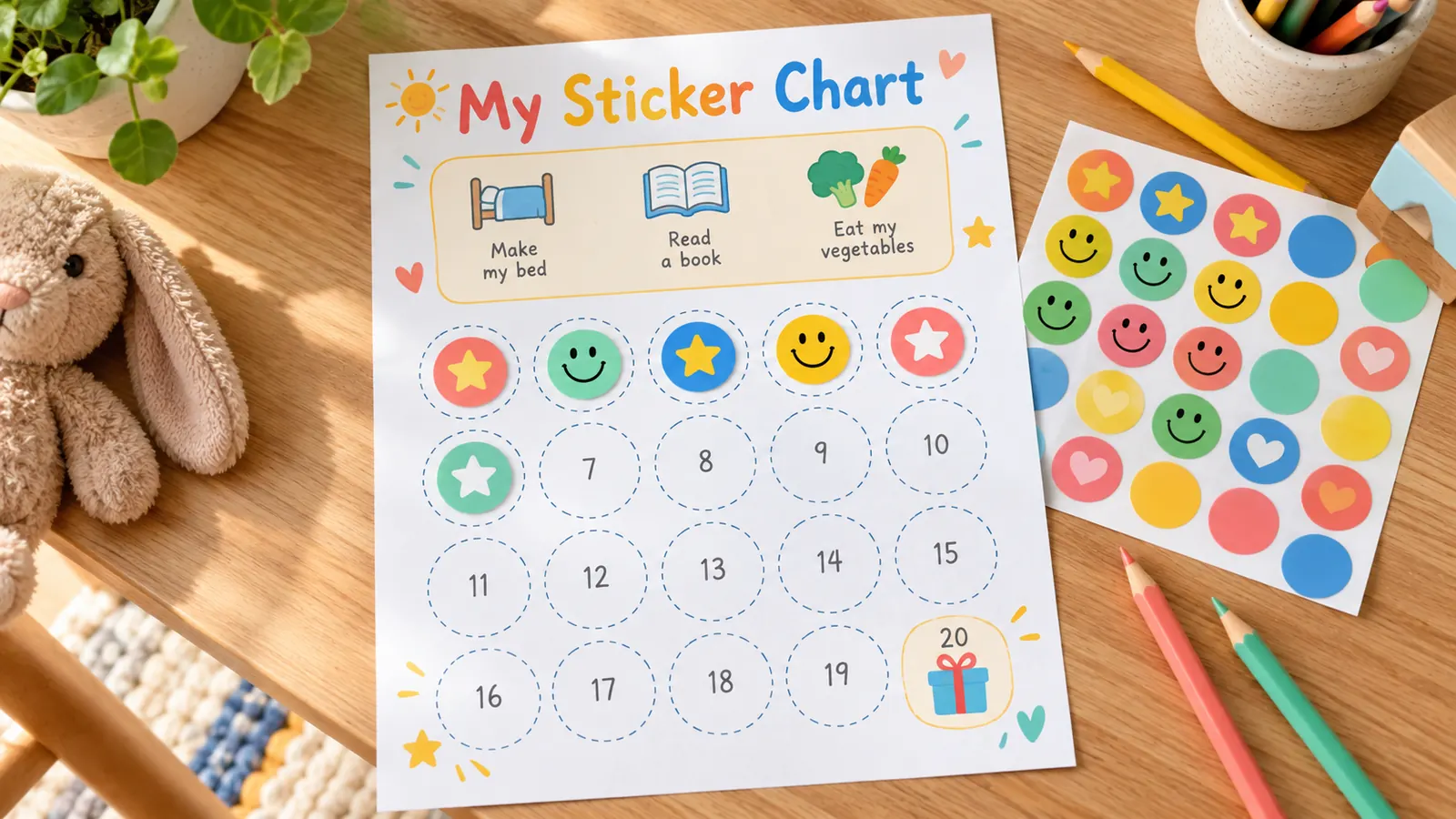
Reward chart maker with a printable sticker grid
Choose 5 to 100 numbered spots and the tool draws a clean sticker chart with a prize spot at the end. Add up to 8 ways to earn a sticker, such as trying the potty, tidying toys or reading for ten minutes.
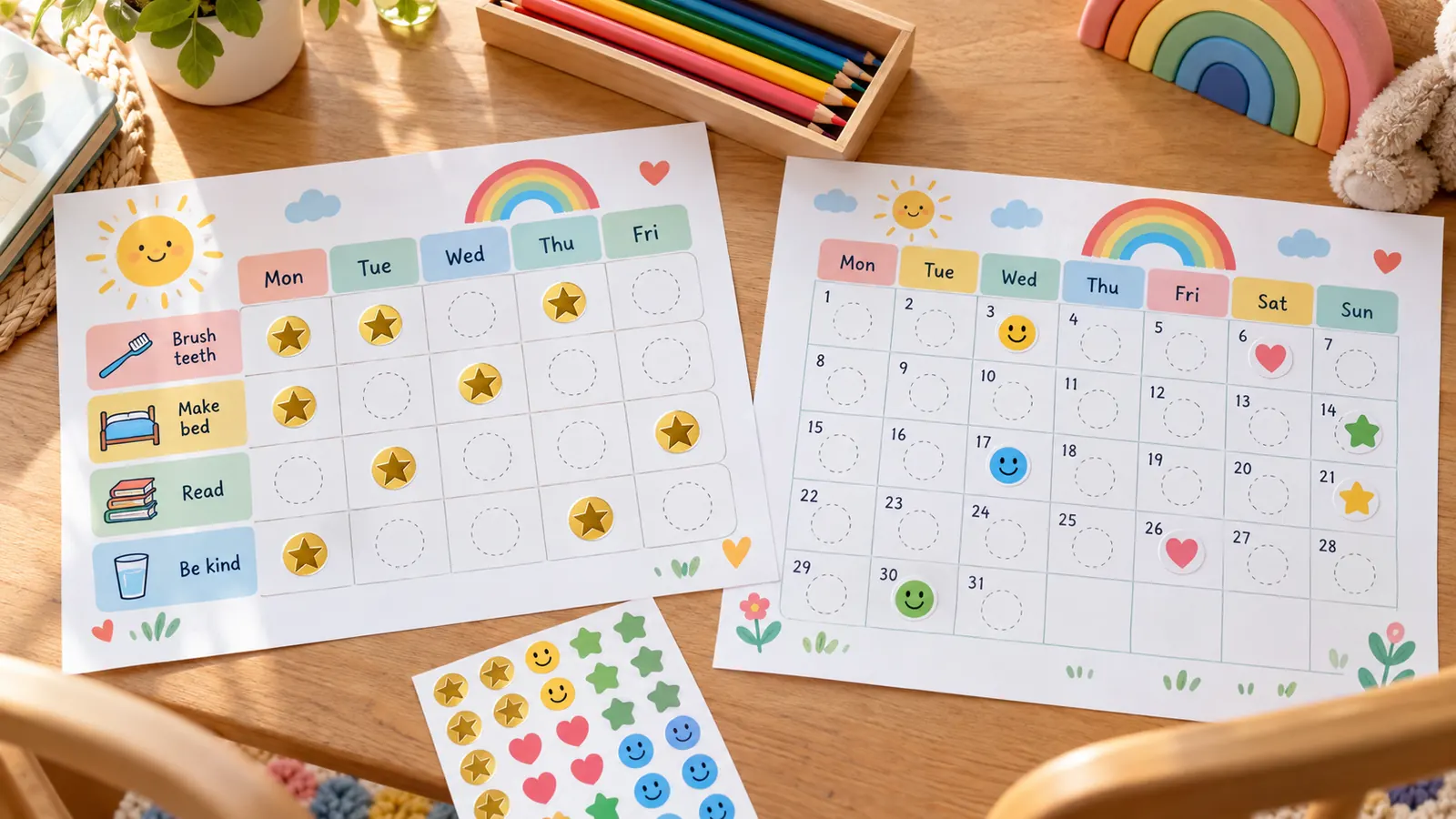
Weekly and monthly reward chart layouts
Use the weekly chart for morning and bedtime routines, or switch to Monday to Friday for school. Start the week on Monday or Sunday. The monthly chart lets you choose which weekday day 1 falls on, so it fits any month.
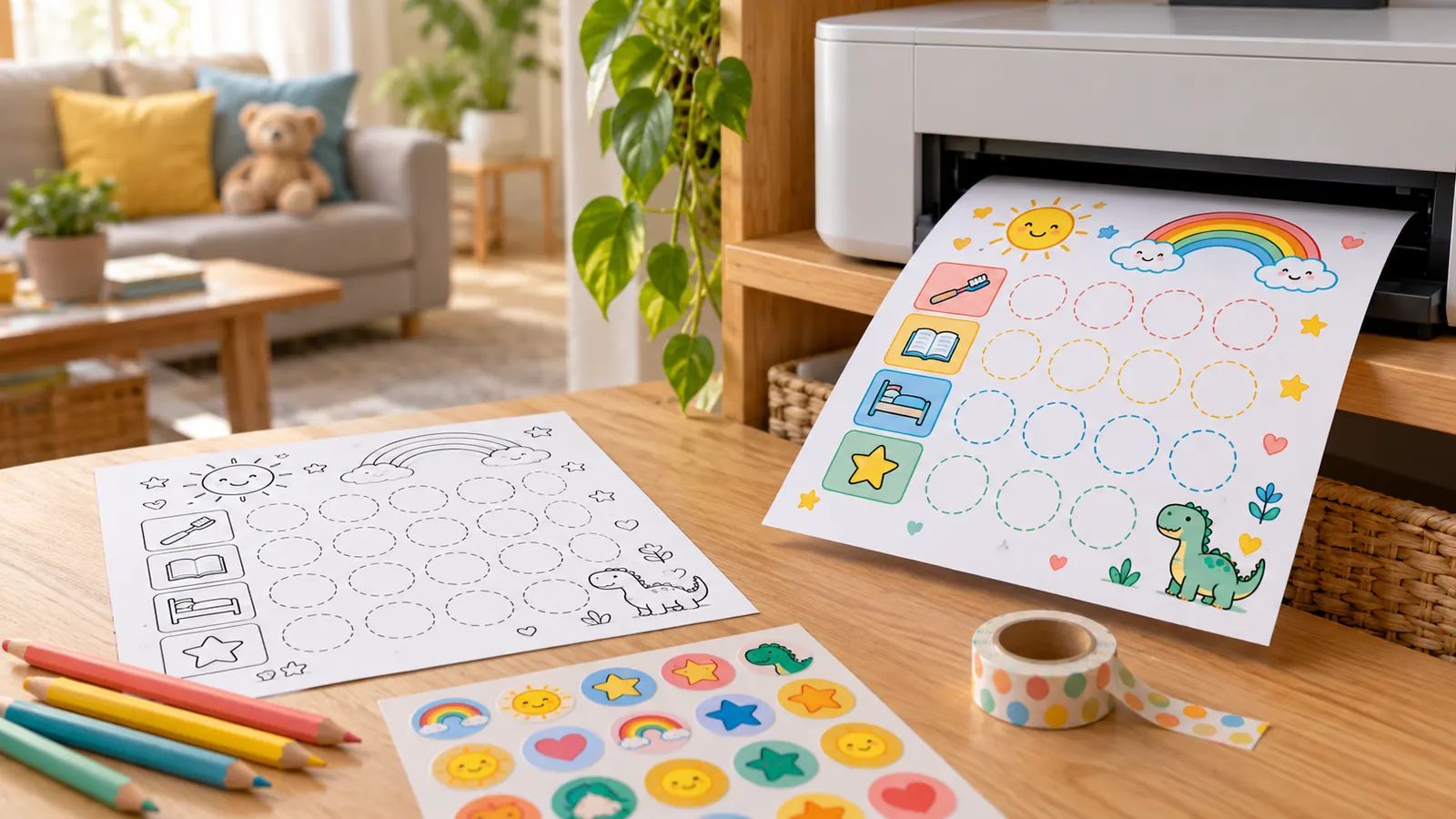
Print your reward chart in color or ink saver
Download a PDF or PNG, or print straight from the page. Eight colour themes suit a bedroom wall, and the black and white style saves ink for class sets. The spots stay empty so your child can add real stickers.
What the reward chart maker can do
Everything you need for one clear paper chart, and nothing that needs an account.
Sticker grid
10, 12, 15, 20, 25, 30, 40 or 50 numbered spots, with a prize spot on the last one.
Weekly chart
Up to 8 tasks across 7 days or Monday to Friday, starting Monday or Sunday.
Monthly chart
31 day boxes, with day 1 placed under the weekday you choose.
20 templates
Potty training, chores, reading, bedtime, homework, kindness, behavior and classroom goals.
US Letter and A4
Portrait or landscape, downloaded as PDF or PNG, or printed straight from your browser.
Private by design
Names, goals and rewards stay in your browser and are never uploaded to PrintMigo.
How to use a reward chart maker with your child
Four steps from a blank page to a chart on the fridge. Keep it short, specific and positive.
Pick a layout and a template
Use the sticker grid for one goal with a clear finish line, such as a potty or bedtime goal. Use the weekly chart when you track a few daily routines, and the monthly chart for a habit over a whole month.
- Start with one behavior only; Raising Children Network advises focusing on one at a time
- Choose 10 spots for a toddler so the first prize comes quickly
Write goals your child can see
Describe what you want, not what to stop. Write 'Put toys in the basket' instead of 'Don't make a mess'. The CDC suggests simple words and pictures for young children, so keep each line short.
- Use 'Use kind words' instead of 'Don't be rude'
- Keep three to five goals for a young child
Choose the prize and the paper
Type the prize in the reward box. Experiences such as a park trip or an extra story are easy to give often. Then pick US Letter or A4, portrait or landscape, and a colour theme or the ink saver style.
- Print at 100% or Actual size, not Fit to page
- Use 120 gsm paper or laminate the chart if it will be used for weeks
Print it and add stickers right away
Download the PDF or PNG, or print directly. Hang the chart where your child can see it and add the sticker together, right after the good choice. The CDC notes that rewards given straight after a behavior work best, and that earned rewards should never be taken away.
Say what they did while you place the sticker: 'You put your shoes away, that is a sticker.'
Download chart
Reward chart maker FAQ
Plain answers about free reward charts, sticker charts and behavior charts for kids.
Yes. You can make, download and print as many charts as you like without an account, email address or watermark.
No. The chart is built in your browser. Names, goals and rewards are not sent to PrintMigo. If you press Save in this browser, the draft is kept in your own browser storage and nowhere else.
A sticker chart is a grid of numbered spots toward one prize, so it suits one goal such as using the potty. A weekly reward chart has a row for each task and a box for each day, so it suits routines such as getting dressed and brushing teeth.
They help most when you target one clear behavior and give the reward straight away. The CDC's guidance on rewards is written for children of about 2 to 4, and Raising Children Network describes charts as most useful for about 3 to 8. They may not work for every child, so stop or change the chart if it causes stress.
There is no official number. Many families use 10 spots for a toddler and 20 for an older child. The AAP's HealthyChildren site suggests small rewards after a preset number of points and larger ones over a longer period, so pick a goal your child can reach within about a week at first.
No. The CDC says never to take away rewards your child has already earned, and Raising Children Network also advises against punishing with lost stars. Keep the chart for what went right.
Yes, as an option. Use the Potty Sticker Chart and reward the try, such as sitting on the potty or washing hands. The AAP says most children begin toilet training between 2 and 3 years and advises avoiding treats and punishments, so use the chart only for celebration, and drop it if it adds pressure.
Yes. Pick the Behavior Chart (Mon–Fri) or the Classroom Reward Chart, set the paper to Letter or A4, and print one per student or one for the whole group. The black and white style keeps class sets cheap to print.
Use US Letter in the US and Canada and A4 almost everywhere else. The chart is scaled to the paper you choose, and you should print at 100% or Actual size.
Start the free reward chart maker now
Pick a sticker grid or a weekly chart, type your child's goals and print it in a minute.
Free on US Letter or A4, with PDF, PNG and print and no watermark.
No sign-up. Nothing you type leaves your browser.