Checklist maker for printable tick-box lists
This free checklist maker turns the things you need to remember into a clean printable checklist. Start from a ready-made template for moving, packing, cleaning, a hospital bag or a rental inspection, or paste your own list, choose square boxes, circles or numbers, and print on A4 or US Letter. There is no sign-up and no watermark, and your list stays in your browser.
30 templates · 4 marker styles · A4 and US Letter · PDF, PNG or print
See how it worksMake your printable checklist in the checklist maker
Choose a template, edit the items and watch the printable page update. Download a PDF or PNG, or print straight from the browser.
Template librarySelected template: Blank ChecklistExpand to load any of the 30 editable Checklist Maker templates, from moving and packing to a hospital bag or rental inspection.
Edit checklist itemsAdd checklist item / Multi-line quick add
Add checklist item
Multi-line quick add
Paste one item per line. Start a line with # to make a group heading, or with [x] to print it ticked. Add a note after a | sign. Empty lines are ignored.
One item per line. # starts a group, [x] ticks an item, | adds a note. For CSV, use columns Item, Notes, Category. The file stays in your browser.
Categories
Layout, theme, and paper settings
Optional preview fields
Checklist Maker live preview
Blank Checklist
US Letter, Simple List, Minimal
Your checklist is saved automatically in this browser only and is never uploaded.
Checklist maker: quick facts
A free, private checklist maker for one printable page at a time.
- Price
- Free, with no paid tier or download fee
- Account
- Not required
- Watermark
- None
- Export formats
- PDF, PNG of the page, direct printing and a .txt copy of your list
- Paper sizes
- A4 (210 × 297 mm) and US Letter (8.5 × 11 in), portrait
- Supported sizes
- 30 templates, 8 layouts, 4 marker styles, 3 marker sizes, 0–20 blank rows and 11 color themes
- Privacy
- Your items stay in this browser; the draft is kept in this browser’s local storage and is never uploaded
- Languages
- 8 languages: English, Chinese, Spanish, Portuguese, French, German, Japanese, Korean
- Import
- Paste a list or load a .txt or .csv file; # starts a group, [x] ticks an item, | adds a note
- Footer
- The page has no watermark; a small “Created with PrintMigo” line prints at the bottom edge
- Length
- One page per checklist; long lists shrink to fit, so use two columns for more than about 20 items
- Last updated
- October 27, 2026
Best for
- People who want a paper checklist for a move, a trip, a clean or an event in a few minutes
- Anyone who prefers ticking boxes with a pen over an app that needs an account
- Parents, landlords, managers and hosts who print the same checklist again and again
Not the best fit for
- Reminders, repeating tasks or shared lists that several people update live
- Fully custom artwork, photos or brand templates
- Fillable PDF forms or spreadsheets that calculate
How it compares
- Canva
- A full design editor with artwork and brand kits. This checklist maker is narrower: it lays out items, groups and tick boxes and prints them at the right size, free and without an account.
- Word and Google Docs
- Good if you want to keep editing a file. Checkboxes there need setup and may not print as expected; here the boxes and spacing are built in.
- Etsy and template sites
- Designer layouts you buy or download and then edit elsewhere. Here the layouts are built in and free, but there is no designer artwork.
Pick ready-made checklists in the checklist maker
Start from a template that already lists the usual items, then change anything before you print.
Start from a ready-made checklist
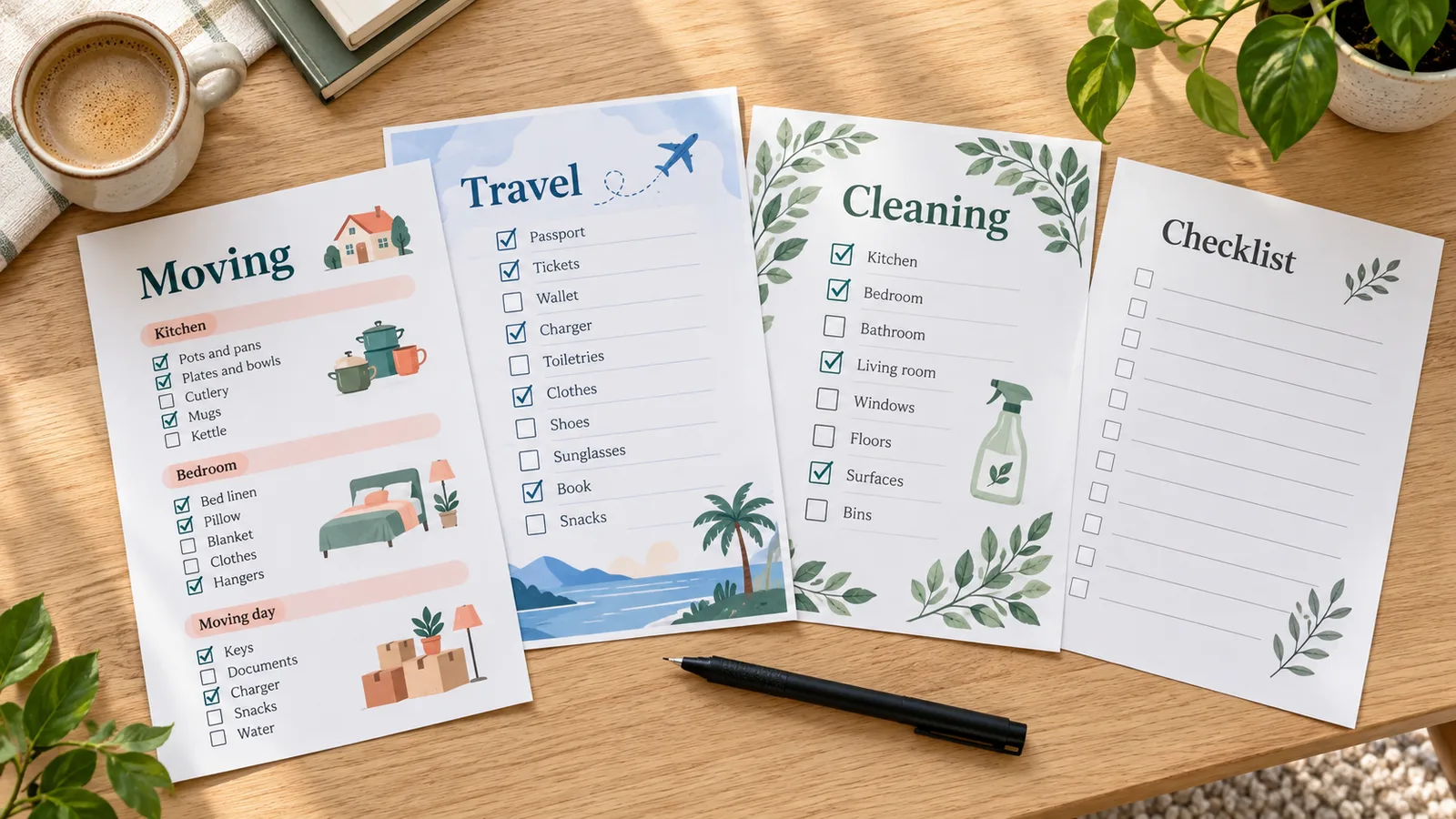
Choose from 30 editable templates: moving, travel packing, cleaning, camping, school supplies, a hospital bag, an emergency kit, a house viewing, a rental inspection and more. Every item can be edited, moved or deleted, so the template is only a starting point.
Choose boxes, numbers and blank lines
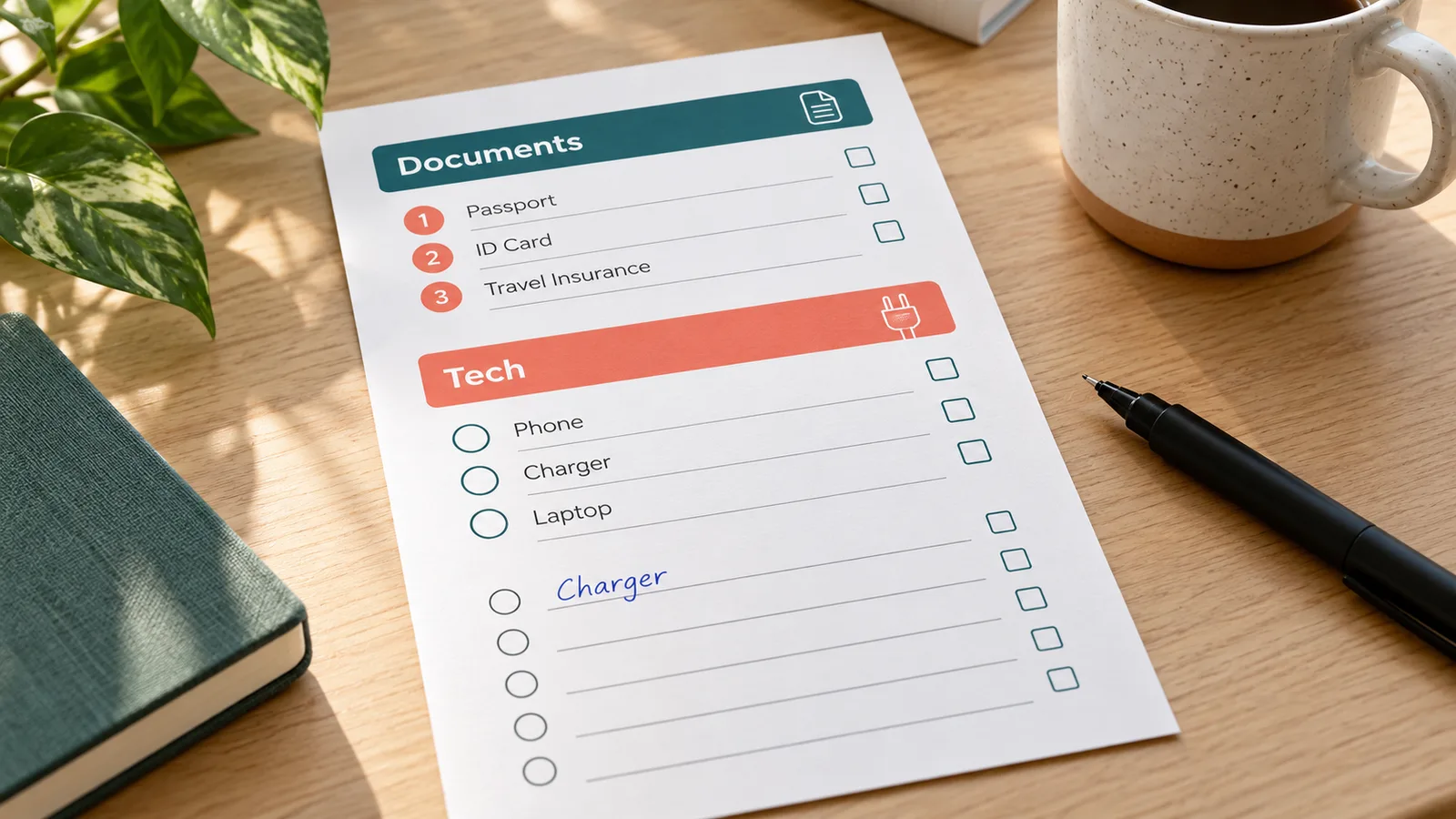
Switch between square boxes, circles, numbers or no marker, make the boxes larger for pen ticking, and add up to 20 blank rows at the end for things you remember later. Paste a list or import a .txt or .csv file instead of retyping it.
Print the checklist at home on A4 or Letter
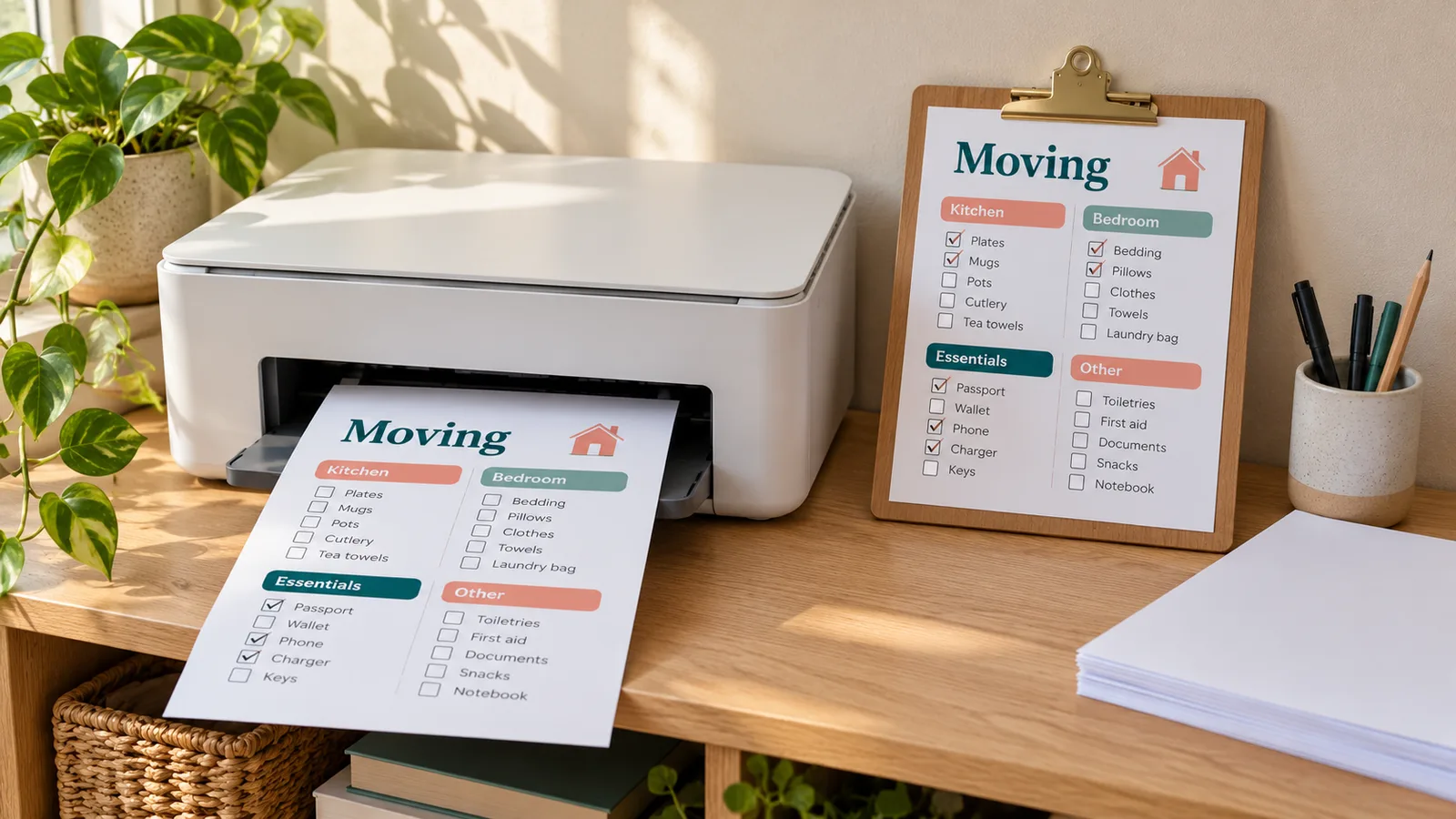
The preview is the page you print. Download a PDF or PNG, or print directly, on A4 or US Letter with no watermark across the page. Print at 100% or Actual size so the boxes stay large enough to tick.
What this free checklist maker includes
Everything runs in your browser, so your list never has to leave your device.
30 editable templates
Moving, packing, cleaning, events, weddings, camping, school, meetings, pets, a hospital bag, an emergency kit, a house viewing, a rental inspection, home maintenance, onboarding and two Christmas lists.
Boxes, circles or numbers
Four marker styles in three sizes, with optional strike-through for ticked items. The large size is easier to tick with a pen.
Groups and extra columns
Sort items into groups such as rooms or days. Turn on notes, quantity, priority, due date or owner only when you need them.
Paste or import a list
Paste one item per line or load a .txt or .csv file. A line starting with # becomes a group heading and [x] prints the item ticked.
Blank rows and signature line
Leave up to 20 empty rows for handwriting, add note lines at the bottom, or add a signature and date line for inspections and sign-offs.
Private draft in your browser
Your checklist saves automatically in this browser’s local storage, so you can come back and keep editing. Nothing is uploaded.
How to make a checklist with the checklist maker
From a template or a pasted list to a printed checklist in about five minutes.
Pick a template or start blank
Open the template list and choose the checklist closest to your task, or pick the blank checklist. Every template is a starting point: rename the title, then edit, move or delete any item.
Choose a templateAdd your items
Type items one at a time, or paste a whole list into quick add with one item per line. Start a line with # for a group heading. Keep each item short and put steps in the order you will do them.
Add itemsChoose markers, groups and columns
Pick square boxes, circles, numbers or no marker, and a larger size if you tick with a pen. Group items by room, day or person, and turn on notes, due dates or an owner column only if you will use them.
Set the styleAdd blank rows and notes
Add a few blank rows for items you think of later, and keep the note lines at the bottom for reminders. For inspections and hand-overs, switch on the signature and date line.
Add blank rowsPrint at 100% or save a PDF
Choose A4 or US Letter to match your paper, then download the PDF or print directly. In the print dialog set scaling to 100% or Actual size, not Fit, so the boxes keep their size and nothing is cut off at the printer’s margins.
- Most desktop printers cannot print closer than about 0.25 in (6 mm) to the edge.
- Use A4 in the UK, Australia and most of the world, and US Letter in the US and Canada.
Checklist maker questions
Short answers about templates, printing, privacy and how this differs from a to-do list.
Yes. All 30 templates, PDF and PNG downloads and printing are free. There is no account to create and no watermark across the page. A small “Created with PrintMigo” line prints at the bottom edge.
Pick a template or the blank checklist, edit the items, choose square boxes, circles or numbers, then download a PDF or print. Paste a whole list into quick add to save typing, and use # at the start of a line to make a group heading.
Only the steps you must not forget, in the order you do them, grouped by place, person or day. Keep each item short and start it with a verb, such as “Book movers”. Add a due date or owner only for items where it matters.
A checklist is a fixed set of steps you repeat, like packing or closing a shop. A to-do list holds one-off tasks that change every day. This checklist maker handles both, and you can reuse a printed checklist as often as you like.
Yes. Choose A4 (210 × 297 mm) or US Letter (8.5 × 11 in) in the settings. When you print, set scaling to 100% or Actual size, because Fit or Shrink can make the boxes smaller than they look in the preview.
About 20 short items fit comfortably in one column, and the two-column layout holds roughly twice as many. Longer lists shrink to fit one page, so for a very long list make two checklists or use the compact spacing.
Yes. Add up to 20 blank rows at the end, and keep the note lines at the bottom. They print as empty rows with a box, so you can add items by hand after printing.
Yes. Paste it into quick add, or load a .txt or .csv file. Start a line with # for a group, [x] for an item that prints ticked, and add a note after a | sign. For CSV, use the columns Item, Notes and Category.
No upload happens. The checklist is built in your browser and a draft is kept in this browser’s local storage so you can return to it. Clearing site data or using another browser starts a fresh checklist.
The templates include a hospital bag list based on NHS advice and an emergency kit list based on the Ready.gov basic kit. They are starting points, so check your own maternity unit or local government guidance and edit the items.
Start your next list in the checklist maker
Pick a template, edit the items and print a clean checklist in a few minutes. Change a single line later without redoing the page.
Download a PDF for A4 or US Letter, save a PNG preview or print straight from the browser.
Free · No sign-up · No watermark · A4 or Letter