Bookmark Maker for printable custom, quote, kids, subject, and reading tracker bookmarks
Create and print custom bookmarks directly in your browser. No sign-up, no image library, and no personal content is uploaded. This Bookmark Maker combines printable, custom, quote, kids, coloring, name, subject, reading tracker, and blank bookmark templates in one page.
A4 or US Letter. 3, 4, 6, 8, or 10 bookmarks per page. PDF, PNG, and Print.
See bookmark templatesFree Bookmark Maker
Choose a bookmark mode, enter names, quotes, subjects, reading goals, class names, or footer text, then download a print-ready Bookmark Maker PDF or PNG.
Template libraryClassic Bookmark
Open the Bookmark Maker template library for Classic, Quote, Kids Coloring, Name List, Subject, Reading Tracker, and Blank Bookmark templates. Templates stay in the same order in every language.
Bookmark modeClassic Bookmark
Paper typeUS Letter · Landscape
Paper type
Paper orientation
Bookmark size2 x 6 in
Bookmarks per page4 bookmarks
Print styleSolid
Printable bookmark preview
Print at actual size when possible, cut along the crop lines, and keep text inside the safe margin before trimming.
Classic Bookmark · 2 x 6 in · US Letter · Landscape · 4 bookmarks · Solid
Why this Bookmark Maker works for printable bookmarks
The Bookmark Maker combines common bookmark searches into one browser-only printable tool.
Printable Bookmark Maker layouts
Choose 2 x 6, 2 x 7, 2 x 8, or 2.5 x 8.5 inch bookmarks on A4 or US Letter paper with 3, 4, 6, 8, or 10 bookmarks per page.
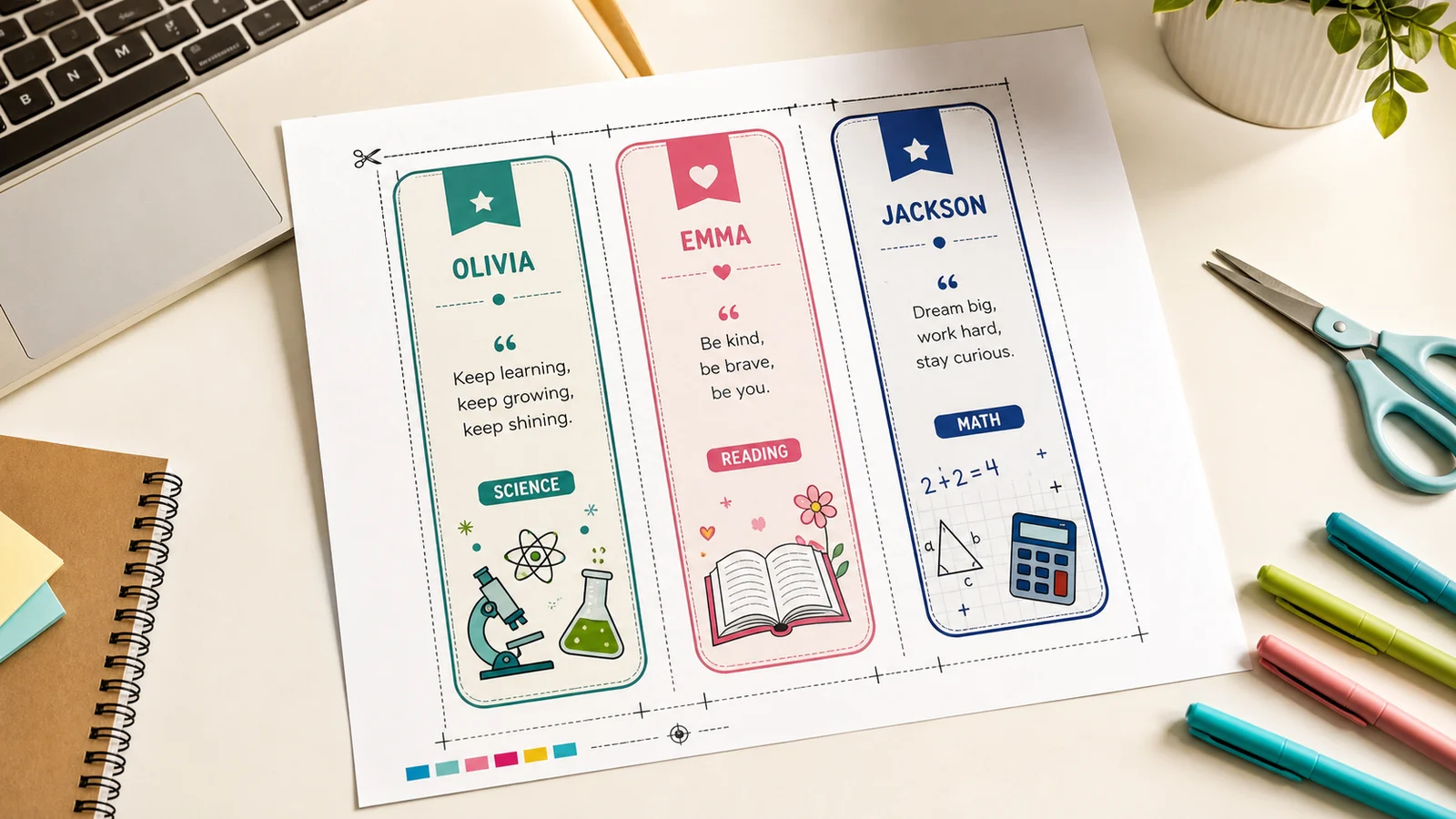
Custom Bookmark Maker template library
Start from Classic, Quote, Kids Coloring, Name List, Subject, Reading Tracker, or Blank Bookmark templates without opening separate tools.
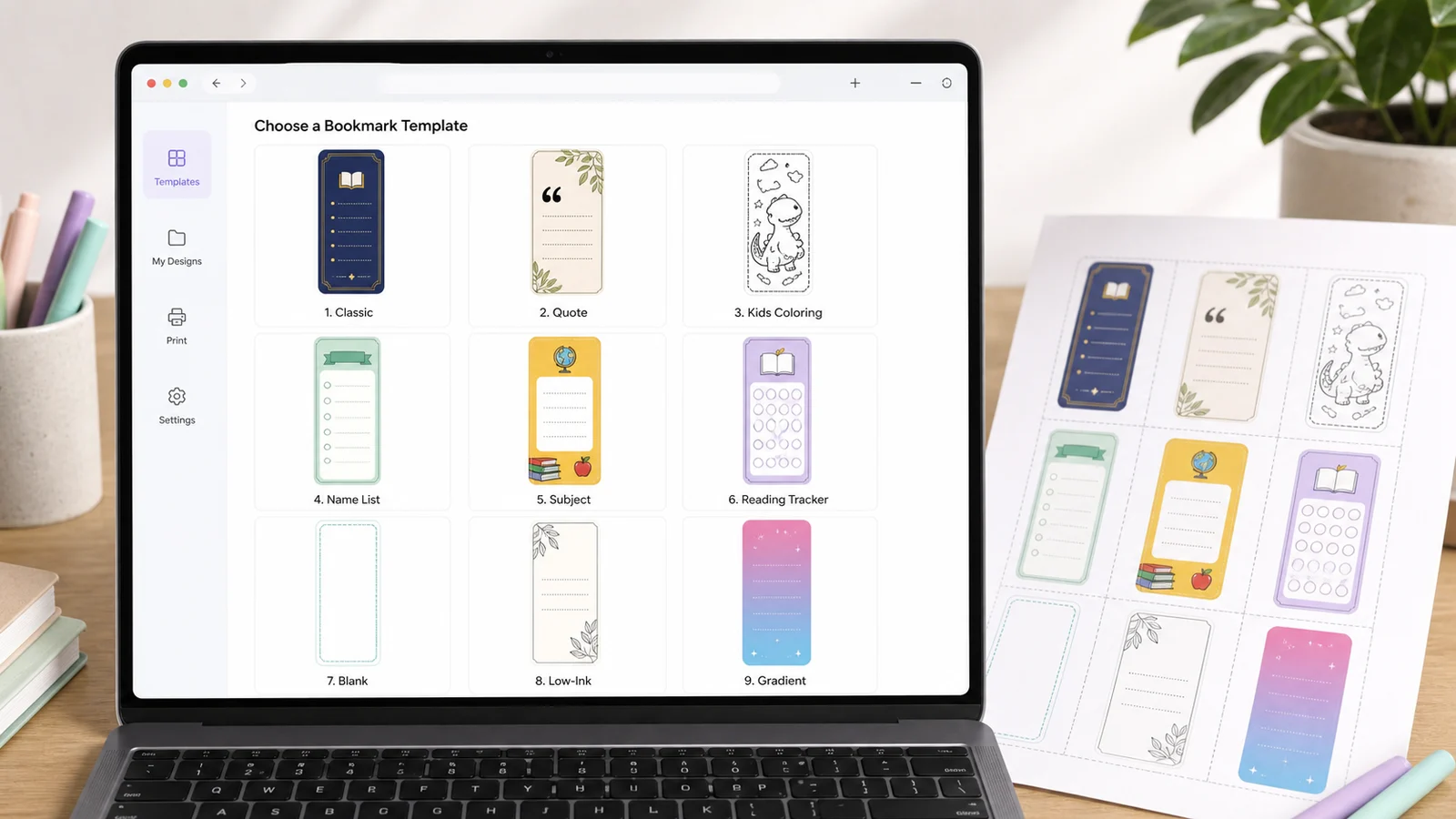
Bookmark Maker print, PDF, and PNG export
Preview crop lines, safe margins, black and white, coloring, and reading record versions before printing, downloading PDF, or saving PNG.
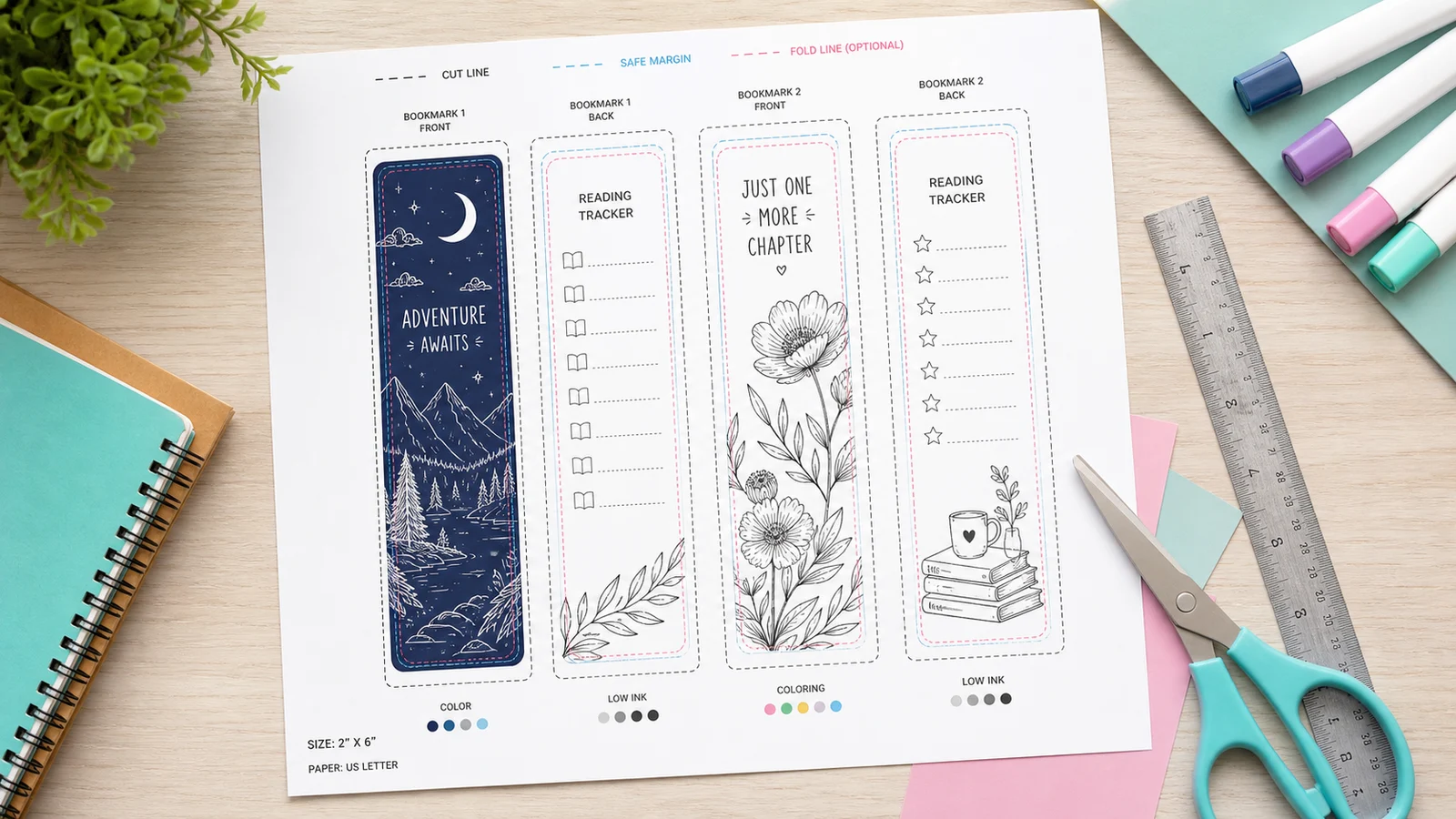
Bookmark Maker features for custom printable bookmarks
Everything stays local in your browser while you build a print-ready bookmark sheet.
One page for every bookmark type
Printable Bookmark Maker, Custom Bookmark Maker, Quote Bookmark Maker, Kids Bookmark Maker, Coloring Bookmark Maker, Name Bookmark Maker, Subject Bookmark Maker, Reading Tracker Bookmark Maker, and Blank Bookmark Template are combined here.
Make a bookmarkReal print sizes
Use A4 or US Letter paper, common bookmark sizes, 3, 4, 6, 8, or 10 bookmarks per page, crop lines, and a safe margin preview.
Make a bookmarkMore theme styles
Pick solid color, multi-color, gradient, doodle, garden, stars, simple mono, low-ink, or coloring-friendly styles.
Make a bookmarkBatch name bookmarks
Paste a name list and the Bookmark Maker fills each bookmark with a different name for classrooms and reading groups.
Make a bookmarkReading tracker boxes
Use the Reading Tracker Bookmark mode to add neat boxes for book, date, pages, and rating without overlapping text.
Make a bookmarkPrivate local exports
The Bookmark Maker creates SVG, Canvas, PDF, PNG, and print output in the browser. Your names, quotes, and class text are not uploaded.
Make a bookmarkHow to use the Bookmark Maker
Follow these steps to create a printable bookmark sheet in the Bookmark Maker.
Choose a Bookmark Maker template
Open the template library and pick Classic, Quote, Kids Coloring, Name List, Subject, Reading Tracker, or Blank Bookmark.
Keep the template menu collapsed when you want more editing space.
Make a bookmarkAdd your Bookmark Maker text
Type a name, quote, author, subject label, reading goal, class name, bottom text, or a name list for batch bookmarks.
Long text wraps inside each text box, but short wording prints cleaner.
Make a bookmarkSet Bookmark Maker print options
Choose A4 or US Letter, bookmark size, 3, 4, 6, 8, or 10 per page, crop lines, safe margin, black and white mode, coloring mode, and theme style.
Use black and white for low-ink classroom printing.
Make a bookmarkDownload or print your Bookmark Maker sheet
Use Download PDF, Download PNG, or Print, then cut along the crop lines and keep important text inside the safe margin.
Choose actual-size printing when your printer dialog offers it.
Make a bookmark
Bookmark Maker FAQ
Questions about printable custom bookmarks, export formats, privacy, and print settings.
Yes. The Bookmark Maker is free to use in your browser. You do not need an account, and the exported PDF or PNG does not add a watermark.
Yes. This one Bookmark Maker includes Classic, Quote, Kids Coloring, Name List, Subject, Reading Tracker, and Blank Bookmark modes instead of splitting them into separate pages.
No. Your text stays in the browser. The Bookmark Maker uses local HTML, SVG, and Canvas rendering for preview, PDF, PNG, and print output.
The Bookmark Maker supports A4 and US Letter paper, 2 x 6, 2 x 7, 2 x 8, and 2.5 x 8.5 inch bookmark sizes, plus 3, 4, 6, 8, or 10 bookmarks per page.
The Bookmark Maker does not include AI image generation, a stock asset library, a quote database, online print ordering, a complex drag-and-drop designer, account saving, cloud saving, community galleries, or copyrighted asset search. Those features need external APIs, licensing, accounts, storage, or moderation.
Start the Bookmark Maker now
Create a custom bookmark sheet, preview the safe margin, and download a PDF or PNG in your browser.
No sign-up, no image library, and no personal content is uploaded.
A4 or US Letter. 3, 4, 6, 8, or 10 bookmarks per page. PDF, PNG, and Print.