Cash Envelope Template Choose a category. Print, fold and fill.
Make a cash envelope template for everyday spending categories, with a blank tracker printed on the front. Choose a currency size, edit the label and print one foldable envelope on Letter or A4. PDF, PNG and direct printing are free, with no account or watermark. Your entries stay in the current browser tab.
Customize your printable cash envelopes
Choose a currency preset and category, then add optional budget and period text. Pick a color and paper size. The preview updates as you edit; each export contains one envelope with six blank tracker rows for handwriting.
Choose a currency size and category, then print one envelope with a six-row ledger. Cut solid lines, fold dashed lines and glue the side tabs. Nothing is saved when this tab closes.
Finished envelope: 168 × 76 mm
Sizes are finished handmade envelope dimensions, not banknote dimensions. EUR includes the earlier €500 size; BRL fits second-family notes. Test your actual notes and printer before making a batch.
Print at Actual size / 100%. Measure the 50 mm line before cutting; do not use Fit to page. Try one sheet first, allowing room for paper thickness and a small stack of notes.
Fold and assemble
- Print on A4 or Letter at 100%. Start with a test sheet; 80–120 g/m² paper is an option if your printer supports it.
- Cut only the solid outline. Keep the gray side tabs attached. Turn the sheet printed side down, then fold all dashed lines inward.
- Fold the two gray side tabs behind the front. Fold the bottom flap up over them and glue only where it overlaps those tabs. Keep glue away from the central pocket.
- Let the glue dry, add your notes and fold down the top flap. Leave the top flap unglued to reuse the envelope. Write deposits, spending and balance in the front grid.
Print preview
6 blank ledger rows · one envelope per sheet
Printable cash envelopes: the essentials
- Price
- Free, with no paid tier or download fee
- Account
- Not required
- Watermark
- None
- Export formats
- One-page PDF, 300 dpi PNG and direct print
- Paper sizes
- US Letter and A4
- Supported sizes
- One foldable envelope per Letter or A4 sheet; six blank tracker rows
- Privacy
- Runs in your browser; nothing you type is uploaded
- Languages
- 8 languages: English, Chinese, Spanish, Portuguese, French, German, Japanese, Korean
- Finished envelope sizes
- USD 168 × 76; EUR 172 × 88; BRL 168 × 78; CNY 168 × 84; JPY 172 × 84; KRW 166 × 80 mm
- Editable fields
- Category, budget text, period text and color
- Storage
- Current tab only; export before refreshing or closing
- Last updated
- October 20, 2026
Best for
- People who want a paper envelope and a handwritten category ledger in one
- A few everyday cash categories such as groceries, transport or gifts
- Printing another blank tracker when the first six rows are full
Not the best fit for
- Automatic calculations, bank synchronization or saved transaction history
- Coin storage, thick cash bundles or a guaranteed fit in a particular binder
How it compares
- Vertex42
- Offers free PDF envelopes and separate Excel/PDF registers, including editable labels. PrintMigo puts currency-size presets, a front grid and eight localized interfaces in one browser editor.
- OnPlanners
- Offers tracker pages in several planner sizes, including A4 and Letter. Its checked download page lists a watermarked free option and a watermark-free upgrade; this editor exports its foldable envelope without a watermark.
Cash stuffing envelopes made to fold
Start with the right note size
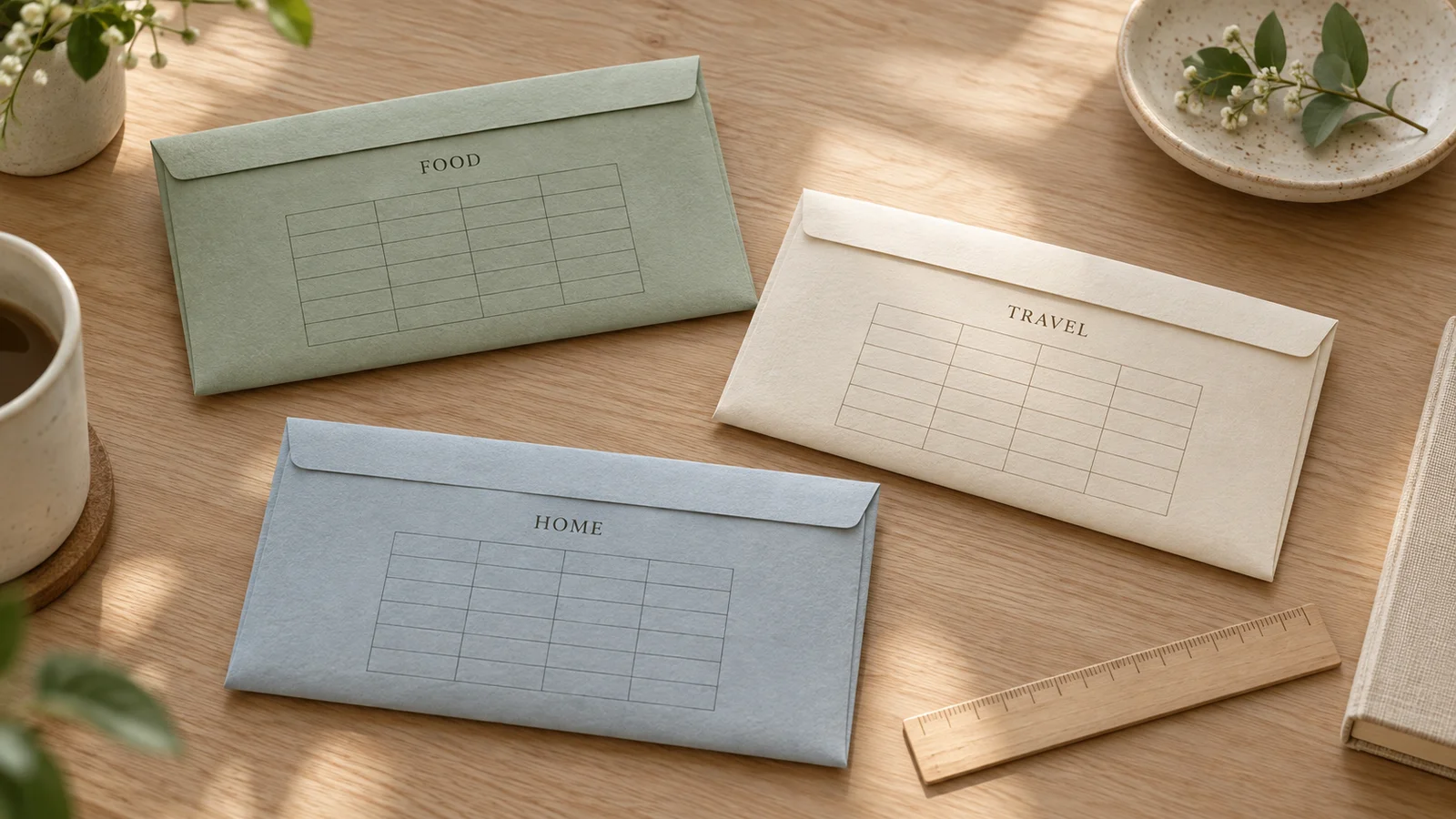
Choose USD, EUR, BRL, CNY, JPY or KRW before printing. Each preset adds room around the supported notes; these are finished envelope dimensions, not banknote measurements. The euro option also accommodates the larger first-series €500 footprint. Keep the original print scale so the paper pocket remains the size shown. Test one assembled envelope before making a full set.
Keep a small ledger on the front
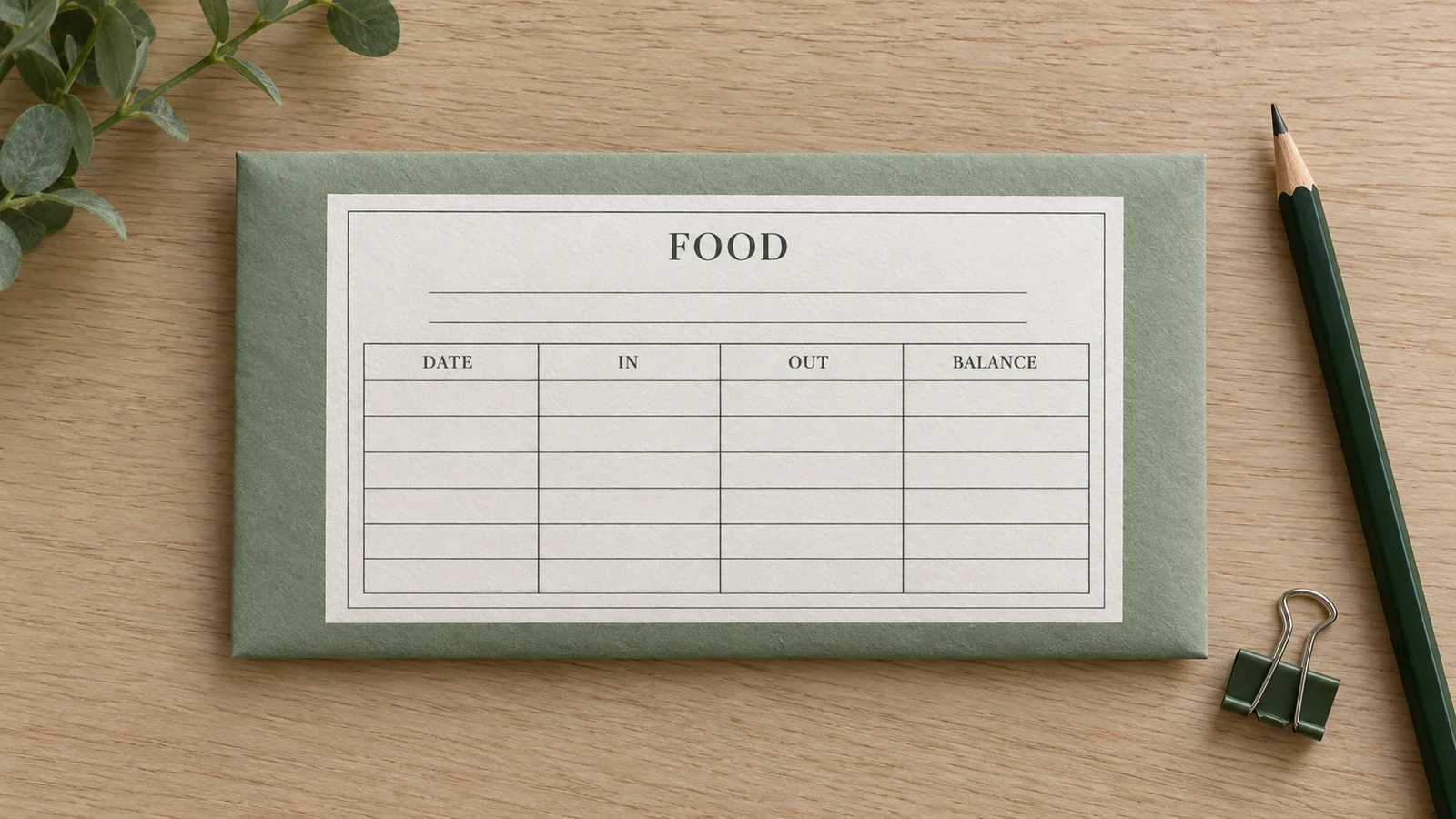
Six blank rows give you space to write the date, money added, money taken out and the remaining balance. Add a category name above the grid and optional budget and period text. The ledger is for handwriting after printing: it does not calculate a balance or store transactions. When the rows are full, print another envelope or keep a separate record.
Follow the cut and fold guides
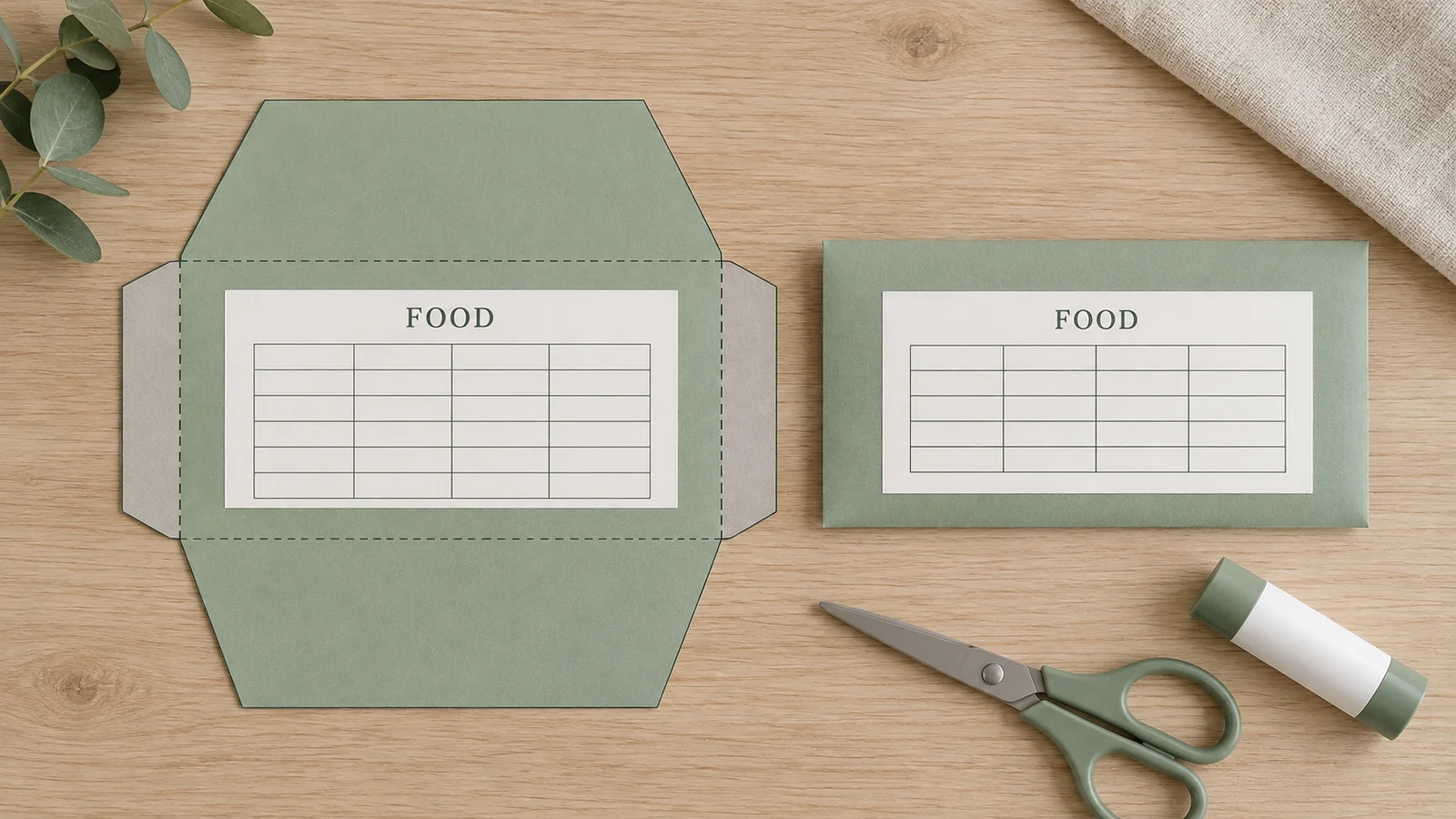
The sheet includes an outside cutting outline, dashed folds and side tabs. Print on your selected A4 or Letter paper at 100%, check the 50 mm calibration mark and cut the outline. Turn the sheet printed side down. Fold the sides inward, bring up the bottom panel and glue it only to the side tabs. Leave the top opening clear so the envelope can be used again.
What your printable cash envelopes include
Categories you can rename
Select a localized example or type a category that matches your own paper system. Groceries, transport and gifts are labels, not prescribed spending amounts. The same envelope layout is also available from the parent Budget Planner.
Optional budget and period notes
Use the text fields for your preferred currency notation and a period such as “October” or “Week 1.” Leave either field blank for a reusable form. These notes are printed as entered; there is no exchange-rate conversion or recommended allocation.
Letter or A4, one per sheet
Choose US Letter (8.5 × 11 inches) or A4 (210 × 297 mm) to match your printer. The PDF preserves page dimensions; PNG is rendered at 300 dpi. Export one category, change its label and repeat for another envelope.
A private editing session
Category and budget entries are processed locally without being uploaded by the tool. There is no account or automatic storage. Refreshing or closing the tab loses the current settings, so download your completed page before leaving.
How to print and fold cash stuffing envelopes
Choose a currency and label
Open the envelope layout, select the currency preset and choose a category. Add your own label if the examples do not match your needs. Budget and period are optional free-text notes. Check the finished dimensions and long text in the preview before exporting.
- These presets make paper pockets, not banknote reproductions.
- A printable ledger organizes records; it does not set a budget for you.
Save the page for your paper
Select Letter or A4 and download a PDF or PNG. Each file contains one envelope. For several categories, export the first page, change the category name and repeat. The PDF is a finished printout, not an editable project you can import to restore the form.
- Choose PDF when exact paper dimensions matter.
- Export before reloading; form entries are not automatically saved.
Print and check the scale
Use matching paper in the printer and select Actual size or 100%. Turn off browser headers and footers. Measure the 50 mm calibration mark with a ruler before cutting. Start with a test on 80–120 g/m² paper supported by your printer, then check how it folds and holds your notes.
- Do not use Fit to page: shrinking can make the envelope too small.
- If an edge is clipped, check paper size, orientation and printer margins before trying again.
Cut, fold and begin your record
Cut only the solid outside outline. Crease the dashed lines and turn the sheet printed side down. Fold the side tabs inward, then fold the bottom panel up. Glue the bottom panel to the side tabs without gluing the pocket shut. Leave the top opening free. Once dry, write deposits, withdrawals and the balance in the front grid.
- Try one assembled envelope with your notes before printing a batch.
- The CFPB describes labeled envelopes as one way to organize cash by category; choose labels that suit your own records.
Printable cash envelopes: common questions
Yes. Editing, PDF and PNG downloads and direct printing are free, with no sign-up, email gate or watermark. Choose a category and paper size to make a usable page immediately. Scissors, paper and adhesive are materials you supply yourself.
The finished presets are USD 168 × 76, EUR 172 × 88, BRL 168 × 78, CNY 168 × 84, JPY 172 × 84 and KRW 166 × 80 mm. EUR includes clearance for the first-series €500; BRL is sized for second-family notes. Paper thickness and folding affect usable space, so test a finished envelope with your notes.
Yes. Select A4 or US Letter in the editor and use the matching paper in the print dialog. Each exported page contains one envelope. Print at 100% or Actual size and measure the 50 mm calibration mark. Do not shrink the sheet to fit, because the finished pocket would shrink too.
Yes. Use a category preset or enter a custom label, plus optional budget and period text. Currency notation is your choice; the tool does not calculate amounts or convert currencies. To make another category, export the current page, change the label and export again.
It is a blank handwritten record with date, money in, money out and balance columns. Write one cash movement on each row and work out the balance yourself. The tool does not fill these rows digitally. Use a new sheet or another record once the six rows are full.
Try one envelope on 80–120 g/m² paper that your printer supports. Turn the sheet printed side down before folding the side and bottom flaps. Fold the dashed lines carefully, and use a small amount of paper glue or thin double-sided tape on the side tabs. Keep adhesive out of the pocket and leave the top unsealed. Thicker paper may need scoring and can reduce the room inside.
Yes. PDF, 300 dpi PNG and direct printing use the current preview. For exact dimensions, PDF is usually easiest because its page size is explicit. An image-printing app may resize a PNG, so check the selected paper and calibration mark. Downloads are finished pages, not editable project backups.
The editor processes your entries in the browser tab without uploading them or connecting to a bank. It does not automatically save your work. Refreshing or closing the tab clears the current entries; download a PDF or PNG first if you want to keep the finished page.
Make your printable cash envelopes
Choose a note size, name your category and save a clean page for folding.
Start with one test envelope, then repeat for the labels you need.
Free · No sign-up · No watermark