Calendar Maker custom printable calendars
Create a printable Calendar Maker page for monthly plans, yearly overviews, multi-month projects, blank calendars, family events, classroom dates, and small business notes. Your calendar is created in your browser. No account, no calendar sync, no cloud storage.
Calendar Maker printable editor
Use the Calendar Maker to choose monthly, yearly, multi-month, or blank calendar layouts, add your own events and notes, pick A4 or US Letter, and export the exact preview as PDF, PNG, or print.
Calendar Maker template librarySelected template: Blank Monthly CalendarOpen to choose one of sixteen Calendar Maker templates. The template library is collapsed by default.
Calendar Maker settingsBlank Calendar | October 2026 | Clean solid
For the yearly page and the 13-page PDF, e.g. September for a school year or April for a Japanese fiscal year.
Holidays, school breaks & labelsNo holidays
Calendar Maker title, notes, and logoBlank Monthly Calendar
Personalized logo area
Custom events
Editable Calendar Maker events
No custom events yet.
Calendar Maker preview
Full 2026 calendar
13 pages in one file: a year-at-a-glance page plus one page for each month, with the same style, holidays and events.
Calendar Maker preview
Blank Calendar | October 2026 | Sunday start | US Letter Portrait | Clean solid | Blank Monthly Calendar
Why use this Calendar Maker?
This Calendar Maker focuses on printable output, manual customization, and browser-only privacy instead of online schedule management.
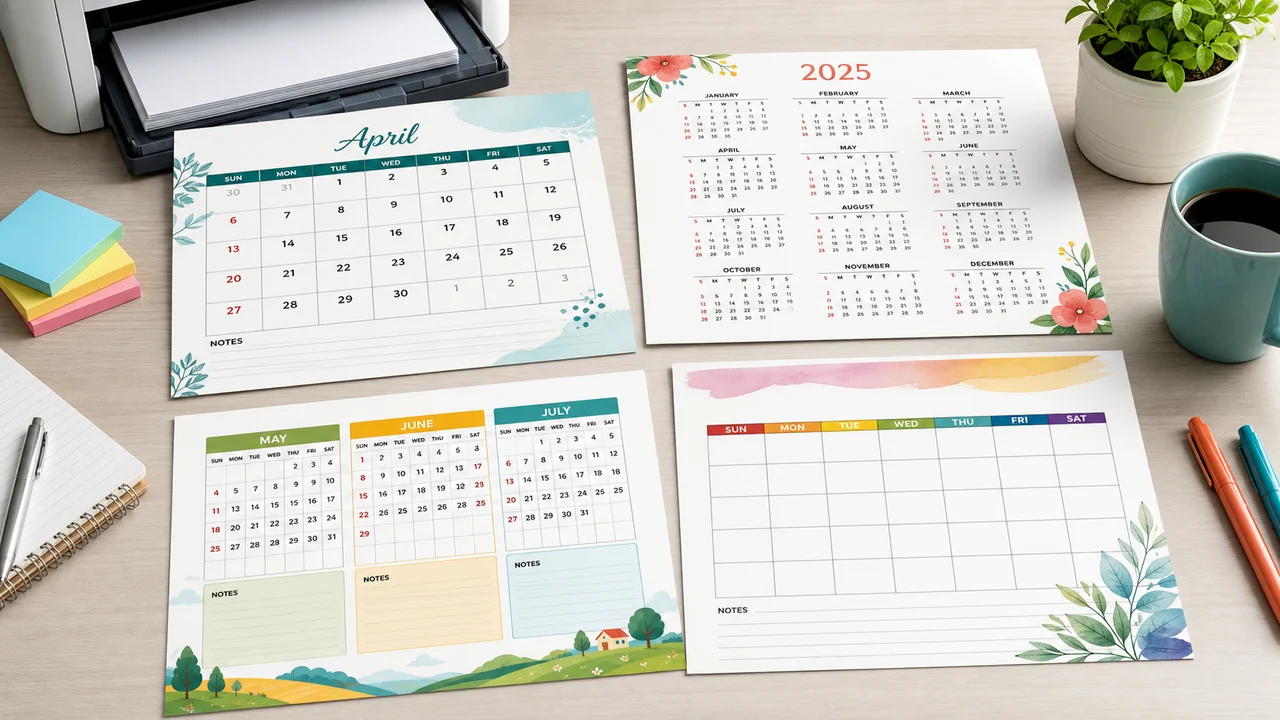
Calendar Maker layouts for every printable plan
Choose monthly, yearly, multi-month, or blank Calendar Maker layouts for family planning, classroom boards, school dates, event prep, and office notes.
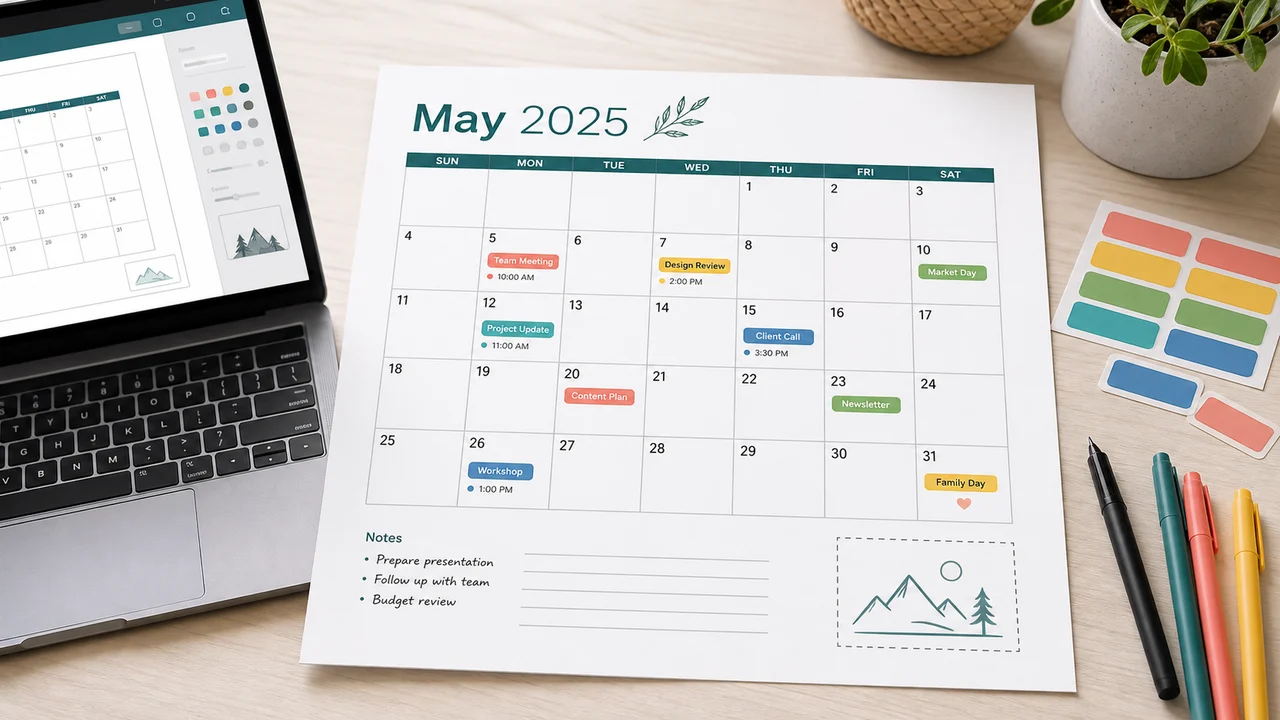
Calendar Maker with custom events, notes, and logo text
Add your own activities, color tags, short notes, printable reminders, logo text, and an optional small logo image without syncing any external calendar.
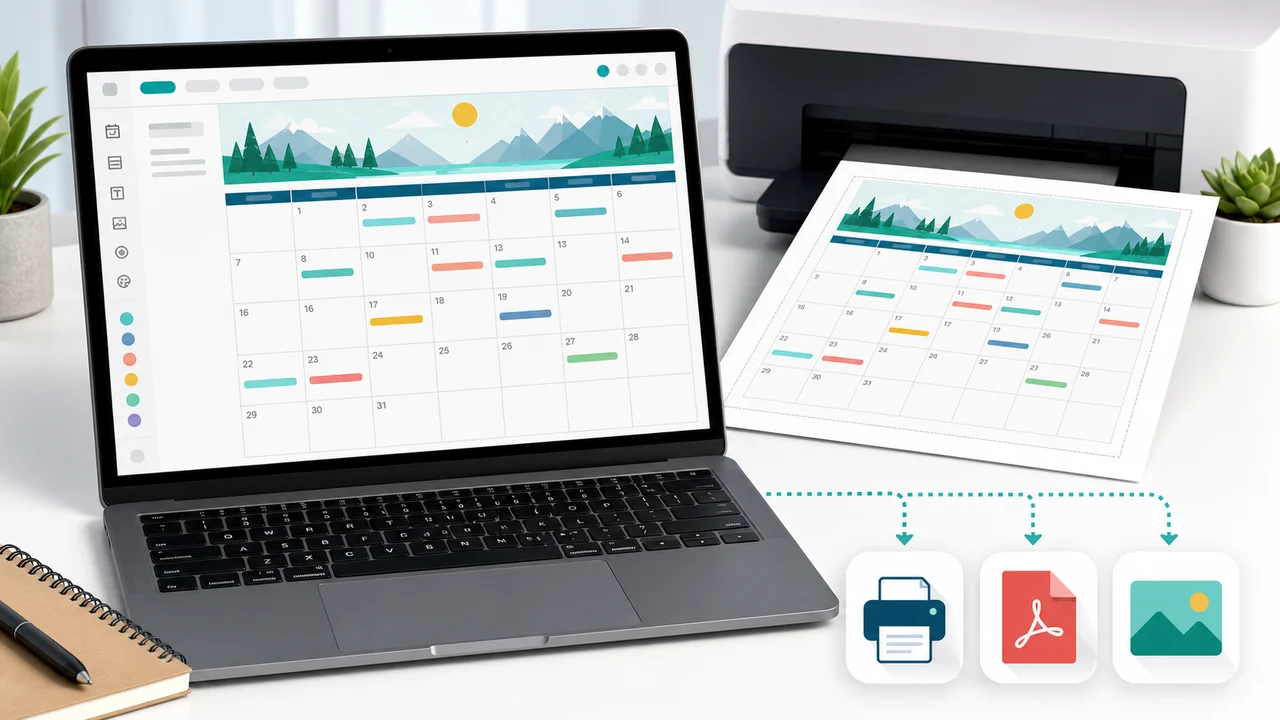
Calendar Maker export that matches the preview
Print directly or download PDF and PNG files from the same Calendar Maker preview, preserving borders, colors, decorations, notes, event tags, and logo text.
What can you make with this Calendar Maker?
Use the Calendar Maker for practical printable calendars that stay simple, editable, and ready for paper.
Monthly Calendar Maker
Create a monthly Calendar Maker page with weekday headers, date boxes, event tags, notes, decorations, and a logo area.
Yearly Calendar Maker
Build a yearly Calendar Maker overview for deadlines, school dates, birthdays, reviews, launches, and annual planning.
Multi-month Calendar Maker
Plan the next three months with a multi-month Calendar Maker layout for projects, events, travel, and seasonal work.
Blank Calendar Maker
Print a blank Calendar Maker grid when you want students, family members, or team members to fill dates by hand.
Browser-only Calendar Maker
Your Calendar Maker content stays in the browser. There is no account, cloud storage, Google Calendar sync, or automatic holiday lookup.
Printable Calendar Maker exports
Download PDF, download PNG, or print the Calendar Maker output directly from the same preview.
How to use the Calendar Maker
Create a printable calendar in a few steps, then print or download the exact result you preview.
Choose a Calendar Maker template
Open the collapsed template library and pick one of twelve Calendar Maker layouts. The English and Chinese template order matches exactly across the site.
- Start with Blank Monthly Calendar for handwriting.
- Use Year at a Glance Calendar for long-range planning.
- Use Multi-Month Calendar for event or project timelines.
Customize Calendar Maker settings
Choose the calendar type, year, month, Sunday or Monday week start, A4 or US Letter, portrait or landscape orientation, theme style, and low ink mode.
- Use landscape for yearly and multi-month calendars.
- Use low ink mode for simple office printing.
Add Calendar Maker events and notes
Enter custom events manually with a date, event name, color tag, and short note. Multiple spaces and line breaks in titles, notes, and event notes stay visible in the preview and export.
- Use short event names for cleaner cells.
- Keep longer context in the notes area.
Print or download your Calendar Maker result
Use Print, Download PDF, or Download PNG. The Calendar Maker export is based on the same SVG preview so borders, background colors, decorations, event tags, notes, and logo text stay consistent.
- Check printer scaling before a large batch.
- Choose A4 or US Letter before exporting.
Calendar Maker FAQ
Practical answers about this printable Calendar Maker, export options, privacy, and limits.
Yes. The Calendar Maker is free to use in your browser and does not require an account. There is no watermark added to the printable calendar.
No. This Calendar Maker is intentionally a printable calendar tool, not an online schedule manager. It does not sync external calendars, import ICS files, send reminders, or store events in the cloud.
You can print the Calendar Maker preview or download it as PDF or PNG. The export uses the same SVG preview so table borders, backgrounds, decorations, event color tags, notes, title, and logo text are preserved.
Yes. Choose the Blank Calendar type or the Blank Monthly Calendar template to create a printable grid without date numbers, then fill it in by hand after printing.
No. Events are manual only. This keeps the Calendar Maker browser-only and avoids maintaining country, school, bank, religious, or regional holiday databases.
Yes. The Calendar Maker form and preview are responsive. For the cleanest PDF, PNG, or printed result, choose your paper size and orientation before exporting.
The Calendar Maker preview wraps and clips text inside its own boxes. Very long event names are best kept short, while longer instructions fit better in the notes area.
Start your Calendar Maker printable
Open the Calendar Maker, choose a template, add your own events and notes, then print or download PDF/PNG.
Everything is created in your browser with no account, no calendar sync, and no cloud storage.
Printable monthly, yearly, multi-month, and blank calendars are ready in one page.