Place card maker for tent, flat and escort cards
This free place card maker turns a list of names into printable tent cards, flat place cards, escort cards and buffet labels. Paste the names or import a CSV, pick a style and download a PDF for A4 or US Letter. There is no sign-up and no watermark, and your guest list stays in your browser.
8 card sizes · 22 templates · A4 and US Letter · PDF, PNG or print
See how it worksMake your place cards in this place card maker
Type or import one card per line (Name | Table | Subtitle | Meal), choose a template and check the printed size before you export. It lays out every sheet in your browser, so the list never leaves your device.
Template librarySelected template: Peach wreath wedding cardsOpen to apply a ready-to-print place card template. Templates stay in the same order across languages.
One card per line. Use Name | Table | Subtitle | Meal; the table, subtitle and meal can be blank. A line without a pipe can also use commas. Meal text such as beef, chicken, fish, vegetarian, vegan, kids, gluten-free or allergy adds an icon to the card.
Columns are found by header (Name, Table, Title, Meal). Without a header, use the order Name, Table, Subtitle, Meal.
Layout settings
Printed size: 90 × 55 mm (3.54 × 2.17 in)
Prints at full size at 100% scale.
Before printing checklist
- Print at 100% scale with margins disabled when your printer allows it.
- Check crop lines before cutting and fold lines before scoring tent cards.
- Review long names, missing table numbers, and meal markers before exporting.
- For double-sided tent cards, the back side is automatically flipped for folding.
Full sheet print preview
Double-Sided Tent Cards · US Letter
Place card maker: quick facts
A free, private tool for printing place cards for one dinner, wedding or party at a time.
- Price
- Free, with no paid tier or download fee
- Account
- Not required
- Watermark
- None
- Export formats
- PDF with every page, a PNG of the first page, and direct printing
- Paper sizes
- A4 (210 × 297 mm) and US Letter (8.5 × 11 in), portrait
- Supported sizes
- 8 card sizes, 5 card types, 22 templates, 30 color styles and 2–12 cards per sheet
- Privacy
- Names stay in this browser tab; the draft is kept in this browser’s local storage and is never uploaded
- Languages
- 8 languages: English, Chinese, Spanish, Portuguese, French, German, Japanese, Korean
- Full size per sheet
- 8 flat 90 × 55 mm cards or 4 folded tent cards print at full size on both A4 and US Letter
- Import
- CSV or TXT; columns are found by header name, or read as Name, Table, Subtitle, Meal
- Card sizes
- 3.5 × 2 in and 4 × 2 in tent sizes, 100 × 60 mm UK folded size, 180 × 60 mm meeting size, plus 90 × 55, 85 × 45, 100 × 65 and 130 × 90 mm
- Last updated
- October 27, 2026
Best for
- Hosts printing place cards for a wedding, dinner or party at home
- Anyone with a guest list in a spreadsheet who wants cards without retyping it
- People who would rather not upload a guest list to an account
Not the best fit for
- RSVP tracking or collecting meal choices from guests
- Automatic seating that decides who sits where
- Professional printing, shipping or hand-lettered calligraphy
How it compares
- Avery Design & Print
- Avery sells pre-scored tent card stock, for example 5302 at 2 × 3.5 in with 4 per sheet. Use its templates if you bought that stock; use this page when you want your own sizes on plain cardstock.
- Canva
- A full design editor for custom artwork and photos. This page is narrower: it lays out names, tables and meals on a sheet and checks the printed size.
- Etsy templates
- Ready-made designs you buy and edit in another app. Here the styles are built in and free, but you will not find designer artwork.
Turn a guest list into printed cards with the place card maker
Paste or import the names, choose how the cards fold and check the printed size before you spend any cardstock.
Paste or import your names
Type one card per line or import a CSV or TXT file from your spreadsheet. It finds the name, table, title and meal columns by header, and you can sort the list A–Z or by table before printing.
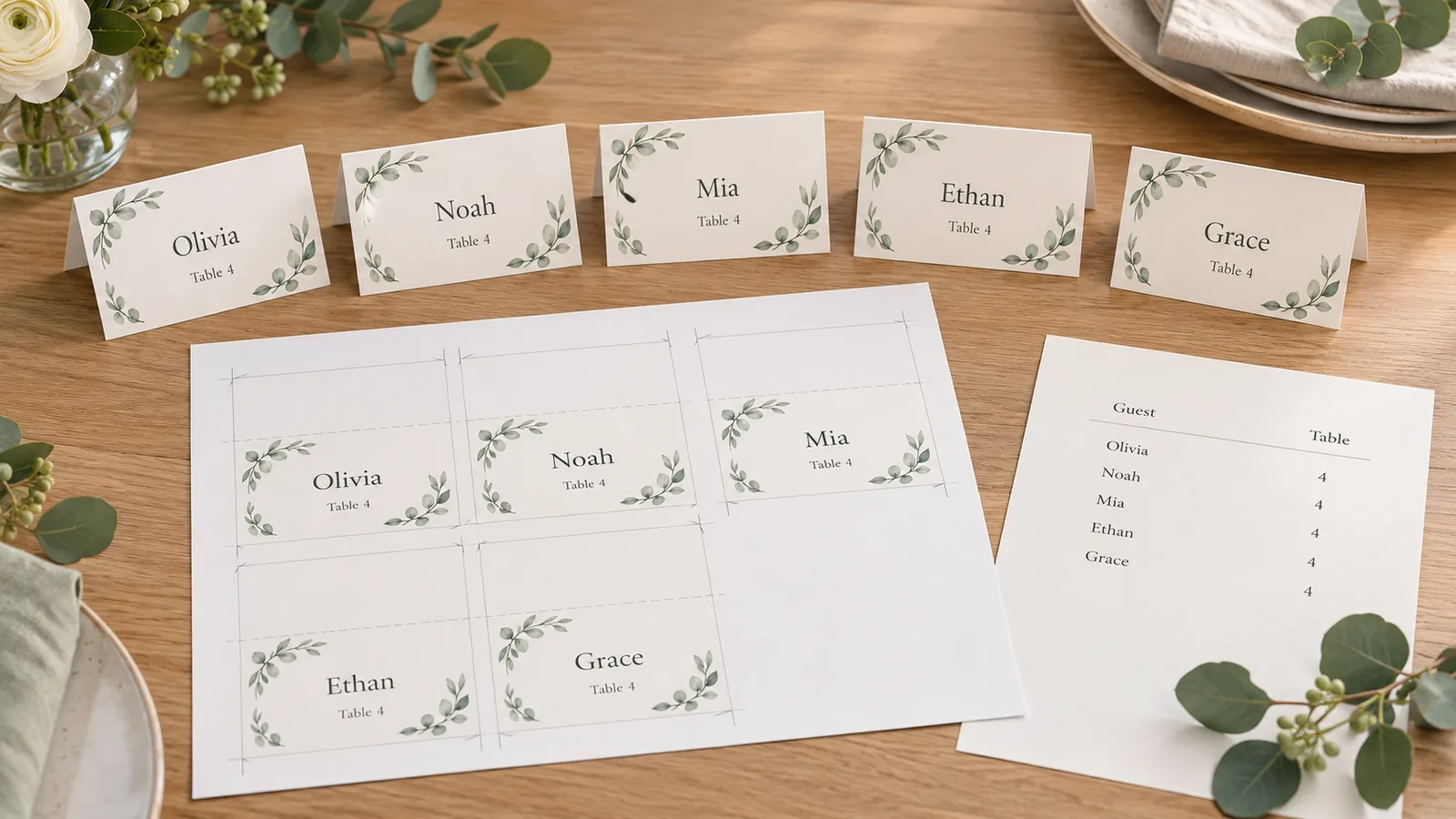
Choose tent, flat or escort cards
Switch between flat cards, folded tent cards, double-sided tents, escort cards with a table number and table signs. Pick 3.5 × 2 in, 4 × 2 in, 100 × 60 mm or other sizes, then add a subtitle or meal marker.
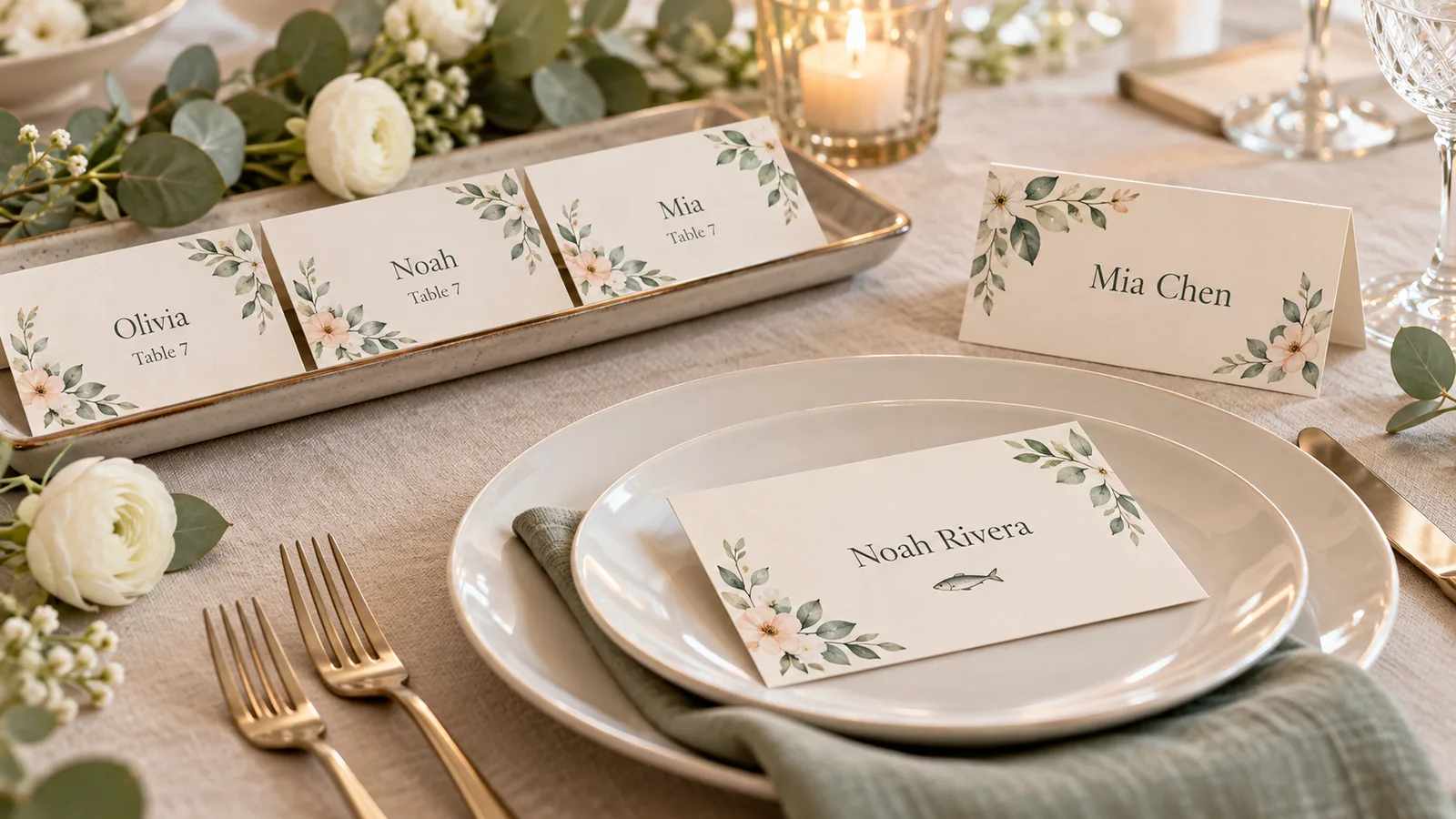
Print place cards at full size
It shows the printed size in millimetres and inches, warns when a sheet is scaled down and can switch to the largest count that fits. Download a PDF with fold and crop lines for A4 or US Letter.
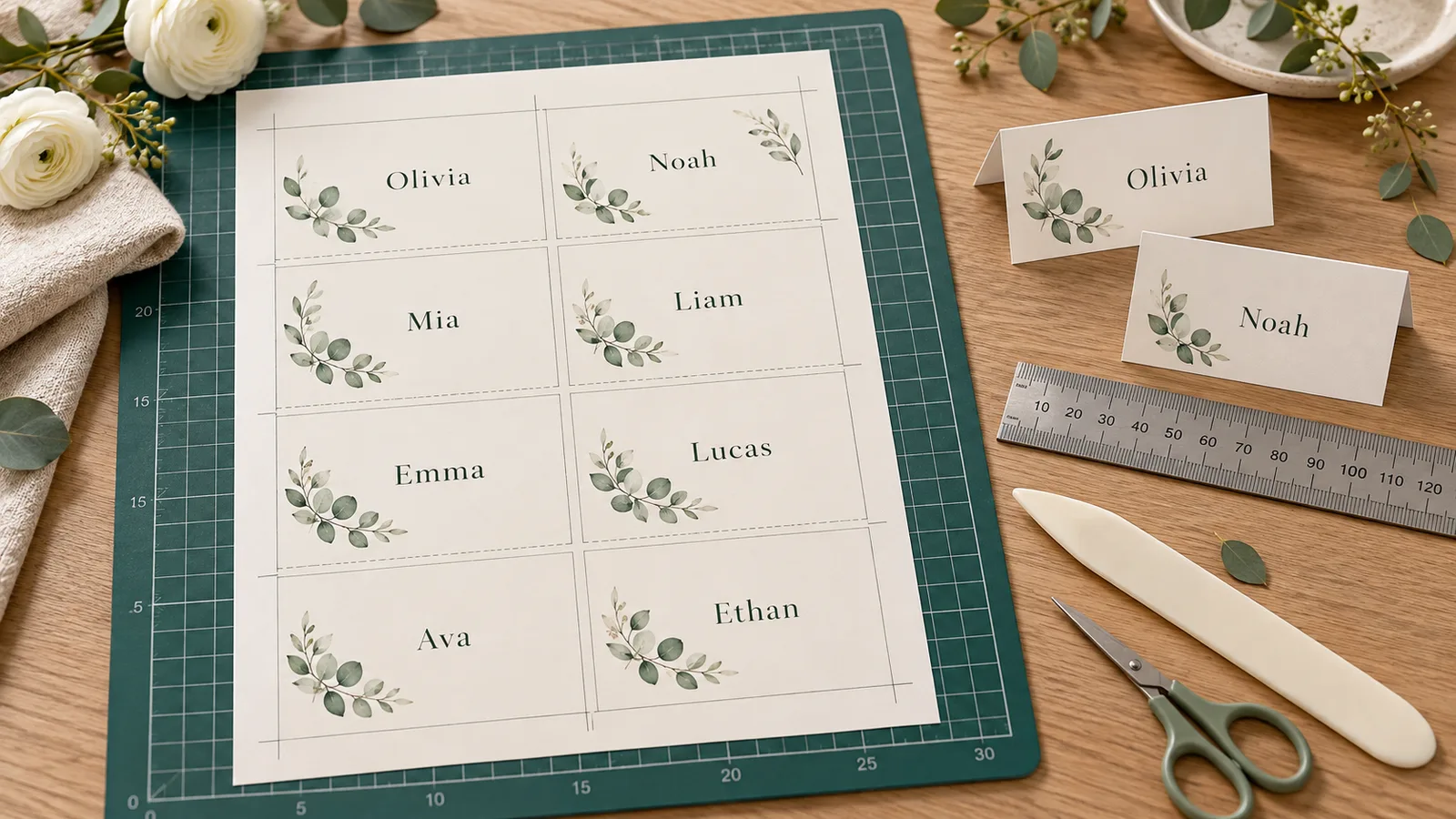
What this place card maker includes
Everything runs in your browser, so a guest list never has to leave your device.
Five card types
Flat cards, folded tent cards, double-sided tents, escort cards with a table number and table signs, all from one page.
CSV and TXT import
Bring in a list from a spreadsheet or the seating chart maker. Columns such as Name, Table, Title and Meal are matched by header, and you can download the cleaned list as a CSV.
Sort A–Z or by table
One click reorders the list by name or by table number so escort cards come out in the order guests will look for them.
Printed-size check
See the finished card size in mm and inches. If cards are scaled down to fit, one button picks the number per sheet that prints at full size.
Meal and note lines
Add a subtitle such as Bride’s aunt and a meal marker such as Fish or Vegetarian. Food label and buffet templates reuse the same fields.
Private drafts, no watermark
The draft stays in this browser’s local storage. Export a PDF, PNG or print without a watermark, with 22 templates and 30 color styles.
How to use the place card maker, step by step
From a pasted guest list to cut and folded place cards in about ten minutes.
Paste or import your guest list
Type one card per line as Name | Table | Subtitle | Meal, or import a CSV or TXT file. Keep one name format on every card; first names only suit a casual party, while full names suit a wedding. Use Sort A–Z or Sort by table if the list is out of order.
Add namesPick a card type and size
Choose tent for cards that stand on the table, flat for cards that lie on a plate or napkin, or escort to show a table number. Standard tent cards are about 3.5 × 2 in folded, and UK folded cards are often about 100 × 60 mm.
Choose a cardChoose a template and style
Open the template library for wedding, dinner, kids’ party, holiday and buffet designs, then adjust the font, border, colors and pattern. Use a large font size so names can be read from about three feet away.
Pick a styleCheck the printed size
Read the printed-size line under the settings. If it says the cards are scaled down, use the button to pick the number per sheet that prints at full size, or choose a smaller card size.
Check sizePrint at 100% and fold
Download the PDF and print it at Actual size (100%) with page scaling off. Test on plain paper first, then use cardstock of about 200–300 gsm for tent cards, check your printer’s maximum paper weight, score along the fold line and cut on the crop lines.
Download PDF
Place card maker questions
Short answers about sizes, printing, escort cards and privacy.
Yes. All five card types, 22 templates, CSV import, PDF and PNG downloads and printing are free. There is no account to create and nothing is stamped on your cards.
The most common size is about 2 × 3.5 in (roughly 51 × 89 mm), and a tent card stands 3.5 in wide and 2 in tall once folded. Avery 5302 is 2 × 3.5 in with 4 per sheet. UK folded cards are often about 100 × 60 mm, so the tool offers 3.5 × 2 in, 4 × 2 in and 100 × 60 mm.
Paste one guest per line, or import a CSV, then pick a card type, size and template. Check the printed-size line, download the PDF and print it at Actual size. Score each tent card on its fold line and cut along the crop lines.
Print the PDF at 100% (Actual size) with page scaling off, first on plain paper to check the fold line. For tent cards use cardstock of about 200–300 gsm; Avery’s pre-scored tent stock is 65 lb (176 gsm). Check your printer’s maximum paper weight before you load heavy stock.
The guest’s name is enough. Add a table number only if guests need it, and a small meal marker such as a letter or dot if the caterer asks for one. Keep one name format on every card and make the type large enough to read from about three feet away.
An escort card tells a guest which table to go to, usually from an A–Z display at the entrance. A place card marks one exact seat. If you use place cards you still need escort cards or a seating chart sign, which you can make with the seating chart maker.
Choose Tent or Double-sided tent so the sheet includes a fold line. Score the line lightly with a ruler and a butter knife or bone folder, fold it and press flat. Double-sided tent cards print the name on both faces so guests across the table can read it.
Yes. Export your sheet as CSV and import it here. With a header row it finds Name, First/Last name, Table, Title and Meal columns; without one it reads Name, Table, Subtitle, Meal in that order. A CSV from the seating chart maker brings the table numbers with it.
No. Names are laid out in your browser and the draft is kept only in this browser’s local storage. Clearing the draft or your site data removes it. PrintMigo has no accounts and no cloud save for this tool.
Start your place cards in the place card maker
Paste your guest list, pick a card type and print a full-size sheet in a few minutes. Change a name later without redoing the whole page.
Download a PDF for A4 or US Letter, save a PNG preview or print straight from the browser.
Free · No sign-up · No watermark · A4 or Letter