Free Printable Classroom Labels with pictures, fully editable
Type your own list or tap a ready-made one for supplies, toys, book bins and classroom areas, add a picture icon to each line, and print large labels for bins, trays and cubbies. Avery 5163, 5164 and 22806 sheets are built in, and nothing you type leaves your browser.
PDF, PNG and print · US Letter and A4 · works on a phone
How to print and attach themFill in your printable classroom labels
Picture + word is selected, set up for Avery 5163 (2 × 4 in, 10 per sheet). Tap a word list or type your own, pick an icon for each line in Picture icons, then download the PDF and print at 100%. Bigger bins? Choose the extra-large design or Avery 5164 in Label sheet.
Avery 5163: 10 labels per US Letter sheet (2 across × 5 down), each 2 × 4 in.
Same layout as: 5263, 5523, 8163, 8463, 15513, 18163
Template librarySelected template: Classroom Bin Labels with Pictures (4 × 2 in)Open the Label Maker template library and choose one of thirty-nine presets, including picture-and-word classroom labels and mailing and return address labels, with varied shapes, colors, and decorations.
Import an address list (paste or CSV)Paste addresses separated by an empty line, rows copied from Excel or Google Sheets, or upload a CSV export.
Paste addresses above or choose a CSV file. Nothing is uploaded; the list stays in your browser.
Ready-made word lists
One click fills the label box with ready-made words for the pantry, spice rack, canning shelf, classroom or laundry room. Edit any line afterwards.
Picture icons for each label
Click in the label box on the line you want, then click an icon: it is written at the start of that line as :name:. Change the word after it as usual, or press Remove icon to take the picture off.
Supplies
Reading, math and ideas
Science and nature
Play, art and music
Classroom and routines
Start position, copies and alignment
Skip labels you already used on a partly used sheet (counted left to right, top to bottom).
Repeats every label until all free labels on the sheet are used. For return address labels, type one address and get a full sheet.
Test print on plain paper and hold it against the label sheet. If everything is off the same way, nudge it here; negative values move left or up.
Sheet and label layout
Paper size and label size come from the label sheet you picked.
Text and print marks
Theme and decorations
Label Maker full sheet preview
Classroom Bin Labels with Pictures (4 × 2 in)
US Letter · 10 labels per sheet · Avery 5163 (2 × 4 in)
12 labels · 2 page(s)
Page 1 of 2
Page 2 of 2
Print at 100% / Actual size, never Fit to page. Do a test print on plain paper first and check it against your label sheet.
Dashed outlines show the label edges on screen only. They are not printed.
Printable classroom labels: quick facts
Short answers for teachers setting up a classroom, a daycare room or a home school shelf.
- Price
- Free, with no paid tier or download fee
- Account
- Not required
- Watermark
- None
- Export formats
- PDF (every page in one file), PNG (one file per page) and direct print
- Paper sizes
- US Letter and A4
- Supported sizes
- Avery 5163 and 8163 (2 × 4 in, 10 per sheet), 5164 (3⅓ × 4 in, 6), 5162 (1⅓ × 4 in, 14), 22806 (2 in square, 12), 5160 (1 × 2⅝ in, 30); A4 L7163 (99.1 × 38.1 mm, 14), L7161, L7173; 60+ other sheets, or free layout on plain paper
- Privacy
- Runs in your browser; nothing you type is uploaded
- Languages
- 8 languages: English, Chinese, Spanish, Portuguese, French, German, Japanese, Korean
- Pictures
- 110 line icons for supplies, books, math, science, play, music and routines; one click puts an icon on any line, and every word stays editable
- Word lists
- 5 classroom lists with 70 words (supplies, toys and centers, library book bins, areas and helpers, subjects and activities), plus pantry, spice and canning lists
- Designs
- Bin label (4 × 2 in), extra-large bin label (4 × 3⅓ in), 2 in square tray label, cubby name label and book bin label, plus 29 more label designs from the Label Maker
- Why pictures
- NAEYC advises labeling supplies and learning areas with pictures, symbols or words, ideally together with the children
- Last updated
- October 16, 2026
Best for
- Preschool, kindergarten and primary teachers labeling supply bins, trays, centers and book boxes
- Daycare rooms and home school shelves where children tidy up by matching pictures
- Teachers who need names or words in another language, since you type any text
Not the best fit for
- Photo labels of your exact objects: the pictures are simple line icons, not photographs
- Editing the artwork itself in Canva or PowerPoint; you can change the icon, color, shape and size here
- Labels that must be waterproof for sinks or outdoor bins, unless you print on vinyl sticker paper
How it compares
- Teach Starter and Twinkl
- Large libraries of ready-made sets, but most need an account or a paid plan and the designs are mostly fixed; here you type any list and pick the size.
- TpT and Etsy label sets
- Real photos and pretty themes for about $6–8 a set, but you edit them in Canva or PowerPoint, and a new bin means a new edit; here a new line is one click.
- Word or Google Docs tables
- Free and flexible, but you build the grid and find the clip art yourself, and print alignment on Avery sheets is trial and error; here the grids are preset.
Why these printable classroom labels work for young readers
Three things most free classroom label downloads leave out.
A picture on every label, from 110 icons
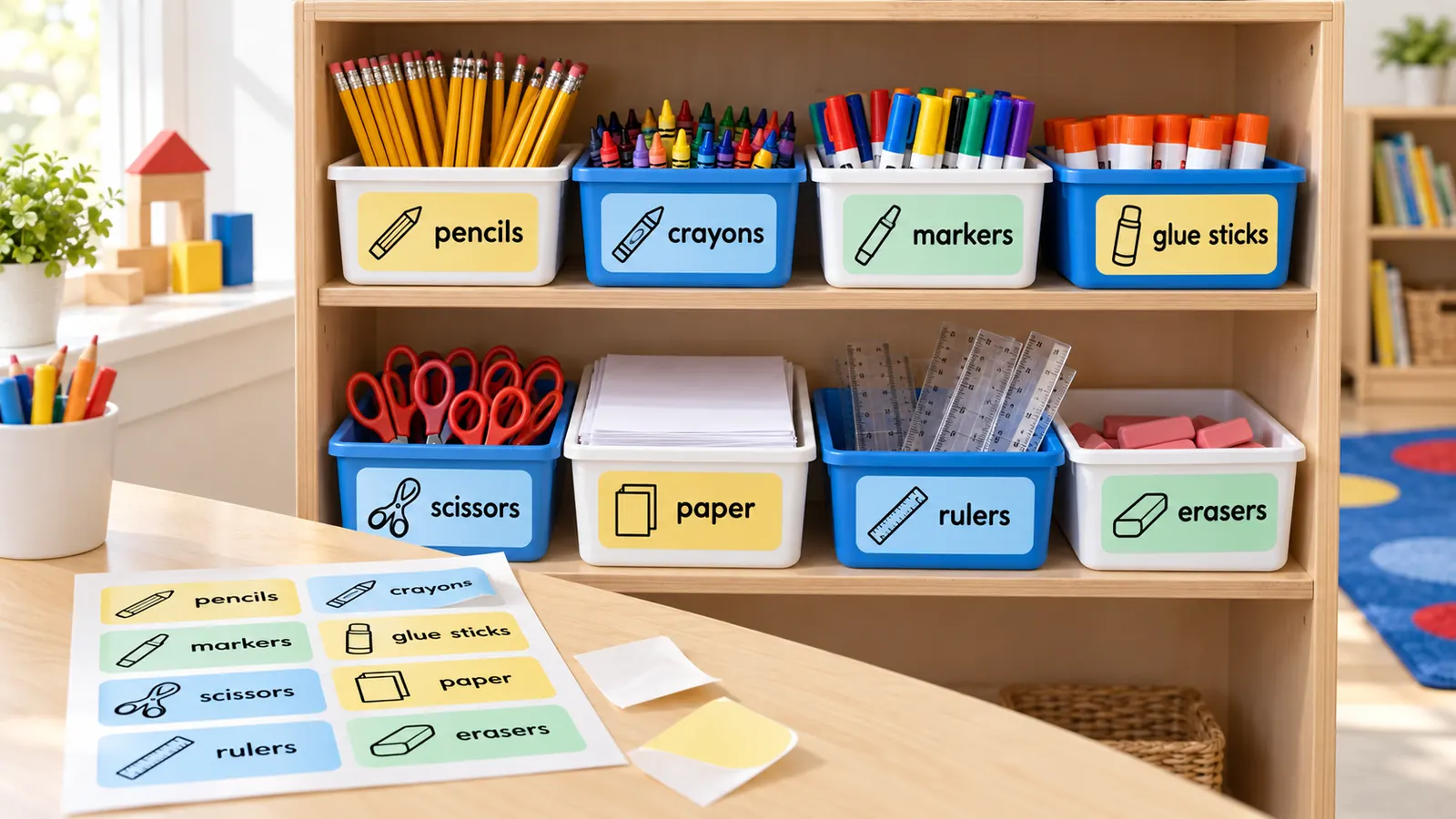
Click a line in the label box, then click the pencil, blocks, book or backpack icon, and the picture is written in front of that line. NAEYC advises labeling supplies and learning areas with pictures, symbols or words, so a four-year-old can match the picture on the bin to the one on the shelf. Printable classroom labels like these also help new English learners link the word to the thing.
Sizes that fit bins, trays and cubbies
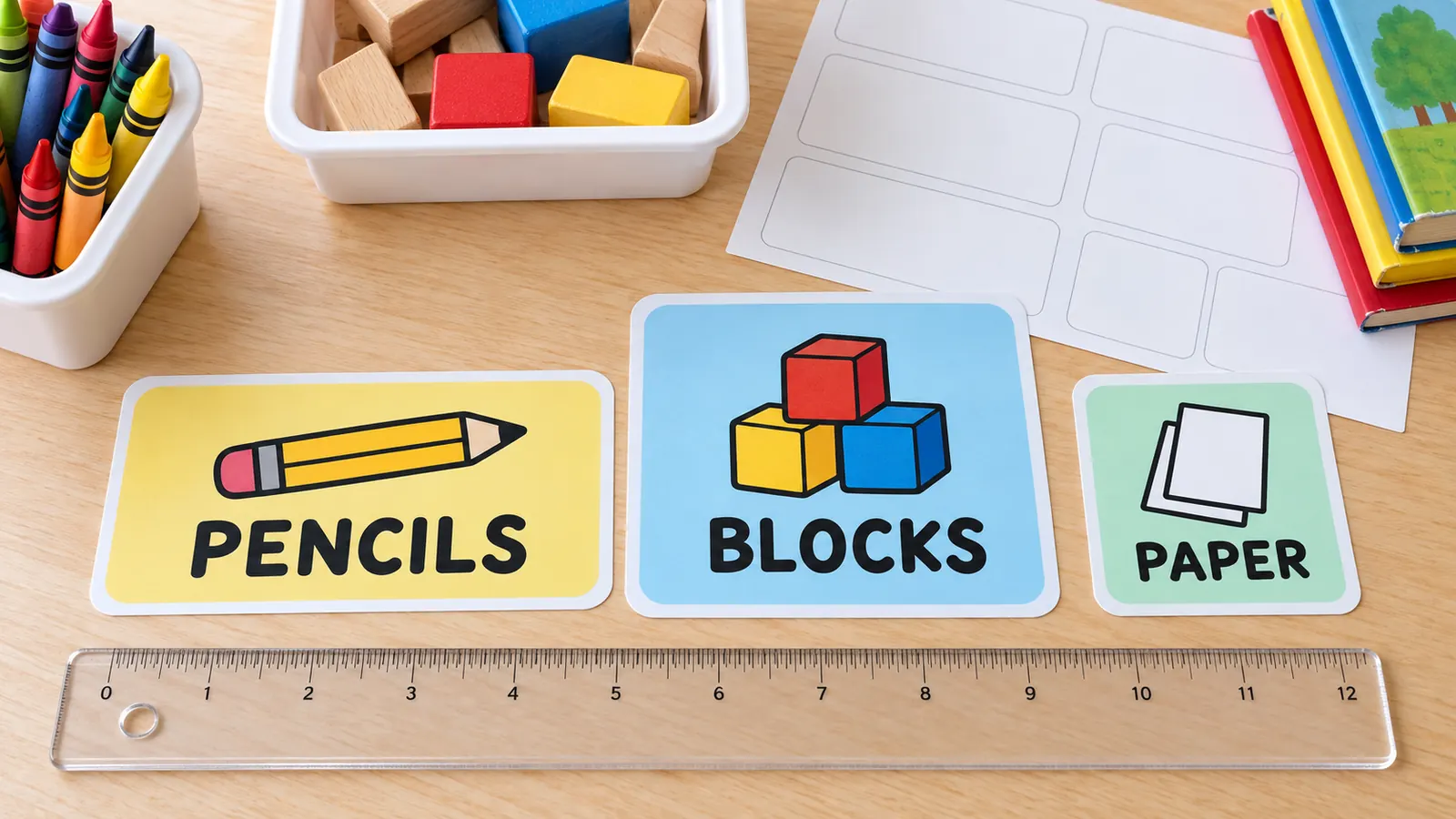
Avery 5163 gives ten 2 × 4 in labels per sheet for supply bins, 5164 gives six 3⅓ × 4 in labels for toy boxes, and 22806 gives twelve 2 in squares for trays and drawers. On A4, L7163 or L7173 do the same job. Pick the sheet and every printable classroom label lands inside the cut, with the icon on the left of wide labels and above the word on tall ones.
Edit the list in seconds, even mid-year
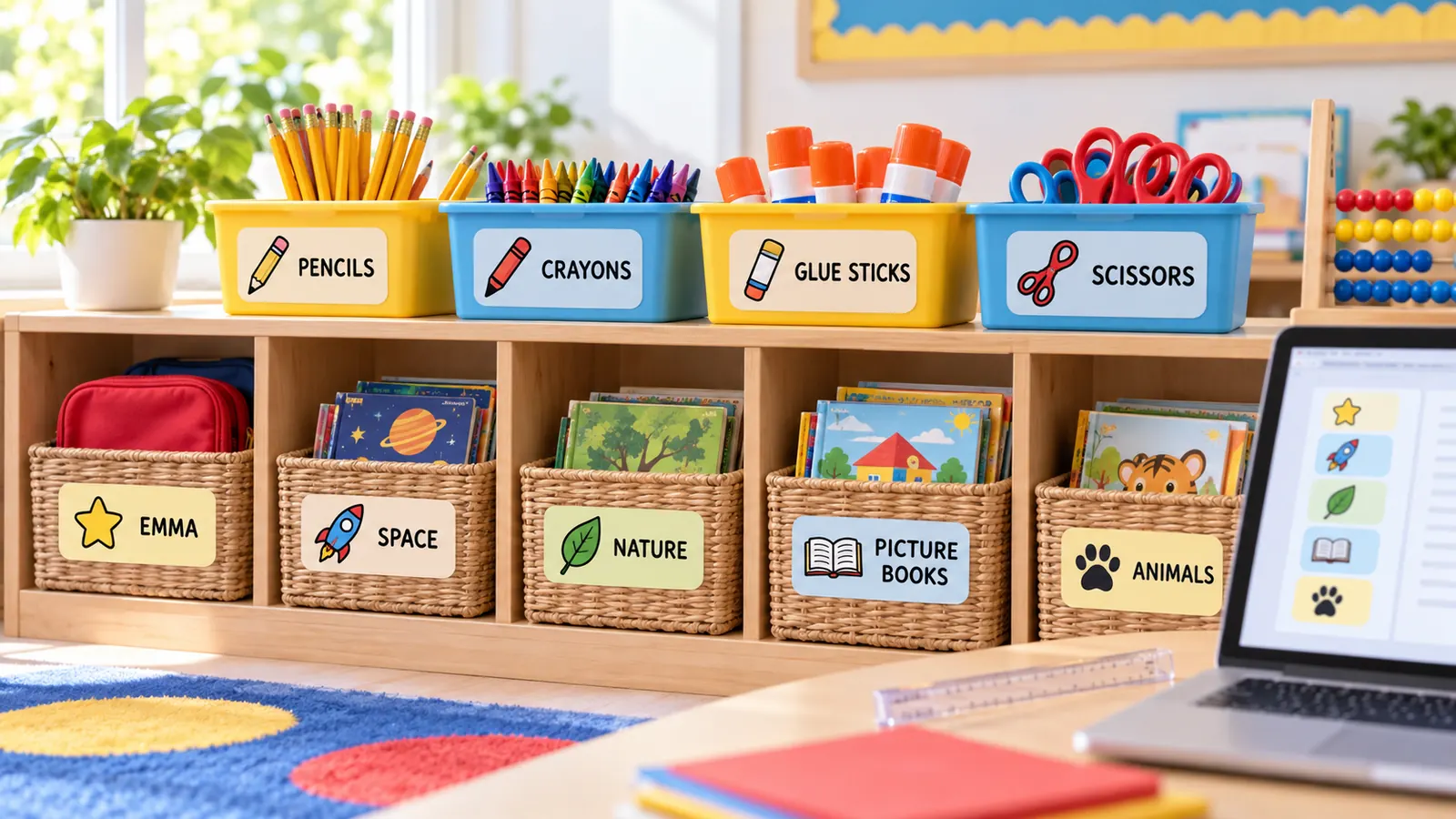
Tap Classroom supplies, Toys and centers, Library book bins, Areas and helpers or Subjects and activities and 14 lines appear. Change any word, add a new bin, type children's names or write the word in each home language. Because the list is plain text, reprinting printable classroom labels for next year takes a minute, not an evening in Canva.
What you can print with these printable classroom labels
Everything runs in your browser, so children's names and your class lists never leave your computer.
110 picture icons
Supplies, books, math, science, animals, play, music and classroom routines, one click per line.
70 ready-made words
Supplies, toys and centers, library bins, areas and helpers, subjects. Edit any word or add your own.
Bin and tray labels
4 × 2 in and 4 × 3⅓ in bin labels and 2 in square tray labels with large type for the back of the room.
Cubby name labels
Wide labels with a small picture and a child's name, so early readers find their own cubby.
Library bin labels
Topic in large type with Fiction or Non-fiction underneath, 15 per plain A4 page.
PDF, PNG and print
Download a multi-page PDF, one PNG per sheet, or print directly on Letter or A4 at 100% size.
How to make and print printable classroom labels
From a list of bins to a labeled room in about twenty minutes.
List what you want to label
Walk the room with a notepad: supply bins, toy boxes, center baskets, book tubs, trays, cubbies. In the label box, tap a word list such as Classroom supplies or Toys and centers, or type one label per line. Write Word | Small line to add a second line, for example Picture books | Fiction.
- Label the bin and the shelf with the same picture so children can match them when they tidy up.
- Use the words you say aloud in class, in the language you teach and in children's home languages.
Add a picture icon to each line
Open Picture icons, click in the label box on the first line, then click an icon. The picture is written at the start of the line as :name:, and the label shows the picture beside or above the word. Press Remove icon to take it off again. If you set the layout to Picture + word, every line with an icon is drawn that way.
- Pick the most recognisable picture rather than the most precise one: the pencil for all writing tools, the blocks for building toys.
- Lowercase words are easier for beginning readers than all capitals.
Choose a design and a label sheet
Pick Bin label for Avery 5163 (2 × 4 in), Extra-large bin label for 5164 (3⅓ × 4 in), Tray label for 22806 (2 in square), Cubby label for name tags or Book bin label for the class library. No label sheets? Set Label sheet to plain paper, print with the cut lines on and cut the labels out.
- Small bins and book tubs need small labels; big toy boxes and storage cubes can take the 4 × 3⅓ in size.
- A4 classrooms can use L7163 (99.1 × 38.1 mm) or L7173 (99.1 × 57 mm).
Print a test page, then attach and protect
Download the PDF or click Print, choose Actual size or 100%, never Fit to page, and print one page on plain paper. Hold it over the sticker sheet against a window; if every label is off the same way, nudge it with Move right or Move down. Stick the labels on, then cover with clear tape or laminate.
- For labels you will change, stick a clear pocket on the bin and slide the paper label inside.
- Laser toner resists smearing better than inkjet ink on laminated labels.
Printable classroom labels FAQ
Sizes, Avery codes, what to label and how pictures help young children.
Yes. There is no sign-up, no email gate, no trial and no watermark. The labels are drawn in your browser and the PDF or PNG is saved straight to your device, so your class lists and children's names are never uploaded. Use them in your classroom, daycare room or home school.
Match the label to the bin: 4 × 2 in (Avery 5163, 10 per sheet) suits most supply bins and baskets, 4 × 3⅓ in (Avery 5164, 6 per sheet) suits big toy boxes, and 2 in squares (Avery 22806, 12 per sheet) suit trays and drawers. Small book tubs can use the 60 × 46 mm book bin label.
Avery 5163 (2 × 4 in, 10 per sheet) is the usual choice for supply bins, 5164 for large bins, and 22806 for square tray labels. On A4 paper use L7163 (99.1 × 38.1 mm, 14 per sheet) or L7173 (99.1 × 57 mm, 10). All of them are in the Label sheet list; print a test on plain paper first.
Start with the things children use and put away every day: supply bins, toy boxes, center baskets, book tubs, trays and cubbies. NAEYC advises labeling supplies and learning areas with pictures, symbols or words. Add helpers and routines such as calendar, snack and quiet zone once the bins are done.
Tap a word list, click a line, click an icon, and repeat for each bin. The Picture + word layout puts the icon beside or above the word, in large rounded type. Head Start describes a print-rich room as one with words and pictures on shelves and toy bins; this does that without Canva.
Yes, every label is plain text you can change. Retype a word, add a Small line under it, swap the icon, switch the color theme, shape or font, and the preview updates at once. To reuse next year, copy the text into a note and paste it back.
Yes. Type any language in the label box, including accented letters and non-Latin scripts. NAEYC suggests labeling in each child's home language, for example one color per language: print one sheet per language in a different color theme and attach them side by side.
Word and Google Docs can print Avery grids, but you build the table, find the pictures and align every sheet yourself. Canva has pretty templates, but you edit each label by hand. This page does the grid and the pictures for you, and still lets you edit the text.
Print on sticker paper and press the label flat, or print on plain paper, laminate it and stick it on with clear packing tape. For labels you will change, attach a clear label pocket to the bin and slide the paper inside, so the same bin can hold different things next term.
Print your printable classroom labels now
Tap a word list, add a picture to each line and print on Avery 5163 or plain paper.
Free, no sign-up, no watermark, and your class lists stay in your browser.
Also setting up the kitchen or pantry at home? The pantry labels page has more designs.