Free Printable Canning Labels for jam, pickles and sauces
Tap a list of jams, pickles, tomatoes or sauces, then print round lid labels for regular and wide-mouth mason jars, or side labels with the date made and a batch number. Sheets for Avery 22807 (2 in round) and 22830 (2½ in round) are built in, and nothing leaves your browser.
PDF, PNG and print · US Letter and A4 · works on a phone
How to print and stick themFill in your printable canning labels
Avery 22807 (2 in round, 12 per sheet) is selected, a good fit for regular-mouth lids. Tap a food list, edit the words, then download the PDF and print at 100%. Wide-mouth jars? Choose the wide-mouth design or Avery 22830 in Label sheet.
Avery 22807: 12 labels per US Letter sheet (3 across × 4 down), each Ø 2 in.
Same layout as: 22817, 22877, 80510
Template librarySelected template: Canning Lid Labels (Regular Mouth, 2 in)Open the Label Maker template library and choose one of thirty-nine presets, including picture-and-word classroom labels and mailing and return address labels, with varied shapes, colors, and decorations.
Import an address list (paste or CSV)Paste addresses separated by an empty line, rows copied from Excel or Google Sheets, or upload a CSV export.
Paste addresses above or choose a CSV file. Nothing is uploaded; the list stays in your browser.
Ready-made word lists
One click fills the label box with ready-made words for the pantry, spice rack, canning shelf, classroom or laundry room. Edit any line afterwards.
Start position, copies and alignment
Skip labels you already used on a partly used sheet (counted left to right, top to bottom).
Repeats every label until all free labels on the sheet are used. For return address labels, type one address and get a full sheet.
Test print on plain paper and hold it against the label sheet. If everything is off the same way, nudge it here; negative values move left or up.
Sheet and label layout
Paper size and label size come from the label sheet you picked.
Text and print marks
Theme and decorations
Label Maker full sheet preview
Canning Lid Labels (Regular Mouth, 2 in)
US Letter · 12 labels per sheet · Avery 22807 (Ø 2 in)
12 labels · 1 page(s)
Print at 100% / Actual size, never Fit to page. Do a test print on plain paper first and check it against your label sheet.
Dashed outlines show the label edges on screen only. They are not printed.
Printable canning labels: quick facts
Short answers for anyone labelling a batch of jam, pickles or tomatoes.
- Price
- Free, with no paid tier or download fee
- Account
- Not required
- Watermark
- None
- Export formats
- PDF (every page in one file), PNG (one file per page) and direct print
- Paper sizes
- US Letter and A4
- Supported sizes
- Avery 22807 and 22817 (2 in round, 12 per sheet), 22830 (2½ in round, 9), 5294 (2½ in round, 12), 8293 (1½ in round, 20), 5160 (1 × 2⅝ in, 30); A4 L3415 (40 mm round, 24), L3416 (60 mm round, 12); 60+ other sheets, or free layout on plain paper
- Privacy
- Runs in your browser; nothing you type is uploaded
- Languages
- 8 languages: English, Chinese, Spanish, Portuguese, French, German, Japanese, Korean
- Word lists
- 5 canning lists with 70 names (jams and jellies, fruits and pie fillings, pickles and relishes, tomatoes and salsas, vegetables, sauces and more), plus 6 pantry lists; every word is editable
- Designs
- Regular-mouth lid (2 in), wide-mouth lid (2½ in), jar side label, farmhouse jam label and a small 40 mm round, plus 24 more label designs from the Label Maker
- Lid size
- Avery Canada pairs 2 in round labels with standard 70 mm lids and 2½ in rounds with 86 mm wide-mouth lids; measure the flat top of yours first
- What to write
- NCHFP says to label and date the jars and store them in a cool, dark, dry place; it suggests canning no more than you will use within a year
- Last updated
- October 16, 2026
Best for
- Labelling a canning day of 12–60 jars of jam, pickles, salsa or sauce
- Gift jars with a name, a date and storage notes
- Printing on Avery round sticker sheets or on plain paper with clear tape
Not the best fit for
- Selling jars: many places require ingredient, allergen and weight panels that this page does not create
- Labels that must survive a hot water bath without waterproof vinyl paper
- Cricut or Silhouette SVG cut files (the PNG export works with Print Then Cut)
How it compares
- Free blog PDFs
- No cost, but many are fixed words you write by hand, some need an email address, and the lid sizes are rarely stated; here you type any food and pick the size.
- Avery Design & Print
- Free and exact for Avery sheets, but you enter a product code first and need an account to save; this page starts with foods and lid sizes instead.
- Canva and Etsy templates
- Many pretty designs, but you need an account or around $5 per set, and each jar's name is typed by hand.
Why these printable canning labels fit your jars
Three things most free canning label downloads leave out.
70 canning foods already written
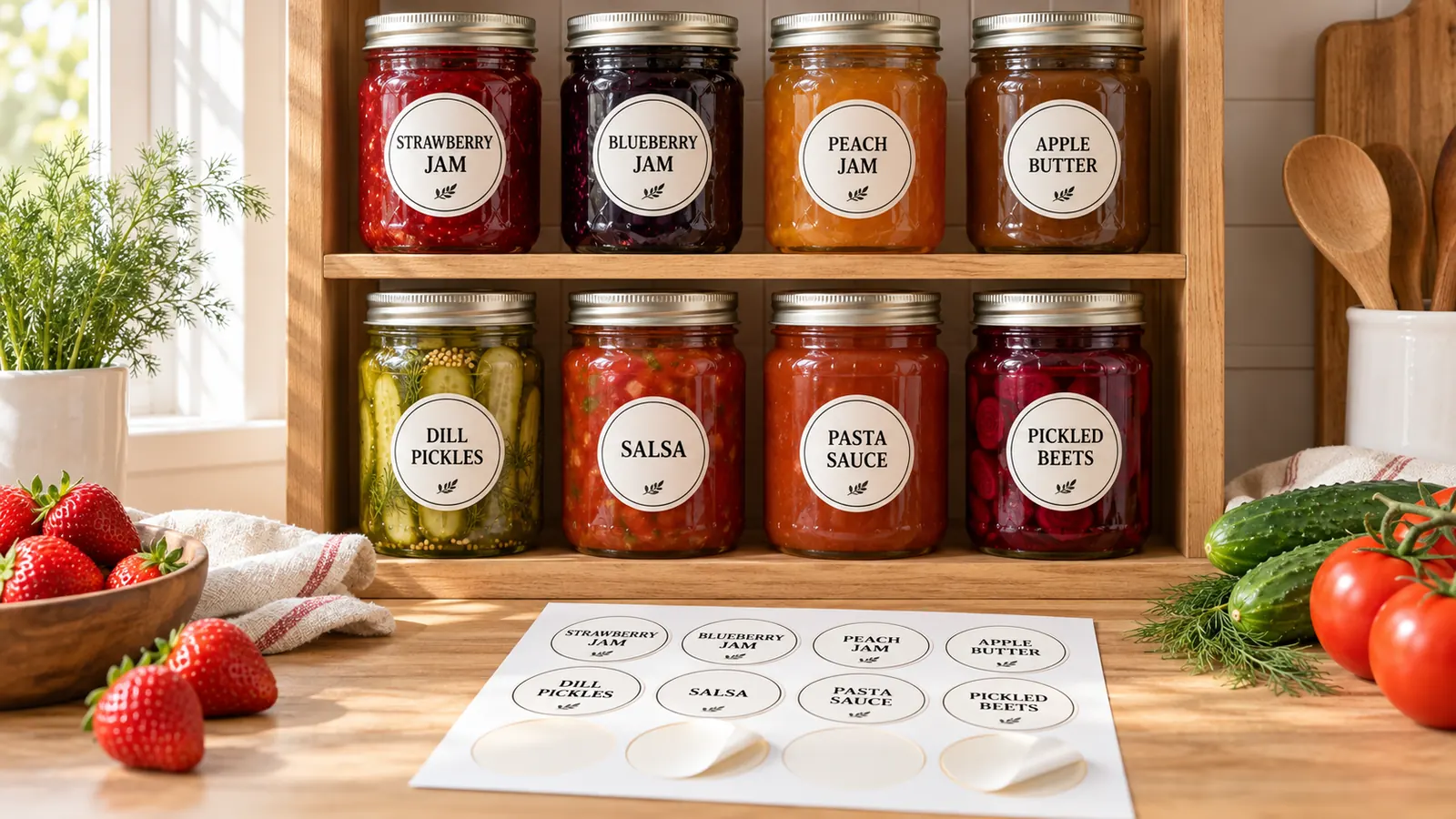
Tap Jams & jellies, Fruits & pie fillings, Pickles & relishes, Tomatoes & salsas or Vegetables, sauces & more and a whole canning day appears: strawberry jam, dill pickles, salsa verde, apple butter, chicken broth. Fix a spelling, add a note, or tap another list to add more. Every set of printable canning labels matches from jar to jar.
Regular-mouth and wide-mouth lid sizes
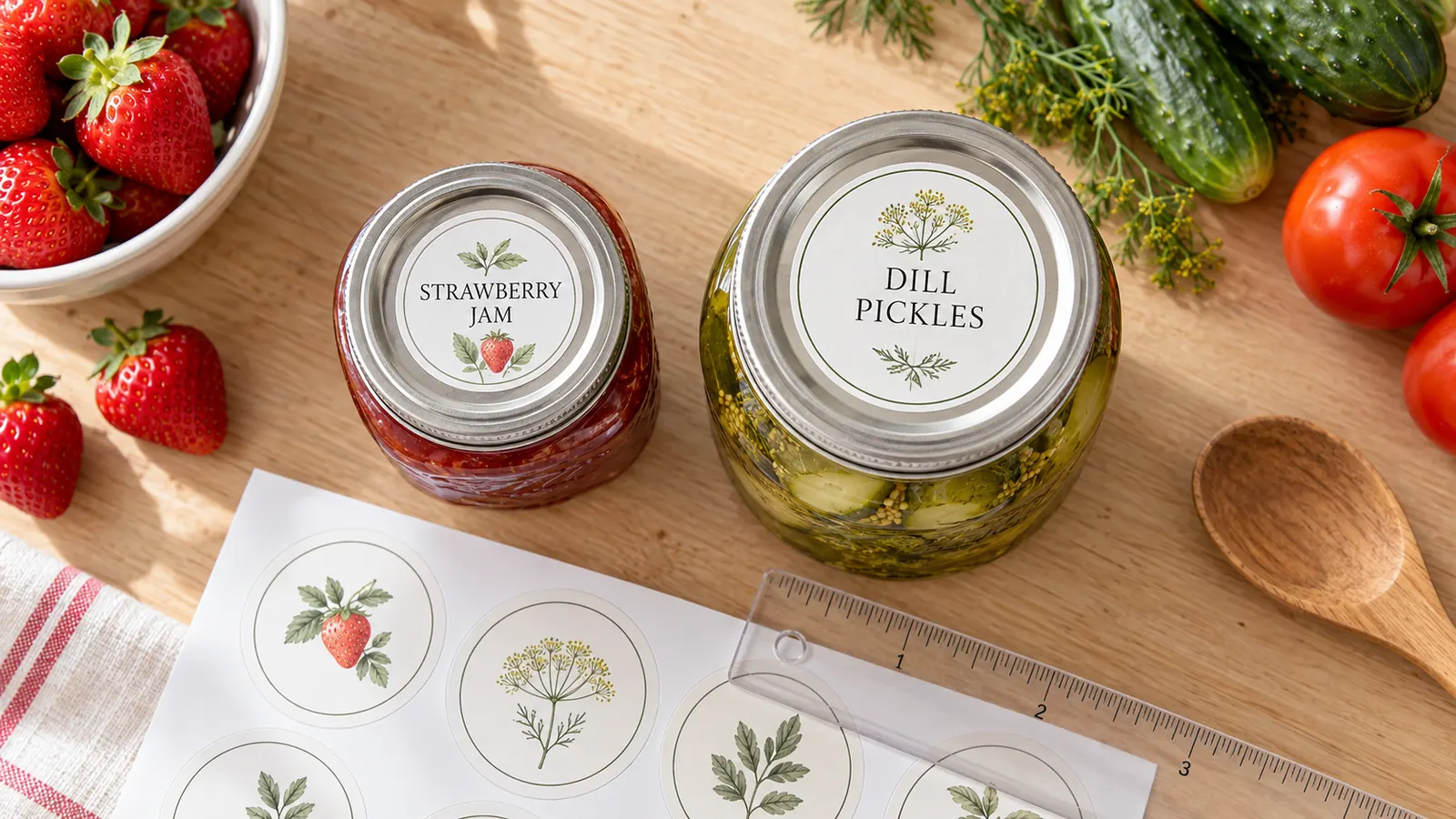
Avery Canada pairs a 2 in round label with standard 70 mm lids and a 2½ in round with 86 mm wide-mouth lids. Choose Avery 22807 or 22817 for regular lids and 22830 or 5294 for wide ones, and each printable canning label lands inside the die-cut circle, or print on plain paper and cut along the lines.
Name, date and batch on every jar
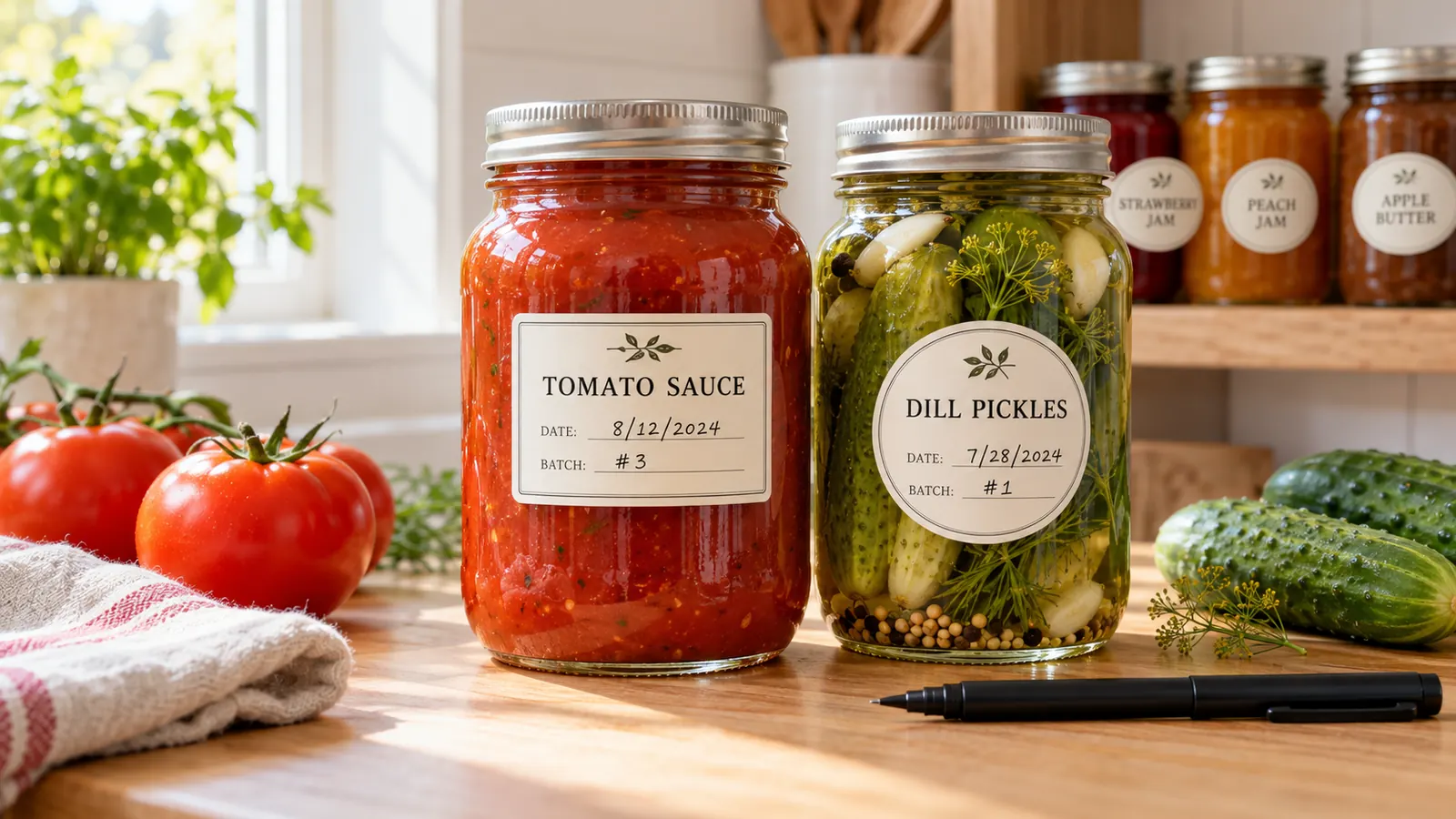
NCHFP says to label and date the jars, and it recommends canning no more than you will use within a year for best quality. Use the side label design, write the date made in pen and add a batch number, so a glance at the shelf shows which jar to open first and which batch it came from.
What you can print with these printable canning labels
Everything happens in your browser, so your recipes and batch notes never leave your computer.
70 foods, five lists
Jams, fruits and pie fillings, pickles, tomatoes and salsas, vegetables and sauces. Edit any word or add your own.
Regular and wide lids
2 in circles for regular-mouth lids and 2½ in circles for wide-mouth lids, each with the food name and a made-on line.
Side labels
70 × 45 mm labels with the name, the date made and a batch number, left-aligned so they read well on a shelf.
Farmhouse style
Cursive names on a leaf design with a Homemade line for jars you give away.
60+ label sheets
Avery 22807, 22830, 5294, 8293, 5160, A4 L3415 and L3416, plus Zweckform, Apli, Pimaco and A-one codes.
PDF, PNG and print
Download a multi-page PDF, one PNG per sheet, or print directly. Letter and A4, 100% size, no watermark.
How to print printable canning labels and stick them on jars
From a pot of jam to matching, dated jars in about fifteen minutes.
Measure your lids and choose a label sheet
Measure the flat top of one lid. Avery 22807 gives 2 in round labels for regular-mouth lids (about 70 mm), and Avery 22830 or 5294 give 2½ in rounds for wide-mouth lids (about 86 mm). On A4, L3416 gives 60 mm rounds. Using other paper? Set Label sheet to plain paper, pick a size and print with cut lines.
- Regular-mouth and wide-mouth lids are not interchangeable, so check which kind your jars use.
- Keep the label a little smaller than the flat top so the edge does not catch on the band.
Fill in the foods and pick a design
Tap a food list such as Jams & jellies or Pickles & relishes, then edit the lines. Write Name | Date | Batch to add small lines under the name. Pick Regular-mouth lid, Wide-mouth lid, Side label, Farmhouse or Small round and the font, shape and colors update at once.
- Put the food on the label, and the date made on a line you fill in by pen once the jars are sealed.
- A batch number such as 2026-07 helps if you make the same recipe twice in a season.
Print a test page at 100%
Download the PDF or click Print. In the print dialog choose Actual size or 100%, never Fit to page, and print page 1 on plain paper. Hold it over the sticker sheet against a window; if every label is off the same way, nudge it with Move right or Move down.
- Avery suggests printing a test on plain paper before using the sticker sheet.
- Laser toner resists water better than inkjet ink.
Wait for the jars to cool, then stick and date
Let sealed jars cool and wipe them dry, then press the label from the centre outwards and rub for a few seconds. Write the date made in pen. NCHFP advises storing jars in a clean, cool, dark, dry place, without ring bands, and using home-canned food within a year for best quality.
- For jars that will sit in damp cellars or the fridge, use waterproof vinyl sticker paper.
- Use tested recipes from NCHFP or USDA; a label does not make an untested recipe safe.
Printable canning labels FAQ
Lid sizes, Avery codes, what to write and how long home-canned food keeps.
Yes. There is no sign-up, no email gate, no trial and no watermark. The labels are drawn in your browser and the PDF or PNG is saved straight to your device, so your recipes are never uploaded. Use them at home or on gift jars.
Avery Canada pairs a 2 in round label with standard 70 mm lids (and GEM 78 mm lids) and a 2½ in round label with 86 mm wide-mouth lids. Measure the flat top of your lid and choose a label a little smaller. For the side of a jar, Avery lists 1½ × 2½ in for a 500 mL jar and 3 × 4 in for a 1 L jar.
Avery 22807 and 22817 (2 in round, 12 per sheet) are the usual choice for regular-mouth lids. For wide-mouth lids use Avery 22830 (2½ in round, 9 per sheet) or 5294 (2½ in round, 12). On A4, choose L3416 (60 mm round, 12 per sheet) or L3415 (40 mm round, 24). All of them are in Label sheet; print a test on plain paper first.
At minimum the food name and the date it was made. NCHFP says to label and date jars, and for gifts it adds the ingredients (especially allergens) and storage directions such as refrigerate after opening. A batch number is useful if you make the same recipe more than once.
NCHFP recommends canning no more than you will use within a year and storing jars between 50 and 70 °F in a clean, dark, dry place. A year is a quality guideline, not a safety cutoff. Do not taste food from a jar with an unsealed lid or signs of spoilage; throw it out.
Open this page, tap a food list, edit the words and download the PDF. You do not need an account, a template purchase or a design skill, and the labels already match Avery sheets. The Canva route only makes sense if you want full control of fonts, photos and clip art.
Yes. The date made is the one thing you cannot work out later. Print the labels with a Made line, write the date in pen once the jars have cooled, and keep the oldest jars at the front of the shelf. The side label design adds a batch line as well.
Download the PNG and use Print Then Cut. Cricut says Print Then Cut needs a machine with the sensor and the original Joy is not supported. This page does not make SVG cut files, so for a plain sheet of labels it is easier to print on Avery round sticker paper.
Yes. Any home inkjet or laser printer works. Leave Label sheet on plain paper, print with the cut lines on, cut the labels out and stick them with clear packing tape or a glue stick. Use sticker paper if you want peel-and-stick labels.
Print your printable canning labels now
Pick a food list, choose a lid or side label and print on Avery 22807 or plain paper.
Free, no sign-up, no watermark, and your recipes stay in your browser.
Need flour and sugar jars or spice drawers instead? The pantry and spice labels pages have more designs.