Free Label Template Maker for Avery sheets and printable labels
Pick the code on your label pack (Avery 5160, 5163, 22806, L7160 and 40+ more), type one label per line and download a PDF that lines up with the die-cut labels. This label template works for address labels, pantry jars, storage bins, files and classroom supplies, on US Letter or A4.
PDF, PNG and direct print · Avery, Zweckform, Apli, Pimaco and generic A4 sheets · nothing uploaded
How to print labels at homeMake your label template
Choose your label sheet first, so the text lands inside every label. Then pick a design, type or paste one label per line, and download the PDF. Start position, copies and a print nudge sit just below the label text.
Pick the product code printed on your label pack (for example Avery 5160 or L7160) so every label lands inside a die-cut label. Leave on plain paper to set your own size.
Template librarySelected template: Pantry & Jar LabelsOpen the Label Maker template library and choose one of thirty-nine presets, including picture-and-word classroom labels and mailing and return address labels, with varied shapes, colors, and decorations.
Import an address list (paste or CSV)Paste addresses separated by an empty line, rows copied from Excel or Google Sheets, or upload a CSV export.
Paste addresses above or choose a CSV file. Nothing is uploaded; the list stays in your browser.
Ready-made word lists
One click fills the label box with ready-made words for the pantry, spice rack, canning shelf, classroom or laundry room. Edit any line afterwards.
Start position, copies and alignment
Skip labels you already used on a partly used sheet (counted left to right, top to bottom).
Repeats every label until all free labels on the sheet are used. For return address labels, type one address and get a full sheet.
Sheet and label layout
Text and print marks
Theme and decorations
Label Maker full sheet preview
Pantry & Jar Labels
US Letter · 12 labels per sheet · Medium
8 labels · 1 page(s)
Print at 100% / Actual size, never Fit to page. Do a test print on plain paper first and check it against your label sheet.
Label template maker: quick facts
Short answers for anyone choosing a free tool to print labels at home.
- Price
- Free, with no paid tier or download fee
- Account
- Not required
- Watermark
- None
- Export formats
- PDF (all pages in one file), PNG (one file per page) and direct print
- Paper sizes
- US Letter and A4
- Supported sizes
- Avery US 5160, 5161, 5162, 5163, 5164, 5167, 5195, 5168, 5165, 22805, 22806, 94102, 22807, 5293, 22830, 5294; Avery L7160, L7159, L7163, L7173, L7651; Avery Zweckform, Apli, Pimaco, A-one, KOKUYO and Formtec sheets; generic A4 grids with 8 to 40 labels; or any custom size on plain paper
- Privacy
- Runs in your browser; nothing you type is uploaded
- Languages
- 8 languages: English, Chinese, Spanish, Portuguese, French, German, Japanese, Korean
- Labels per sheet
- From 1 (full sheet) to 80 (Avery 5167 return address labels)
- List size
- Up to 1,000 lines, up to 40 pages per PDF
- Partly used sheets
- Start at any label position and print several copies of each label
- Alignment
- Move the whole layout in 0.5 mm steps if your printer is slightly off
- Last updated
- October 15, 2026
Best for
- Printing address and return address labels on Avery 5160 or 5167 sheets without Word
- Labelling pantry jars, storage bins, files and classroom supplies on sticker paper
- Small shops printing product or shipping labels in batches of 10–300
Not the best fit for
- Thermal label printers and 4 × 6 in shipping label rolls (Brother, DYMO, Rollo)
- Barcodes, QR codes or mail merge from a spreadsheet
- Fully custom artwork with your own photos and fonts
How it compares
- Avery Design & Print
- Official, with every Avery code, mail merge and barcodes; it is more complex, steers you to save an account and recommends printing from Acrobat.
- Canva
- Much more design freedom and photos, but you need an account, some elements are paid and there are no die-cut presets, so you line labels up yourself.
- Word templates
- Free and exact for each code, but you need Word or Google Docs and type into table cells one label at a time.
Why this label template lines up with your label sheet
Built around the label sheets people actually buy, not just a blank page.
Presets for Avery and A4 label sheets
Choose the code printed on your pack and the label template copies its exact layout: label size, top and side margins and the spacing between labels. Avery 5160 gives 30 address labels at 1 × 2⅝ in, 5163 gives 10 shipping labels at 2 × 4 in, L7160 gives 21 labels on A4. Codes with the same layout, such as 8160 or 5260, are listed next to each preset.
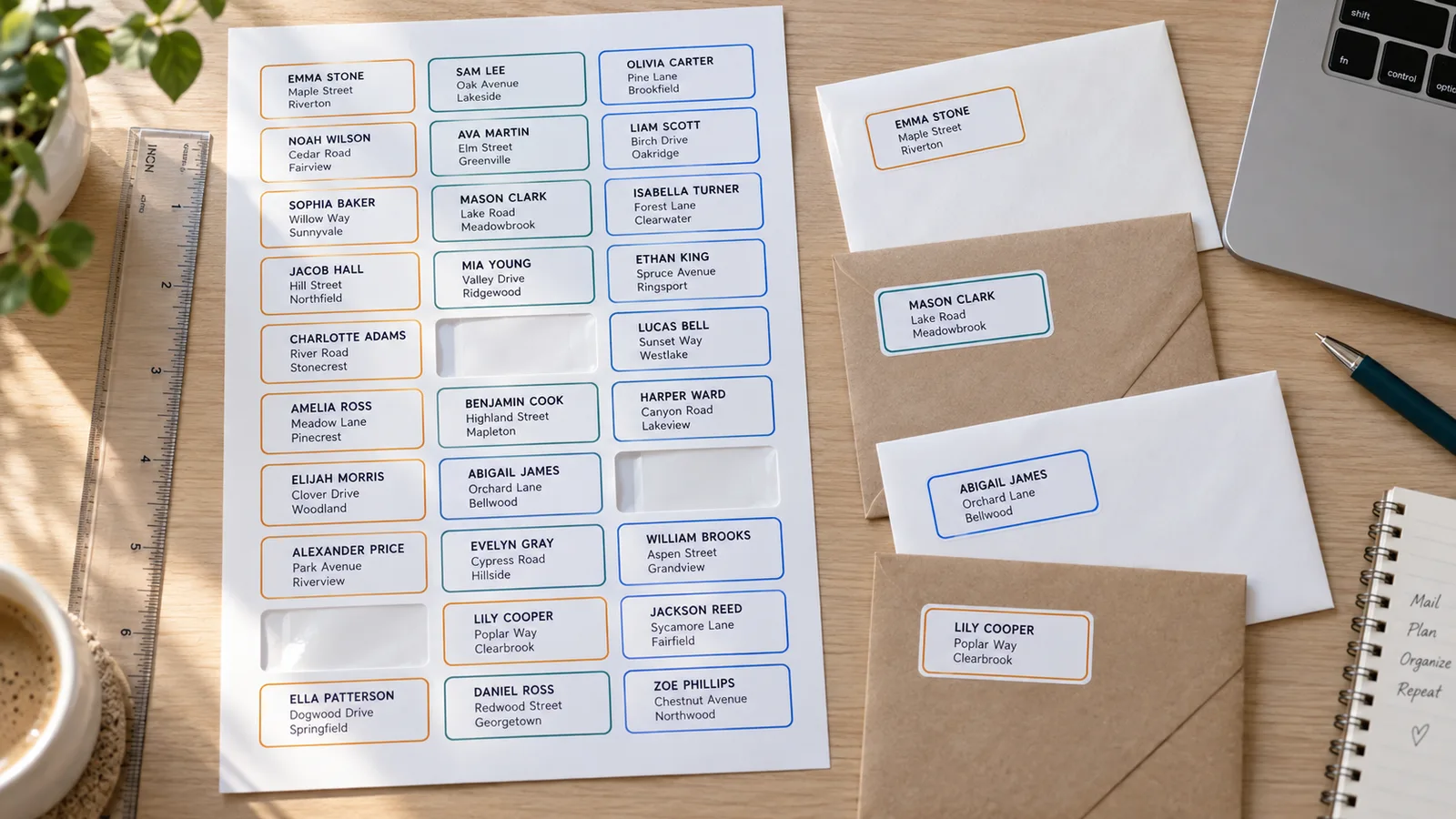
Printable labels for jars, boxes, files and addresses
Type one label per line, or paste a whole list. Add a vertical bar for more lines, such as Name | Street | City, ST ZIP for address labels or Flour | Pantry for jars. Twelve designs, eight shapes and 25 color themes cover pantry, storage, office, classroom and handmade product labels, and long lists flow onto extra pages.
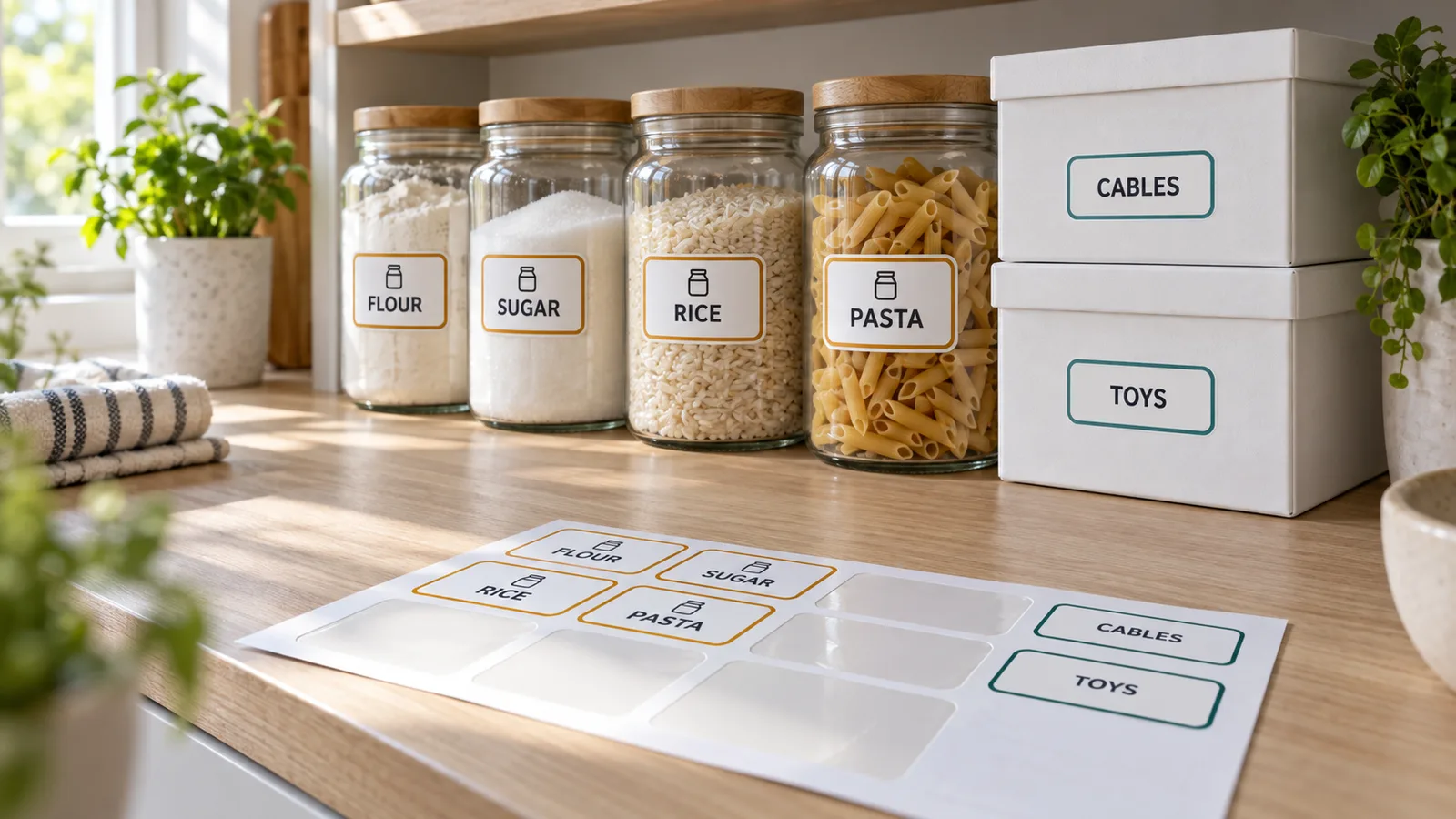
Reuse half-used sheets and fix alignment
Set Start at label # to skip labels you already peeled off, and print each label several times with Copies (one click fills the sheet with return address labels). If a test print is a millimetre off, move the whole layout right or down in 0.5 mm steps instead of wasting another sheet.
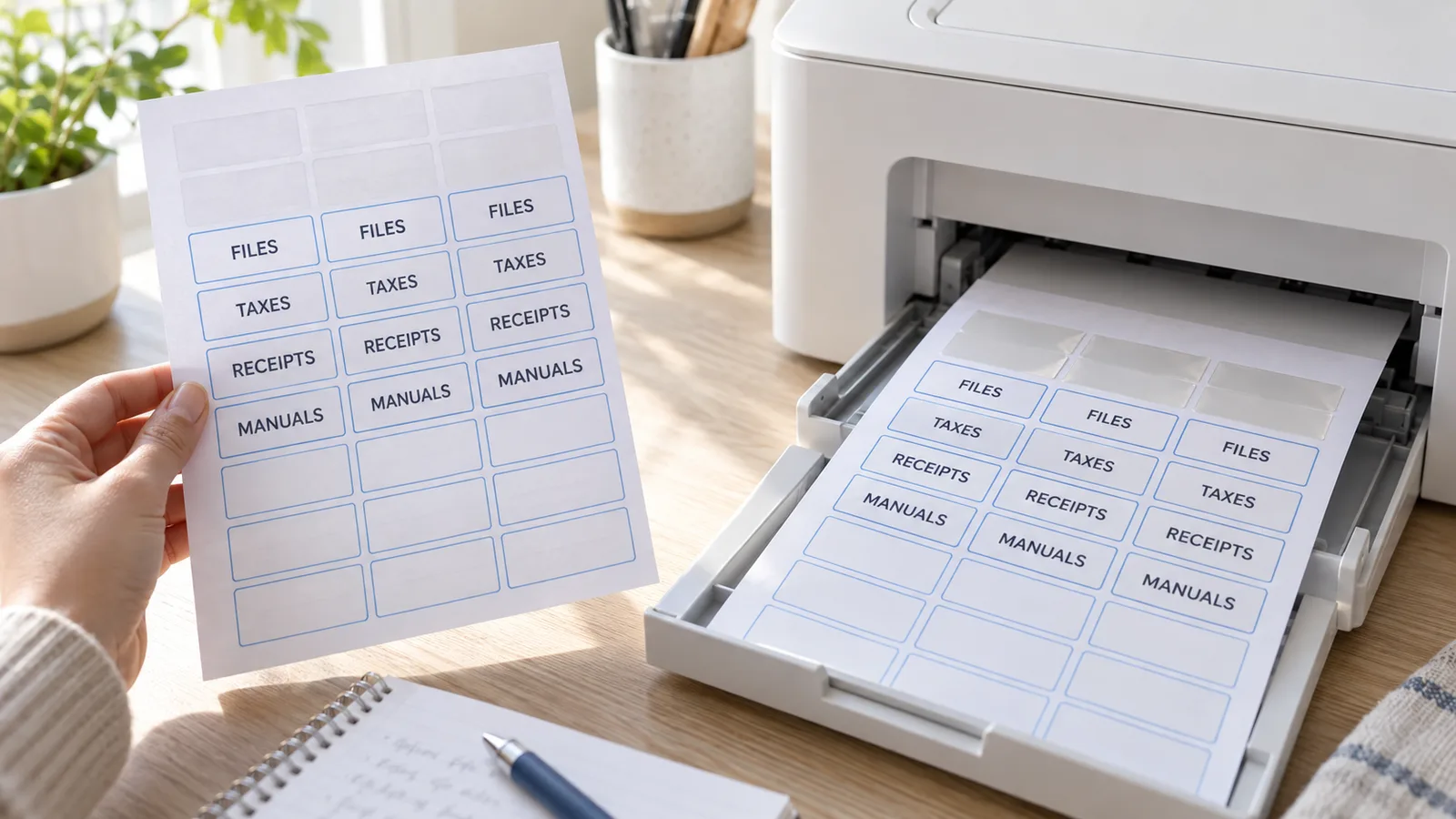
What the free label template maker includes
Everything runs in your browser, so your printable labels are ready in a minute and nothing is uploaded.
PDF, PNG or print
A multi-page PDF at the exact paper size, one PNG per page, or print straight from the browser. No watermark on any of them.
US Letter and A4
Avery US codes print on Letter; L-codes, Zweckform, Apli and generic sheets on A4; Pimaco in both. Plain paper works in either size.
Multi-line address labels
Up to five lines per label with a vertical bar, sized automatically to fit 1 in tall Avery 5160 labels.
Copies and fill the sheet
Print 30 return address labels from one line, or 3 copies of every jar label, without retyping.
Designs for every label
17 ready-made designs, 8 shapes from rectangle to heart, 25 color themes and a low-ink black option.
Private by design
No account and no upload: names and addresses stay on your device, and the page works on phones too.
How to print labels at home with this label template
From a pack of label sheets to labels on your jars or envelopes in about five minutes.
Choose your label sheet
Find the product code on the label pack (for example Avery 5160, 8160, 22806 or L7160) and pick it under Label sheet. Codes with the same layout are listed together. Using plain paper or full-sheet sticker paper you cut yourself? Keep Plain paper and set the label size, gap and page margin.
- Avery 5160 and its twins (8160, 5260, 5960, 18160) all share one layout.
- Pimaco 6180 is a Letter sheet, not A4.
Type one label per line
Write or paste your list: one line becomes one label. Add a vertical bar for extra lines, for example Jane Doe | 12 Oak Lane | Springfield, IL 62701. Pick a design and shape, then check the preview: dashed outlines show where the die-cut edges are.
- For return address labels, type the address once and click Fill the whole sheet.
- Short words read best on small labels such as Avery 5167 (½ × 1¾ in).
Test print on plain paper
Download the PDF or click Print, choose Actual size or 100% (never Fit to page) and print one page on plain paper. Hold it against a label sheet up to a window. If everything is shifted the same way, use Move right / Move down to nudge it.
- A shift that grows towards the bottom of the page means the page was scaled.
- On laser printers, set the paper type to Labels.
Print on the label sheet
Load the label sheet the right way up (check your printer's paper-feed icon) and print at 100% again. Use inkjet sheets in inkjet printers and laser sheets in laser printers. For a partly used sheet, set Start at label # to the first free label.
- Matte paper is the safest choice for both printer types; glossy sheets need inkjet ink to dry for a few minutes.
- Store unused sheets flat so they feed straight.
Label template FAQ
Answers about Avery codes, label paper and printing printable labels at home.
Yes. The label template maker is free, needs no account and adds no watermark to the PDF, PNG or print. Everything runs in your browser: the names and addresses you type are not uploaded.
Yes. Choose 5160 under Label sheet: you get 30 labels of 1 × 2⅝ in, 3 across and 10 down, with Avery's margins (½ in top, 3⁄16 in sides). The same preset works for 8160, 5260, 5520, 5960, 8460 and 18160, which share the layout.
Pick your label sheet here, type one label per line and download the PDF. Open it in any PDF viewer or print straight from the browser at Actual size / 100%. You do not need Word, Google Docs or Avery's software.
Nine times out of ten the print was scaled: choose Actual size or 100% and turn off Fit to page. Also check you picked the exact code on your pack. If a test print is still off by the same amount everywhere, use Move right / Move down to shift the layout in 0.5 mm steps.
Avery US 5160, 5161, 5162, 5163, 5164, 5167, 5195, 5168, 5165, square 22805, 22806 and 94102, round 22807, 5293, 22830 and 5294; Avery A4 L7160, L7159, L7163, L7173 and L7651; plus Avery Zweckform, Apli, Pimaco, A-one, KOKUYO, Formtec and generic A4 grids with 8 to 40 labels. On plain paper you can set any size from 24 × 16 mm to 120 × 90 mm.
Buy sheets that match your printer: inkjet labels for inkjet printers and laser labels for laser printers, because inkjet sticker paper can smear or melt in a laser printer. Matte white is the safest all-rounder; choose die-cut sheets such as 5160 for addresses, and full-sheet sticker paper (5165) if you want to cut shapes yourself.
Yes. Set Start at label # to the first free label, counted left to right and top to bottom. The label template leaves the used positions blank, so you can finish a sheet of 30 address labels across several print runs.
Yes. Type the address once, then click Fill the whole sheet or set Copies of each label. On Avery 5167 that gives 80 return address labels of ½ × 1¾ in per page; on 5160 it gives 30.
Yes. Choose an A4 code such as Avery L7160 (21 per sheet, 63.5 × 38.1 mm) or a generic 24-per-sheet A4 layout, and the PDF is created at A4 size. US Avery codes always use US Letter.
Print your label template in the next five minutes
Pick your label sheet, type one label per line and download a PDF that lines up with Avery 5160, L7160 and 40+ other printable labels.
Free, no sign-up, no watermark, and your list never leaves your device.
Tip: always do one test print on plain paper first.