Free Printable Pantry Labels for jars, tins and bins in minutes
Pick a word list for flour, sugar, pasta or spices, choose a minimal, farmhouse or handwritten style, and print round or square labels on Avery 22806 and 22807 or on plain paper. Edit every word, export a PDF or PNG, and nothing leaves your browser.
PDF, PNG and print · US Letter and A4 · works on a phone
How to print and stick themFill in your printable pantry labels
Avery 22806 (2 in square) is selected. Tap a word list, edit the words, switch to a round or spice-jar style if you like, then download the PDF and print at 100%. Using other label sheets? Pick them in Label sheet.
Avery 22806: 12 labels per US Letter sheet (3 across × 4 down), each 2 × 2 in.
Same layout as: 22816
Template librarySelected template: Minimal Pantry LabelsOpen the Label Maker template library and choose one of thirty-nine presets, including picture-and-word classroom labels and mailing and return address labels, with varied shapes, colors, and decorations.
Import an address list (paste or CSV)Paste addresses separated by an empty line, rows copied from Excel or Google Sheets, or upload a CSV export.
Paste addresses above or choose a CSV file. Nothing is uploaded; the list stays in your browser.
Ready-made word lists
One click fills the label box with ready-made words for the pantry, spice rack, canning shelf, classroom or laundry room. Edit any line afterwards.
Start position, copies and alignment
Skip labels you already used on a partly used sheet (counted left to right, top to bottom).
Repeats every label until all free labels on the sheet are used. For return address labels, type one address and get a full sheet.
Test print on plain paper and hold it against the label sheet. If everything is off the same way, nudge it here; negative values move left or up.
Sheet and label layout
Paper size and label size come from the label sheet you picked.
Text and print marks
Theme and decorations
Label Maker full sheet preview
Minimal Pantry Labels
US Letter · 12 labels per sheet · Avery 22806 (2 × 2 in)
12 labels · 1 page(s)
Print at 100% / Actual size, never Fit to page. Do a test print on plain paper first and check it against your label sheet.
Dashed outlines show the label edges on screen only. They are not printed.
Printable pantry labels: quick facts
Short answers for anyone sorting a pantry, a spice drawer or a baking shelf.
- Price
- Free, with no paid tier or download fee
- Account
- Not required
- Watermark
- None
- Export formats
- PDF (every page in one file), PNG (one file per page) and direct print
- Paper sizes
- US Letter and A4
- Supported sizes
- Avery 22806 (2 in square, 12 per sheet), 22807 (2 in round, 12), 5294 (2.5 in round, 12), 5163 (2 × 4 in, 10), 5164 (3⅓ × 4 in, 6), 5160 (30); A4 L7160 (21) and 60+ other sheets, or free layout on plain paper
- Privacy
- Runs in your browser; nothing you type is uploaded
- Languages
- 8 languages: English, Chinese, Spanish, Portuguese, French, German, Japanese, Korean
- Styles
- Minimal, farmhouse, handwritten, round jar lid and spice jar, plus 14 more label designs from the Label Maker
- Word lists
- 6 ready-made lists (baking, grains and pasta, spices, breakfast and snacks, cans and sauces, coffee and tea) with about 80 pantry words to edit
- Shapes
- Rectangle, rounded, circle, oval, tag, badge and more; a title line plus a small note line such as Baking or Whole grain
- Waterproof option
- Print on waterproof vinyl sticker paper or seal laser prints with clear vinyl; water-resistant is not the same as dishwasher safe
- Last updated
- October 16, 2026
Best for
- Sorting a pantry, spice drawer or baking shelf with jars of 20–80 labels
- Renters and busy parents who want matching labels without buying an Etsy set
- Anyone printing on Avery sticker sheets or on plain paper with clear tape
Not the best fit for
- Food safety labels with allergen panels or ingredient lists for selling food
- Dishwasher-proof labels without waterproof vinyl sticker paper
- Cricut or Silhouette cut files
How it compares
- Canva
- Thousands of pretty pantry label designs, but you need an account, the best sets are paid, and a transparent PNG export is a Pro feature.
- Avery Design & Print
- Free and exact for Avery sheets, but you enter a product code first and need an account to save; this page starts with pantry words and styles instead.
- Etsy pantry label sets
- Beautiful, but about $10 for fixed words, and editable files usually mean a Canva template; here you type any word for free.
Why these printable pantry labels save you an hour
Three things most free pantry label downloads leave out.
Pantry words already written for you
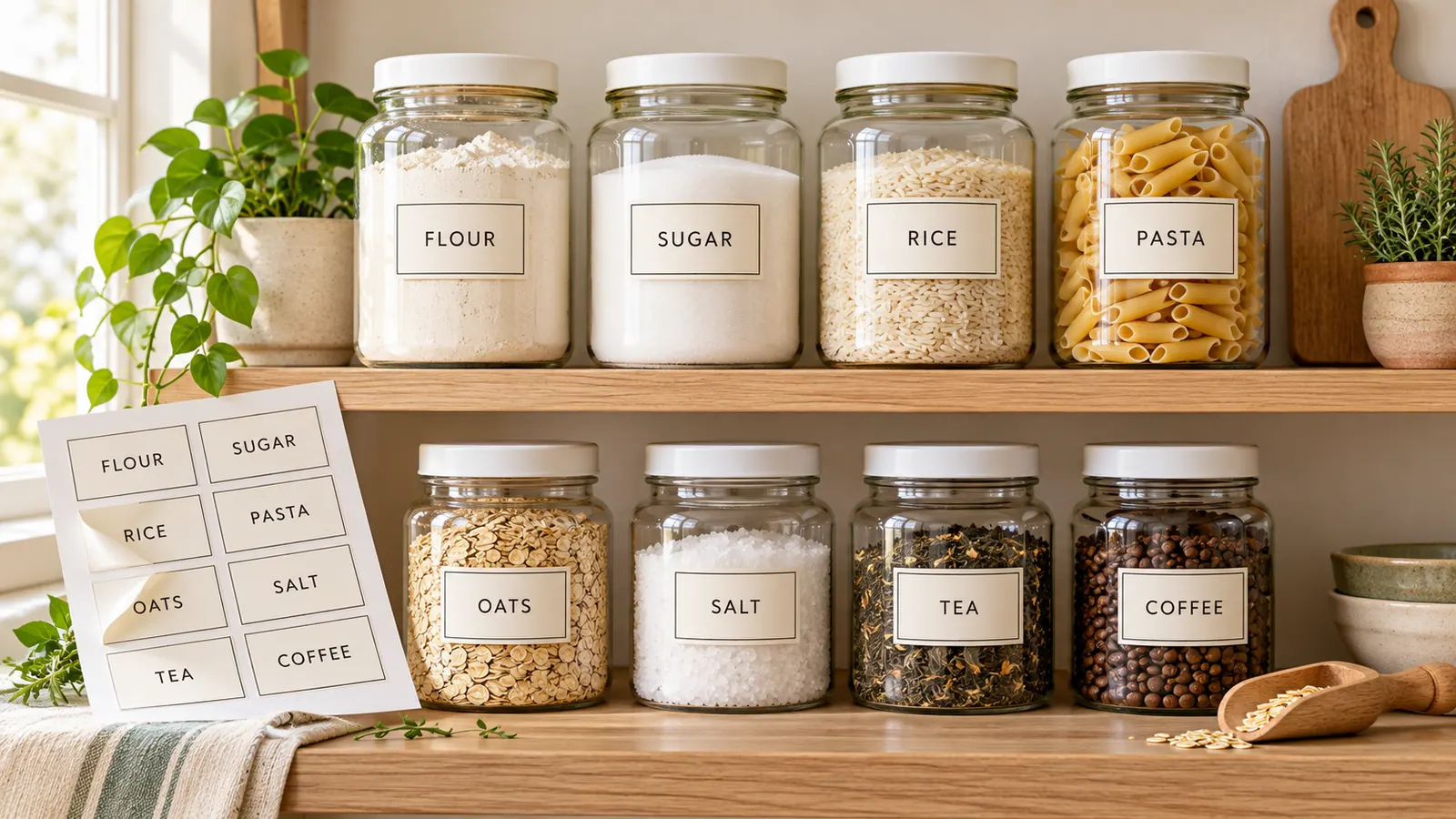
Tap Baking, Grains & pasta, Spices, Breakfast & snacks, Cans & sauces or Coffee, tea & drinks and the whole shelf appears: all-purpose flour, brown sugar, basmati rice, penne, paprika. Change a word, add a small note such as Whole grain, or tap another list to add more. Pick a minimal, farmhouse or handwritten look and the labels match from jar to jar.
Sizes that fit the jar and the label sheet
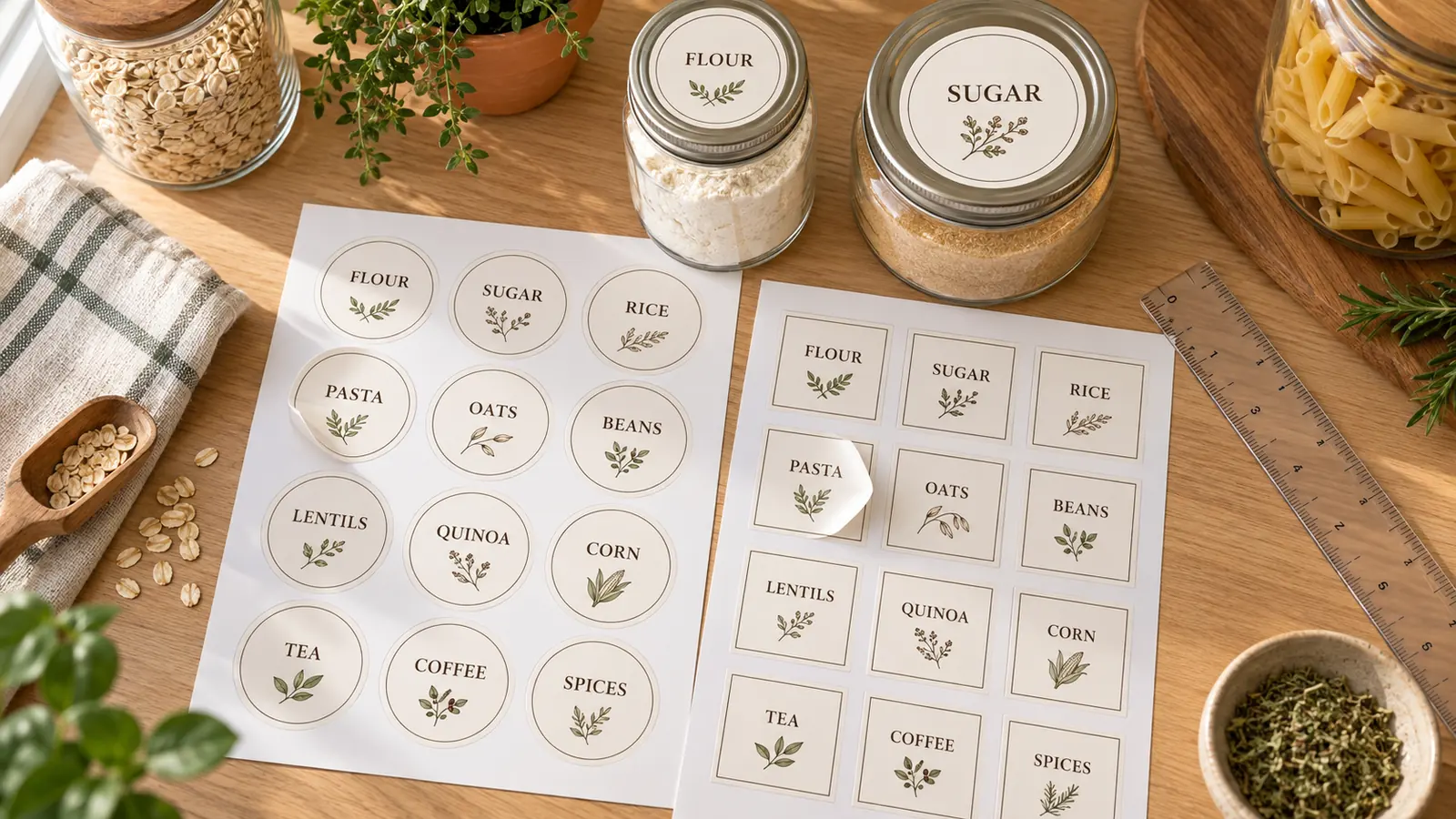
A 2 in round label covers a standard 70 mm or 78 mm mason jar lid, a 2½ in round fits a wide-mouth lid, and a 2 × 4 in label wraps a straight canister. Choose Avery 22806, 22807, 5294, 5163 or 5164 and each printable pantry label lands inside the die-cut shape, or leave the sheet on plain paper and cut along the lines.
Waterproof tips that match your printer
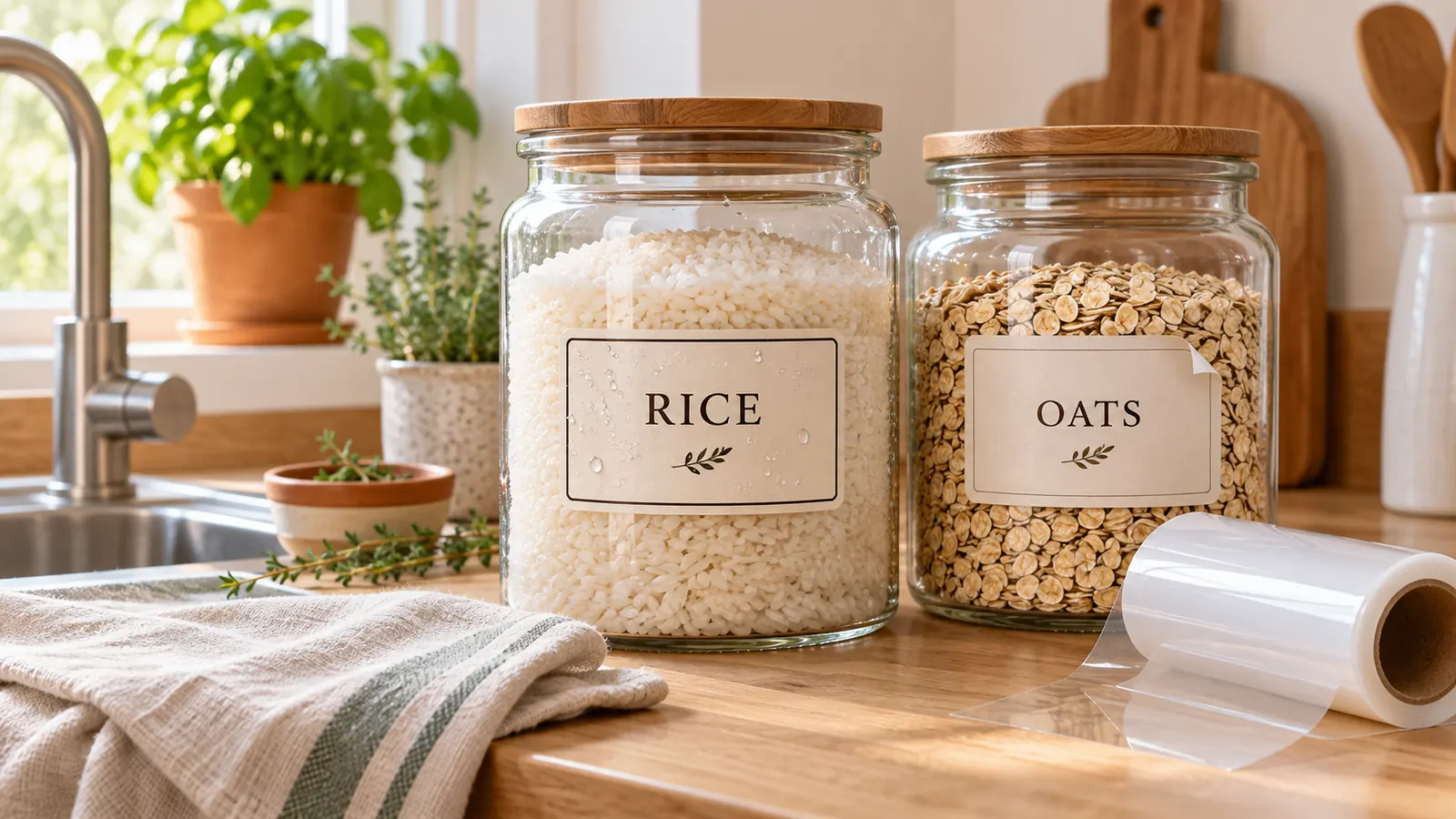
Paper labels smudge and curl at the first splash. Print on waterproof vinyl sticker paper, use laser toner instead of inkjet ink, or cover the finished label with clear vinyl, and wipe jars with a dry cloth. We say so plainly: water-resistant is not the same as dishwasher safe.
What you can print with these printable pantry labels
Everything happens in your browser, so your word lists never leave your computer.
One-click word lists
Baking, grains and pasta, spices, breakfast and snacks, cans and sauces, coffee and tea. About 80 pantry words ready to edit.
Five pantry styles
Minimal black and white, farmhouse serif, handwritten, round jar lid and spice jar, plus 14 more designs in the Label Maker.
Round and square jar labels
2 in circles for lids, 2 in squares for jar fronts, rounded rectangles for canisters and 48 × 24 mm labels for spice tins.
60+ label sheets
Avery 22806, 22807, 5294, 5163, 5164, 5160, A4 L7160, L7163, Zweckform, Apli, Pimaco, A-one and Formtec codes.
Title plus a note line
Write Flour | Baking or Cumin | Seeds: the first part is large, the second a small note. Long words shrink to fit.
PDF, PNG and print
Download a multi-page PDF, one PNG per sheet, or print directly. Letter and A4, 100% size, no watermark.
How to print pantry labels and stick them on jars
From an empty shelf to matching jars in about twenty minutes.
Choose your label sheet or plain paper
Use Avery 22806 for 2 in square labels or 22807 for 2 in round labels, 5163 for 2 × 4 in canister labels and 5160 for small shelf labels. Using other paper? Set Label sheet to plain paper, pick a size and print on sticker paper or plain paper with cut lines.
- Measure the flat part of the jar first; labels pucker on curved glass, so flat-sided jars look neatest.
- White labels suit white lids, clear sticker paper gives the popular no-label look.
Fill in the words and pick a style
Tap a word list such as Baking or Spices, then edit the lines. Write Title | Note to add a small second line like Whole grain. Pick Minimal, Farmhouse, Handwritten, Round jar lid or Spice jar and the font style, shape and colors update at once.
- Keep words short: 'Rice' is easier to read from across the pantry than 'Long grain white rice'.
- Colour-code categories, for example green for grains and orange for baking.
Print a test page at 100%
Download the PDF or click Print. In the print dialog choose Actual size or 100%, never Fit to page, and print page 1 on plain paper. Hold it over the sticker sheet against a window; if every label is off the same way, nudge it with Move right or Move down.
- Laser toner resists water better than inkjet ink, which can smudge when it gets wet.
- Let inkjet labels dry for a minute before peeling.
Stick, seal and label the shelf
Wipe the jar clean and dry, press the label from the centre outwards, and rub for a few seconds. For labels that must survive splashes, use waterproof vinyl paper or cover the label with clear vinyl. Use removable adhesive for jars you refill and wash.
- Water-resistant is not dishwasher safe: wash labelled jars by hand and dry them with a cloth.
- To remove an old label, warm it with a hair dryer, peel it off and wipe the leftover adhesive with a little cooking oil.
Printable pantry labels FAQ
Sizes, Avery codes, waterproofing and getting labels off glass jars.
Yes. There is no sign-up, no email gate, no trial and no watermark. The labels are drawn in your browser and the PDF or PNG is saved straight to your device, so your word list is never uploaded. Use them at home or for a small business kitchen.
A 2 in (50 mm) round label fits a standard 70 mm or 78 mm mason jar lid, and a 2½ in round fits a wide-mouth lid. For the jar front, 2 in squares, 3 × 1½ in rectangles and 2 × 4 in labels are common. Measure the flat area of your jar first and choose a sheet that is slightly smaller.
Avery 22806 (2 in square, 12 per sheet) and 22807 (2 in round, 12 per sheet) are the most popular for jars. Avery 5294 is a 2½ in round, 5163 is 2 × 4 in with 10 per sheet, and 5164 is 3⅓ × 4 in with 6 per sheet. On A4, choose L7160 (21 per sheet) or L7163 (14). All of them are in Label sheet.
Yes, with the right materials. Print on waterproof vinyl sticker paper, prefer a laser printer over inkjet, or cover a finished label with clear vinyl or clear adhesive film. Avery says its waterproof labels are fridge and dishwasher safe, but water-resistant paper stickers are not: wash those jars by hand and dry them with a cloth.
Choose removable adhesive when you buy the sheet and stick it on a clean, dry jar. To take a label off, warm it with a hair dryer for 20 seconds, peel it slowly, then rub the leftover glue with a little cooking oil and wash the jar. Permanent labels such as Avery 22806 can leave residue.
Yes. Any home inkjet or laser printer works. For printable pantry labels on plain paper, leave Label sheet on plain paper, print with the cut lines on, cut the labels out and stick them with double-sided tape or clear packing tape. Use sticker paper if you want peel-and-stick labels.
Start with what you decant: flour, sugar, brown sugar, rice, pasta, oats, lentils, coffee and tea. Then add baking soda, baking powder, cocoa, spices, cereal, snacks and canned goods. The word lists give you about 80 ideas, and a small second line like Baking or Spices helps family members put things back.
Open this page, tap a word list, edit the words and download the PDF. You do not need an account, a template purchase or a design skill, and the labels already match Avery sheets. The Canva route only makes sense if you want full control of fonts, photos and clip art.
Yes. The words are turned into labels inside your browser, and nothing is sent to a server or saved to an account. Closing the tab clears them, so download the PDF or PNG if you want to print again next month.
Print your printable pantry labels now
Pick a word list, choose a style and print round or square pantry labels on Avery 22806, 22807 or plain paper.
Free, no sign-up, no watermark, and your word lists stay in your browser.
Need address, file or kids name labels instead? The same Label Maker has more designs.