Certificate Generator for a whole class, team or event in one PDF
Pick one of 12 templates, type the wording once, then paste a list of names: this free certificate generator prints one certificate per name, with an optional achievement and date for each person. No sign-up, no watermark, and nothing is uploaded. Export a PDF, a PNG or print on Letter or A4. It is made for informal recognition certificates, not official diplomas or verified credentials.
Free certificate generator for award, achievement, appreciation, completion, participation, student, employee, competition, sports, volunteer, training and blank certificates.
See how to use itFree certificate generator: print certificates from a list of names
Choose a template, type the certificate wording, then paste your names under Certificates from a list of names. Each line becomes one page of the PDF; you can preview every certificate before you print.
Template librarySelected template: Classic Gold AwardTemplates are collapsed by default. Open the library to choose a certificate type, default wording, theme, and decoration.
Certificate text
Certificates from a list of names
Paste one name per line to get one certificate per name (up to 100). Add a second column after | or a tab for that person's own achievement text, and a third for their own date. Pasting two or three columns straight from Excel or Google Sheets works too, or upload a CSV file.
Certificate settings
Printable certificate preview
Award Certificate
Printing notes
- Use actual size or 100 percent scale in the print dialog so the certificate border stays inside the printable area.
- PDF and PNG export use the same SVG certificate preview, including borders, backgrounds, decorations, and line breaks.
- Batch mode only creates local multi-page PDF output from pasted names. It does not create accounts, databases, email sends, certificate verification, or public hosting.
- For official diplomas, licenses, qualifications, notarized papers, legal certificates, or verified credentials, use the issuing institution's official process instead.
- For certificates people keep, print on 28–32 lb bond or 65–110 lb cardstock (105–300 g/m²) and run one test page on plain paper first.
Live certificate preview - Page 1
Certificate generator: quick facts
Short answers for teachers, coaches and managers choosing a free certificate maker.
- Price
- Free, with no paid tier or download fee
- Account
- Not required
- Watermark
- None
- Export formats
- PDF (every certificate in one file), PNG (one certificate at a time) and direct print
- Paper sizes
- US Letter (8.5 × 11 in) and A4 (210 × 297 mm), landscape or portrait
- Supported sizes
- 12 templates: award, achievement, appreciation, completion, participation, student, employee, competition, sports, volunteer, training, blank
- Privacy
- Runs in your browser; nothing you type is uploaded
- Languages
- 8 languages: English, Chinese, Spanish, Portuguese, French, German, Japanese, Korean
- Names per PDF
- Up to 100 certificates, one per line
- Name list input
- Paste lines or columns from Excel / Google Sheets, or upload a CSV file
- Per-person text
- Optional own achievement text and own date for every name
- Best paper
- 28–32 lb bond (105–120 g/m²) or 65–110 lb cardstock (176–300 g/m²)
- Last updated
- October 16, 2026
Best for
- Teachers printing certificates for 20–30 students at the end of term
- Coaches, clubs and camps handing out participation or sports certificates
- Managers and organizers who need appreciation or completion certificates for a team or event
Not the best fit for
- Official diplomas, licenses, degrees or any credential that has to be verified
- Emailing certificates to each person or hosting a verification page
- Certificates that need your own logo, photo or custom fonts
How it compares
- Canva
- Far more design freedom and stock graphics, but you need an account, and bulk creation from a list is a paid feature.
- Word mail merge
- Free if you own Word and exact once set up, but it needs a spreadsheet, merge fields and several steps for every new design.
- Certifier and similar services
- Built for emailing and verifying digital credentials with accounts and paid plans; this certificate generator is for simply printing a stack.
Why use this certificate generator for a class or team
A certificate maker should save time on the 25th certificate, not only the first.
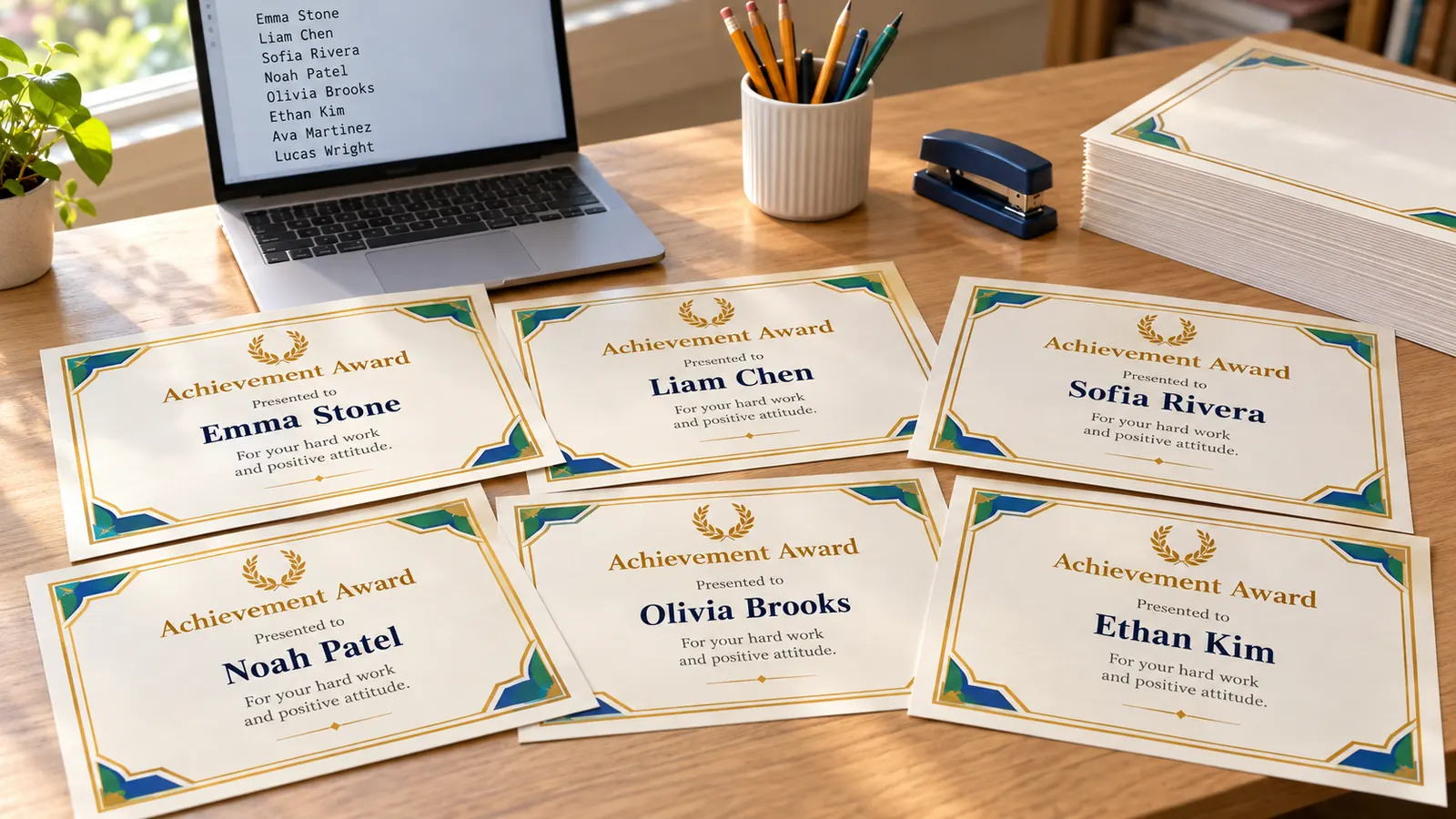
A certificate generator that turns a name list into one page per name
Paste one name per line, or copy two or three columns straight from Excel or Google Sheets: name, achievement, date. It builds one page per line, skips duplicates, sorts A to Z and lets you step through every certificate before you print. You can also upload a CSV file. Up to 100 certificates fit in one PDF.
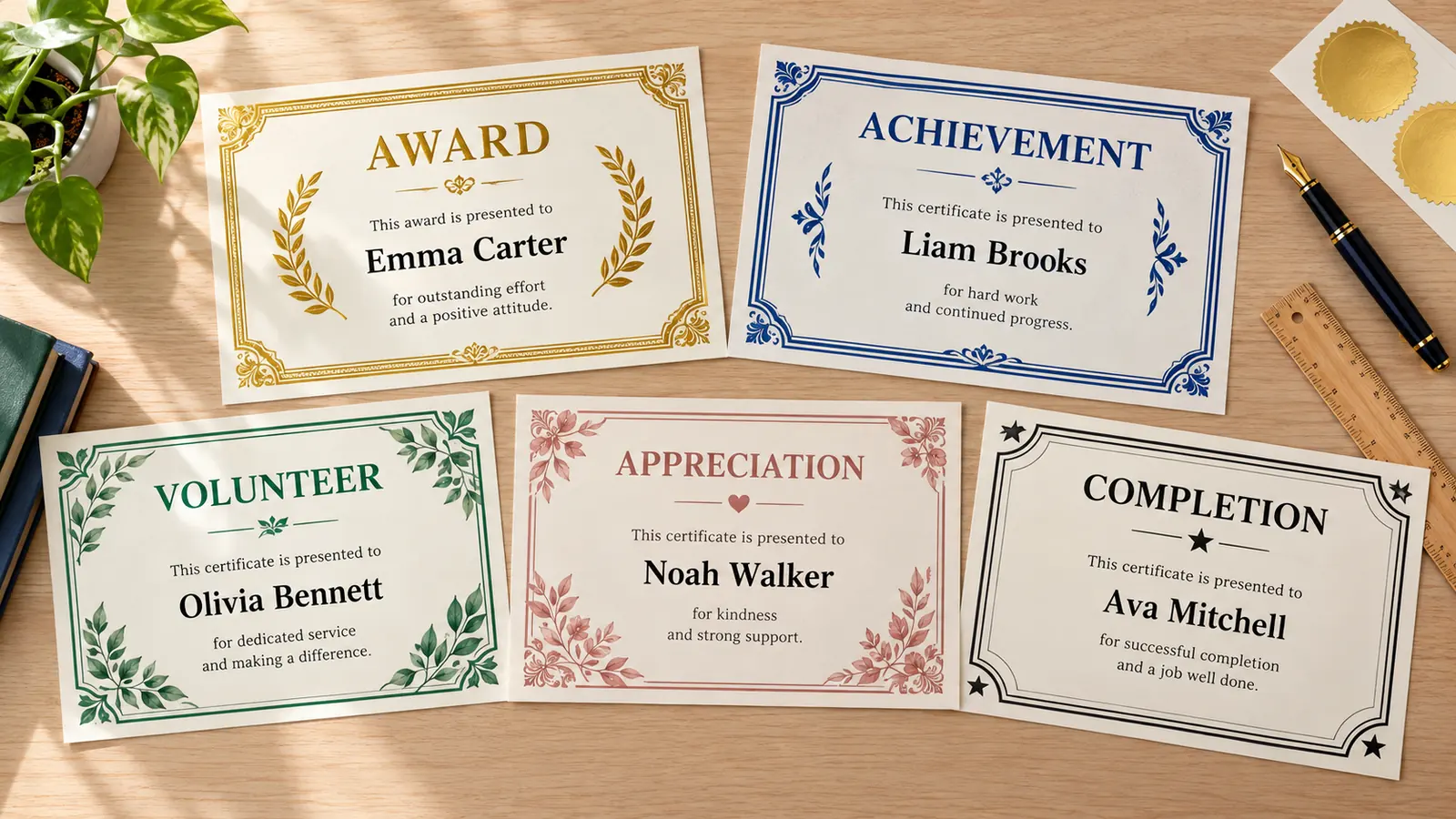
12 certificate generator templates for every occasion
Start from an award, achievement, appreciation, completion, participation, student, employee, competition, sports, volunteer, training or blank template. Change the border, color theme, font, seal and name lines, and switch between Letter and A4 or landscape and portrait. Your wording stays when you change the look.
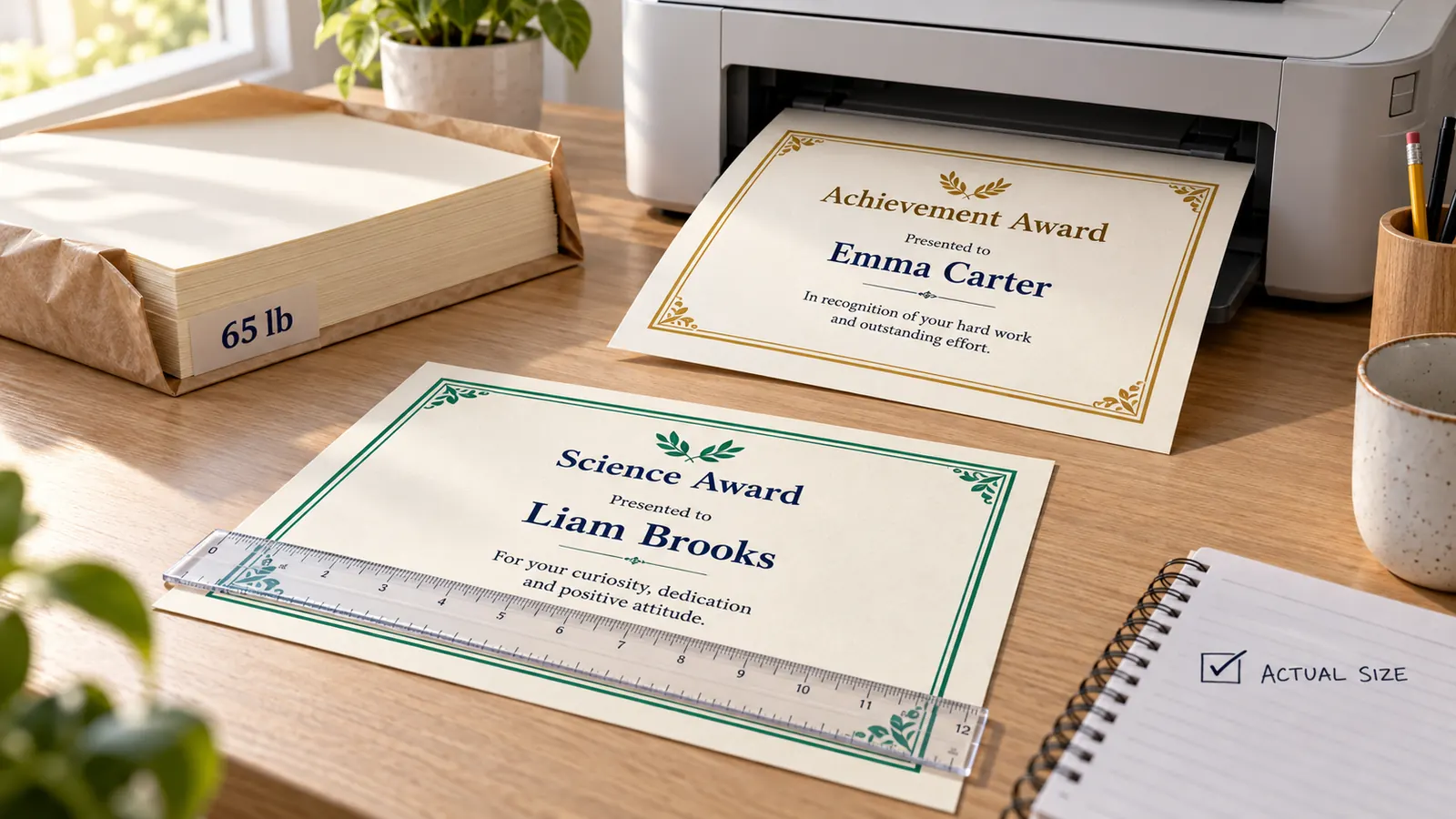
Print at the right size on the right paper
Download one PDF with every certificate, print directly, or save a single certificate as PNG. Print at 100% (actual size) so the border stays inside your printer's margin, and use 28–32 lb bond or 65–110 lb cardstock for certificates people keep. Names are processed in your browser and never uploaded.
Certificate generator features for classes, clubs and teams
Everything a free certificate maker needs to print a stack of certificates, and nothing that needs an account.
Names from a list
Paste a list or upload a CSV to get one certificate per name, up to 100 in one PDF.
Own text and date per person
Add a second column for that person's achievement and a third for their date. Empty cells use the wording from the form.
12 certificate templates
Award, achievement, appreciation, completion, participation, student, employee, competition, sports, volunteer, training and blank.
Borders, themes and seals
Mix 6 border styles, 7 color themes, 4 fonts, 5 seals and optional name lines.
Preview every certificate
Step through each page before you print, so a long name or a typo never reaches the printer.
Private and free
No account, no watermark. It runs in your browser and never uploads your names.
How to use the certificate generator to make certificates for a whole class
From a blank template to a printed stack in five steps.
Pick a template
Open the template library and choose the type closest to your need, such as Certificate of Achievement for end of term or Participation Certificate for a camp. Then set Letter or A4 and landscape or portrait under Certificate settings.
- In the US use Letter; in the UK, Australia and most of Europe use A4.
- Choose Black and white if you print on a laser printer to save color ink.
Write the wording once
Edit the title, the issuer, the signer, the date and the achievement text. Good wording names the specific contribution, for example: For outstanding effort in reading this term. Vague praise such as great job is easy to forget.
- Typical presentation lines: This certificate is proudly presented to, Awarded to, In recognition of.
- Keep the achievement under two or three lines so it prints at a readable size.
Paste your names or upload a CSV
Under Certificates from a list of names, paste one name per line. To give a person their own text, add a vertical bar or a tab and type it after the name; a third column sets their own date. You can also copy columns from Excel or Google Sheets, or upload a CSV.
- Use Remove duplicates and Sort A–Z to tidy a class list.
- Longer lists than 100 names: split them into two PDFs.
Preview every certificate
Use Previous and Next to check each page. Names that are very long shrink to fit, so look at them first. Fix a typo in the list and the preview updates at once.
- Check the date and the signer on the first page; they repeat on every certificate.
Print or download the PDF
Choose Download PDF for all certificates in one file, or Print. In the print dialog set scale to 100% or actual size and turn off Fit to page. Print one page on plain paper first, then load cardstock for the final copies.
- 28–32 lb bond (105–120 g/m²) is the minimum for a certificate; 65–110 lb cardstock (176–300 g/m²) feels like an award.
- Home printers need about 0.25 in (6 mm) of margin, so the border is designed to stay inside it.
Certificate generator FAQ: names, paper and printing
Practical answers about making certificates in bulk, wording, paper and privacy.
Yes. It has no price, no sign-up and no watermark on the PDF, PNG or printout. Everything runs in your browser, so the names you type are not uploaded.
Open Certificates from a list of names and paste one name per line. It makes one page per name, up to 100 per PDF. Copy the names from Excel or Google Sheets, or upload a CSV file, then download one PDF.
Yes. Put the achievement after the name, separated by a vertical bar or a tab, and a date after that. For example: Mia Chen | For completing the beginner course | May 14, 2026. Empty parts use the wording from the form.
Use a title (Certificate of Achievement), a presentation line (is proudly presented to), the recipient's name, one specific reason (for outstanding effort in math this term), the date, and the name of the issuer or signer. Specific wording is worth more than general praise.
Plain 20 lb copy paper looks thin. Use 28–32 lb bond (about 105–120 g/m²) for a certificate people take home, or 65–110 lb cardstock (about 176–300 g/m²) for awards that will be displayed. Check your printer manual for the heaviest stock it accepts.
For printing a stack from a name list it is quicker: no account, no merge fields and no paid Bulk Create. Canva offers far more design freedom and Word can match a custom layout, so choose them if you need your own logo, photos or fonts.
Use US Letter (8.5 × 11 in) in the United States and Canada and A4 (210 × 297 mm) almost everywhere else. It switches between both and between landscape and portrait, and sets the print size to match.
In the print dialog choose 100% or Actual size and turn off Fit to page or Shrink to fit. Most home printers cannot print the last 0.12–0.25 in (3–6 mm) of the page, and the borders are drawn inside that margin.
No. It makes informal recognition certificates for classes, clubs, teams and events. It does not add verification, signatures or registry numbers, so use your school's or employer's official process for diplomas, licenses and qualifications.
Start the certificate generator and print your first stack
Pick a template, paste your list of names and download one PDF with a certificate for everyone.
Free, with no sign-up and no watermark, and your names stay in your browser.
For informal printable recognition only, not official or verified credentials.