Wedding Invitation Template A matching suite, from the first invitation to the thank-you note
Make a wedding invitation template your own: choose a style, edit the names and wording, then download a PDF or PNG. Built for couples printing their own stationery, with matching RSVP, details and thank-you cards. Free, no sign-up and no watermark.
3 coordinated styles · 4 card types · Letter and A4 · Local editing
Printing guideEdit your wedding invitation template
Choose a style and card type, replace the sample text, then export the selected design.
1 · Templates
2 · Your wording
Choose a date and time
Personalize a batch
Up to 200 records; UTF-8 CSV or one name per line. Map each column before applying.
3 · Style & photo
Fonts adapt to the characters you enter; CJK uses the matching Noto font.
Print & download
Print at 100% / Actual size. Match the paper size and turn off headers and footers. Test one sheet before a batch.
Preview
127 × 177.8 mm · Per sheet: 0 · Pages: 0
Your text, photos and lists stay in this browser. Free, no account or watermark.
Wedding invitation template: sizes and download facts
- Price
- Free
- Account
- No account or email required
- Watermark
- None on downloads or printouts
- Export formats
- PDF, 300 dpi PNG and browser printing
- Paper sizes
- US Letter (8.5 × 11 in) and A4 (210 × 297 mm)
- Supported sizes
- Invitation: 5 × 7 in; RSVP and thank-you: 3.5 × 5 in; details: 4 × 6 in
- Privacy
- Card text is edited and exported locally in your browser
- Languages
- English, Spanish, Portuguese, French, German, Simplified Chinese, Japanese and Korean
- Last updated
- November 2, 2026
Best for
- Couples who want a small, coordinated set of printable cards without building a layout from scratch.
- DIY celebrations using ordinary sheet cardstock and a home printer, or a print shop that accepts the exported PDF.
Not the best fit for
- Online guest responses, wedding websites or automatic RSVP tracking.
- Foil, letterpress, custom die cutting or a certified CMYK/PDF-X production workflow.
How it compares
- Canva and Adobe Express
- These editors provide broader design libraries and more flexible visual editing. PrintMigo offers a smaller set of fixed layouts with coordinated card sizes and local exports, useful when you want to finish the wording without arranging every element.
- Greetings Island
- Offers many invitation themes, printing services and online RSVP options. This maker focuses on files you print yourself; it does not send invitations or collect guest responses.
- Avery Design & Print and Etsy templates
- Avery is useful when your stationery needs a specific product template. Etsy designs vary by seller, license and editing platform. These layouts are for plain sheets you trim yourself, so check any pre-cut stock before buying it.
Build a coordinated wedding invitation template suite
Keep the style consistent while giving each card a clear job.
Four pieces with one shared look
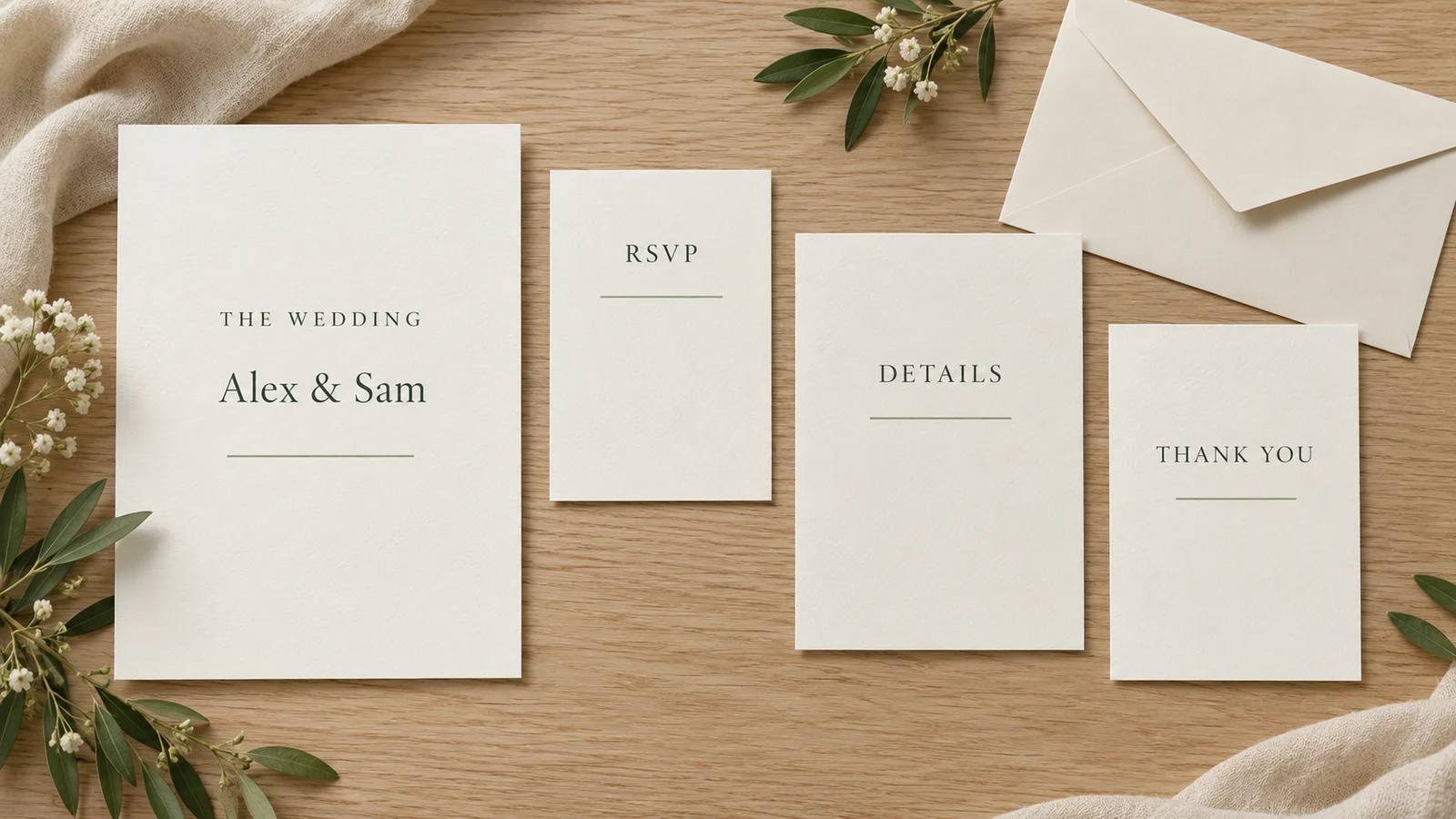
Start with a 5 × 7 inch invitation, then choose the matching RSVP, details or thank-you design. Minimal, botanical and formal styles use coordinated typography and colors. Put the ceremony essentials on the main card and move travel or reception notes to the insert, so guests can find what they need.
Wording that sounds like your celebration
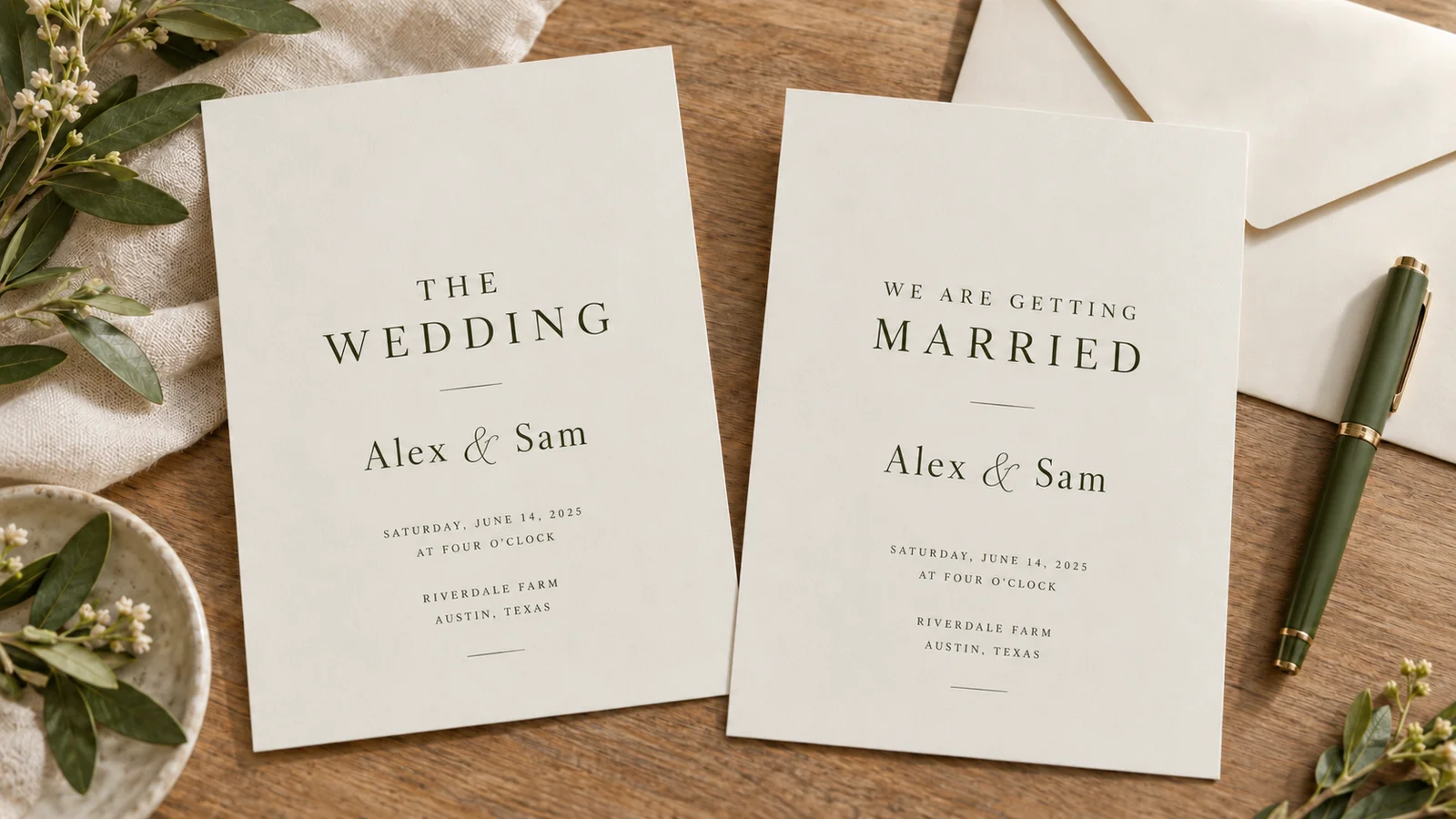
Choose a formal invitation, a relaxed request or wording that names the parents as hosts. Every sample is editable. Use the host line that reflects your family rather than assuming who pays or which surname comes first. Review names, dates, venue details and reply instructions before downloading.
Print at a real, measurable size
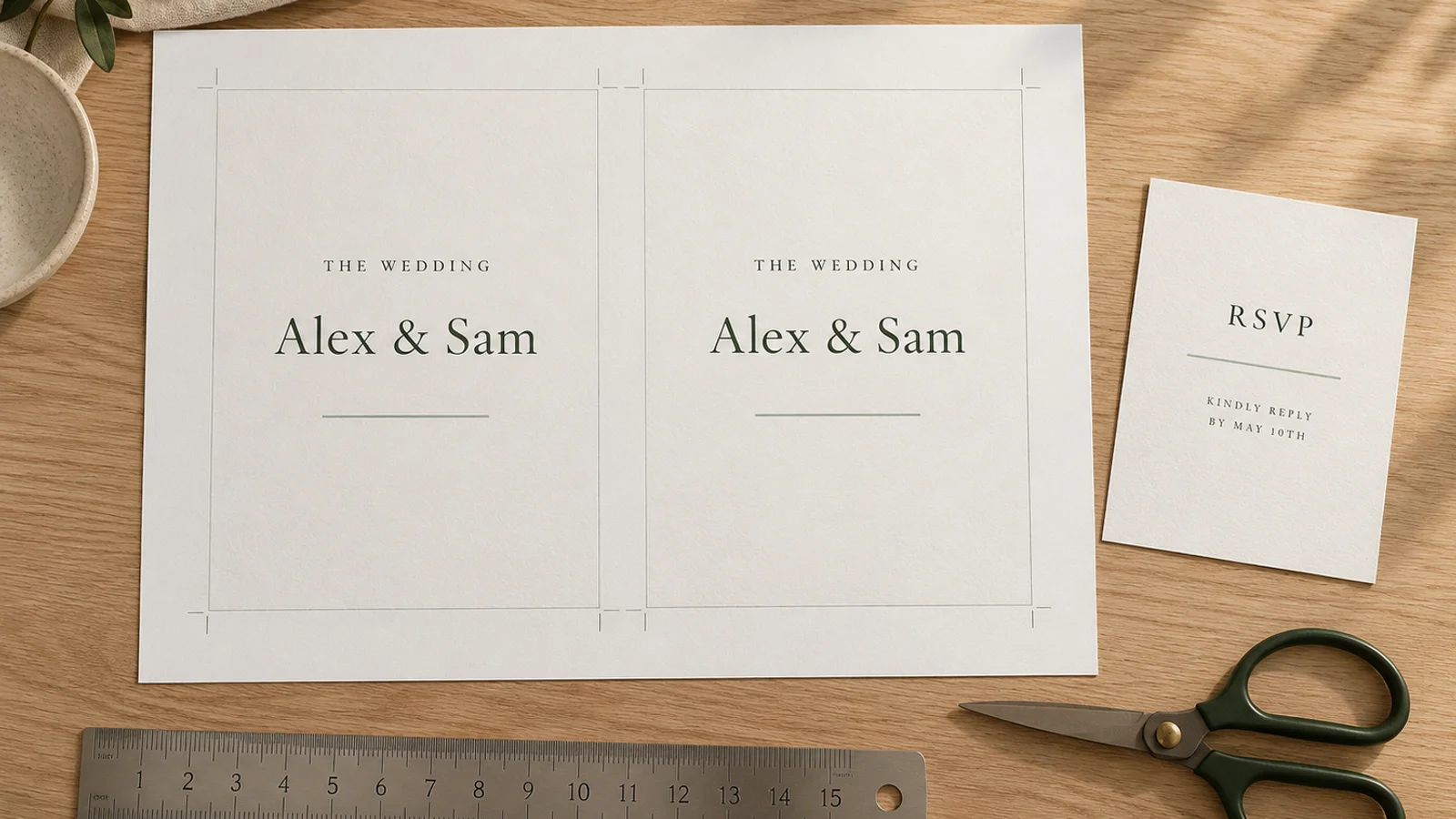
Export on Letter or A4 with cut marks and optional 3 mm bleed. The PDF keeps text as text, while PNG gives you a 300 dpi image for sharing or another print workflow. Make one sample, measure the finished card and check the envelope before running a batch.
What the wedding invitation template maker includes
Useful controls for a manageable DIY stationery project.
Three coordinated styles
Choose minimal, botanical or formal stationery. Adjust the available colors and font style to suit the day, then check that all four pieces still read clearly.
Sizes for a matching suite
The main card measures 127 × 177.8 mm. RSVP and thank-you cards measure 88.9 × 127 mm; the details insert measures 101.6 × 152.4 mm.
Editable wording
Use a suggested host and tone as your starting point. Shorten lines that feel crowded and replace every example with your actual ceremony and reply information.
PDF with bleed options
Add 3 mm beyond the cut edge when the artwork should reach the edge. Ask your print shop whether its workflow accepts the sheet layout and color format.
PNG for sharing
Save a 300 dpi image of the selected design. Sharing that image does not create an online event page or a response form; include your own reply contact.
Local editing and export
Names, addresses and card wording are processed on your device. Download your files before closing the page; this tool does not provide a cloud project account.
How to edit and print a wedding invitation template
Finish one complete sample before you buy supplies for the whole guest list.
Choose the style and card type
Select a coordinated design and begin with the invitation. Decide whether you need a reply card, a details insert or both. Count mailing households separately from individual guests, and allow a few extra sets for corrections and keepsakes. Check the finished dimensions against the envelopes you plan to use.
- Use the same style when preparing each companion card.
- A 5 × 7 inch card needs an envelope with enough room for the complete stack, not just the invitation.
Replace the wording and proofread
Enter the couple’s names, the host line, ceremony date, start time, venue and address. Use a written month to avoid ambiguous numeric dates. The Knot’s wording guide distinguishes traditional dates written in full from modern numerical wording; choose what fits your celebration and keep it consistent.
- Read the date and day of the week together, then ask another person to check them.
- Put travel notes, dress guidance and a website address on the details card when the main card becomes crowded.
Prepare the paper and export
Choose Letter or A4 to match the sheets in the printer. Select the PDF export and enable cut marks; add 3 mm bleed if the design needs color to extend past the trimmed edge. Use cardstock only within your printer’s documented weight, thickness and coating limits. A heavier sheet is not automatically compatible.
- Try roughly 200–250 g/m² cardstock only if your printer supports that stock; a print shop can advise on heavier options.
- The cardstock guide below explains trays, media settings and why lb cover and lb text weights are not interchangeable.
Test, trim and assemble
Print one plain-paper check at 100% or Actual Size with Fit to Page disabled, then one copy on the final stock. Measure the trimmed invitation: it should be 5 × 7 inches. Let ink dry, cut on the trim marks and place the complete suite in its envelope before repeating the job.
- For a print shop, confirm the sheet size, finished dimensions, bleed, color expectations and a proof before the full order.
- Check postage using a complete assembled sample, since extra inserts can change its weight and thickness.
Wedding invitation template questions
Practical answers before you personalize, download and print.
Yes. All three styles and four card types are free to edit and export. No account or email is required, and downloaded PDF and PNG files have no watermark. Paper, ink, envelopes and any outside print service are separate costs.
The main invitation is 5 × 7 inches (127 × 177.8 mm). RSVP and thank-you cards are 3.5 × 5 inches (88.9 × 127 mm), and the details card is 4 × 6 inches (101.6 × 152.4 mm). These are this tool’s fixed sizes; they are not a promise that every envelope or pre-cut sheet will fit.
Yes. Select A4 or US Letter before exporting, load matching paper and print at 100% or Actual Size. Do not use Fit to Page. Check the preview’s arrangement and test one sheet before cutting. Printer margins, the selected card size and bleed determine how many pieces fit on each sheet.
Choose the parent-hosted sample and replace the host names, couple names and request line. If both families are involved, a line such as “Together with their families” may fit better. Formal and relaxed alternatives are also provided. The Knot’s guide, linked above, covers several family arrangements; the samples here remain fully editable.
Give the reply card a deadline, a way to identify the guest and clear attendance or contact instructions. Add meal choices only if you need them. Use the details card for reception information, travel, accommodation, dress guidance or your website address. This tool prints the text; it does not collect or track replies.
The export supports 3 mm bleed and cut marks, but ask the shop to approve a sample first. Tell it the finished dimensions and whether you want it to trim the sheets. The PDF is not a certified CMYK or PDF-X file, and a shop that requires those formats may need to convert or rebuild it.
Start with your printer’s manual, including thickness, coating and tray restrictions. Test a supported cardstock before buying in bulk; 200–250 g/m² is a possible starting range only when the machine allows it. Check envelope space using all inserts together. A folded or heavily embellished suite may need more room than a flat invitation.
Use one style across the invitation, RSVP, details and thank-you cards, then export each piece after editing it. A minimal design can reduce ink coverage. Print a proof and compare the total cost of paper, ink, envelopes and trimming with a local print quote before committing to a large home batch.
Work backward from the final guest count required by your caterer or venue, allowing time to chase missing replies. Tell guests who must travel about the date early, and send the full details once they are confirmed. Mailing schedules differ by destination, travel needs and local practice, so agree on the timetable with your venue rather than treating one interval as a universal rule.
Personalize your wedding invitation template
Choose the style, replace the sample wording and prepare one matching set.
Download the files, print a proof and check every detail before making the full batch.
Free PDF and PNG downloads · No sign-up · No watermark