Seating chart maker for weddings, classrooms and events
Use this free seating chart maker to paste a guest or student list, choose one of 18 table layouts, drag names onto seats and print the result. Download PDF or PNG on A4 or US Letter with no sign-up and no watermark.
Build your seating chart in this seating chart maker
Paste one name per line, pick a layout, name your tables and place guests by order, at random or by dragging. Turn on the extra pages to print a guests-by-table list and an A–Z find-your-table list after the chart.
Use one name per row, or columns such as First name, Last name and Table. A Table column (3, Table 3 or a table name) seats guests straight away. The file is read in your browser and never uploaded.
Seating rules, rotation and chart view
Rules are used by Random assign and Shuffle with rules. Type names as they appear in the list; a first name alone works when it is unique.
Rotation keeps desk partners and groups together and moves the back row to the front, so every student gets a turn near the board.
Print one chart for the wall (board at the top) and one for your desk or a substitute (board at the bottom).
Seating Chart Maker template library
Choose one Seating Chart Maker template. The template library is grouped by use case, and every template keeps the same order across languages.
Wedding & Reception
Classroom
Event & Meeting
Layout settings
Add chart elements
Table names
Rename tables, rows or groups, for example “Family”, “Friends” or “Row A”. Leave a field empty to keep the default name.
Export settings
Export resolution: 300 dpi. Large poster sizes use a lower dpi so the file stays small enough for your browser; text and lines stay sharp at viewing distance. Take the PDF to a print shop for posters.
Printable Seating Chart Maker preview
Drag a name onto a seat, or drag chart elements to adjust the layout.
Unassigned names
12Seating chart maker: quick facts
A free, private tool for planning one event or one classroom at a time.
- Price
- Free, with no paid tier or download fee
- Account
- Not required
- Watermark
- None
- Export formats
- PDF, PNG and direct printing; PDF and print include every extra list page, PNG saves one file per page
- Paper sizes
- A4 (210 × 297 mm) and US Letter (8.5 × 11 in), landscape
- Supported sizes
- 18 layouts, 1–12 tables or rows with 1–12 seats each (up to 144 seats), 11 color themes
- Privacy
- Names stay in this browser tab; the draft is kept in this browser’s local storage and is never uploaded
- Languages
- 8 languages: English, Chinese, Spanish, Portuguese, French, German, Japanese, Korean
- Extra pages
- Guests by table and an A–Z find-your-table list, added after the chart
- Table sizes
- Vendor guides list 8 guests as comfortable and up to 10 at a 60-inch round table, and 10 comfortable and up to 12 at a 72-inch round
- Last updated
- October 27, 2026
Best for
- Couples and hosts who want a printed chart of who sits where
- Teachers who need a classroom layout with names on desks
- Anyone who would rather not upload a guest list to an account
Not the best fit for
- RSVP tracking, meal choices or ticketed seat reservations
- Automatic seating that separates or pairs guests for you
- Several people editing the same chart at once
How it compares
- PerfectTablePlan
- Desktop software with RSVP and meal tracking for large events. Choose it for those features; use this page for a quick printable chart from a pasted list.
- Zola
- Wedding platforms can pull names from the guest list you already keep there. This page needs no account, but you paste the names yourself.
- Canva
- A design tool suited to decorative signs and posters. This page focuses on tables, seats and readable name lists rather than free-form artwork.
Plan every table with a seating chart maker that prints cleanly
Start from a layout that matches the room, name the tables and finish with pages people can actually read.
Start from a layout that fits the room
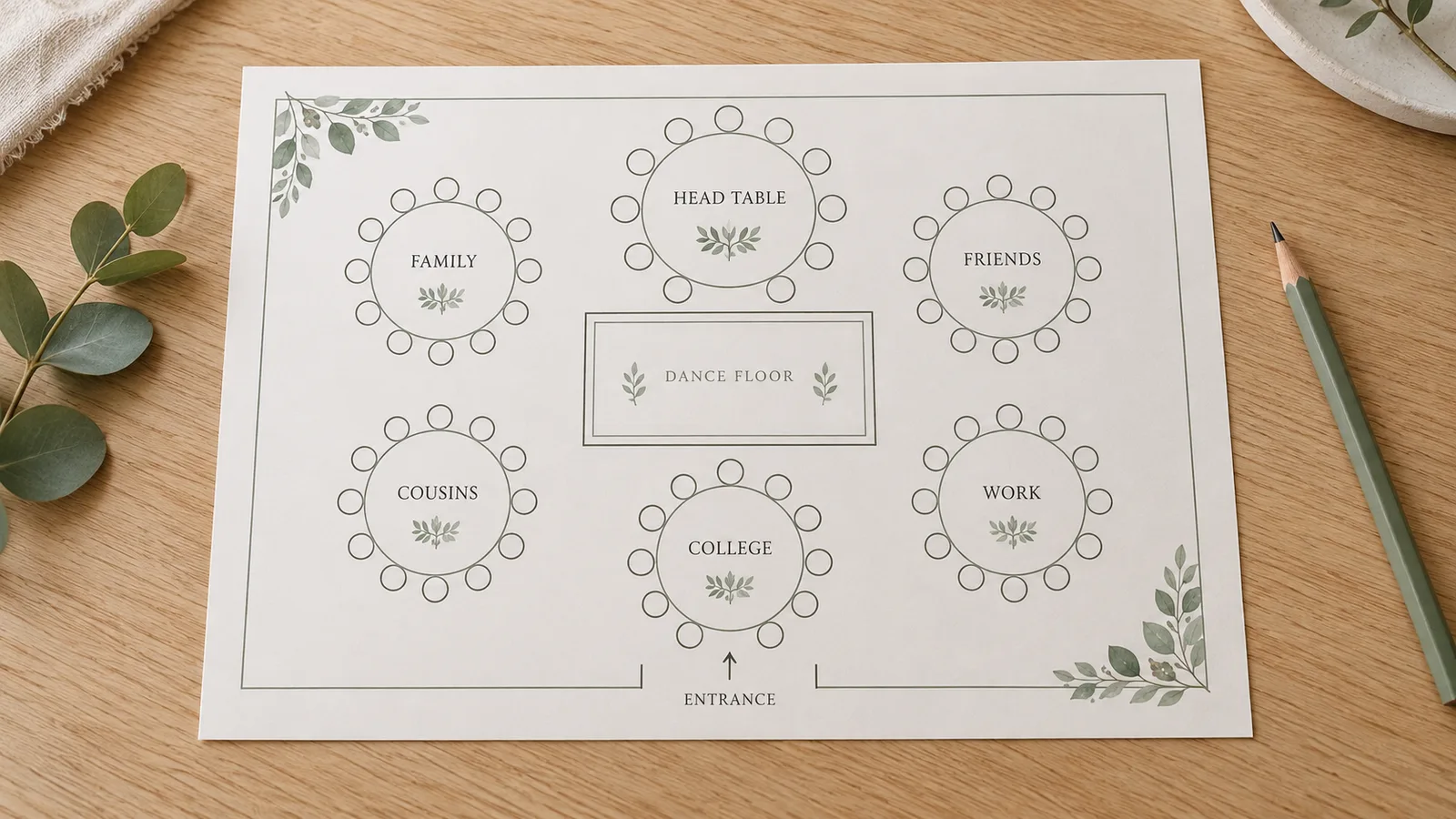
Pick round tables, banquet tables, a head table, a dance floor, ceremony rows, classroom desks or a boardroom. Set 1–12 tables with 1–12 seats each, then drag tables, desks and labels until the plan matches the venue.
Name tables and seat guests your way
Rename tables to Family, Friends or Row A, then assign names in order, at random or by dragging. The editor warns about duplicate names and counts unseated guests and empty seats before you print.
Print the chart and a find-your-table list
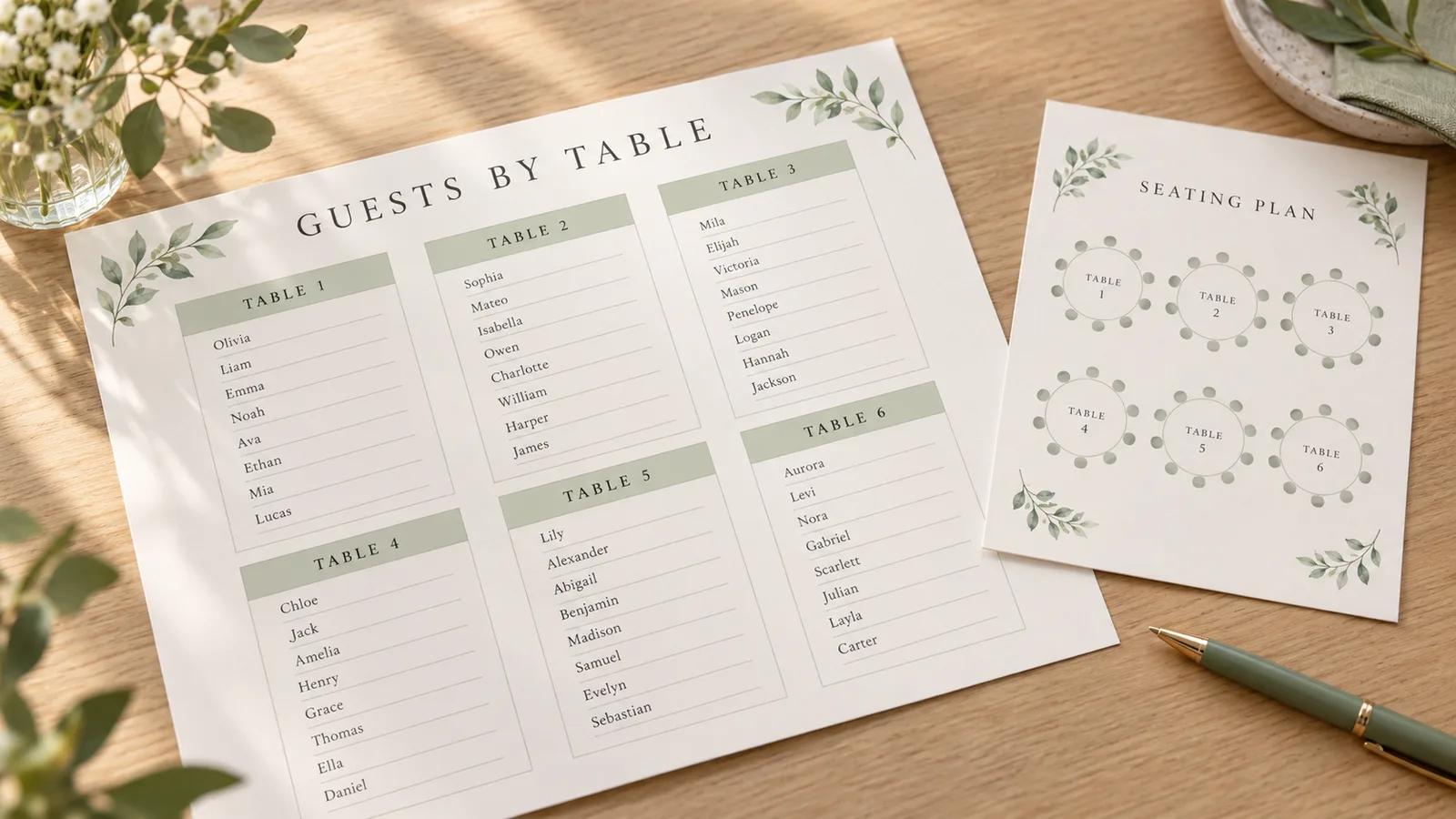
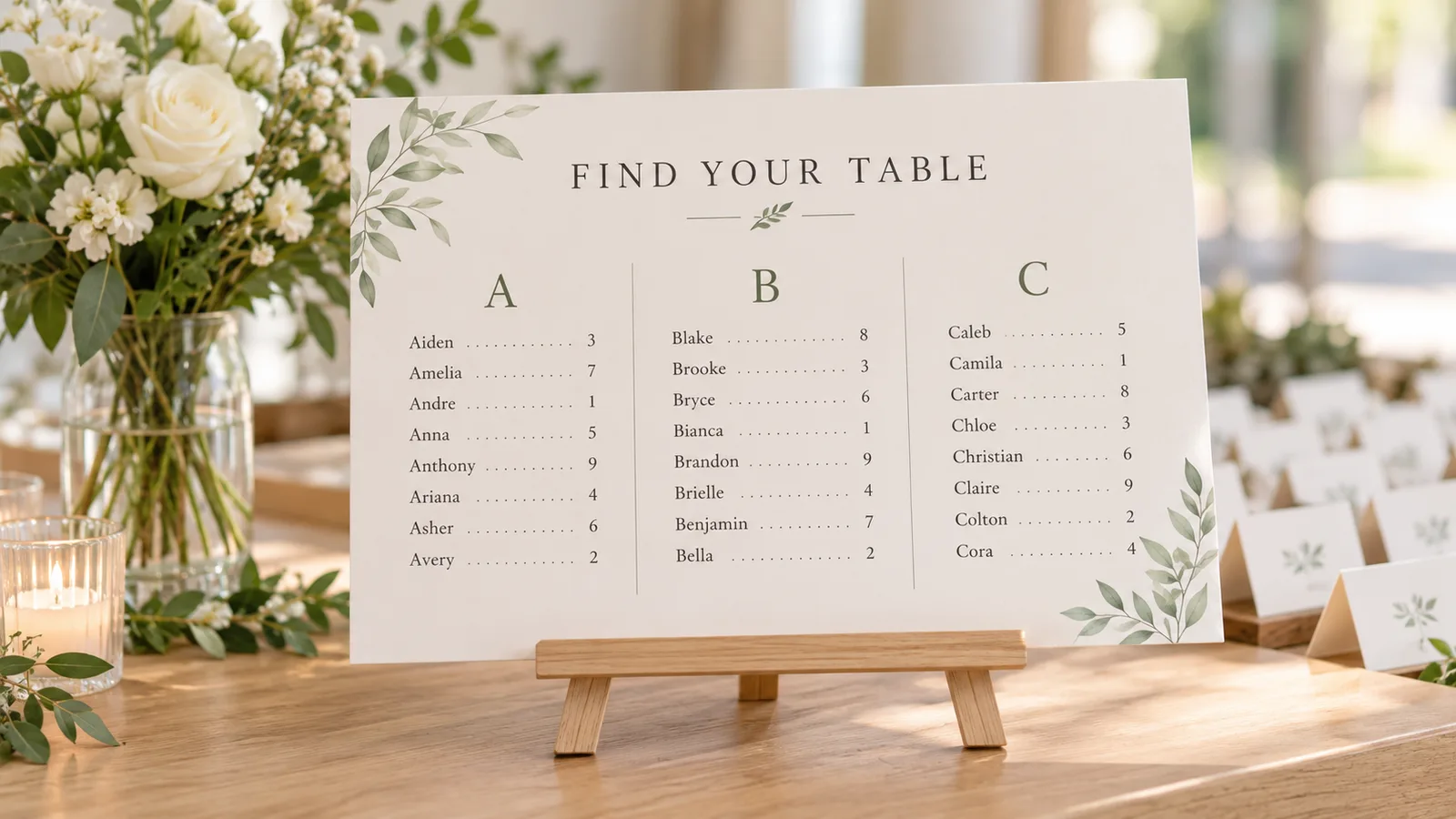
Add a guests-by-table page and an A–Z list that shows each name next to a table. Print everything on A4 or US Letter, or save the pages as PDF or PNG, so guests can find a seat at a glance.
What this seating chart maker includes
Everything runs in your browser, so a guest or student list never has to leave your device.
Paste names, one per line
Copy a column from a spreadsheet or notes app. Each line becomes one person, extra spaces at the ends are trimmed and repeated names are flagged.
Seat people three ways
Assign in the order you pasted, shuffle at random for a first draft, or drag a name onto the exact seat. Clear all seats and start again at any time.
Custom table names
Rename any table, row or group, for example Head table, Cousins or Row A. Names appear on the chart and on the printed lists.
Guests-by-table page
A readable page for each table with its guests listed in seat order, plus a section for anyone still unseated. Long lists continue onto more pages.
A–Z find-your-table list
Every name in alphabetical order with its table beside it, ready to print for an entrance board or a classroom wall.
Private drafts, no watermark
The draft is saved only in this browser’s local storage. Choose from 11 themes and print or save the pages without a watermark.
How to use the seating chart maker, step by step
From a pasted list to a printed seating chart in about five minutes.
Paste your guest or student list
Type or paste one name per line. Check the warning for duplicate names; two guests called Alex Kim need a surname initial or a note so you can tell them apart.
Paste namesChoose a layout and table size
Open the template library and pick the closest layout. For round tables, 8 guests is comfortable at a 60-inch table and 10 at a 72-inch table, so set seats per table to match your venue.
Choose a layoutName tables and place guests
Rename tables if you want labels such as Family or Friends. Then assign in order, assign at random, or drag each name to a seat. Separate guests who should not share a table by hand.
Arrange seatsAdd the name lists
Tick Guests by table and the A–Z find-your-table list if you want printed lists. The preview shows each extra page so you can check long names and page breaks.
Add listsPrint at actual size
Choose A4 or US Letter to match your paper, download the PDF and print it at 100% (Actual size) in landscape. Plain 90–120 gsm paper works for handouts; use heavier cardstock for an easel chart.
Export chart
Seating chart maker questions
Short answers about layouts, table sizes, printing and privacy.
Yes. All 18 layouts, the drag-and-drop editor, PDF and PNG downloads and printing are free. There is no account to create and nothing is stamped on the page.
Paste your guests, choose a round-table, banquet or head-table layout, set seats per table, then assign names and drag anyone who needs a particular seat. Print the chart and, if you like, the A–Z find-your-table list for the entrance.
Yes. Use the rows, group tables, U-shape, partner pairs or lab layouts, paste your class list and use random assignment for a fresh arrangement. Move individual students by dragging them to another desk.
Vendor guides list 8 guests as comfortable at a 60-inch round table, with up to 10 if you accept a tighter fit. A 72-inch round seats 10 comfortably and up to 12. Confirm the exact count with your venue before you set seats per table.
A head table often seats the couple and their wedding party, though some couples use a sweetheart table for two. Etiquette guides often suggest seating divorced parents at separate tables with their own families. Use table names to label each group.
No. Names are processed in your browser, and the draft is saved in this browser’s local storage only. Clearing the draft or your site data removes it.
The chart shows layout; the lists show names at a readable size. Guests by table lists each table’s guests in seat order. The A–Z page lists every name beside its table, so it works as a find-your-table board.
Both are supported. Pick the paper size, then print or download a landscape PDF. Print at 100% or Actual size so the page is not shrunk. PNG downloads one image per page.
No. This is a printable planner, not a booking or RSVP system. It also does not decide who should sit together: you drag guests to seats, or type keep-apart and sit-together rules for the random shuffle.
Start your seating chart in the seating chart maker
Paste your list, pick a layout and place everyone before the day. You can change a seat later without redoing the whole page.
Print the chart with the name lists, or save PDF or PNG for your venue or your co-teacher.
Free · No sign-up · No watermark · A4 or Letter