RSVP Card Template A thoughtful reply, down to the meal choice
Personalize a free RSVP card template for your wedding with a reply deadline and meal choices. Download PDF or PNG files without an account or watermark, ready for guests to fill in on paper.
3 matching styles · Editable meal choices · Cards and postcards
See printing stepsEdit your RSVP card template
Choose a matching style, set the response details and customize the three meal labels. The boxes are for guests to mark on the printed card.
1 · Templates
2 · Your wording
Print one card per guest to identify meal choices. Replace the sample return address. For postcards, test both sides and confirm local postage, stock and address requirements.
Personalize a batch
Up to 200 records; UTF-8 CSV or one name per line. Map each column before applying.
3 · Style & photo
Fonts adapt to the characters you enter; CJK uses the matching Noto font.
Print & download
Print at 100% / Actual size. Match the paper size and turn off headers and footers. Test one sheet before a batch.
Preview
88.9 × 127 mm · Per sheet: 0 · Pages: 0
Your text, photos and lists stay in this browser. Free, no account or watermark.
RSVP card template: download facts
- Price
- Free
- Account
- No account or email required
- Watermark
- None
- Export formats
- PDF, 300 dpi PNG, ZIP for double-sided PNG exports and browser printing
- Paper sizes
- A4 (210 × 297 mm) and US Letter (8.5 × 11 in)
- Supported sizes
- 3.5 × 5 in card; landscape postcards at 148 × 105 mm or 148 × 100 mm
- Privacy
- Your card text is processed locally in your browser
- Languages
- English, Spanish, Portuguese, French, German, Simplified Chinese, Japanese and Korean
- Last updated
- November 2, 2026
Best for
- Couples assembling their own invitation suite and collecting handwritten replies.
- A separate meal-selection card for each guest, or a postal reply with a prepared return address.
Not the best fit for
- Online attendance collection, guest reminders or automatic meal totals.
- Postal certification, print fulfillment, specialty foil or unrestricted canvas editing.
How it compares
- Canva
- Canva offers a broad template library and flexible visual editing. This maker provides a smaller set of fixed wedding layouts, physical sizes and local exports. It suits a quick wording-and-printing task; use a broader design editor when you need to move every element yourself.
- Minted
- Minted offers coordinated printed stationery and proofing services. Here you prepare files and arrange your own printing, envelopes and postage. There is no order fulfillment or human review of the finished design.
Personalize an RSVP card template for your guests
Choose the details you need for a useful handwritten reply.
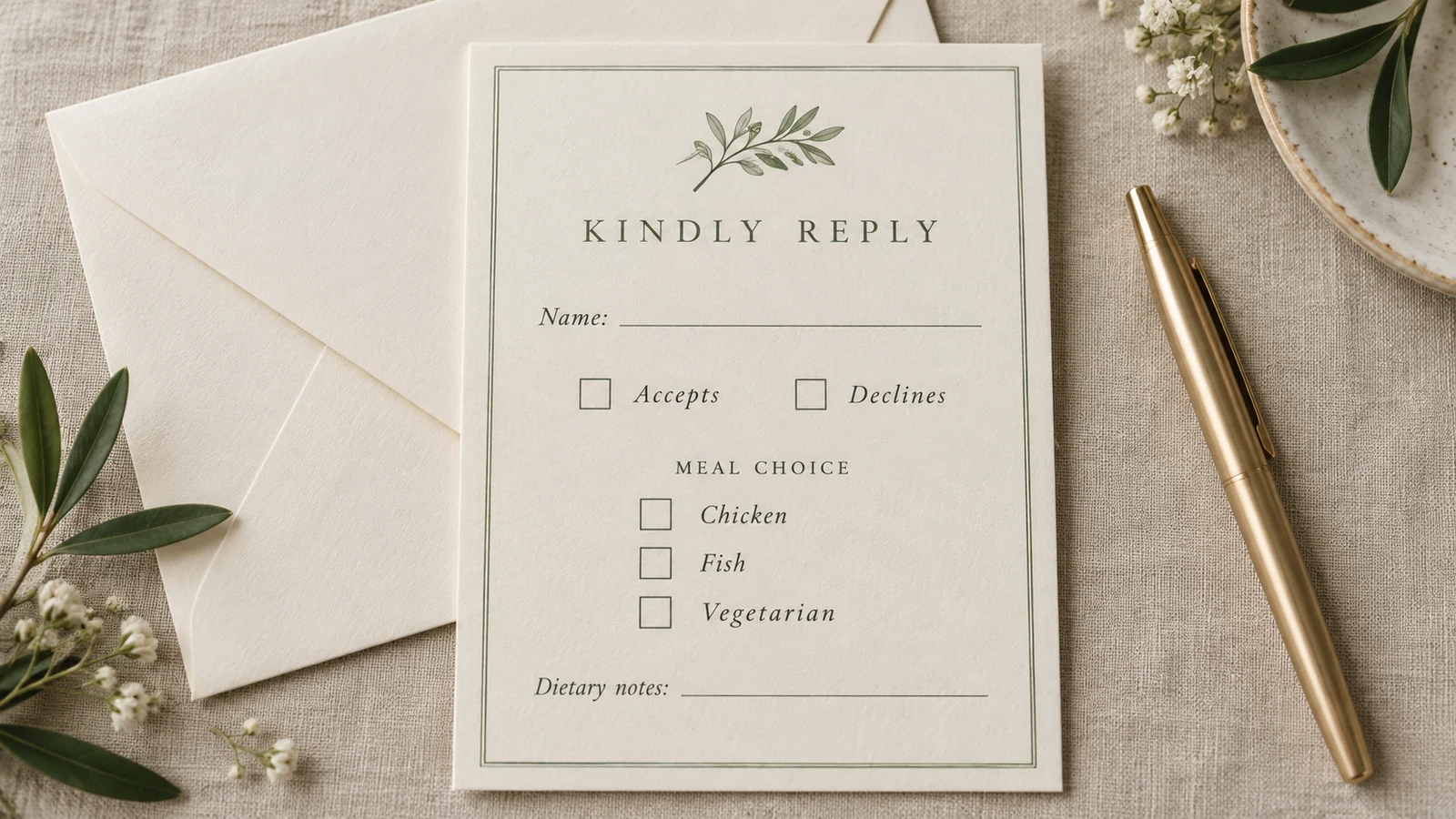
Give each guest a clear meal choice
Replace the three sample meal labels with the menu agreed with your caterer. The printed boxes let a guest mark one choice, with room for a name and dietary notes. Use one card per person when individual meals matter; a household total alone will not tell the caterer which guest ordered which dish.
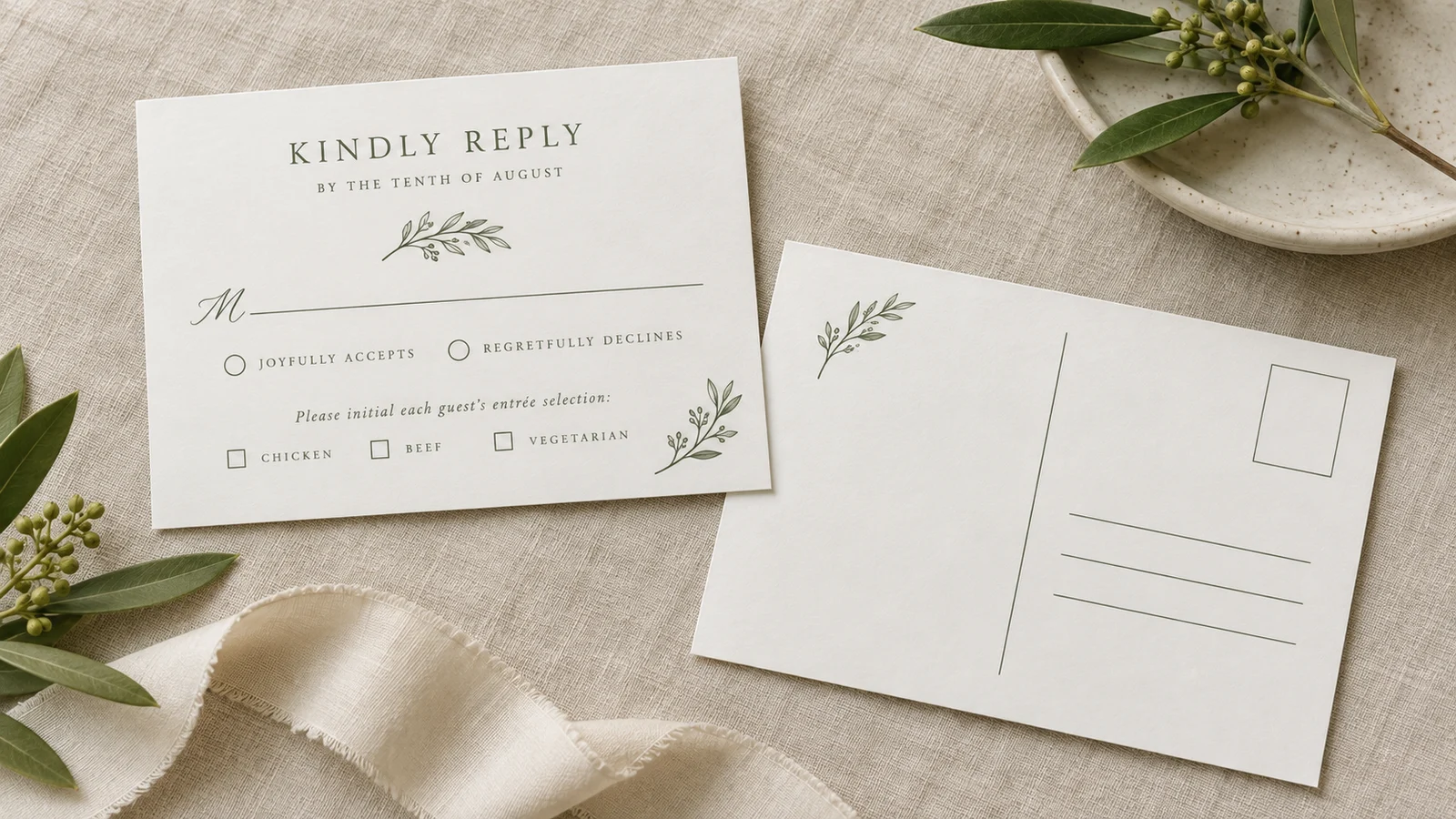
Prepare both sides of a return postcard
Choose the landscape postcard format to add a return address and leave space for a stamp on the reverse. The response side and address side belong to the same physical card. Preview both before exporting, and check the rules for your mailing country before selecting paper or buying postage.
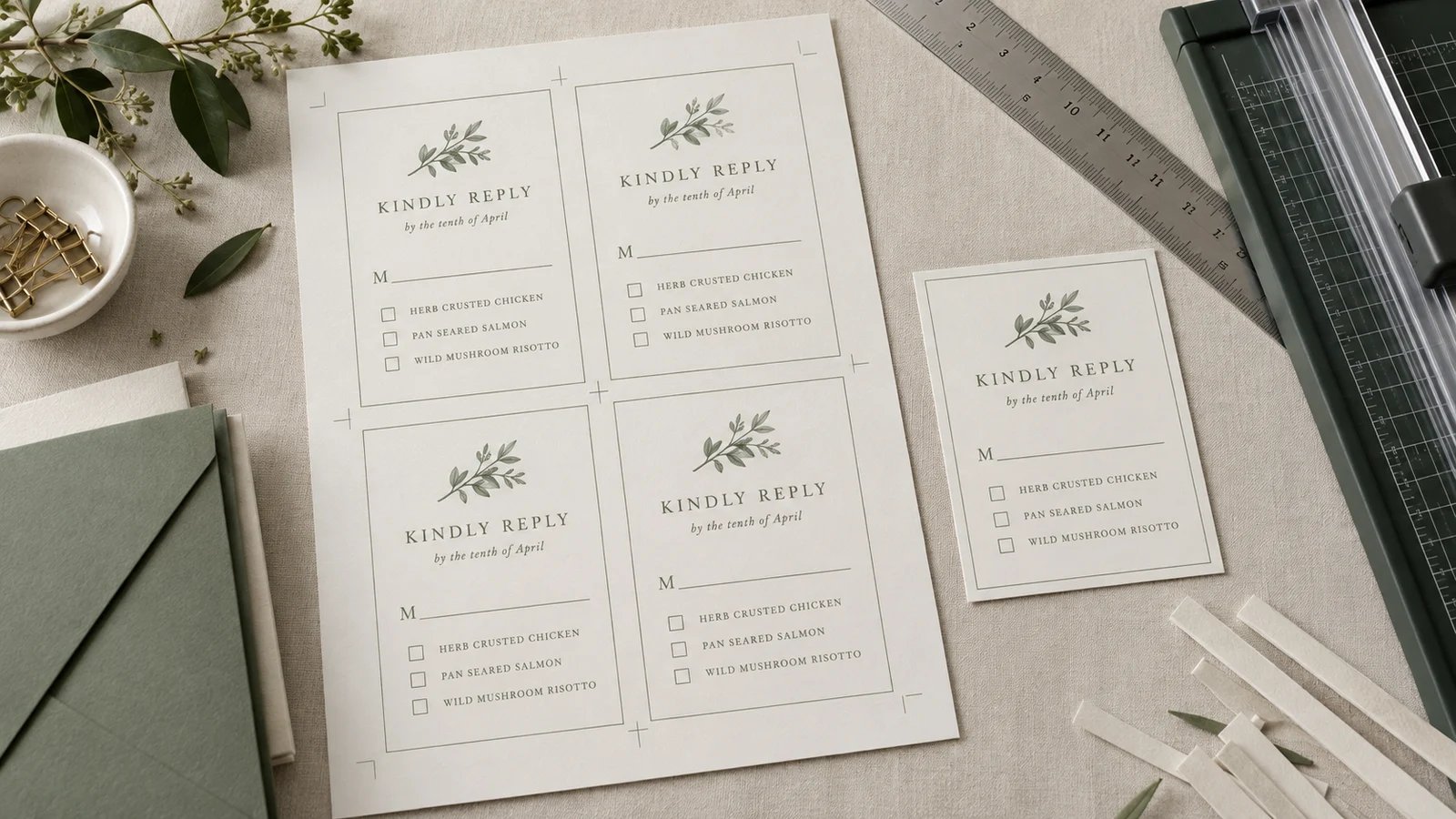
Print a proof before the full batch
Export an A4 or Letter PDF and print at Actual Size. Check the trim dimensions, readable text and usable writing space on a single sample. For postcards, also check front-to-back alignment before cutting. A clean test on your own printer is more useful than assuming every device handles duplex cardstock the same way.
What your RSVP card template includes
Practical controls for a reply card that fits your stationery and menu.
Three matching styles
Choose a coordinated wedding design and edit the available colors and fonts. Keep the palette consistent with your main invitation so guests recognize the pieces as one set.
Card and postcard sizes
Use a compact 3.5 × 5 inch insert with an envelope, or select a 148 × 105 mm or 148 × 100 mm landscape postcard. Finished card dimensions are separate from the paper sheet size.
Attendance and deadline
Make the response deadline prominent and leave clear spaces for names, attendance and guest count. Read the preview as a guest would: they should know what to mark and when to send it back.
Three editable meal labels
Use the actual menu names your venue recognizes. Short labels leave more writing room; explain complicated choices separately with the invitation if the card becomes crowded.
An address side for postcards
Enter the person receiving the replies and the complete postal address. The stamp area is a blank placement space, not purchased postage, and the address layout has no postal certification.
Files you can keep
Download print sheets as PDF or card images at 300 dpi. Double-sided image exports arrive in a ZIP so you can keep both faces together. Save the files before closing the editor.
How to print your RSVP card template
Check the words, the paper and both sides before making the full set.
Choose a style and finished format
Start with the wedding style that matches your invitation. Select the single-sided 3.5 × 5 inch reply card when guests will use an envelope, or a double-sided landscape postcard for an exposed postal reply. The two postcard sizes are 148 × 105 mm and 148 × 100 mm. Neither is exactly 6 × 4 inches. Measure envelopes you already own rather than relying only on a product name.
- The compact card measures 88.9 × 127 mm before any optional bleed.
- Check the destination postal service's size, thickness, addressing and postage requirements.
- A postcard exposes the reply and address in transit; use an envelope if that matters to your guests.
Write the reply details and menu
Enter a clear response deadline with a written month, replace all sample names and customize the meal choices. Ask your caterer when the final count is due, then leave time to follow up with guests. Use one response card per person when meals need individual attribution. Check that a guest can write a readable name, choose an option and explain a dietary requirement without squeezing text into the margins.
- Confirm the menu with the venue before printing; the example dishes are not a catering recommendation.
- If you invite a household, decide how you will connect each meal selection to a named person.
- Dietary notes help you follow up directly; they are not a guarantee that the venue can accommodate every request.
Review the reverse and export
For a postcard, inspect the address side as carefully as the reply side. Add the intended recipient, street address, city and postal code, plus a country when needed. Choose A4 or Letter to match the paper you will load. Export the PDF for sheet printing, or download the 300 dpi images when a printer or designer requests separate faces. Open every file and confirm that the back has the correct address.
- Double-sided PNG exports use a ZIP; extract it and check both images before sending files to a shop.
- A PNG is a static picture, not a fillable response form.
- For professional printing, ask the shop to approve the file arrangement and bleed settings before ordering.
Test duplex alignment, then trim
Print one sheet at 100% or Actual Size with Fit to Page disabled. Check the printer's duplex setting and use the editor's calibration workflow before a larger double-sided run. First test on plain paper, then repeat with the cardstock supported by your printer's feed path, thickness and coating specifications. Hold the proof to a light to inspect front-to-back placement. Let the ink dry and trim along the cutting guides.
- Use cardstock within your printer's supported range; paper weight alone does not establish postal eligibility.
- Measure the trimmed sample and make sure no text is lost at the edge.
- If the back is upside down or shifted, correct the duplex or calibration settings and print another proof before batching.
- Keep a spare finished sample with your stationery so you can compare later copies.
RSVP card template questions
Answers about meal choices, postcard printing and collecting replies.
Yes. You can personalize the three wedding styles and download PDF or PNG files without registering or entering an email address. The exports have no watermark. You arrange and pay for paper, envelopes, postage or any outside printing service separately. Your card text is processed in the browser; download the finished files before leaving because there is no cloud project account.
Yes. Replace the three meal labels with choices from your actual menu. Guests mark the boxes on the printed card and can add dietary notes. For individual meal orders, give each guest a separate card and keep their name with their selection. This editor does not receive those responses or calculate meal totals; record the returned information yourself and confirm special requests with the venue.
Yes. Choose the 148 × 105 mm or 148 × 100 mm landscape postcard format. It has a response face and a reverse for a return address and stamp space. Export both sides, test your printer's duplex alignment and check the local postal rules. A finished design does not include postage or guarantee acceptance by a postal service.
Include the reply deadline, a guest-name space and clear attendance choices. Add the guest count and meal information when you need them for planning. A plain Names line is often easier to understand than the traditional M line, which begins a guest's title. Keep instructions short and proofread the full card from the perspective of someone who has not seen your wedding plans.
Start with the date your venue or caterer needs the final headcount, then allow time to contact anyone who has not replied. Minted suggests two to three weeks before the wedding as general guidance, but your supplier's requirements may differ. Print a specific date with a written month to avoid day/month confusion, and use the same deadline wherever you give guests response instructions.
The number depends on the selected card dimensions, sheet size, margins and bleed settings. Review the sheet preview instead of assuming one fixed quantity. Print at 100% or Actual Size to preserve the intended finished measurements. For double-sided sheets, the reverse must align with its matching front; print and trim a single proof before committing to your full guest list.
No. The exported PDF and PNG files are printable designs, and the checkboxes are intended to be marked on paper. There is no hosted response form, guest database, automatic reminder or attendance tracker. You can send a downloaded image through your own messaging app, but decide separately how you want the guest to return their answer and meal choice.
Check with the postal service handling your mailing. Size is only one requirement; thickness, material, address placement and destination can also matter. The USPS reference above gives United States single-piece postcard dimensions, but it is not approval of your printed piece. Show a finished sample to the relevant postal service if you are unsure, and verify the correct postage before preparing the entire batch.
Make your wedding RSVP card template
Choose a style, add your deadline and make the meal choices easy to understand.
Download one proof and check it on paper before printing the full set.
Free PDF and PNG · No sign-up · No watermark