Free Birthday Invitation Templates A new age, your own way to celebrate
Choose a birthday invitation template for an adult milestone, a relaxed dinner or a surprise gathering. Personalize the name, age and party details, then download PDF or PNG for free, without an account or watermark. Start with wording you can change and make the invitation sound like you.
Edit your birthday invitation template
Choose one of 16 designs, select a wording draft and replace the sample party details. The preview updates as you work.
1 · Templates
2 · Your wording
Choose a date and time
Personalize a batch
Up to 200 records; UTF-8 CSV or one name per line. Map each column before applying.
3 · Style & photo
Fonts adapt to the characters you enter; CJK uses the matching Noto font.
Print & download
Print at 100% / Actual size. Match the paper size and turn off headers and footers. Test one sheet before a batch.
Preview
127 × 177.8 mm · Per sheet: 0 · Pages: 0
Your text, photos and lists stay in this browser. Free, no account or watermark.
Birthday invitation template facts and sizes
- Price
- Free
- Account
- No account or email required
- Watermark
- None on downloads or printouts
- Export formats
- PDF, 300 dpi PNG, ZIP for multiple images, browser printing
- Paper sizes
- US Letter (8.5 × 11 in) and A4 (210 × 297 mm)
- Supported sizes
- 5 × 7 in, 4 × 6 in, A6, A5 and compact 85 × 120 mm
- Privacy
- Names, photos and guest lists are processed locally in your browser
- Languages
- English, Spanish, Portuguese, French, German, Simplified Chinese, Japanese and Korean
- Last updated
- November 3, 2026
Best for
- Adults planning a 30th, 40th, 50th or 60th celebration who want a printable card with their own details.
- Hosts organizing a small dinner, casual gathering or surprise party and sharing finished files themselves.
Not the best fit for
- Automatic delivery, online RSVP collection, guest reminders or cloud project storage.
- Unrestricted canvas editing, metallic foil effects or certified CMYK/PDF-X production files.
How it compares
- Canva and Adobe Express
- Both provide broad template libraries, photo tools and flexible visual editing. PrintMigo uses a smaller birthday collection with form fields and measured sheet layouts, useful when the main job is choosing a style and finishing the details.
- Greetings Island and Evite
- These services offer birthday designs and online invitation features, including response management. Here you download a printable file or image and handle replies through the contact method on your card. Choose an event service when tracking attendance is the priority.
Choose a birthday invitation template for your party
A milestone dinner and a cheerful afternoon gathering can each have their own look.
Sixteen designs, all focused on birthdays
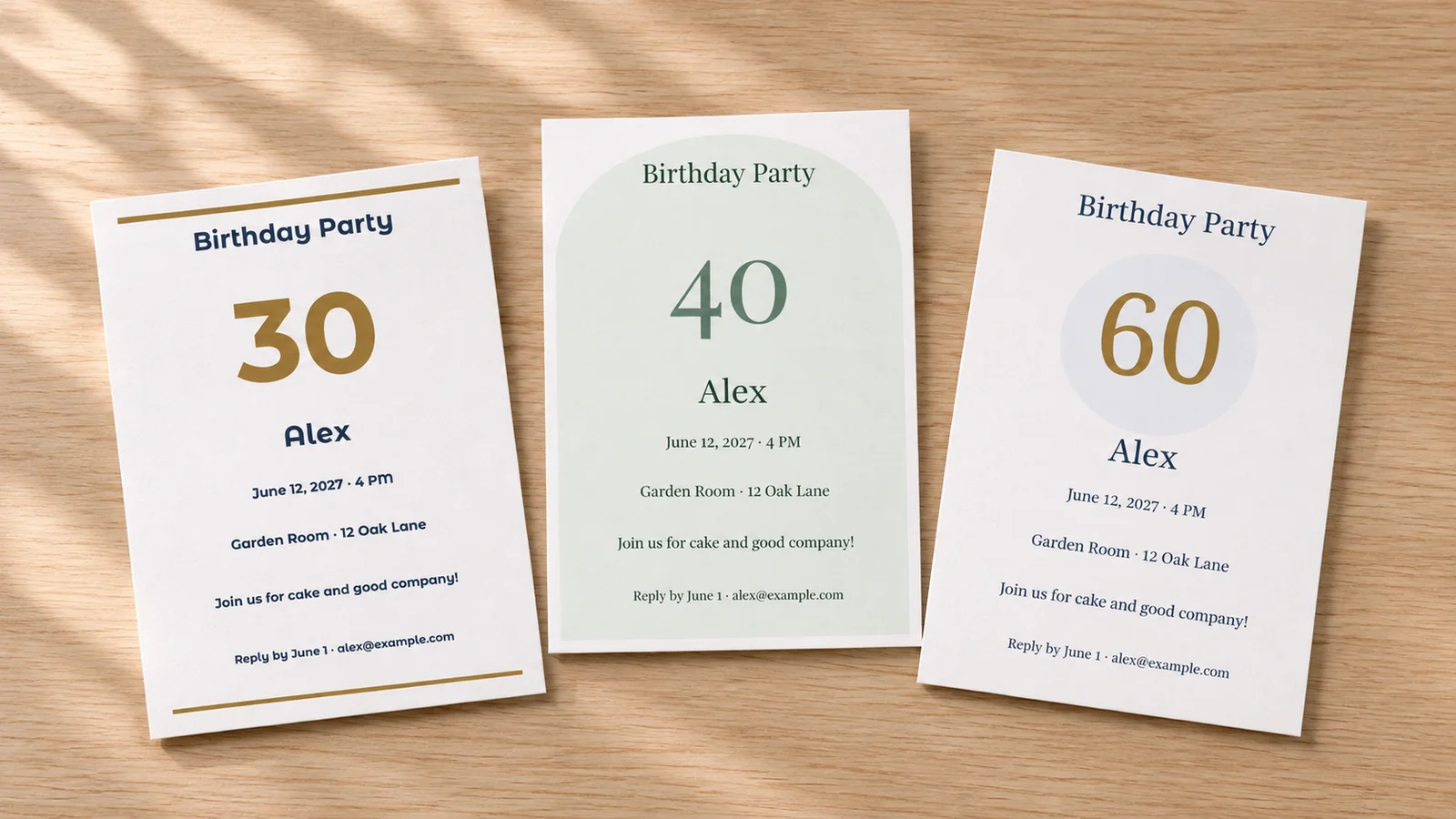
Start with a minimal card, botanical details, confetti, a photo layout or a bold milestone design. This collection opens with birthday options already selected, so you can get straight to the celebration. Change the color palette and font style, then check that your wording has enough breathing room at the size you plan to print.
Let the age lead, or keep it private
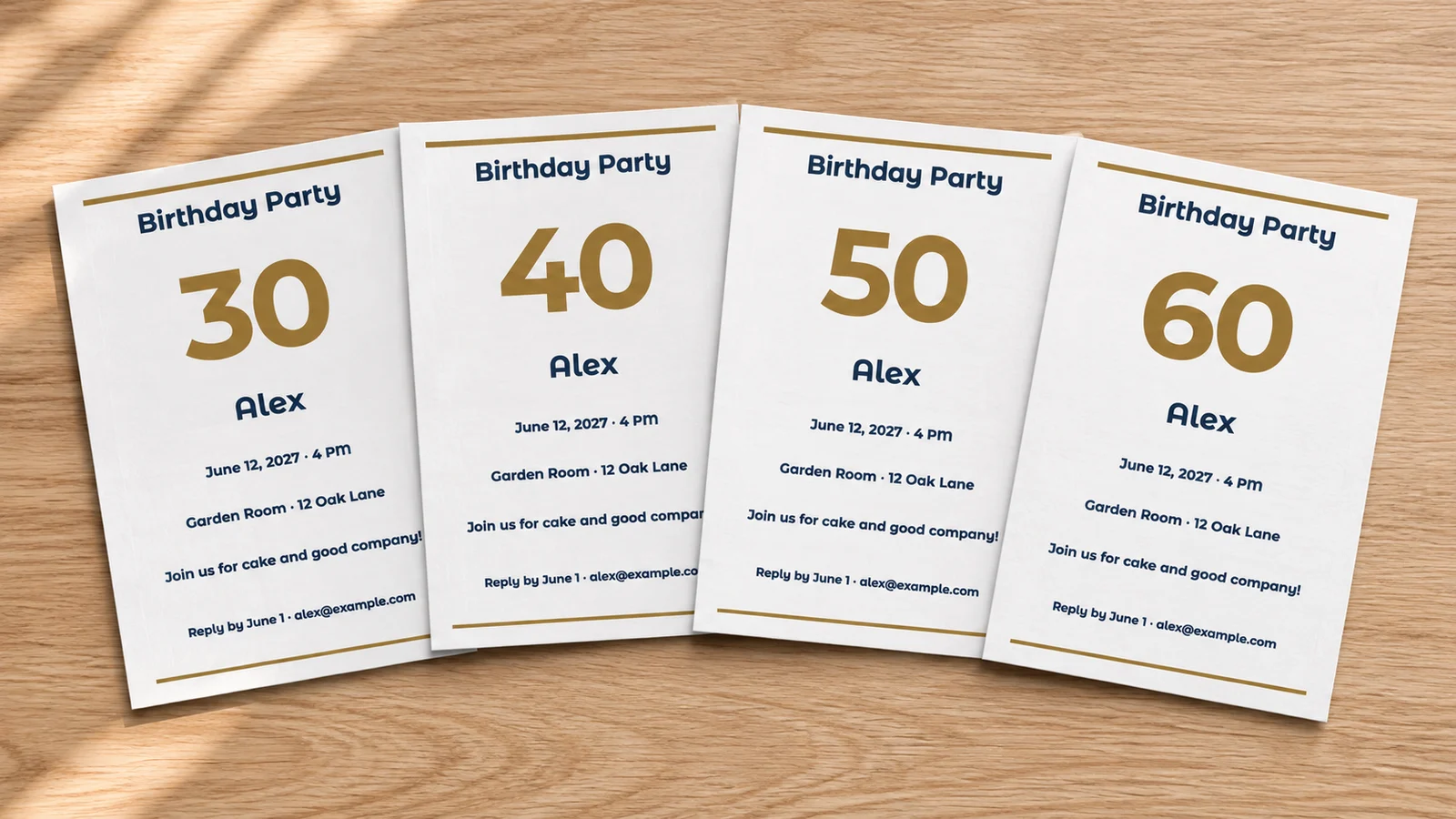
Large numerals give a 30th, 40th, 50th or 60th celebration a clear focal point. The age is a separate editable field on these layouts, so you can change the number without rewriting the whole invitation. Prefer a card that does not mention an age? Choose the no-age wording and a layout that lets the person's name carry the message.
One design for envelopes and phone screens
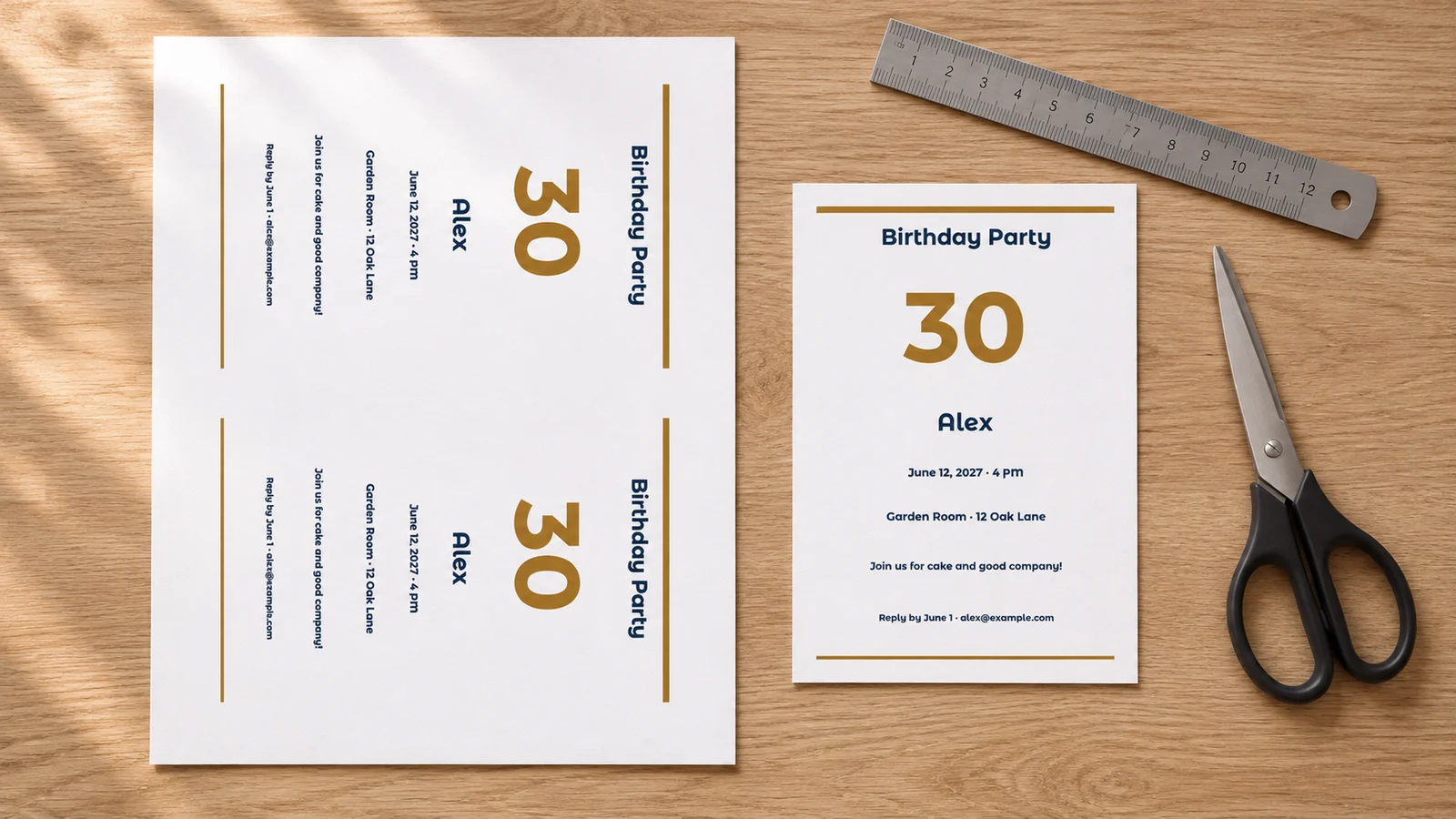
Export a PDF sheet to print and trim, or a single-card PNG to share through your own messaging app. Choose A4 or Letter and check how many cards fit at their actual size. Two large cards or four compact cards need different settings; the preview accounts for margins, cut guides and bleed instead of quietly shrinking the design.
Personalize your birthday invitation template
Useful options for the person, the party and the way you plan to send it.
Eight wording starting points
Choose a 30th, 40th, 50th or 60th draft, a casual gathering, dinner, surprise party or no-age message. These are starting points, not fixed scripts. Replace every example name, date, place and reply contact before sending.
Color and typography choices
Use four palettes and eight font styles to adjust the tone. A quiet dinner may suit restrained colors; an upbeat gathering can use a brighter palette. Review small text carefully after changing fonts, especially a long address or reply line.
Five real card sizes
Choose 5 × 7 inches, 4 × 6 inches, A6 (105 × 148 mm), A5 (148 × 210 mm) or compact 85 × 120 mm. Check the envelope's usable interior first. A6 and 4 × 6 inches are close in size but are not interchangeable.
A familiar face on the card
Select a photo design and upload a JPEG, PNG or WebP from your device. Adjust its crop locally and check the resolution warning. Use an image the birthday person is happy to share, especially when the celebration is a surprise.
Optional guest-list personalization
Paste names or import UTF-8 CSV for up to 200 records. Map each column to the intended field and preview each card before exporting. The honoree and the invited guest are different people, so check which name a mapping replaces.
Keep a file you can use
PDF preserves lettering as text for printing; 300 dpi PNG gives you a finished image to share yourself. Multiple images download in a ZIP. Save the final files before closing the page because the editor does not store projects in a cloud account.
How to edit and print a birthday invitation template
Proofread one complete card before making copies for everyone.
Choose the tone, layout and size
Pick a design that suits the occasion, then select a finished size. Large age layouts work well when the milestone is part of the celebration; a photo or minimal style can focus on the person instead. Compare the card dimensions with your envelopes and leave enough room for practical details.
- Choose a no-age draft and a suitable layout if you do not want to display a number.
- Keep the main message short on compact cards; longer venue details need more space.
Replace the wording with real party details
Start with one of the eight drafts and enter the honoree, age if wanted, date, time, venue and full address. Include a reply deadline and contact method. Emily Post's host checklist also recommends mentioning relevant dress or bring-along instructions. For a surprise, clearly state when guests must arrive and ask them to keep the plan private.
- Use a written month if guests may interpret numeric dates differently.
- Check the date, spelling and address with another person before downloading.
Preview the sheet or single-card image
Match A4 or Letter to the paper in your printer. Select a card count that the preview says fits with your margins, cut guides and optional 3 mm bleed. For phone sharing, choose a single-card PNG; for a measured print sheet, download PDF. Review the full preview after changing the age, font or message.
- Compact 85 × 120 mm is the starting point for four cards per sheet.
- Two 5 × 7 inch cards may require adjusting guides, bleed or margins; stay within your printer's limits.
Print a proof, measure and trim
Print one plain-paper copy at Actual Size or 100%, with headers and footers disabled. Measure the result and try it in an envelope. Choose cardstock only within your printer's supported weight, thickness and coating limits; 200–250 g/m² is an option only when the manual allows it. Trim along the guides after checking the final text.
- Fit to Page can change the physical size and prevent the card matching its envelope.
- Allow more notice for guests who need travel or overnight arrangements, and set replies before your booking deadlines.
Birthday invitation template questions
Answers for adult milestones, surprise plans and home printing.
Yes. All 16 birthday designs and five finished sizes are free to edit and export as PDF or PNG, with no account or email required. Downloads and printouts have no watermark. Paper, ink and outside printing services are separate costs. Text, photos and guest lists are processed locally on your device.
Yes. Start with a milestone draft and a large-age design, then edit the separate age field, honoree and party details. The number is editable, so the layout is not limited to the four example ages. If the person prefers not to mention their age, use a no-age draft with a minimal, photo or other suitable design.
Include the birthday person's name, date, start time, venue and full address, plus a reply deadline and contact method. The age is optional. Add dress, meal or bring-along information only when guests need it. The eight editable drafts cover milestones, a casual gathering, dinner, a surprise and an invitation without an age.
Say clearly that the party is a surprise, give guests an arrival time before the honoree arrives and ask them to keep the plan private. For example: Join us to surprise Alex. Please arrive by 6:00 PM and keep it a secret. Replace the example time and add the real address and host's reply contact.
Yes, when the selected size fits with the margins, guides and bleed. Two 5 × 7 inch cards may need adjusted print settings; four cards use the compact 85 × 120 mm format. Four full-size 5 × 7 inch invitations do not fit on A4 or Letter. Check the preview, print one proof at 100% and measure before making the full batch.
Use PDF for an actual-size print sheet and a single-card 300 dpi PNG for sharing through your own messaging app. Photo designs accept JPEG, PNG or WebP images up to 15 MB and 24 megapixels. Crop and preview the image before exporting. Multiple PNG files download as a ZIP; the tool does not send the invitations for you.
You can paste names or import UTF-8 CSV for up to 200 records, map columns to editable fields and review each version. Check whether the name field contains the honoree or the guest before replacing it. Very large image batches may need smaller groups. This feature creates files; it does not collect attendance replies or send reminders.
Work backward from your venue, meal order or activity booking deadline, leaving time to follow up. A casual local dinner needs less notice than a milestone weekend with traveling guests. Put a clear reply date and one contact method on the card. Check plans with essential guests before printing if the date is still flexible.
Make a birthday invitation template your own
Choose a design, set the age if you want it and add the details that matter.
Save a proof, check the wording and invite people to celebrate with you.
Free PDF and PNG · No account · No watermark