Free Kids Birthday Invitations A little card for their big day
Make kids birthday invitations for a dinosaur adventure, a magical afternoon or a first birthday with family. Choose one of 21 themes, replace the example details and download PDF or PNG for free, without an account or watermark. Add the start and finish times so parents know the plan.
Personalize your kids birthday invitations
Pick a theme, choose a wording draft and replace the sample name, age, date, address and reply details. Check the preview before downloading.
1 · Templates
2 · Your wording
Choose a date and time
Personalize a batch
Up to 200 records; UTF-8 CSV or one name per line. Map each column before applying.
3 · Style & photo
Fonts adapt to the characters you enter; CJK uses the matching Noto font.
Print & download
Print at 100% / Actual size. Match the paper size and turn off headers and footers. Test one sheet before a batch.
Preview
127 × 177.8 mm · Per sheet: 0 · Pages: 0
Your text, photos and lists stay in this browser. Free, no account or watermark.
Kids birthday invitations: formats and facts
- Price
- Free
- Account
- No account or email required
- Watermark
- None on downloads or printouts
- Export formats
- PDF, 300 dpi PNG, ZIP for multiple images and browser printing
- Paper sizes
- US Letter (8.5 × 11 in) and A4 (210 × 297 mm)
- Supported sizes
- 5 × 7 in, 4 × 6 in, A6, A5 and compact 85 × 120 mm
- Privacy
- Invitation text, photos and guest lists are processed locally in your browser
- Languages
- English, Spanish, Portuguese, French, German, Simplified Chinese, Japanese and Korean
- Last updated
- November 3, 2026
Best for
- Parents preparing a small party, classroom-friend invitations or a first birthday gathering and sending the finished files themselves.
- Families who want a defined layout, editable details and an accurate print sheet without learning a freeform design canvas.
Not the best fit for
- Automatic delivery, live RSVP collection, guest reminders or a shared online event page.
- Licensed character designs, unrestricted layer editing or certified CMYK/PDF-X print production.
How it compares
- Canva and Adobe Express
- These editors offer broad template libraries and flexible visual editing. PrintMigo focuses on a smaller children’s collection, form fields and measured print layouts. Choose the broader editors when you need to move every element or combine many kinds of graphics.
- Greetings Island, Evite and Paperless Post
- Greetings Island offers downloadable invitations and print options; Evite and Paperless Post provide online sending and response tools. Here, save a file and ask guests to reply to the contact on your card. Use an event service when attendance tracking is the main task.
Choose kids birthday invitations for their favorite theme
Start with what makes your child smile, then make the practical information easy for families to find.
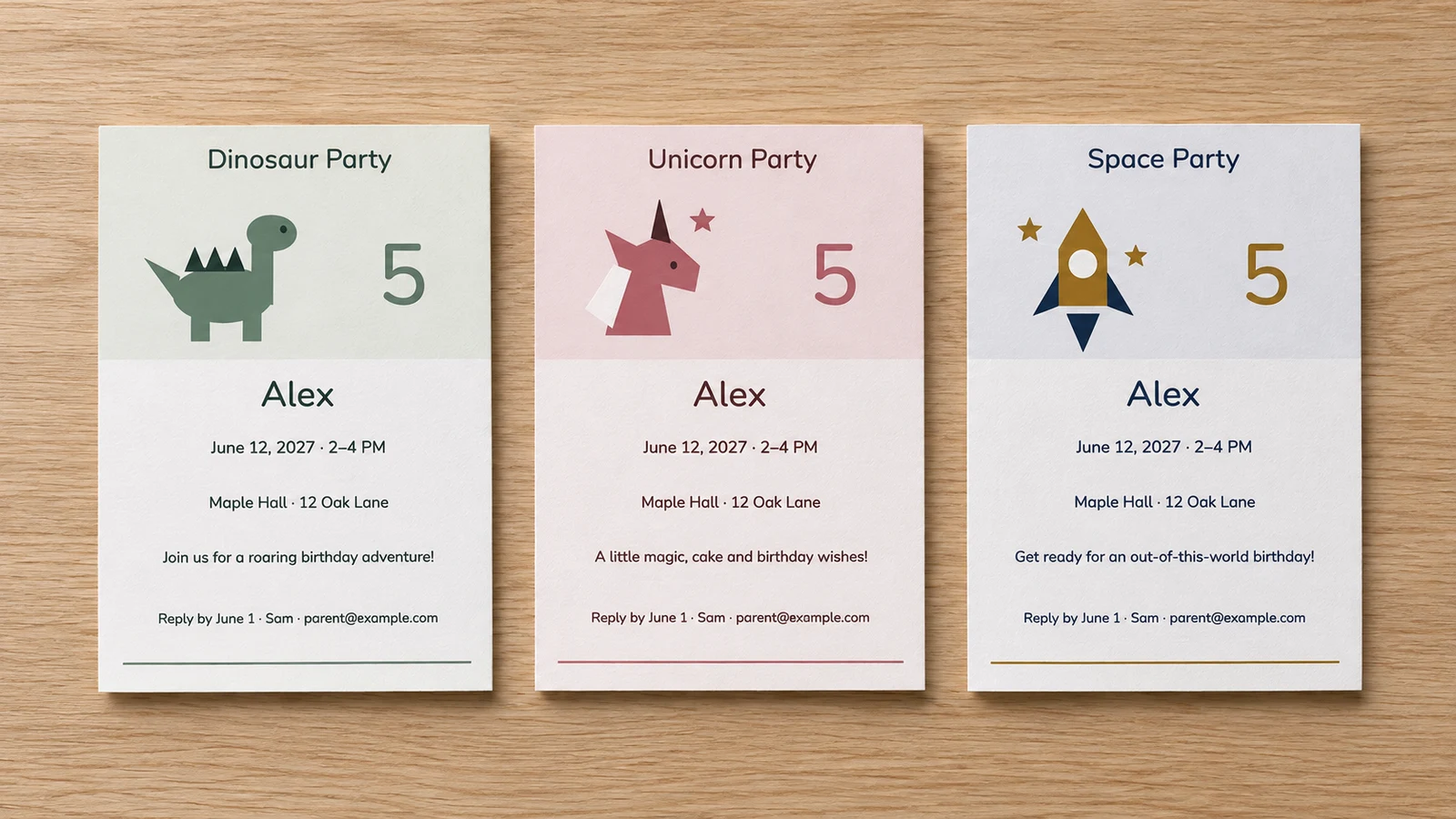
Twenty-one themes for different little adventures
Choose dinosaurs, unicorns, space, princesses, safari animals, ocean life or a rainbow. The collection also includes pirates, superheroes, robots, construction, trains, race cars, soccer, butterflies, fairies, mermaids, farm animals, a teddy bear, ice cream and a first birthday. Themes are starting points for any child who enjoys them; names, colors and party details remain editable.
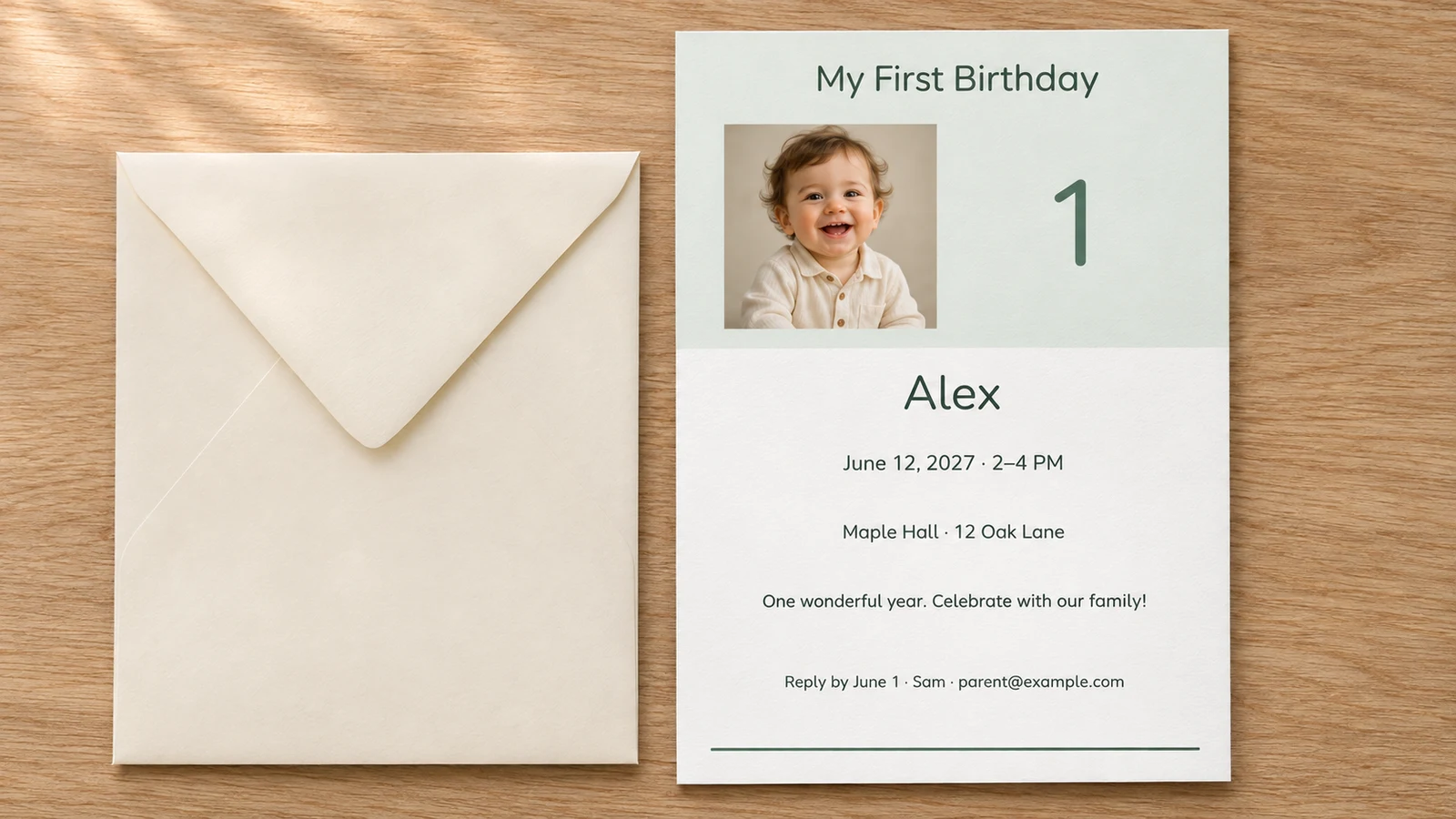
A first birthday card with a familiar face
Choose the first birthday photo layout, add your own image and set the age to 1. Crop the picture in the editor and check the image-quality warning before printing. The photo stays in your browser during editing. Use a picture you are comfortable sharing with the invited families, then save a finished file before closing the page.
Give parents a clear plan and a way to reply
Alongside the birthday child’s name, include a full address, start and finish times, a reply deadline and a parent’s contact. Use the message field for a short note about staying, drop-off or siblings. Export a printable PDF sheet or a single-card PNG to send through your own messaging app, then keep track of replies yourself.
Useful details for your kids birthday invitations
Small choices that help the card work on a kitchen noticeboard and a phone screen.
Eight editable wording drafts
Begin with a general party, dinosaur, unicorn, space, princess, first birthday, drop-off or family gathering draft. The sample wording is there to save typing, not to decide your arrangements. Replace every date, location and contact. Read the final card as a guest would, checking that they can tell who is invited and when to arrive.
Name and age in separate fields
Set the child’s name and age independently, so a fifth birthday can become a sixth without rebuilding the design. The example age is not an age restriction on a theme. Keep the name short enough to read clearly and review the preview if a long name or an extra line changes the available space.
Five finished sizes
Choose 5 × 7 inches, 4 × 6 inches, A6 (105 × 148 mm), A5 (148 × 210 mm) or compact 85 × 120 mm. Match the card to your envelope’s usable interior. A6 and 4 × 6 inches are different sizes; four compact cards also differ from four full-size cards.
Colors and font styles
Adjust the available palette and typography to suit the party. A readable time and address matter more than filling every blank area. Review small text after changing fonts and use a short message on the compact size. A dark type color on a light background is easier to check on a home print proof.
Optional guest-name batches
Paste a list or import UTF-8 CSV for up to 200 records, map the columns and preview the results. Check what each field represents: the birthday child’s name should not accidentally become the guest’s name. Save a small test batch first. Large PNG collections may need splitting into smaller groups.
Files you can print or send
PDF is useful for measured print sheets, while a single-card 300 dpi PNG is convenient for sharing through a messaging app. Multiple PNG files download in a ZIP. The editor does not send messages or retain a cloud project; save the files you need and confirm the details before distributing them.
How to make and print kids birthday invitations
Prepare one complete proof before making the full set.
Choose the theme and finished size
Pick a design your child likes and select a card size before refining the text. The first birthday theme includes a photo area; other themes start with illustrated details. Check your envelopes now rather than after printing. If you want four cards on a sheet, begin with compact 85 × 120 mm and review the layout.
- Use a familiar theme without promising an activity that will not happen at the party.
- Leave enough space for the full location and reply contact.
Write the information families need
Choose a draft and enter the child’s name, age, date, start and end time, venue, address and RSVP contact. Say whether parents should stay or collect their child later, and make any sibling arrangements clear. A short practical note can go in the message field. Use a written month when guests may read numeric dates differently.
- Example reply line: Please reply by June 1 to Sam at parent@example.com. Replace it with a real parent contact.
- For a drop-off event, agree the arrangements directly with parents; an invitation alone does not confirm them.
Check the sheet and download a proof
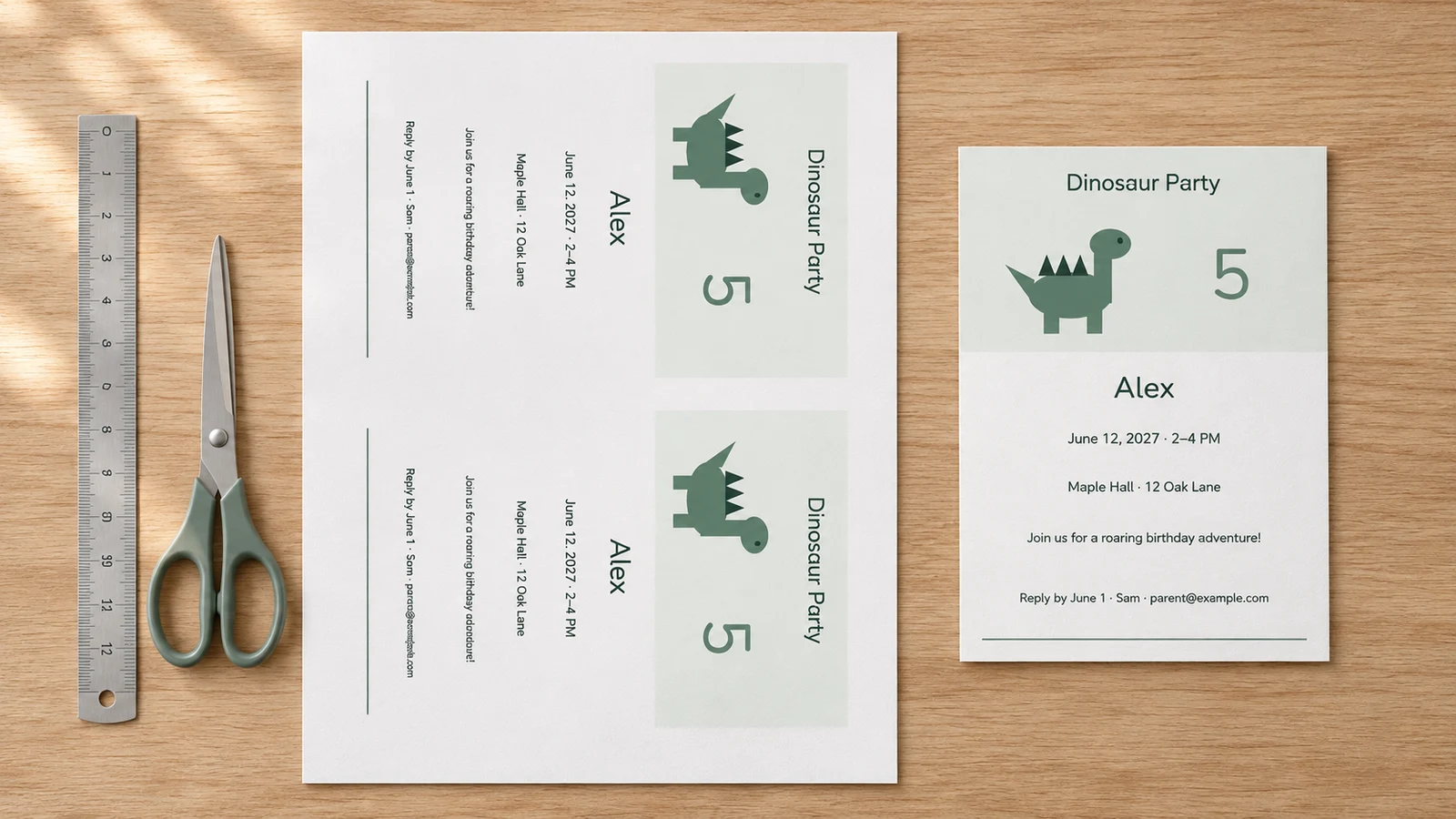
Select A4 or Letter to match the paper you will use. Choose the number of cards that fits with your margins, guides and optional 3 mm bleed. Two 5 × 7 inch cards may require different settings from four compact cards. Download PDF for a print sheet, or choose a single-card PNG for a phone message.
- Review every photo crop, line break and batch record before exporting.
- Keep enough notice before your venue’s headcount deadline to contact guests who have not replied.
Print, measure and share thoughtfully
Print a plain-paper proof at Actual Size or 100%, with headers and footers disabled, then measure it and test the envelope. Use cardstock only within your printer’s supported weight, thickness and coating limits; 200–250 g/m² is an option only if its manual permits it. Trim along the guides after checking the details. Follow your school’s invitation-distribution policy when inviting classmates.
- Fit to Page can change the card dimensions; confirm the paper and scale in the print dialog.
- Emily Post advises distributing preschool or day-care invitations privately when not everyone is invited.
Kids birthday invitations: common questions
Practical answers for themed parties, first birthdays and home printing.
Yes. All 21 themes and five finished sizes are free to personalize and export as PDF or PNG. No account or email is required, and downloads and printouts have no watermark. Your own paper, ink or outside printing service may cost money. Invitation details, photos and guest lists are processed locally on your device.
Yes. Choose the dinosaur or unicorn theme, then start with its matching wording draft. Change the child’s name, age, date and party details, and check the preview. Space and princess drafts are included too. The theme collection contains 21 choices, and you can use the general wording for any of them.
Yes. Select the first birthday photo design and its wording draft, set the age to 1 and add your own JPEG, PNG or WebP image. The image limit is 15 MB and 24 megapixels. Crop locally and review the quality warning. A clear original photo works better than a small screenshot that must be enlarged.
Include the child’s name and age, party date, start and finish times, full venue address and a reply deadline with a parent’s contact. Say whether parents stay or return for collection, and clarify sibling arrangements if relevant. Put the contact in the RSVP field. Replies go to that contact; this tool does not collect attendance online.
Check your school’s policy before handing invitations out there. A small private party does not automatically require a whole-class guest list. Emily Post advises against distributing invitations at day care or preschool when some children are excluded; contact the invited families privately instead. Do not assume that a policy at one school applies to every school.
Yes, if the chosen card size fits the selected margins, guides and bleed. Two 5 × 7 inch cards may need adjusted settings. Four-up uses compact 85 × 120 mm cards, not four full-size 5 × 7 inch cards. Check the sheet preview, print one proof at 100% and measure before making the remaining copies.
The drop-off draft includes a short collection note; replace the example with the exact start and pickup times and agree the arrangements with parents directly. For a family gathering, state who is welcome and whether you need a child and adult headcount. Avoid leaving guests to guess whether siblings or parents are included.
Choose PDF for an actual-size print sheet and a single-card PNG for sharing yourself by message or email. Work backward from the venue or food-order deadline, allowing time for replies and follow-up. Include a clear reply date and save the final files before closing the page. Changing the editor later does not update copies already sent.
Create kids birthday invitations for the big day
Choose a theme, add the details and make a card your child will be excited to share.
Check one proof, save your files and give invited families a clear way to reply.
Free PDF and PNG · No account · No watermark