Free Invitation Maker A small card, a celebration worth sharing
This invitation maker helps party hosts turn a few details into a printable card. Choose a design, replace the sample wording and download PDF or PNG for free, without an account or watermark. Make something personal for a birthday, shower, graduation or holiday gathering.
Make it yours with the invitation maker
Choose an occasion and style, fill in the details, then preview your card before downloading.
1 · Templates
2 · Your wording
Choose a date and time
Personalize a batch
Up to 200 records; UTF-8 CSV or one name per line. Map each column before applying.
3 · Style & photo
Fonts adapt to the characters you enter; CJK uses the matching Noto font.
Print & download
Print at 100% / Actual size. Match the paper size and turn off headers and footers. Test one sheet before a batch.
Preview
127 × 177.8 mm · Per sheet: 0 · Pages: 0
Your text, photos and lists stay in this browser. Free, no account or watermark.
Invitation maker: sizes and download facts
- Price
- Free
- Account
- No account or email required
- Watermark
- None on downloads or printouts
- Export formats
- PDF, 300 dpi PNG, ZIP for multiple images, browser printing
- Paper sizes
- US Letter (8.5 × 11 in) and A4 (210 × 297 mm)
- Supported sizes
- 5 × 7 in, 4 × 6 in, A6, A5 and compact 85 × 120 mm
- Privacy
- Text, photos and guest lists are processed locally in your browser
- Languages
- English, Spanish, Portuguese, French, German, Simplified Chinese, Japanese and Korean
- Last updated
- November 3, 2026
Best for
- Hosts who want printable invitations without arranging every text box, from family birthdays to a graduation gathering.
- People printing on plain cardstock at home or sharing a finished image through their own messaging app.
Not the best fit for
- An event website, online RSVP collection, automatic invitation delivery or cloud project storage.
- Freeform layer editing, foil printing, or a certified CMYK/PDF-X production file.
How it compares
- Canva and Adobe Express
- Both offer broad template libraries and flexible visual editing. PrintMigo uses a smaller, fixed collection with form fields and measured print layouts, helpful when you want to finish the details without designing from a blank page.
- Avery Design & Print
- Avery provides templates tied to its card products. These designs use plain sheets that you trim yourself; do not assume they line up with pre-cut or perforated cardstock.
- Greetings Island and Etsy templates
- Greetings Island provides invitation themes and printing options. Etsy downloads depend on the seller's design and editing format. Here, the available designs share one local editor and free file exports; choose a service with event management if you need tracked responses.
Find your style in the invitation maker
A practical starting point for celebrations big and small.
Seven occasions, a style for every gathering
Browse 72 designs, including 21 children’s themes from dinosaurs and unicorns to space and first birthday photos. The six original occasions offer minimal, botanical, confetti, photo, formal, ink-saving and geometric styles. Nine additional age layouts bring the adult birthday collection to 16 designs. Choose a look that suits the gathering, then personalize the wording.
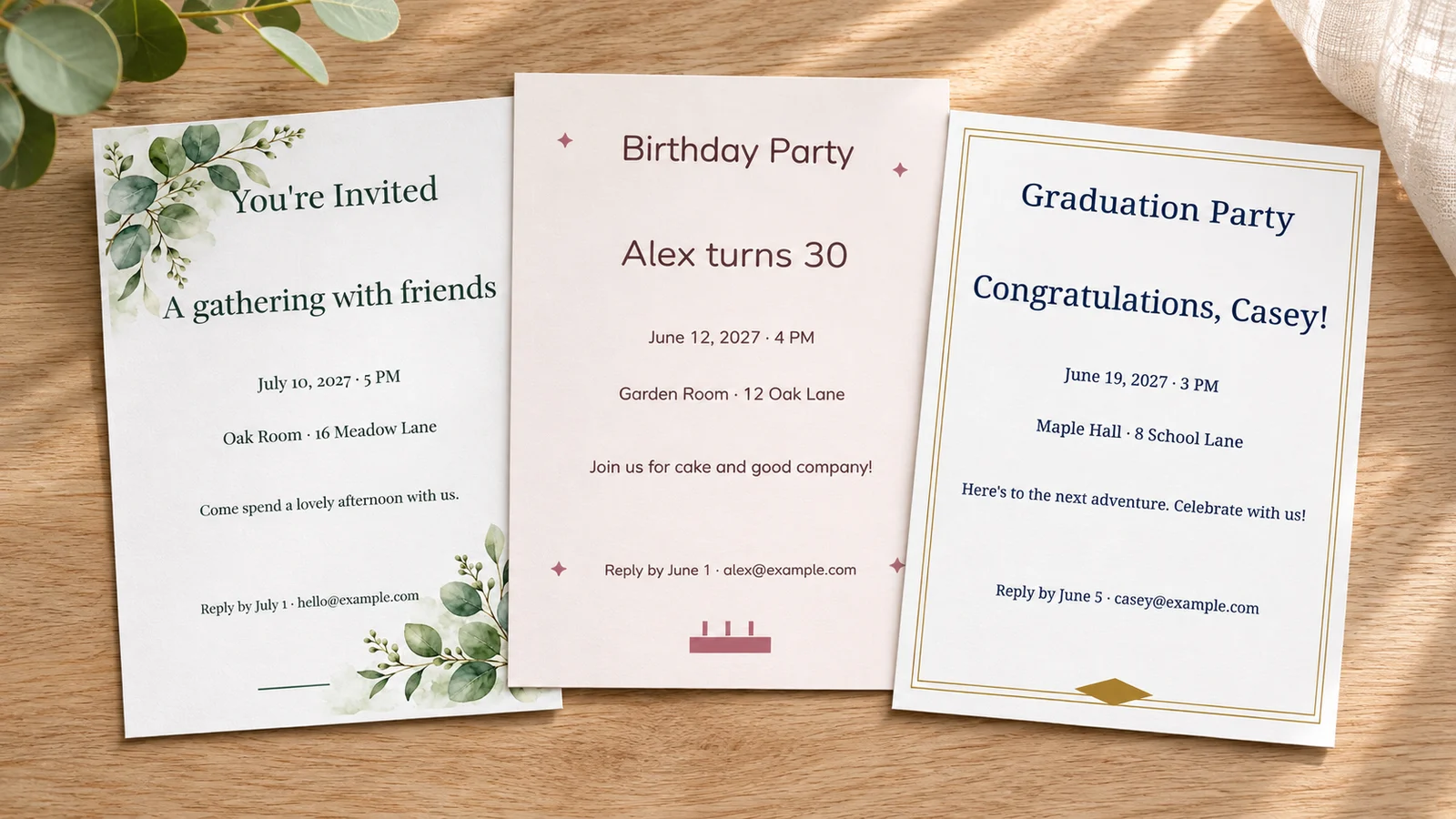
A print layout that respects the card size
Choose Letter or A4 and check the number of cards the preview can fit. Two 5 × 7 inch cards may require different margin or cut-guide settings; the compact 85 × 120 mm option supports smaller four-card sheets. Bleed and printer margins use real space, so the editor never silently shrinks your invitation.
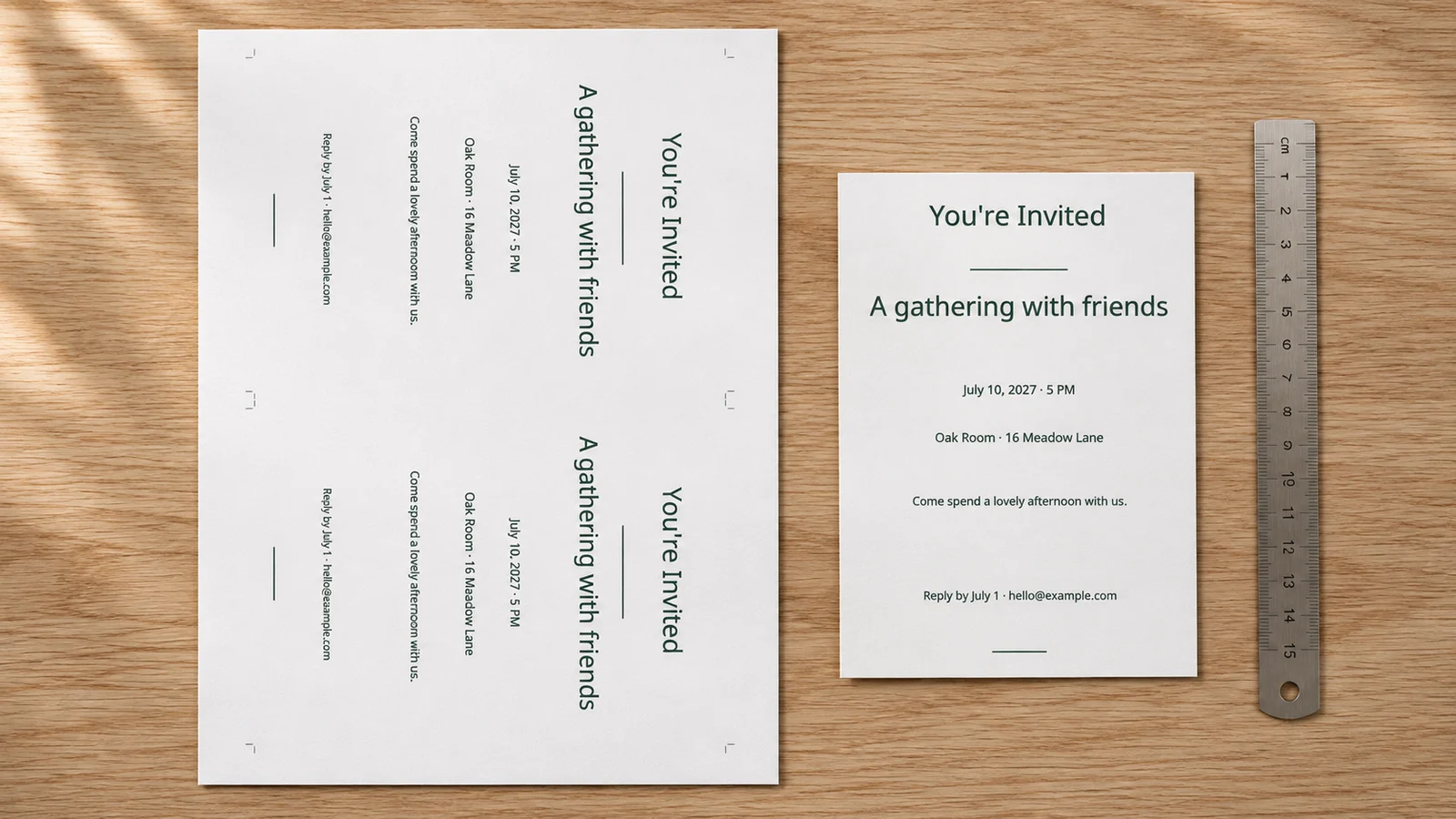
Personal details without starting over
Use the occasion wording as a draft, replace every sample detail and add a photo in a photo design. For individual cards, paste names or import a CSV and map its columns to the fields you want to change. Preview each record before exporting: a short name and a long address need different amounts of room.
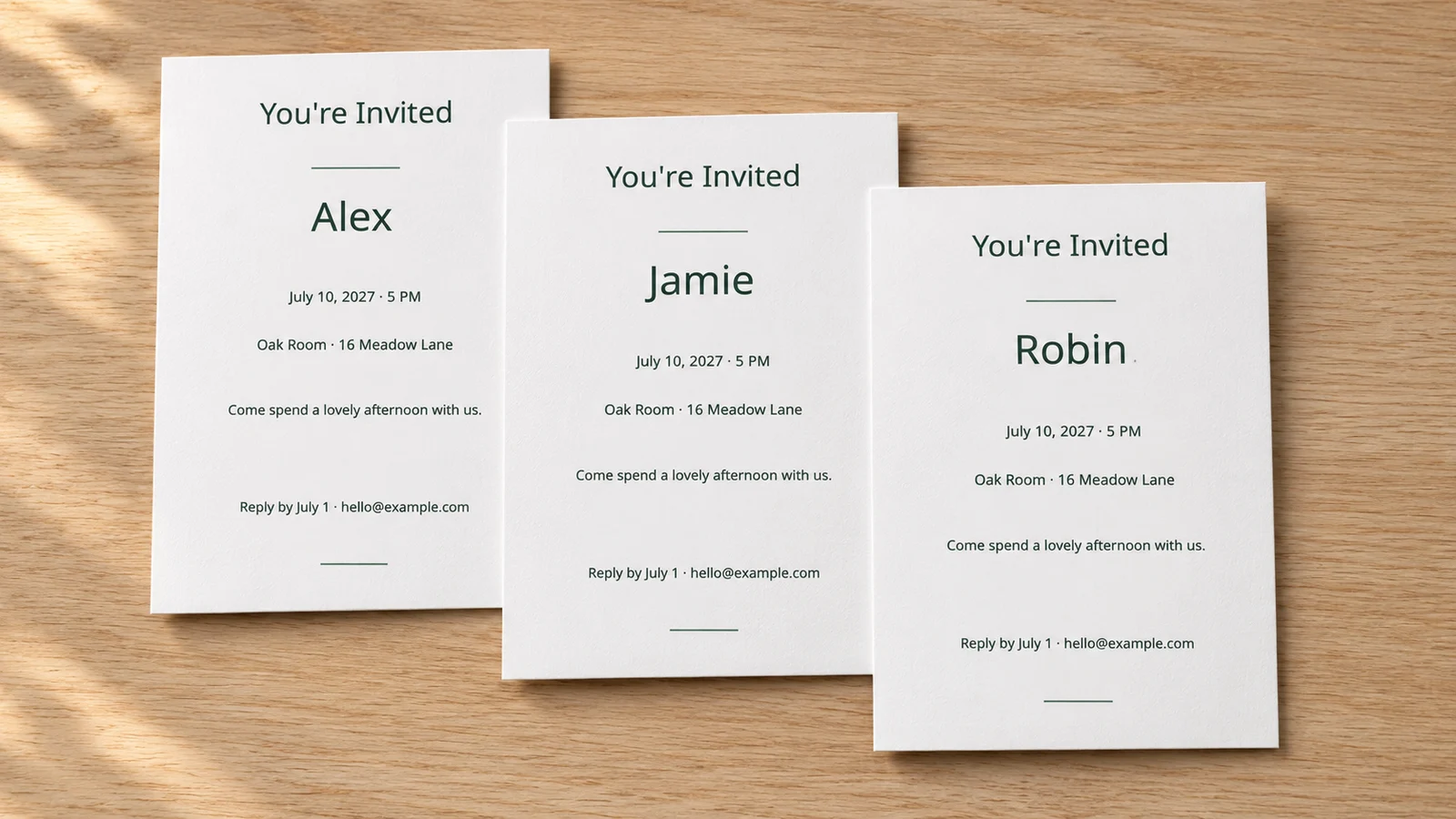
What the invitation maker includes
Useful choices for a card you can finish and print yourself.
Colors and font styles
Choose from four palettes and eight font styles. Character coverage adapts to your text, with matching Noto fonts for Chinese, Japanese and Korean. Check small text after every style change.
Five finished sizes
Use 5 × 7 inches, 4 × 6 inches, A6 (105 × 148 mm), A5 (148 × 210 mm) or compact 85 × 120 mm. Measure your envelopes before deciding on a finished size.
Occasion wording
Start with a birthday, children’s party, baby shower, bridal shower, graduation, holiday or general invitation. Children’s drafts include themed adventures, a first birthday, drop-off and family gatherings. Every heading, name, date, venue, reply line and message remains editable.
Your own photo
Pick a photo design and add a JPEG, PNG or WebP image from your device. Adjust its crop and focus locally. Use a clear original and review the resolution warning before printing.
Guest-list personalization
Paste names or import UTF-8 CSV for up to 200 records. Map the columns and inspect the preview before downloading. Batch images are packaged as a ZIP; large jobs may need smaller groups.
Files for paper or phones
PDF preserves text as text for printing. A single-card 300 dpi PNG is convenient to send yourself. Save your files before closing the page because projects are not stored in a cloud account.
How to use the invitation maker and print your cards
Finish one accurate sample before preparing the whole guest list.
Choose an occasion, style and size
Select the occasion, then a design that suits the gathering. Compare the finished dimensions with your envelopes and the amount of information you need to include. The compact format is useful for a short invitation; A5 leaves more room for a longer message. Start with one copy while you work.
- A6 and 4 × 6 inches are different sizes; do not use the names interchangeably.
- A photo layout needs your own image; upload a clear original before judging the finished result.
Replace every example and check the details
Enter the occasion or host, guest of honor, date, time, place and a way to reply. Emily Post's host checklist also recommends making any clothing or bring-along instructions clear. Use a written month for guests who may read numeric dates differently. Add a reply deadline based on when you need to confirm arrangements.
- Ask someone else to check spelling, the address and the date before downloading.
- Keep the main card brief and use your own contact method for questions or attendance replies.
Set up the sheet and download a proof
Match Letter or A4 to the paper in your printer. Choose the number of cards per sheet only when the preview says they fit at the selected size. Cut guides and optional 3 mm bleed reduce usable space. Export PDF for a sheet you can measure, or select a single-card PNG when you want an image for your phone.
- For four cards per sheet, start with compact 85 × 120 mm and verify the displayed capacity.
- For two 5 × 7 inch cards, adjust guides, bleed or margins as needed without exceeding your printer's capabilities.
Test the paper, print and trim
Try one plain-paper proof at 100% or Actual Size, with headers and footers disabled. Measure it before using cardstock. Consider 200–250 g/m² stock only if your printer supports that weight, thickness and coating; follow the manual's tray and media settings. Trim after checking the text and try the finished card in its envelope.
- Avoid Fit to Page, which can change the finished dimensions.
- Use the full cardstock guide below for feed problems, paper weights and print settings.
Invitation maker questions
What to check before editing, downloading and printing.
Yes. All 72 designs and five sizes are free to edit and export as PDF or PNG, with no account, email address or watermark required. Printing supplies and any outside print service are separate costs. Your card text, photo and guest list are processed locally on your device.
Choose 5 × 7 inches (127 × 177.8 mm), 4 × 6 inches (101.6 × 152.4 mm), A6 (105 × 148 mm), A5 (148 × 210 mm), or compact 85 × 120 mm. Sheet exports support Letter and A4. Check your envelope's usable interior before committing to a size.
Yes, when the selected card size, paper, margins, bleed and guides leave enough space. Two 5 × 7 inch cards may require turning guides off or changing margins. For four cards, choose the compact 85 × 120 mm size and check the preview. Four full-size 5 × 7 inch cards do not fit on A4 or Letter.
Include the occasion, host or guest of honor, date, time, venue and address, plus when and how guests should reply. Add practical details such as dress or what to bring if relevant. Choose an occasion draft, including eight adult birthday or eight children’s party options. Replace every sample name, date and location. For children’s parties, include start and finish times and a parent’s reply contact.
Yes. Select a photo design and choose a JPEG, PNG or WebP file, up to 15 MB and 24 megapixels. Adjust the crop, edit the text and preview the card. Keep the browser open until the download finishes, and check your device's Files or Downloads area for the exported file.
Use PDF for a measured print sheet; it keeps lettering as text and can include cut guides and 3 mm bleed. Use a single-card PNG for sharing an image through your own messaging app. PNG exports are 300 dpi, and multiple images are downloaded in a ZIP. Neither format creates an RSVP page.
Paste a list or UTF-8 CSV, tell the editor whether the first row is a header, then map each column to its intended field. Apply the list and review the records before exporting. The limit is 200 records; a large image batch may need splitting. Mapping Name replaces that field, so check whether it contains the guest or the person being celebrated.
Work backward from your venue, food order or activity booking deadline, then leave time to follow up with guests. People arranging travel need more notice than those attending a casual local gathering. Put a clear reply date and contact method on the card. This editor does not send reminders or track responses.
Create a card with the invitation maker
Pick your occasion, choose a design and make the details your own.
Download a proof, check it once more and share the celebration.
Free PDF and PNG · No account · No watermark