Free Printable Valentines for Kids made for the whole class
Make printable valentines for kids with friendly messages and classmates’ names. Get free PDF or PNG files, eight cards per sheet, without signing up or adding a watermark.
Hearts, friendship stars and a treat-card design · A4 or US Letter
See the printing guidePersonalize printable valentines for kids
Choose a design, edit a short greeting and add the sender’s name. Paste a class list or import CSV for a different recipient on each card.
1 · Templates
2 · Your wording
Personalize a batch
Up to 200 records; UTF-8 CSV or one name per line. Map each column before applying.
3 · Style & photo
Fonts adapt to the characters you enter; CJK uses the matching Noto font.
Print & download
Print at 100% / Actual size. Match the paper size and turn off headers and footers. Test one sheet before a batch.
Preview
85 × 55 mm · Per sheet: 0 · Pages: 0
Your text, photos and lists stay in this browser. Free, no account or watermark.
Printable classroom valentines: sizes and downloads
These are small cut-apart cards for sharing with classmates, friends or family. They do not need folding or double-sided printing.
- Price
- Free
- Account
- No account required
- Watermark
- None on downloaded cards
- Export formats
- PDF, 300 dpi PNG and direct printing; multiple PNGs can be packaged as ZIP
- Paper sizes
- US Letter (8.5 × 11 in) or A4 (210 × 297 mm)
- Supported sizes
- 85 × 55 mm per card, approximately 3.35 × 2.17 in; eight per sheet with default settings
- Privacy
- Names and messages are processed locally in your browser
- Languages
- English, Spanish, Portuguese, French, German, Chinese, Japanese and Korean
- Last updated
- November 1, 2026
Best for
- Parents and teachers preparing a classroom exchange with short, friendly messages
- Anyone who wants several personalized small cards on ordinary home-printer paper
Not the best fit for
- A large folded greeting card, unrestricted drag-and-drop artwork or ordering printed goods
- Automatic cutting-machine files, punched slots or packaging sized for every candy brand
How it compares
- Adobe Express
- Adobe Express offers a wider range of editable card artwork, photos and custom layouts. This page focuses on three small classroom designs and a name-list workflow with a ready-arranged eight-card sheet. Choose the broader editor for open-ended design; choose this form when a short greeting and class names are enough.
- Ready-made PDF printables
- A fixed PDF is convenient when you want to print a picture and let children write by hand. This editor adds editable names and messages before printing. It has a smaller artwork selection than collections of downloadable coloring cards, and it does not turn every design into a coloring activity.
Printable classroom valentines for three simple tasks
The photographs illustrate printed cards and assembly. Use the live preview to check the actual design, wording and printable layout.
Eight small cards on one sheet
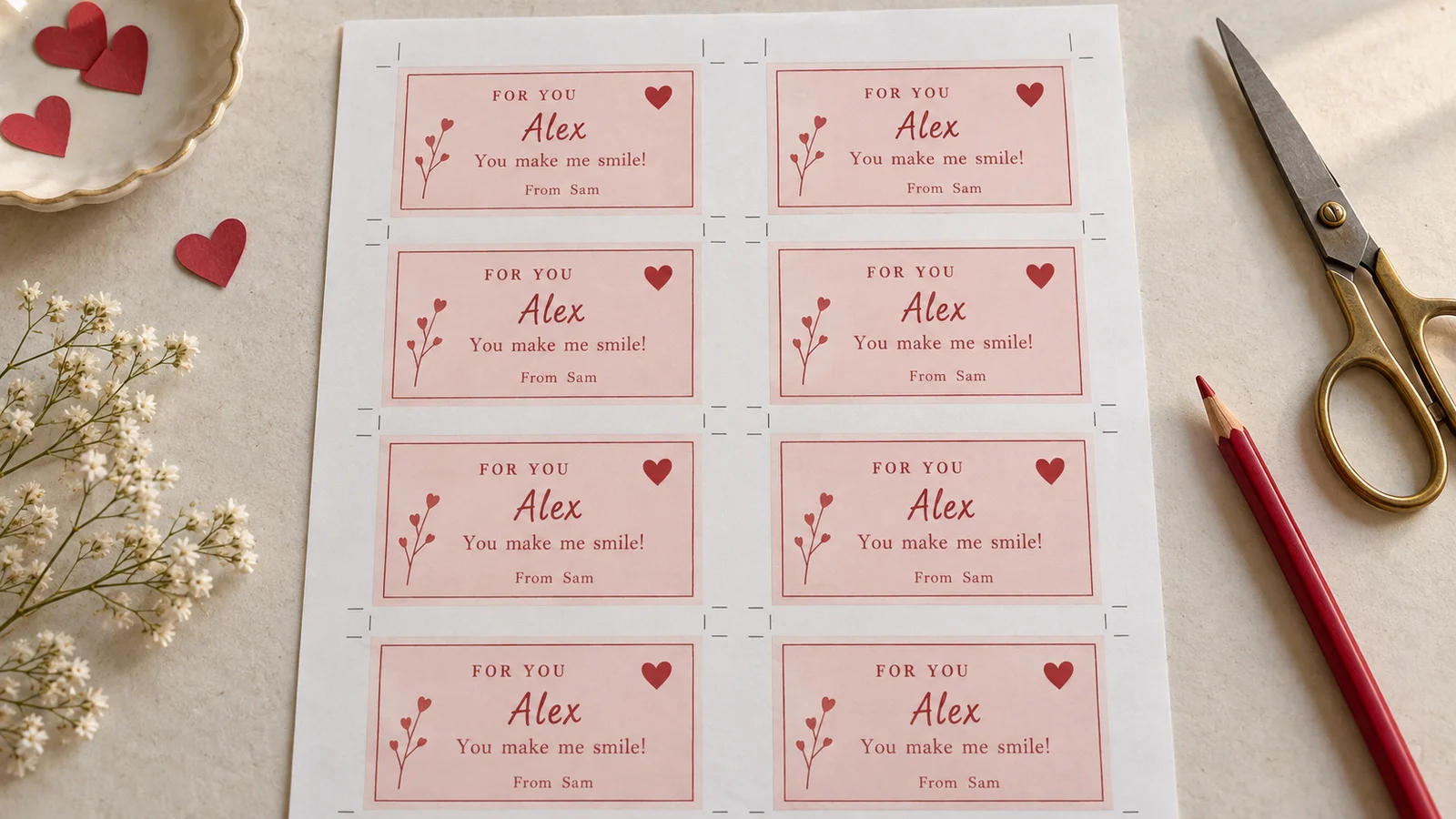
The 85 × 55 mm format keeps classroom exchanges compact. At the default settings, eight cards fit on either A4 or US Letter, with room between them for trimming. A class of 24 recipients uses three sheets; 30 uses four, with two unused positions on the last sheet. If larger margins or bleed prevent eight cards from fitting, the editor blocks export. Choose fewer cards per sheet or Auto, then check the new page count.
Make each classmate’s card personal
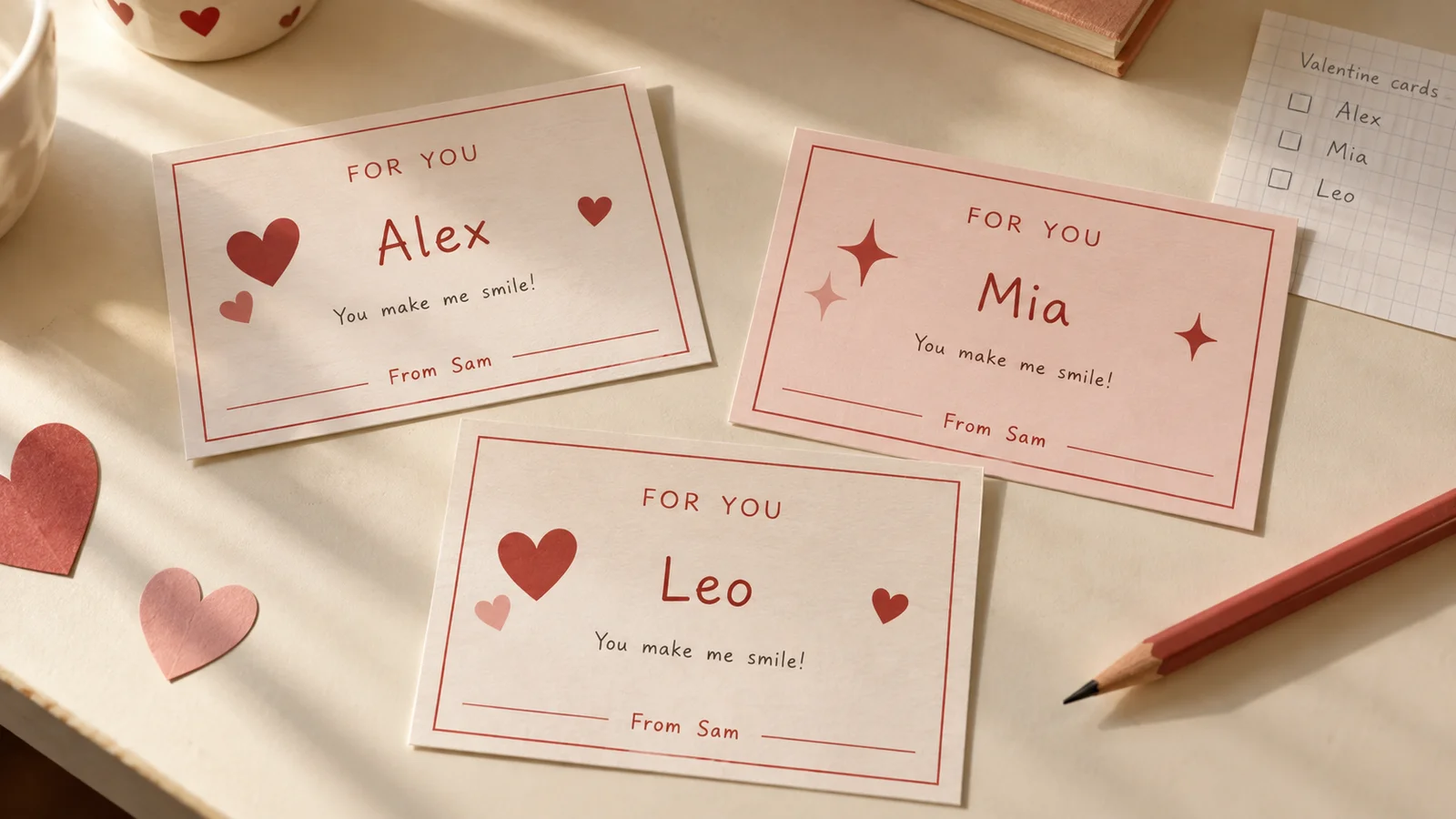
Keep the greeting and sender consistent, then use a pasted list or CSV to fill recipient names. This is useful when a teacher has provided an approved class list and names belong on the cards. Some classes prefer an unnamed recipient to make distribution easier; in that case, use a general greeting instead. Review the first, last and longest names so a spelling mistake does not repeat through the batch.
Add a wrapped treat if the class allows it
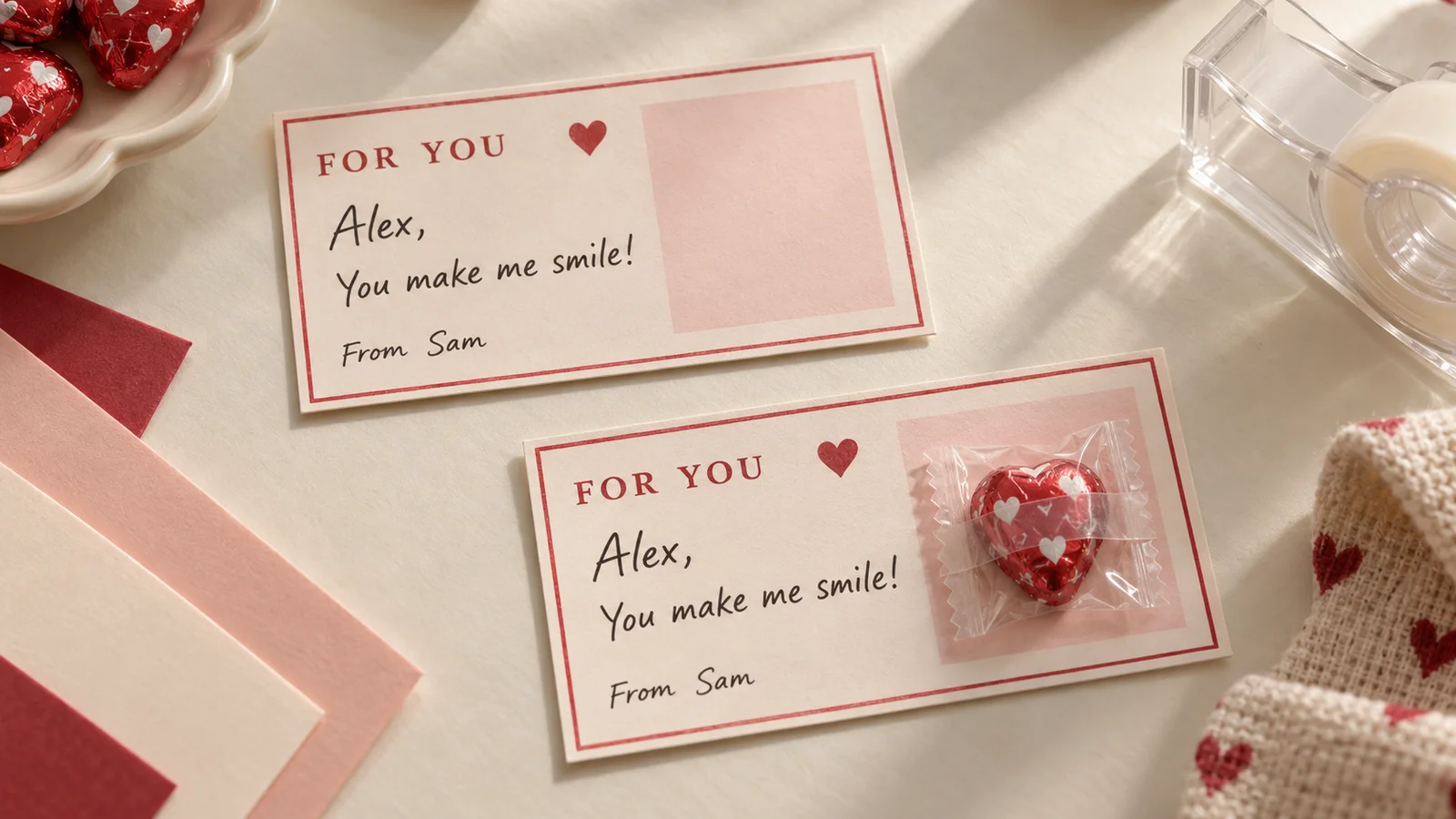
The candy-holder layout keeps a clear area for a small wrapped treat. Print and cut the card, then attach the wrapper with tape or an adhesive dot without covering the name or message. It is a flat backing card, with no pre-cut slot or gripping mechanism. The printable is also a complete greeting on its own; ask the teacher about the exchange before adding anything to it.
Printable classroom valentines that stay easy to finish
Start with the paper you have and the instructions your class received. A small, readable greeting is enough.
Friendship-first wording
Use a friendly message such as “You make our class brighter” or “Thanks for being my friend.” The hearts and stars work for classmates without needing a romantic message. Replace the example text in the editor; the same design can also become a thank-you note for a sibling, neighbor or teacher. A short phrase leaves more room for the recipient’s name.
Plan the number before printing
Count the intended recipients from the current class information, then decide whether to make a few extra cards. Do not assume a class list includes teachers or other adults. At eight per sheet, divide the card count by eight and round up for a starting paper estimate. The editor’s page count takes your actual settings and batch into account.
Leave room for a handwritten finish
You can type the message or replace it with shorter text to leave more open space. A child can add a signature or drawing after printing. Try the card on plain paper first if handwriting space matters: an 85 × 55 mm card is intentionally small. For a longer message or a picture inside a folded card, use the main greeting-card tool.
Choose colors you can print clearly
Adjust the available palette and font style, then check contrast in the preview. A pale decoration can look different on a home printer, and dark backgrounds use more ink. The paper color becomes part of the finished result. If you plan to print on colored stock, try one sheet before committing to the whole class batch.
Keep the roster in your browser
The editor uses the names you enter locally to prepare the preview and exports. It does not create a cloud project or send the class list to a design service. Site advertising and analytics are separate from card processing. Download your files before closing the page, and keep only the personal information that actually needs to appear on each card.
Pick a format for your next step
PDF is the simplest starting point for a sheet of cards at a defined physical size. PNG is useful if you want an image of a card or sheet, but another app may resize it when inserting it into a document. Check the dimensions again there. Multiple PNG images may download in a ZIP; extract it before opening the individual files.
How to print printable classroom valentines
Make a plain-paper test first, then print the final batch only after checking the names, scale and trim positions.
Pick the design and paper
Choose friendly hearts, friendship stars or the candy holder. Select US Letter or A4 to match the paper in your printer. English starts with Letter, but the language does not lock the paper choice. Keep the default layout settings for eight 85 × 55 mm cards per sheet. If margins or bleed leave too little room for eight cards, choose fewer per sheet or Auto before exporting.
- The finished size is approximately 3.35 × 2.17 inches, not an exact 3.5 × 2 inch business card.
- These cards are flat and single-sided; no folding or duplex alignment is needed.
Write the message and add the names
Edit the greeting and sender, then paste the recipient list or import a CSV and map the recipient column. Use one record for each intended recipient, up to 200. Review the imported results before downloading, including accents, duplicate names and accidental blank rows. If the class asks for no recipient names, use a shared greeting and the sender’s name instead.
- Use first names only when that is all the card needs.
- Check a long name in the preview and shorten the message if the editor reports text overflow.
Download and print at 100%
Choose PDF for the sheet layout. In the print dialog, select the matching paper and Actual size or 100%. Adobe’s printing guide explains that Fit rescales a PDF page, which changes the finished card size. Start with plain paper; for sturdier cards, 160–220 gsm stock is a practical option only when your printer manual allows it.
- Turn off browser headers and footers when using direct printing.
- Measure one test card before the final batch: it should be 85 mm wide and 55 mm high.
Trim and prepare the exchange
Let the ink dry, then trim each card to its edges using the sheet’s cutting guides. Sort the finished cards against the class list before packing them. For the candy-holder design, attach a suitably small wrapped item to the open area with tape, keeping the words visible. The design does not cut or punch a slot. Leave it as a paper-only card whenever that is the better fit for the class.
- Keep one finished sample beside you while trimming the rest.
- Use the parent card maker for a larger folded greeting with an inside message.
Printable classroom valentines: common questions
Answers about class lists, card sizes, paper and finishing.
Yes. All three designs, editable text, class-list personalization, PDF and PNG downloads and direct printing are free. You do not need an account. Exported cards have no watermark or website advertising. Save the files to your device before you leave because this page does not keep an online project.
Eight 85 × 55 mm cards fit on A4 or US Letter with the default print settings. That makes three sheets for 24 cards and four for 30. If larger margins or bleed prevent eight cards from fitting, export is blocked. Choose fewer cards per sheet or Auto, then check the sheet preview and page count.
Yes. Paste a list or import CSV, map the recipient field and review the results. The editor supports up to 200 recipients per batch and applies your shared greeting and sender text. Proofread the names, especially long or accented ones. Follow the teacher’s instructions if the class prefers cards without named recipients.
Each flat card is 85 × 55 mm, approximately 3.35 × 2.17 inches. This is the actual trim size, not a 5 × 7 inch folded greeting. Print at 100% or Actual size and measure your test. If you want room for a longer inside message, the parent card maker offers larger folded layouts.
Use the class’s current recipient count and exchange instructions. Make one for each intended recipient, then add any extras you want for a missing name or printing mistake. With the default eight-card sheet, round the total divided by eight up to the next whole sheet. Include teachers only if you intend to make them separate cards.
It leaves a clear area on a flat backing card for a small wrapped treat. Cut out the card and attach the wrapper with tape or an adhesive dot. There are no generated cutting slots and no guarantee that every sweet fits. Check the school’s rules first, and leave the card paper-only when treats are not part of the exchange.
Use A4 or US Letter and print at Actual size or 100%, not Fit. A plain-paper trial checks the dimensions before you use heavier stock. For a sturdier result, consider 160–220 gsm cardstock only within your printer’s supported media range. Let ink dry and use the cutting guides; the cards need neither folding nor two-sided printing.
Names and messages are processed in your browser, without uploading the roster to a design service. You can edit and download on a phone, though reviewing a long CSV may be easier on a larger screen. Keep the downloaded PDF or PNG locally. Sharing the tool link does not include your names, message or finished cards.
Finish your printable classroom valentines
Choose a design, personalize a short greeting and check one printed sheet before making the full class set.
Download the final PDF or PNG, trim the cards and keep any added decorations clear of the names.
Free · No sign-up · No watermark