Behavior Chart Printable behavior chart with your goals, time periods and smiley faces to circle
Type two to four positive goals, choose the time periods (morning, afternoon, evening or class periods) and print a daily chart for home or school. Circle a face or a 1–3 score in every box. US Letter or A4, free, no sign-up, and nothing leaves your browser.
Goals × time periods · smiley faces or 1–3 points · classroom version · PDF, PNG and print
How it worksMake your behavior chart: type the goals, pick the time periods, print
The chart opens with four goals, three times of the day and three faces to circle in every box. Change the goals, the periods and the rating, then check the preview before you print.
Quick templatesPick a sticker grid, weekly reward chart, behavior chart, chore chart, potty training chart, classroom chart or monthly chart.
Rating
Chart layout
Paper size
Orientation
Print styleCalm
Printable reward chart preview
US Letter · Landscape · Calm
Behavior chart: quick facts
Short answers for parents and teachers comparing free printable options.
- Price
- Free, with no paid tier or download fee
- Account
- Not required
- Watermark
- None
- Export formats
- PDF, PNG and direct print
- Paper sizes
- US Letter and A4
- Supported sizes
- US Letter or A4, portrait or landscape; up to 8 goals and 6 time periods per sheet
- Privacy
- Runs in your browser; nothing you type is uploaded
- Languages
- 8 languages: English, Chinese, Spanish, Portuguese, French, German, Japanese, Korean
- Layout
- Goals down the side, time periods across the top (morning, afternoon, evening or class periods); a Mon–Fri weekly chart is also included
- Rating
- Three faces to circle (great job, getting there, try again), a 1–3 score to circle, or empty boxes for stickers and stamps
- Classroom version
- Six class periods, four expectations, a date line and a line for teacher or parent initials
- Print style
- 8 colour schemes, plus ink-saver and black and white
- Last updated
- October 18, 2026
Best for
- Parents who want a daily chart with two to four clear goals for a child aged about 4 to 10
- Teachers who print a classroom chart for one student or a small group
- Families and schools who want a simple daily report card that goes home
Not the best fit for
- Diagnosing or treating any condition: a chart is a tracking tool, and a child who struggles a lot should be seen by a doctor or the school team
- Whole-class public displays that rank children: use a private chart and avoid comparing children
- Tracking by the minute: ask for a rating three or four times a day at most
How it compares
- Fixed PDF charts (Twinkl and similar)
- Nicely designed charts that are quick to find, but the goals and layout are fixed, and Twinkl downloads need a membership. Here you type your own goals and periods, and there is no account.
- Online editors (Template.net, Edit.org, Canva)
- Very flexible, with many designs, but you place every box yourself, and some templates or exports are paid or ask you to sign up. Here the grid is built for you; the price is less design freedom.
- Sticker-chart makers
- A weekly sticker chart tracks one tick per day. A chart with time periods and faces tells a child how each part of the day went, which is closer to a school daily report card.
Why this behavior chart is quick to make and easy to use
Three things a fixed PDF cannot do.
A behavior chart built from your own goals and time periods
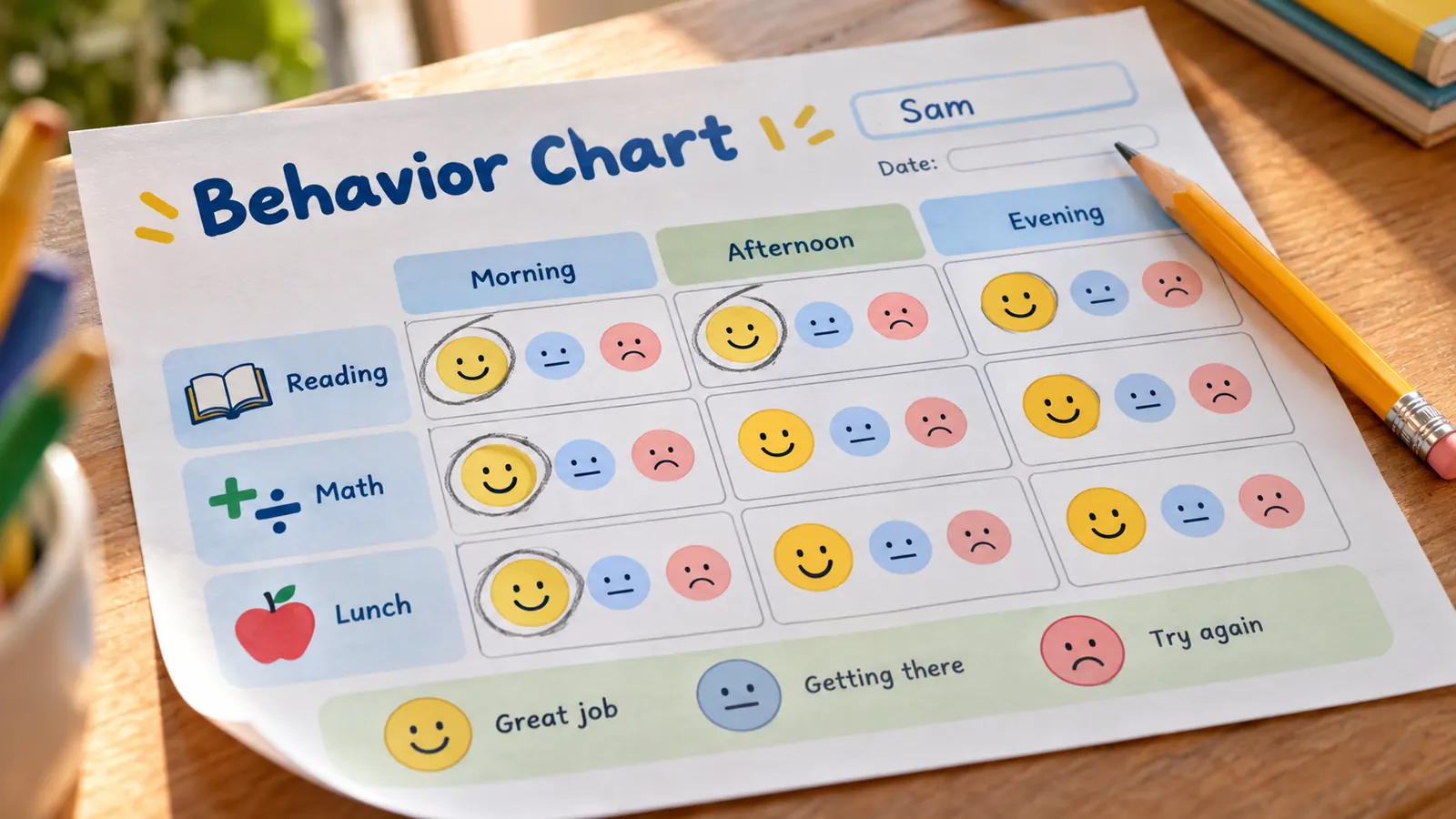
Type two to four positive goals such as “Use kind words”, then choose the columns: morning, afternoon and evening at home, or Reading, Math and Lunch at school. Up to 8 goals and 6 periods fit on one page.
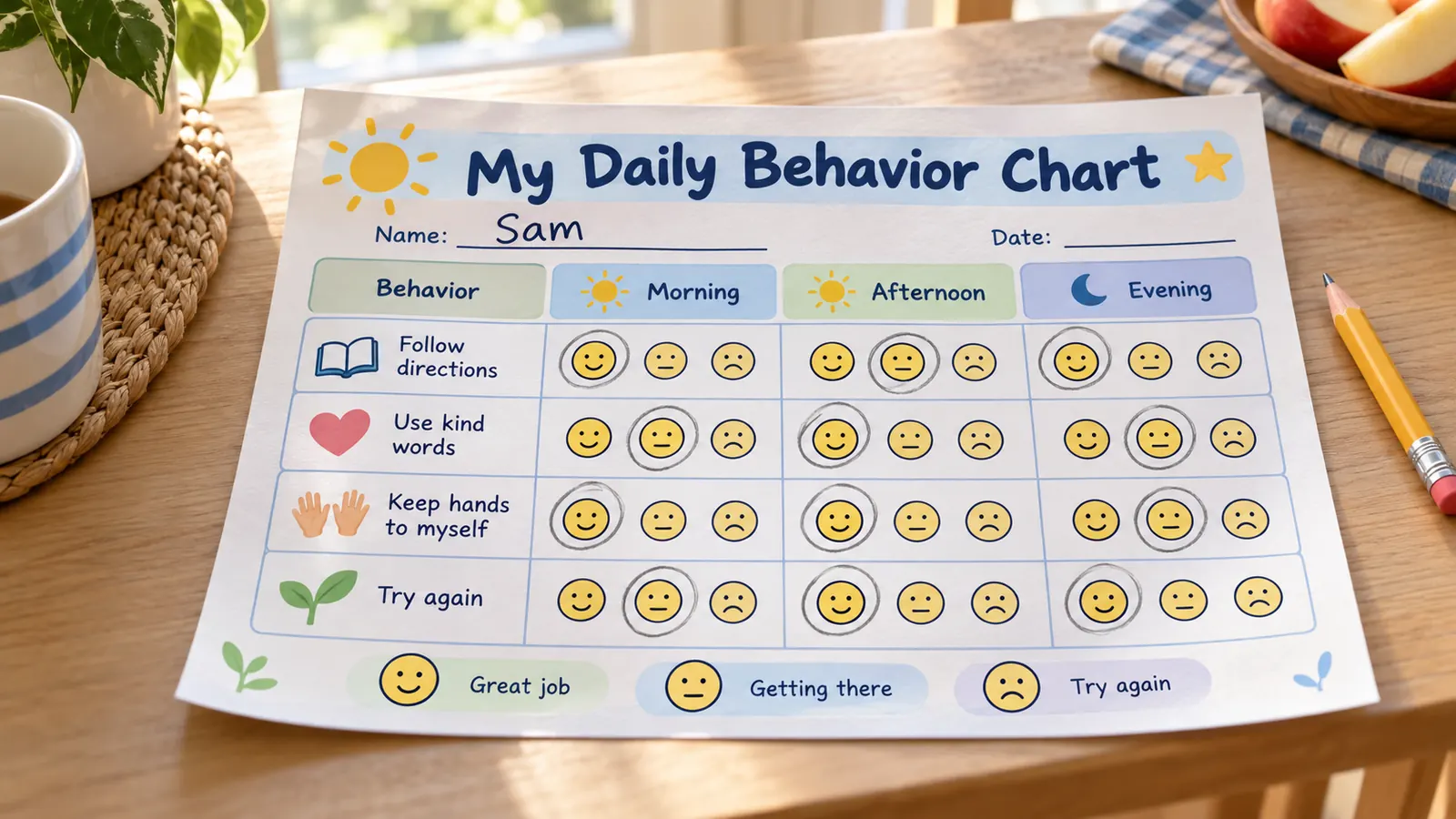
A behavior chart with smiley faces or 1–3 points to circle
Every box holds three faces (great job, getting there, try again) or the numbers 3, 2 and 1. A child or teacher circles one, so a rating takes a second. Choose empty boxes if you prefer stickers or stamps.
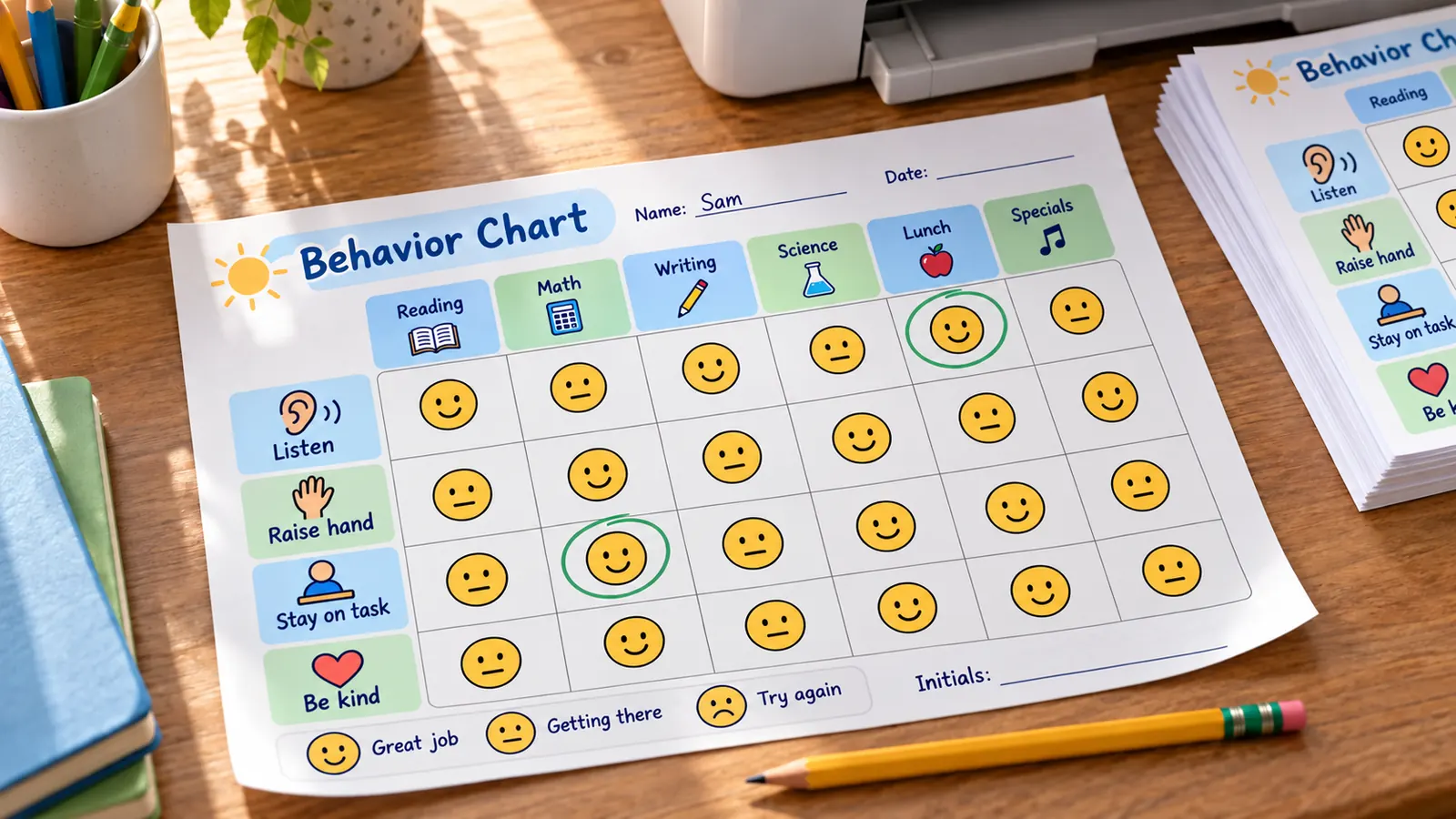
A classroom behavior chart you can print for one student
Use the classroom template with six class periods and a date line, add a line for initials, and print it on US Letter or A4. Send it home as a daily report card, or keep a stack for the week.
What this behavior chart includes
Everything runs in your browser; nothing to install, nothing to upload.
PDF, PNG or print
One PDF, a PNG, or print straight from the page. Same as the preview, no watermark.
Goals × time periods
Up to 8 goals and 6 columns, for morning, afternoon, evening or class periods.
Faces, 1–3 points or blank
Circle a face or a number in every box, or leave the boxes empty for stickers.
Weekly Mon–Fri chart too
Prefer one tick a day? The same tool makes a school-week chart.
Letter and A4
Portrait or landscape on US Letter or A4, so it fits any home or school printer.
Private by design
No account, no ads, no upload. A child's name stays on your device.
How to use a behavior chart: set it up in four steps
From a blank page to a daily chart in a few minutes.
Pick two to four positive goals
The CDC advises choosing a couple of specific behaviors and saying exactly what you want to see. Write each goal as something the child does, for example “Keep hands to myself” instead of “Don't hit”. HealthyChildren.org adds that you should say when the behavior is expected.
- Match the goals to the child's age and start with ones they can already do most of the time.
- Add a short example in the notes, such as “Use kind words: please, thank you, asking nicely”.
Choose the time periods and the rating
Use morning, afternoon and evening at home, or class periods at school. Child Mind Institute describes the daily report card as a rating from the teacher for each goal every day, and CHADD suggests checking in at least two or three times a day. Choose faces for younger children and 1–3 points for older ones.
- Three to six columns is enough; more makes the chart hard to fill in.
- Keep the rating to one mark per box.
Print at actual size
Choose US Letter or A4 and portrait or landscape. Print at 100% or actual size and turn off fit to page, so the boxes keep their size. Plain paper is fine; use card stock or laminate if the chart will be handled every day.
- Low ink mode keeps the colours light, and black and white works on any printer.
- Print a week of sheets at once so tomorrow's chart is ready.
Rate each period and reward quickly
Circle a face right after each period and say what went well. The CDC says to give the reward straight away and never take away a reward your child has earned. Agree the reward and the number of faces needed before you start, and keep the tone positive.
- Praise the behavior, not only the score.
- Review the chart after two weeks: raise a goal when it is easy, or drop one when it is too hard.
Behavior chart FAQ
Answers about free printing, what to put on it, how often to rate, rewards and ADHD.
Yes. It is free, needs no account or email and adds no watermark to the PDF, PNG or printout. It is made in your browser, so the child's name is not uploaded.
Two to four specific goals written as positive actions, such as “Follow directions” or “Use kind words”, the times of day to rate them, a simple rating, the child's name and the reward. The CDC advises a couple of specific behaviors rather than a long list.
Agree the goals and the reward with your child, rate each goal right after the time period ends, and give the reward straight away when the target is met. Keep the tone positive and review the chart after a couple of weeks.
They can help many children when the goals are specific, feedback is quick and rewards are small and consistent. HealthyChildren.org says they work best with early school-age children, and the CDC advises never taking away earned rewards. A chart does not replace help from a doctor or school if a child struggles a lot.
Pictures and faces suit about 3 to 7. Points suit early school age and older. HealthyChildren.org says paper stars suit early school-age children and points or contracts suit older ones. Child Mind Institute says a daily report card can help from preschool to age 12.
Yes. A daily report card with a few specific goals rated several times a day is a common school-to-home tool for ADHD, according to Child Mind Institute and CHADD. Use the daily report card template with a 1–3 score and ask the teacher to initial each box. Talk to the child's doctor or school team about their plan.
Use the classroom template: four expectations down the side, six class periods across the top and a face to circle in each box. Print it for one student or a small group, keep it private, and send it home as a daily report card if the parent agreed.
Two to four times a day. CHADD suggests at least two or three check-ins a day, and rating only once at the end of the day gives feedback too late. Use morning, afternoon and evening at home, or class periods at school.
Yes. Choose US Letter (8.5 × 11 in) or A4 (210 × 297 mm), in portrait or landscape. Print at 100% or actual size and turn off fit to page so the boxes keep their size.
Make your behavior chart with the free maker
Type the goals, pick the time periods and the faces, and print it in minutes.
Free, no sign-up, no watermark, and nothing leaves your device.
Tip: print a week of sheets and put a pencil or crayon next to the chart.