Wedding place cards from your guest list, with meal icons
Make wedding place cards from a guest list: paste the names or import a CSV, add a table number and a meal choice, and print folded tent cards, flat cards or escort cards on A4 or US Letter. Beef, chicken, fish, vegetarian, vegan, kids, gluten-free and allergy notes get a small icon your caterer can read. Free, no account, no watermark, and the guest list stays in your browser.
Tent, flat and escort cards · 8 meal icons · CSV import · A4 and Letter
See how to print themMake your wedding place cards
The editor opens with folded wedding place cards, a sample guest list and meal icons switched on. Replace the names, import your own list, then choose the card size and paper before you print.
Template librarySelected template: Champagne wedding cards with meal iconsOpen to apply a ready-to-print place card template. Templates stay in the same order across languages.
One card per line. Use Name | Table | Subtitle | Meal; the table, subtitle and meal can be blank. A line without a pipe can also use commas. Meal text such as beef, chicken, fish, vegetarian, vegan, kids, gluten-free or allergy adds an icon to the card.
Columns are found by header (Name, Table, Title, Meal). Without a header, use the order Name, Table, Subtitle, Meal.
Layout settings
Printed size: 88.9 × 50.8 mm (3.5 × 2 in)
Prints at full size at 100% scale.
Before printing checklist
- Print at 100% scale with margins disabled when your printer allows it.
- Check crop lines before cutting and fold lines before scoring tent cards.
- Review long names, missing table numbers, and meal markers before exporting.
- For double-sided tent cards, the back side is automatically flipped for folding.
Full sheet print preview
Double-Sided Tent Cards · US Letter
Wedding place cards maker: quick facts
What you get, what it prints on and what it does not do.
- Price
- Free, with no paid tier or download fee
- Account
- Not required
- Watermark
- None
- Export formats
- PDF with every page, a PNG of the first page, and direct printing; the guest list downloads as CSV
- Paper sizes
- A4 (210 × 297 mm) and US Letter (8.5 × 11 in), portrait; 4 folded tent cards or 8 flat 90 × 55 mm cards per sheet at full size
- Supported sizes
- Tent, double-sided tent, flat, escort and table-sign cards in 8 sizes, including 3.5 × 2 in and 4 × 2 in tent sizes
- Privacy
- Guest names stay in this browser tab; the draft is kept in this browser’s local storage and is never uploaded
- Languages
- 8 languages: English, Chinese, Spanish, Portuguese, French, German, Japanese, Korean
- Meal icons
- Beef, chicken, fish, vegetarian, vegan, kids, gluten-free and allergy; any other meal text prints as a two-letter code
- Guest import
- CSV or TXT; columns are found by header name, or read as Name, Table, Subtitle, Meal. Sort A–Z or by table
- Paper weight
- 65 lb (about 176 gsm) cardstock is the weight Avery uses for its 2 × 3.5 in tent cards; use heavier stock only if your printer allows it
- Wedding templates
- 5 wedding styles: peach wreath, sage garden, blue wildflower, rose gold garland and champagne meal-icon cards
- Last updated
- October 27, 2026
Best for
- Couples with a guest list in a spreadsheet who want a card for every seat
- DIY weddings printing at home or at a copy shop on 65–80 lb cardstock
- Plated dinners where the caterer needs to see each guest’s meal choice
Not the best fit for
- Calligraphy or hand-lettered looks; the card text is typeset
- Pre-cut perforated sheets: cards are laid out by this tool, so cut them by hand or with a trimmer
- RSVP tracking or collecting meal choices from guests
- Deciding who sits where; use the wedding seating chart maker first
How it compares
- Canva
- Has a huge library of designed templates, but you type each name into the design by hand, and a template with a Pro element adds a watermark on a free account. Use it for artwork; use this page to batch a whole guest list.
- Avery Design & Print
- Free and matched to Avery’s pre-cut sheets, such as 5302 tent cards (2 × 3.5 in, 4 per sheet). Choose it if you want perforated cards; this page works on plain cardstock and adds meal icons.
- Word and Etsy templates
- Word templates are free but one card at a time; Etsy templates are paid and edited in another app. They look more decorative; this page is faster for 50 or more guests.
Wedding place cards that print straight from your guest list
Names in, folded cards out, with meal icons and clear fold lines.
Turn a guest list into place cards
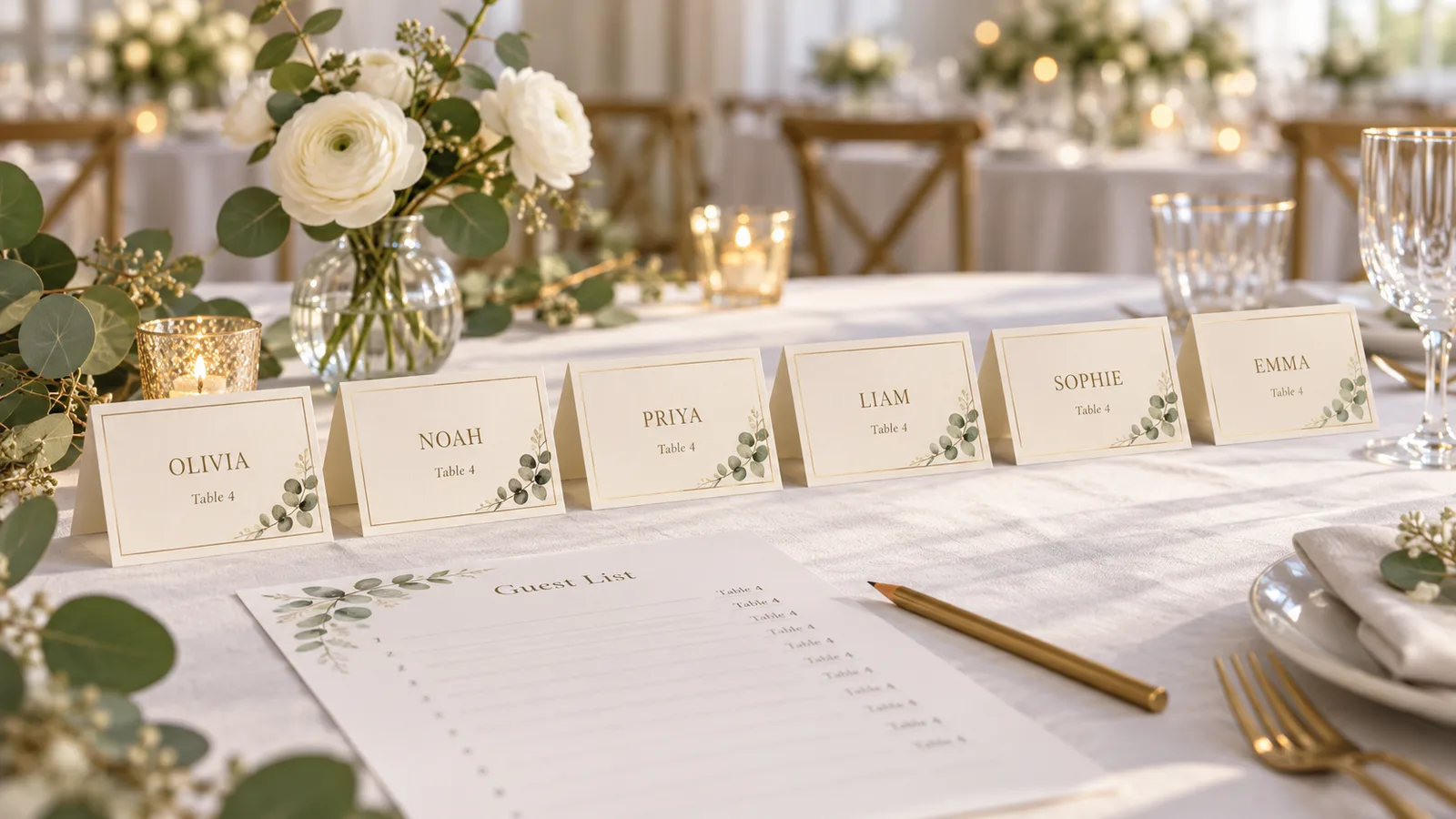
Paste one guest per line or import a CSV from your spreadsheet. Each row becomes a card with the name, an optional table number and a line such as “Bride’s cousin”. Sort the list A–Z or by table, and choose folded tent cards, double-sided tent cards, flat place cards or escort cards.
Add meal icons to every place card
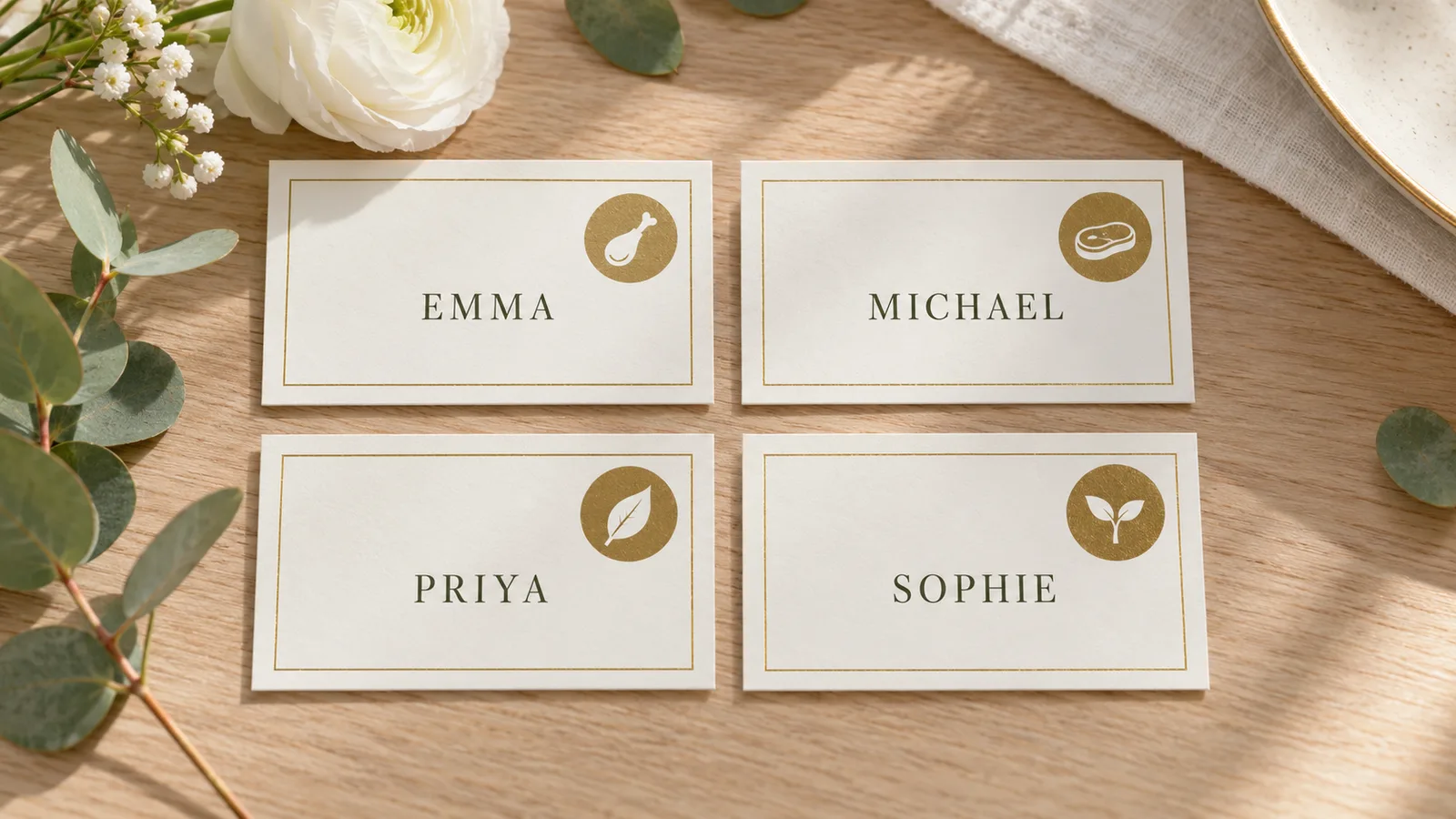
Type the meal choice and the card shows a small icon in the corner: beef, chicken, fish, vegetarian, vegan, kids, gluten-free or allergy. Caterers find an icon quicker to read than a letter, and the full entrée name does not have to sit on the card. Ask your venue which choices it needs marked.
Print place cards at full size at home
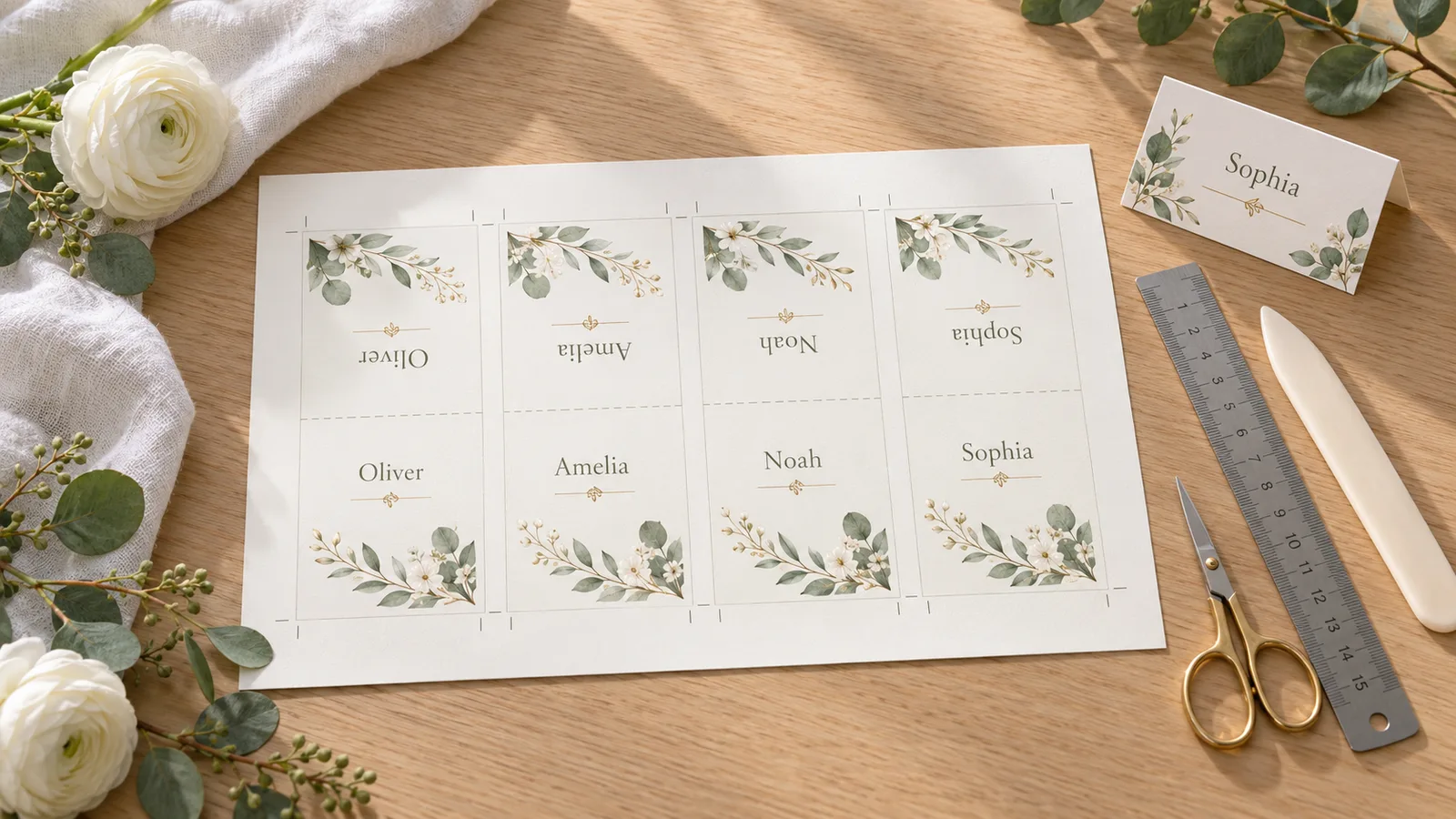
The preview shows the printed size and how many cards print at full size per sheet, with crop and fold lines you can switch on. Download a PDF for A4 or US Letter, print at 100% on 65–80 lb cardstock, then fold along the line. Print a test sheet first.
What this wedding place cards maker includes
Everything to print a card for every seat, without an account.
CSV and TXT import
Import a spreadsheet export or paste names; headers are found by name.
8 meal icons
Beef, chicken, fish, vegetarian, vegan, kids, gluten-free and allergy.
Tent, flat and escort cards
Five card types in 8 sizes, including 3.5 × 2 in tent cards.
Print-at-100% check
See the finished size and the full-size cards per sheet before you print.
PDF, PNG and print
A4 and US Letter, no watermark, with fold and crop lines.
Private by default
Guest names are processed in your browser and never uploaded.
How to make wedding place cards, step by step
From a guest list to folded cards on your table in about fifteen minutes plus drying time.
Add your guest list
Paste one guest per line as Name | Table | Subtitle | Meal, or import a CSV or TXT file. With a header row, columns named Name, Table and Meal are found automatically. Give plus-ones and children their own row, and write names the way you want them printed, such as first and last names.
- Wait until after your RSVP deadline so you do not reprint.
- Pick one style for every card: first and last names, or titles plus last name.
Choose place cards or escort cards
Place cards sit at the setting and name one seat; escort cards sit on a display near the entrance and send each guest to a table. Pick Tent or Double-sided tent for the table, Flat for a card on a napkin or plate, or Escort for the entrance display, and sort A–Z for the display.
- Escort cards are easiest to find when they are in alphabetical order.
- If you use place cards, you still need escort cards or a seating chart to point guests to the table.
Add table numbers and meal choices
Fill in the Table and Meal columns. A meal of Beef, Chicken, Fish, Vegetarian, Vegan, Kids, Gluten-free or Allergy adds an icon in the corner; anything else shows as a two-letter code. Ask your caterer which choices they need marked, and give them the same list.
- Keep the meal text short; the icon does the work.
- Print the cards, then check each icon against your RSVP list.
Pick a style, size and paper
Choose a wedding template, then a card size: 3.5 × 2 in and 4 × 2 in are the common US tent sizes, and 90 × 55 mm suits A4. Choose A4 or US Letter. Four folded tent cards or eight flat cards fit on one sheet at full size, so 80 guests take 20 tent sheets.
- The preview tells you if a cards-per-sheet setting shrinks the cards below their stated size.
- Print a few extra cards, around 5–10%, for typos and late additions.
Print at 100% and fold
Download the PDF and print it at 100% or actual size, never “fit to page”. Use 65–80 lb (about 176–216 gsm) cardstock if your printer takes it. Print one test sheet, let the ink dry, then cut along the crop lines and fold tent cards along the fold line.
- Print in batches of 20–30 cards and let each batch dry.
- Score the fold line with a ruler and a blunt knife for a crisp tent.
Wedding place cards FAQ
Answers about card sizes, meal choices, escort cards and printing at home.
Yes. Editing, PDF and PNG downloads and printing are free. There is no account to create, nothing is stamped on your wedding place cards, and your guest names are processed in your browser instead of being uploaded.
Escort cards tell a guest which table to go to and sit on a display near the entrance, ideally in alphabetical order. Wedding place cards sit at the setting and name the seat. If you use place cards you still need escort cards or a seating chart. This page makes both.
Paste one guest per line as Name | Table | Subtitle | Meal, or import a CSV, then pick a wedding template and a card type. Each row becomes a card, so 100 guests are 100 cards with no retyping. Download the PDF and print it at 100%.
There is no official size. Tent cards are often 2 × 3.5 in once folded, which is a 4 × 3.5 in sheet before folding, and flat cards are 2 × 3.5 in. This page offers 3.5 × 2 in and 4 × 2 in tent sizes plus 90 × 55 mm, 85 × 45, 100 × 65 and 130 × 90 mm.
Type the meal in the Meal column and the card shows a small icon: beef, chicken, fish, vegetarian, vegan, kids, gluten-free or allergy. Caterers find icons quicker to read than letters, so ask your venue which choices to mark. Other text prints as a two-letter code.
At full size, 4 folded tent cards or 8 flat 90 × 55 mm cards fit on one A4 or US Letter sheet. For 100 guests that is 25 sheets of tent cards or 13 of flat cards. A higher cards-per-sheet setting shrinks the cards, and the preview tells you by how much.
Avery’s 2 × 3.5 in tent cards use 65 lb (about 176 gsm) cardstock, and home-printing guides suggest 65–80 lb. Check the maximum weight in your printer’s manual, because thick stock can jam. Score the fold line first so the tent stands.
Escort cards should be, because guests look for their own name. Place cards sit at the table, so their order does not matter. Use the A–Z sort for escort cards and the table sort when you hand cards to the person setting the tables.
Common advice is a card for every guest, including plus-ones and children, though babies are usually skipped. Use first and last names, with titles such as Dr. but without Mr. or Mrs., and keep one style on every card.
Yes, for batch printing from a guest list. Canva has more decorative designs, but a template with a Pro element adds a watermark on a free account and names are typed in one by one. This page has fewer designs and no calligraphy, but nothing is stamped on your cards.
Make your wedding place cards today
Paste your guest list, add table numbers and meal icons, and print a card for every seat.
Download the PDF for A4 or US Letter. Free, no sign-up and no watermark.
Free · No sign-up · No watermark · A4 and US Letter