Visual Schedule Printable Free picture schedule maker: daily strip, first-then board and cut-out cards
Build a picture schedule in your browser. Pick from 200 picture icons or add your own photos, put the steps in order, and print a daily strip, a first-then board or cut-out cards for Velcro. Free, no sign-up, no watermark, US Letter or A4.
200 picture icons · your own photos · 3 layouts · Letter and A4 · PDF, PNG and print
How it worksMake your visual schedule printable: pick pictures, set the order, print
The page opens with a daily routine. Swap the pictures, change the layout, then print or save a PDF.
Start from a templateTemplate: Daily routineDaily routines, first-then boards and card sets
Picture library
Tap an icon to add it to the schedule.
Photos are resized in your browser and never uploaded.
Your schedule (8/24)
Rename a step, add a photo, or move it up or down.
Page settings
Your visual schedule
Daily strip · US Letter · Portrait
Print at 100% (actual size) with fit to page off. Card stock of about 160–200 g/m² lasts longer.
Visual schedule printable: quick facts
Short answers for parents, teachers and therapists comparing free tools.
- Price
- Free, with no paid tier or download fee
- Account
- Not required
- Watermark
- None
- Export formats
- PDF, PNG and direct print
- Paper sizes
- US Letter and A4
- Supported sizes
- Daily strip (vertical or horizontal), first-then board, and cut-out cards in 1.5 in (3.8 cm), 2 in (5.1 cm), 2.5 in (6.4 cm) or 3 in (7.6 cm)
- Privacy
- Runs in your browser; nothing you type is uploaded
- Languages
- 8 languages: English, Chinese, Spanish, Portuguese, French, German, Japanese, Korean
- Picture library
- 200 icons in 10 groups: morning, meals, school, play, out and about, evening, feelings, health, home and cue cards (First, Then, Wait, All done)
- Your own photos
- Add a photo of your child's real shoes, bus or teacher. Photos are shrunk on your device and never uploaded.
- Velcro and slots
- Print empty slots with a dot where the hook tape goes, then print the matching cards on a second sheet and cut them out
- Starting points
- 13 templates: daily routine, morning, Mon–Fri morning grid, morning cards, school day, after school, bedtime, doctor visit, two first-then boards, Velcro board, routine cards and feelings cards
- Length
- Up to 24 pictures; the strip holds up to 10 per page and adds pages when needed
- Last updated
- October 18, 2026
Best for
- Parents making a morning, school or bedtime routine for an autistic, ADHD or toddler child
- Teachers, aides and therapists who need a class or one-to-one schedule in minutes
- Anyone who wants Velcro cards they can move or flip when a step is done
Not the best fit for
- Medical or therapy advice: a speech-language pathologist, occupational therapist or psychologist can tailor a schedule to your child
- Hour-by-hour planners with times: use the weekly planner or the study plan tool instead
How it compares
- Spectrum Unlocked
- Free PDF templates and a large card library, with paid ready-made packs. This tool adds a first-then board and your own photos on one page.
- Special Learning Visual Schedule Maker
- Free, but asks for your name, email, role and ZIP code first, and prints a credit line (checked October 2026). This one needs no details and prints nothing extra.
- Twinkl Now and Next cards
- Editable cards with a strong UK symbol style, but you need a membership login. Here you can print straight away.
- Canva or Google Slides
- Flexible, but you find the pictures and size the cards yourself. Here the icons, slots and cut guides are ready.
Why this visual schedule printable fits home, class and therapy
Three things a fixed PDF cannot do.
One visual schedule printable, three layouts
Print a vertical or horizontal daily strip with numbers and tick boxes, a first-then board with an All done box, or a sheet of cut-out cards. Switch layouts with one click and the same pictures follow.
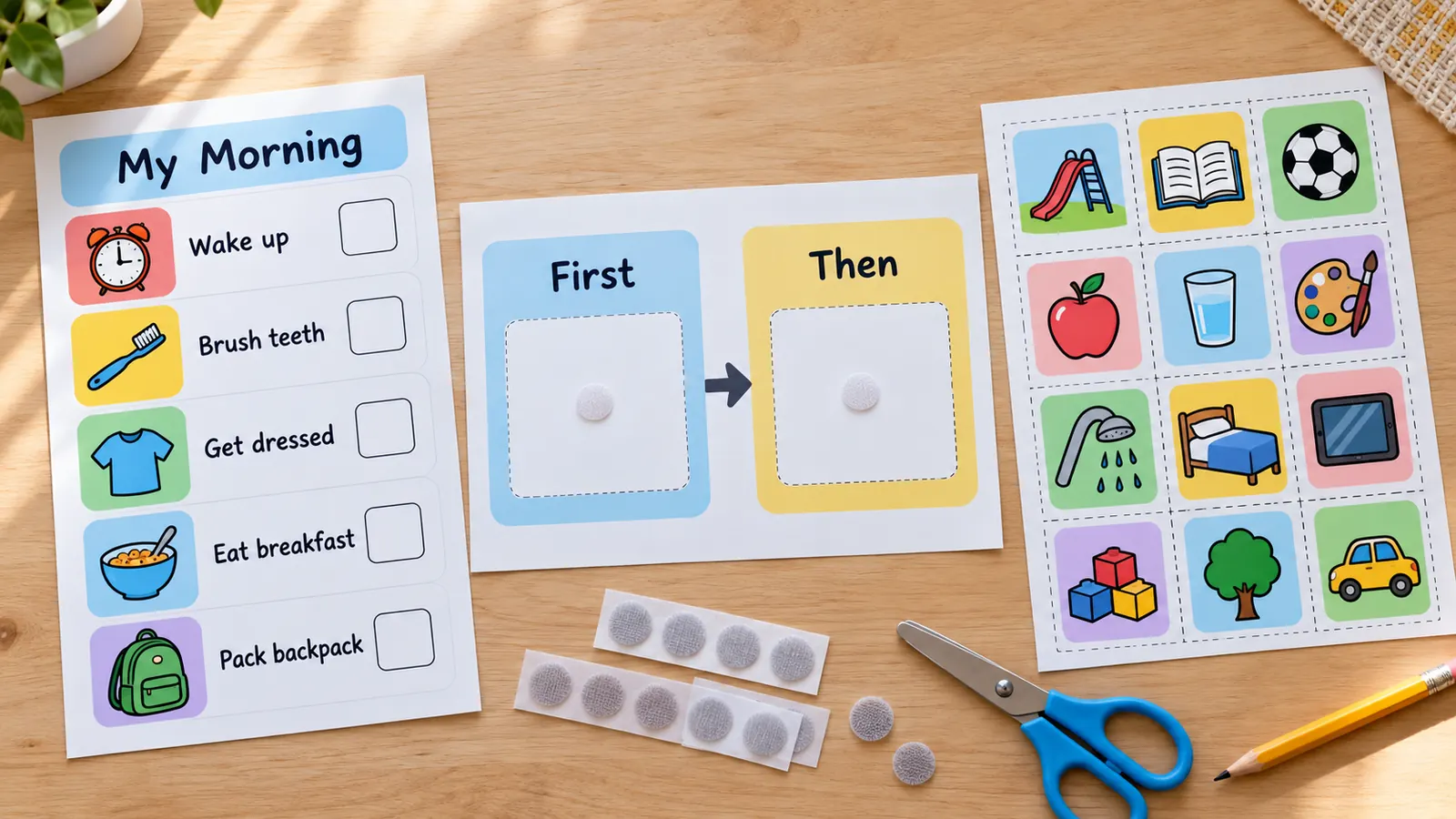
Picture icons or your own photos on the schedule
Choose from 200 icons for waking up, brushing teeth, the bus, circle time, snack, bath and feelings, or type your own card. Add a photo of the real bus, shoes or teacher: it stays on your device.
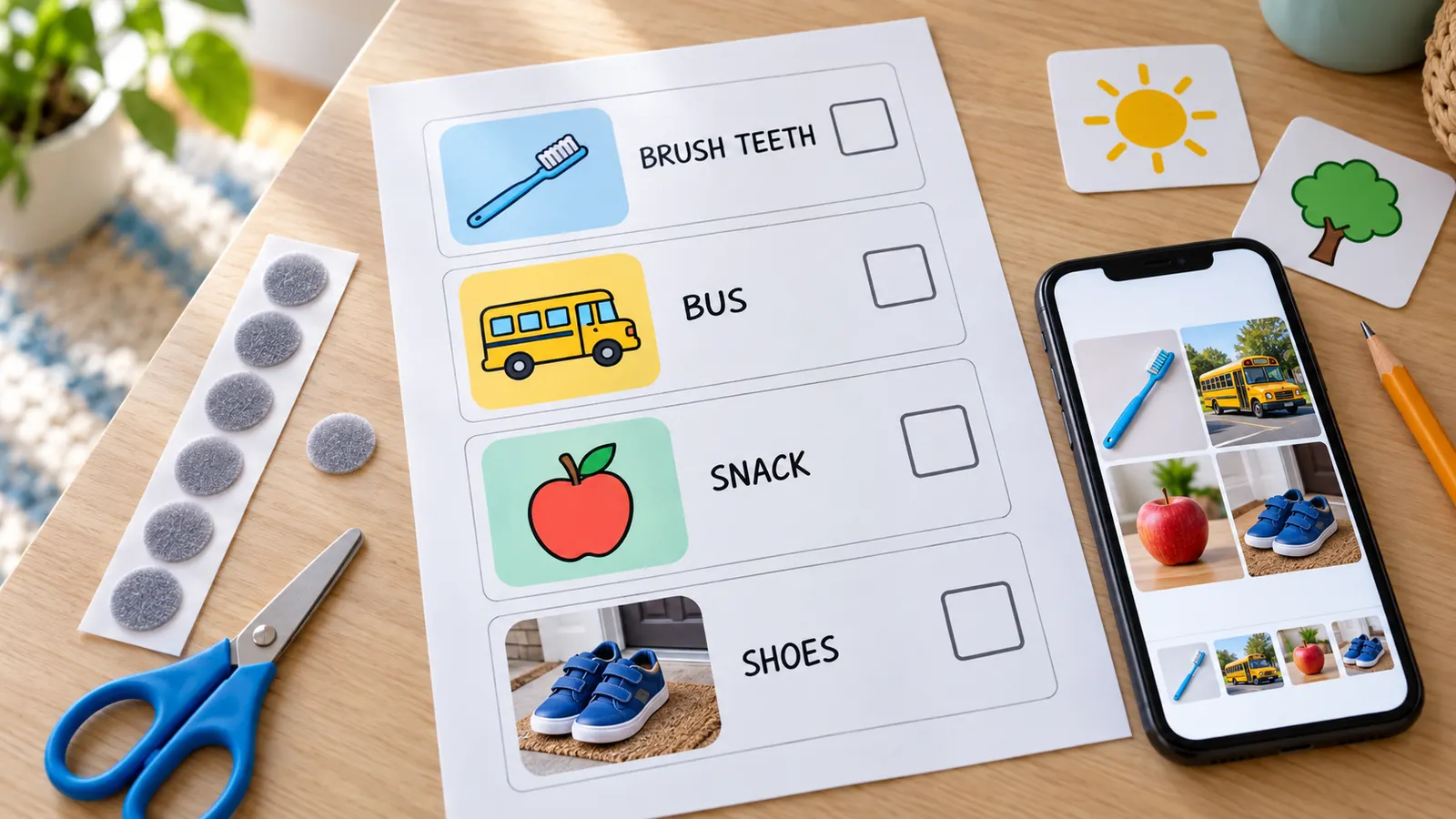
Cut-out cards for Velcro, sized to the slot
Cards print at 1.5, 2, 2.5 or 3 inches with cut guides. Print empty slots with a dot for the hook tape on the board, then the cards on a second sheet. Add First, Then, Now, Next and All done cards in one click.
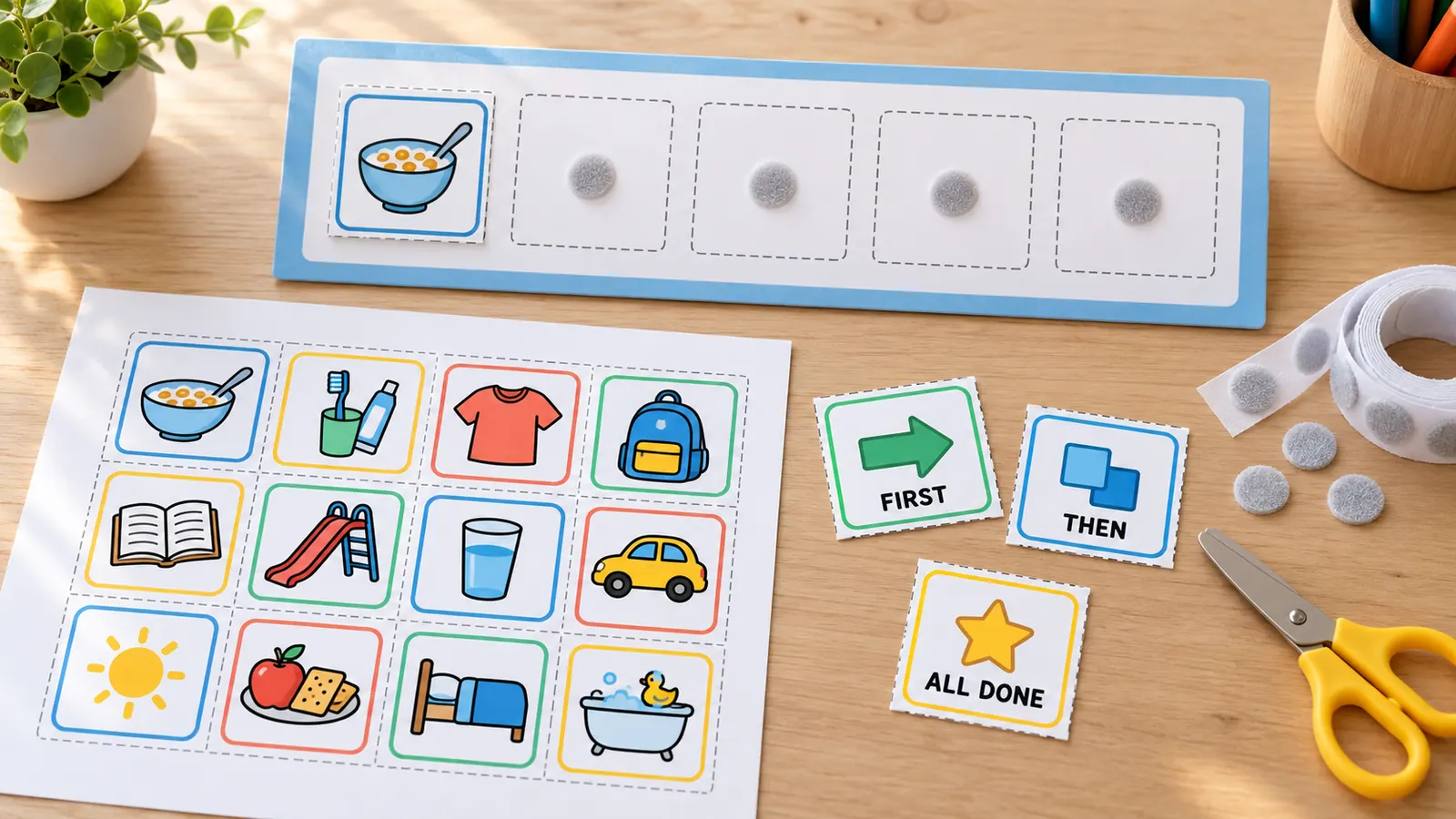
What this visual schedule printable maker includes
Everything runs in your browser; nothing to install, nothing to upload.
PDF, PNG or print
One PDF, a PNG, or print from the page. Same as the preview, no watermark or credit line.
200 picture icons
Ten groups: morning, meals, school, play, outings, evening, feelings, health, home and cue cards.
Your own photos
Add real photos or typed cards. Pictures are shrunk on your device and never uploaded.
First-then board
Choose the First and Then pictures, with an All done box and optional Velcro slots.
Four card sizes
1.5, 2, 2.5 or 3 inches with cut guides, so cards fit the slots you print.
Private by design
No account, no ads, no upload. A child's name and photos stay on your device.
How to make a visual schedule printable that works: four steps
From a blank page to a printed schedule in about ten minutes.
Pick a short sequence of steps
Start with the part of the day that is hardest, such as getting ready for school. An NHS Leicestershire guide suggests preparing 4 to 6 symbols for the day and showing 2 at a time, and Ambitious about Autism notes that some children find a whole-day schedule overwhelming, so start small.
- Open the Morning routine or Bedtime routine template and delete what you do not need.
- Use the First-then board when one task has to come before something the child likes.
Choose pictures, photos or words
Tap an icon to add it, or type a custom card such as “Swimming lesson”. For a younger child, a photo of the real object often works better than an icon: add it with Add a photo and it stays on your device.
- Rename any card so the words match what you say at home or in class.
- Keep the same picture style for the same step every day.
Choose the layout and print at actual size
Pick the daily strip, the first-then board or cut-out cards, then Letter or A4. Print at 100% (actual size) with fit to page off so the cards match the slots. Card stock of about 160 to 200 g/m² (65 to 80 lb cover) lasts longer; the Child Mind Institute notes a schedule does not need to be fancy, laminated or have Velcro to work.
- For Velcro, stick one type of dot on every card and the other type on the board.
- Laminating is optional: clear tape or a card pocket also works.
Introduce it, use it every day, then fade it
Walk through the schedule with your child before each activity and let them move, flip or tick off each step. AFIRM, the autism evidence-based practice resource from UNC, recommends using visual supports consistently across settings and fading prompts as the child learns the routine.
- Put the “All done” box where the child can reach it.
- Ask a speech-language pathologist, occupational therapist or teacher if you need help tailoring it.
Visual schedule printable FAQ
Answers about free printing, how many pictures, Velcro, first-then boards and fading the schedule.
Yes. The maker is free, needs no account or email, and adds no watermark or credit line to the PDF, PNG or printout. It runs in your browser, so names and photos are not uploaded.
Open the Morning routine template, swap in the pictures your child knows, and keep 4 to 6 steps to begin with. Print the strip, put it at your child's eye level and walk through it before each step. A speech-language pathologist, occupational therapist or psychologist can help tailor it. This tool is a printing aid, not therapy advice.
There is no fixed rule. AFIRM describes schedules from one item to a full day, an NHS Leicestershire guide suggests 4 to 6 symbols prepared for the day with 2 shown at a time, and Special Learning suggests 4 to 6 steps for a first schedule. This tool allows up to 24 pictures and 10 per strip page.
Put the less-preferred task under First and something the child likes under Then, and tell them “First work, then play”. Give the Then activity as soon as the First task is done, so the board stays trustworthy. NHS Leicestershire and Solihull guides both stress this.
A visual schedule shows a sequence of several steps, such as a morning routine. A first-then, now-next or first-and-then board shows only two: what to do now and what comes next. Many children start with the two-step board and move to a longer schedule.
Yes. Use Add a photo to create a card from a picture on your device, or Change photo on any card. Photos are shrunk in your browser and are never uploaded, so pictures of your child, home or classroom stay private.
Cards print at 1.5 in (3.8 cm), 2 in (5.1 cm), 2.5 in (6.4 cm) or 3 in (7.6 cm). Choose Empty Velcro slots, print the board, then print the cards on a second sheet. Stick one type of Velcro dot on all cards and the other type on the board.
No. Lamination makes cards last, but the Child Mind Institute says a schedule need not be fancy, laminated or have Velcro. Card stock, clear tape or a card pocket are fine for most families.
Once your child follows the routine, give fewer prompts, then fewer pictures, for example only the steps that still need a reminder. AFIRM advises fading prompts as quickly as the child is ready. Keep a few pictures for new or tricky days.
Make your visual schedule printable with the free maker
Pick the pictures, set the order and print a strip, a first-then board or cut-out cards in minutes.
Free, no sign-up, no watermark, and nothing leaves your device.
Tip: let your child choose a favourite picture for the “Then” card.